

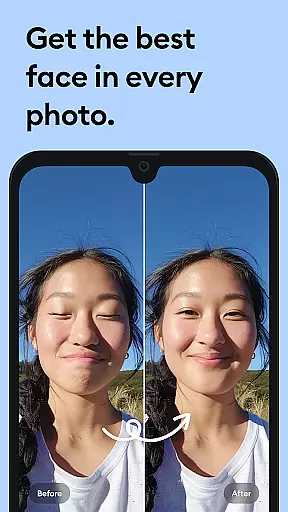
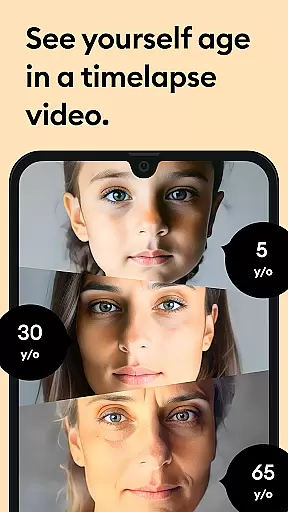



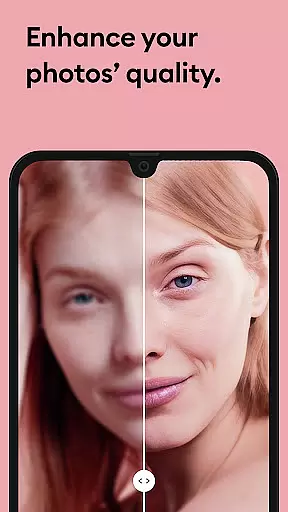


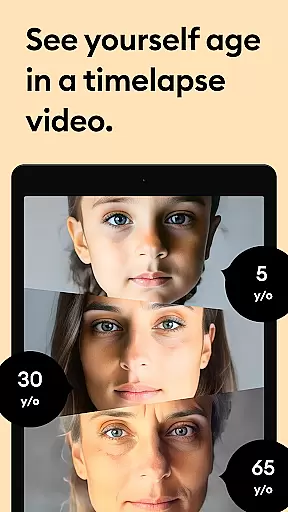



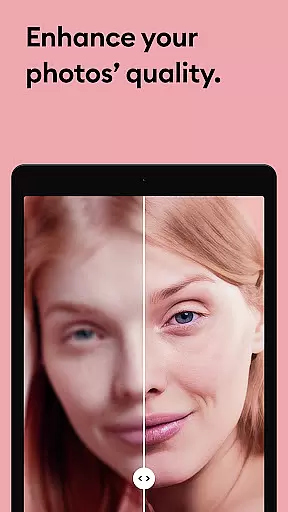


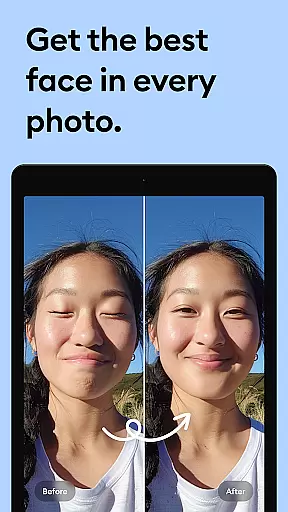



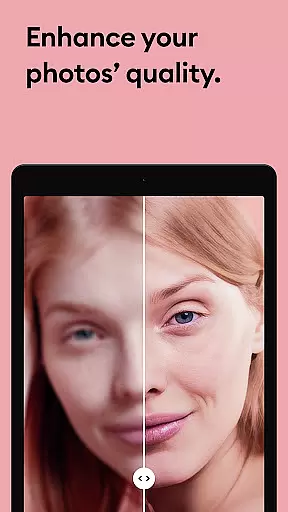

Remini is a powerful photography app that uses advanced Artificial Intelligence to enhance and restore images. The core functionality allows users to convert old, blurry, or damaged photos into high-definition images with just one tap. This AI-powered photo enhancer can unblur, repair scratches, and revitalize vintage pictures, giving them a new lease of life in stunning HD quality.
Beyond restoration, Remini also enables users to generate professional-looking AI-enhanced portraits, selfies, and group photos. It works seamlessly to sharpen out-of-focus images, increase pixel count in low-quality photos, and even retouch facial details for portrait images. With over 100 million photos revitalized, Remini stands as one of the most popular photo editor apps globally, making it easy to scan, restore, and reminisce about cherished memories.
Remini offers an impressive array of features designed to meet various photo enhancement needs. One standout feature is its ability to automatically detect and enhance facial details in portraits and selfies, creating sharp, professional-quality results. Users can repair old and damaged photos by clearing scratches, blurriness, and other imperfections, while vintage photos are restored to their original clarity.
The app's AI technology continuously improves through regular updates, ensuring optimal performance and introducing new functionalities. Additionally, Remini supports multiple languages including English, Spanish, Japanese, and more, making it accessible worldwide. Subscription options provide unlimited access to premium features, allowing users to enjoy weekly or yearly plans based on their preferences. These rich features make Remini not only a tool for restoration but also a comprehensive solution for modern photo editing.
Real-time capture and preview functionality is essential for photography apps as it allows users to see exactly what the camera is capturing before taking a shot. This ensures that the framing, lighting, and focus are all correct, leading to better quality photos.
Remini excels in this area by providing an intuitive interface where users can adjust settings on-the-fly. The app's powerful AI processes images instantly, giving users a clear preview of how their enhanced photo will look. This real-time feedback loop empowers users to make necessary adjustments quickly.
By leveraging advanced algorithms, Remini ensures that every captured moment is optimized for clarity and detail. Users benefit from seeing immediate results, which boosts confidence in their photography skills and enhances overall satisfaction with the app.
AI beauty and enhancement features have become increasingly popular in photography apps, offering tools to improve skin tone, remove blemishes, and enhance facial features naturally. These enhancements should maintain the authenticity of the original image while providing subtle improvements.
Remini stands out by using state-of-the-art artificial intelligence to unblur, restore, and enhance any image. Its AI models are trained to recognize and preserve natural textures, ensuring that edited photos retain their genuine appearance. Whether it's restoring old family photos or enhancing modern portraits, Remini delivers professional-looking results.
The app continuously updates its AI models to bring new features and improvements, ensuring that users always receive the most natural and satisfying enhancements. With Remini, users can transform their images into stunning, high-definition photos without losing the essence of the original picture.
User-friendly interface
Advanced AI technology
Multi-language support
Regular feature updates
High-quality enhancements
Paid subscription required
Limited free trial
Auto-renewal default
Old Android versions unsupported
Internet connection needed

Gallery show photo, video, slideshow, is perfect 3D effect private photo albums.
 4.80
4.80
1M influencer's special filter
4.60
Create collages easily! Nice pic collage maker & background eraser for Instagram
4.50
Transform photos into videos! Create realistic or anime-style images easily!
4.50
HD Camera Pro with HD Video shooting, Panorama, Photo editor , Beauty Camera.
4.50
A must-have app for landscape photographers
4.60
Luminar: Photo Editor - easy picture editing with AI
4.20
Snap photos remotely using your Garmin watch as the camera trigger
4.3
Discover How to Plan any Sun, Moon and Milky Way Photo You Imagine in Seconds
4.70
Pro version: AR sun/moon tracker for any date. Tool for photographers & planners
4.90
PhotoSync Bundle Add-On License. Enables all features and services in PhotoSync.
4.60
Cut and paste photo editor & eraser to customize photos easy and swap faces fun
4.50
Effortlessly organize, view and share your photos & videos with Gallery app!
4.40
AI-powered video creator by MiniMax - Where ideas meet cinema
4.20
Create & Edit with AI: AI Remove, Enhance, Retouch, Filter
4.10
How old age camera Gender Swap App Face Shape Hairstyle App Hair Styler App fun!
4.00
Turn photos into cartoons & avatars! - Photo Editor, Cartoon Face!
3.90
USB Storage Access for Photos, Videos, Music and Documents
3.80
Pet Camera
3.70


User Reviews