
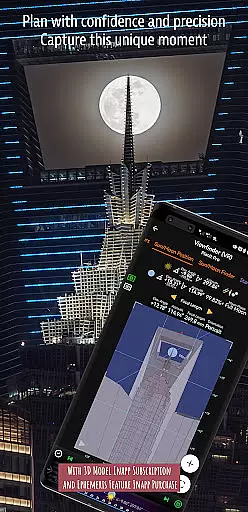
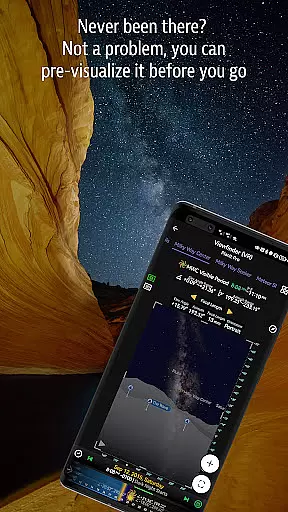
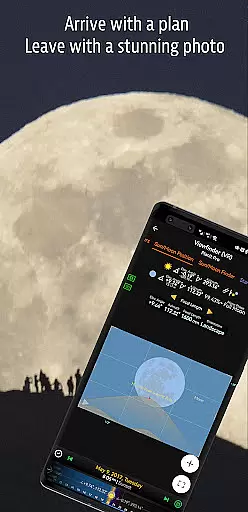
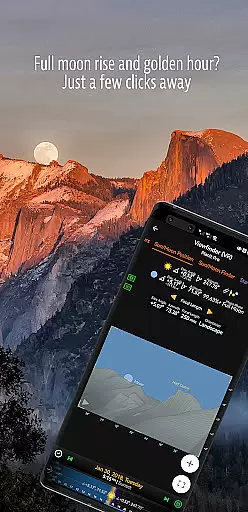
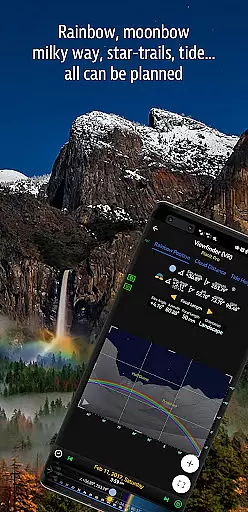

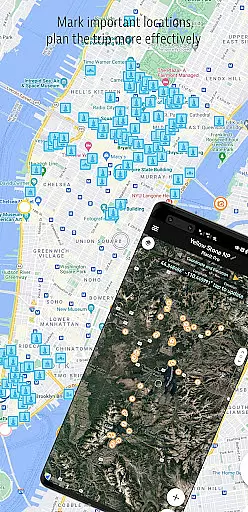
Planit Pro is an advanced photography planning application designed specifically for landscape, travel, and nature photographers. The app serves as an all-in-one solution that combines mapping technology with a simulated viewfinder to help photographers pre-visualize their shots. By providing detailed information on celestial objects like the Sun, Moon, stars, and Milky Way, alongside ground-based elements, it allows users to plan their shoots down to the smallest detail.
The app includes features such as GPS coordinates, elevation data, sunrise and sunset times, moonrise and moonset directions, depth of field calculations, hyperfocal distance, and more. These tools are presented either as map overlays or through simulated viewfinders, offering a camera-like experience. Whether you're capturing star trails, time-lapses, or panoramas, Planit Pro ensures you're fully prepared before heading out into the field.
One of the standout aspects of Planit Pro is its offline functionality. Photographers can preload maps and elevation data, ensuring they have access to critical information even in remote locations without network connectivity. This makes it an indispensable tool for outdoor and adventure photographers who need reliable planning resources regardless of their location.
Planit Pro boasts an extensive array of features tailored to meet the needs of serious photographers. One of its core functionalities is its ability to provide precise Ephemeris data, including sunrise, sunset, moonrise, and moonset times, along with their directions. This feature helps photographers determine the best time and location for capturing specific lighting conditions. Additionally, the app offers detailed information on celestial bodies, such as major stars, constellations, and nebulae, complete with azimuth and elevation angles.
Beyond celestial data, Planit Pro includes practical tools for landscape photography, such as exposure calculators, ND filter recommendations, and light metering. It also supports specialized photography types like star trail planning, time-lapse simulations, and milky way searches. Users can simulate these scenarios through augmented reality (AR) or virtual reality (VR) viewfinders, allowing them to preview shots before setting foot on location.
Another innovative aspect is its offline capability. By downloading elevation files and map tiles beforehand, users can utilize the app's full suite of features without requiring an internet connection. This ensures that photographers working in remote areas maintain access to vital planning tools, making Planit Pro a versatile companion for any photographic expedition.
Real-time capture and preview functionality is essential for photographers who need to visualize their shots before taking them. Planit Pro offers this feature by integrating advanced map and simulated viewfinder technologies.
The app provides photographers with tools to pre-visualize scenes, combining ground subjects with celestial objects like the Sun, Moon, stars, and Milky Way. This allows users to plan their shots meticulously, ensuring they capture the perfect moment.
Planit Pro's real-time capabilities include displaying GPS coordinates, elevations, distances, and other critical photography metrics directly on the map overlays or simulated viewfinders. These features mimic looking through a camera's viewfinder, offering an authentic experience.
By using Planit Pro's real-time capture and preview, photographers can significantly reduce the chances of being unprepared and increase their likelihood of getting better shots, making landscape photography more enjoyable and efficient.
While primarily focused on landscape and astro-photography, Planit Pro also incorporates elements of AI beauty and enhancement that ensure natural and high-quality photo outputs. The app achieves this through precise calculations and simulations tailored to various photography needs.
Planit Pro includes features such as exposure/ND filter calculator, light meter, and tide height predictions, which contribute to enhancing the natural beauty of photographs without compromising on quality. These tools help photographers make informed decisions about their settings and timing.
In addition to its robust set of photographic tools, Planit Pro supports panorama and aerial photography, providing options for depth of field (DoF), hyperfocal distance, and star trail planning. Such comprehensive features ensure that every element in the frame is captured naturally and beautifully.
Ultimately, Planit Pro's AI beauty and enhancement features empower photographers to produce stunning images while maintaining the authenticity and natural essence of the scene, thus elevating the overall photography experience.
Comprehensive planning tools
Offline functionality
Augmented reality previews
Detailed Ephemeris data
User-friendly interface
Steep learning curve
Requires initial setup
Premium price point
Occasional bugs reported
Heavy reliance on tutorials

Gallery show photo, video, slideshow, is perfect 3D effect private photo albums.
 4.80
4.80
1M influencer's special filter
4.60
Cut and paste photo editor & eraser to customize photos easy and swap faces fun
4.50
AI Photo Editor with 100+ Filters, Effects! Remove BG, Retouch & Photo Enhancer.
4.80
Enhance, retouch & create your story - Share the moment with Photoshop Express.
4.60
Easily view, share, delete photos with Gallery.
4.70
Unlock the full potential of your DJI drone with Litchi
4.50
Solocator stamps photos you take with GPS location, Compass Direction, Date/Time
3.80
Try an anime version, cartoon yourself, and generate AI hug or aging videos!
3.70
Find time and duration of different sunlight phases at any location
4.90
Viewfinder, Light meter, Reciprocity failure time, DOF & Bellows Extension
4.60
Use AI Video Generator to turn your words to ai generated videos.
4.50
Smart, light, and fast photo and video gallery
4.30
Virtual makeup, hair filters & body tuner—edit from face to full body!
4.20
Transform Photos: Edit, Beautify and Craft Memories & Make Collages!
4.10
Photo editor: face & body editor, beauty cam, filters and quality enhancer.
4.00
How would you look like with a differently shaped nose, chin or lips?
3.90
Long exposure camera with computational photography
2.60
HD Photo gallery and photo manager to edit, hide private photos, videos & albums
4.0


User Reviews