
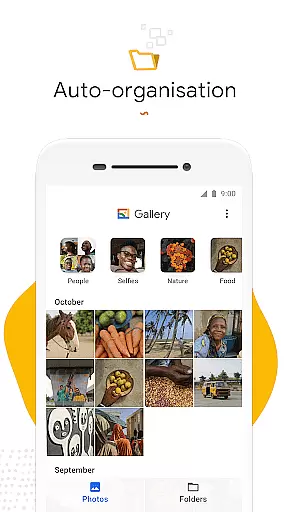
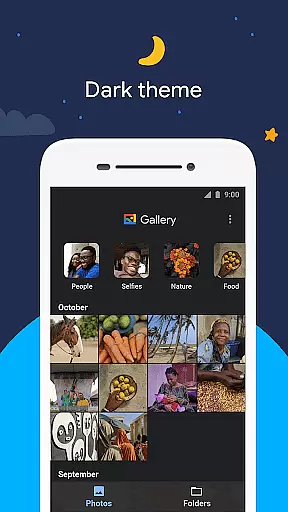
Gallery is a smart photo and video gallery app developed by Google, designed to help users manage their media files more efficiently. The app automatically organizes photos and videos by categories such as People, Selfies, Nature, Animals, Documents, Videos, and Movies, making it easier to find specific images without endless scrolling.
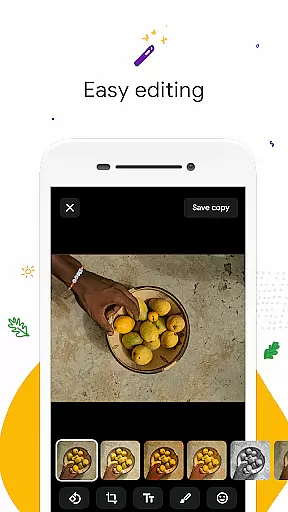
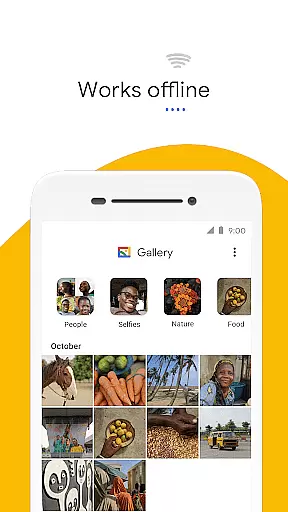
In addition to its organizational features, Gallery offers powerful editing tools like auto-enhance, which allows users to improve their photos with just one tap. The app also supports folder organization and SD card management, enabling flexible storage options while maintaining high performance and low memory usage. With its lightweight design and offline functionality, Gallery ensures users can access and manage their photos anytime, anywhere, without worrying about data consumption.
Gallery stands out with its automatic organization feature that categorizes photos and videos each night, saving users valuable time when searching for specific images. This feature groups media into intuitive categories such as People, Selfies, and Nature, streamlining the process of finding and sharing memories.
The app's editing capabilities include an easy-to-use auto-enhance tool that optimizes photo quality with a single tap. Additionally, Gallery provides robust support for folders and SD cards, allowing users to organize their files as they see fit while still being able to view, copy, and transfer media effortlessly. Its lightweight design and offline functionality ensure smooth performance without draining device resources, offering a seamless experience even with limited connectivity.
Real-time capture and preview functionality is essential for ensuring that users can accurately frame and capture their desired images without delay. Gallery by Google offers a seamless experience in this aspect, allowing users to see exactly what the camera captures in real time.
The app's interface provides a smooth transition between previewing a shot and capturing it, making sure that moments are not missed due to lag or delay. This immediacy is crucial for taking spontaneous photos, where timing is everything.
Additionally, the app ensures that the quality seen in the preview translates into the final image, maintaining consistency between what users see in the viewfinder and the captured photo. This feature enhances user confidence in using the app for important photographic moments.
By offering such reliable real-time capture and preview capabilities, Gallery empowers users to take better photos with less effort, improving overall satisfaction with the photography experience on mobile devices.
AI beauty and enhancement features have become a staple in modern photography apps, aiming to improve photo quality while maintaining a natural look. Gallery incorporates advanced AI algorithms to provide auto-enhance tools that refine images without compromising authenticity.
The app intelligently identifies areas for improvement, such as lighting, color balance, and sharpness, applying enhancements that make photos look their best. This process avoids over-processing, which can lead to unnatural results, ensuring that edited images retain their original charm.
Users benefit from these smart editing tools as they no longer need to possess professional skills to achieve great-looking photos. With one-tap enhancement, Gallery simplifies the editing process, making it accessible to everyone.
This focus on natural enhancement not only boosts the aesthetic appeal of photos but also preserves the genuine essence of captured moments, aligning with users' desire for authenticity in their visual storytelling.
User-friendly interface
Automatic organization
One-tap photo enhancement
SD card support
Offline functionality
Limited face grouping availability
Fewer editing tools compared to premium apps
No cloud backup option
Basic video editing features
Occasional sync issues

All-in-One Editor & AI Photo Enhancer, Beautify & Retouch, Collage, Cartoonify
 4.20
4.20
1M influencer's special filter
4.60
HD Photo gallery and photo manager to edit, hide private photos, videos & albums
4.4
Create AI Photos, Improve and restore quality of blurry, old or damaged pics.
4.20
Cartoon and artistic effects for your photos and videos
4.70
Turn your phone into a professional camera - full DSLR manual photography
4.30
See your baby AI baby face generator AI baby maker Face generator babymaker fun!
4.70
Enhance, retouch & create your story - Share the moment with Photoshop Express.
4.60
Snap photos remotely using your Garmin watch as the camera trigger
4.2
Perfect body tune & face app - photo retouch, makeup, slim body & beautify face.
4.80
Enhance, upscale, and transform your images — on your device, without limits
4.70
Take videos and pictures with the popular TikTok TIME WARP SCAN filter.
4.60
Virtual makeup, hair filters & body tuner—edit from face to full body!
4.20
Photobooth mini FULL app will allow you to add more fun to your parties
4.00
USB Storage Access for Photos, Videos, Music and Documents
3.80
Create amazing frames with up to five photos. Rounded corners, effects and more!
3.60
Superimpose one photo on top of another using the original Superimpose app!
3.20
Application for remote controlling DSLR
3.00
An interval timer to automate photo taking process for timelapse
2.90


User Reviews