
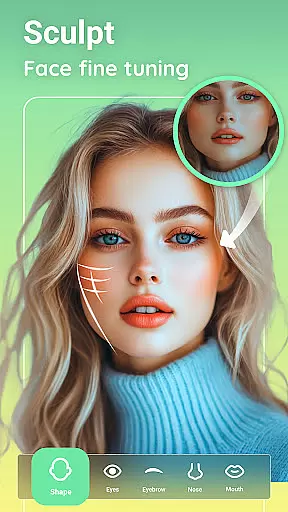
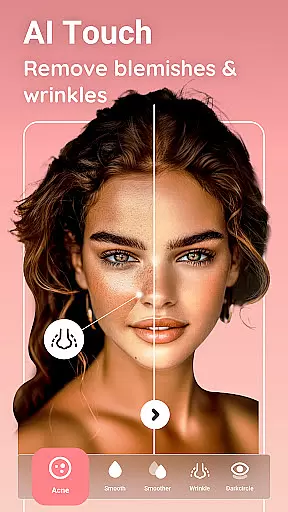


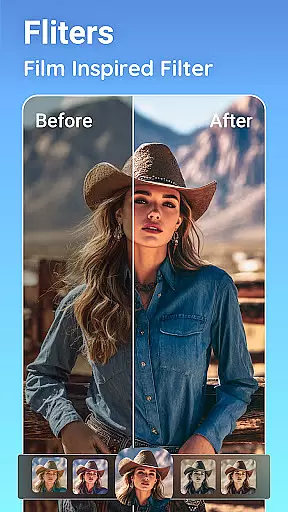
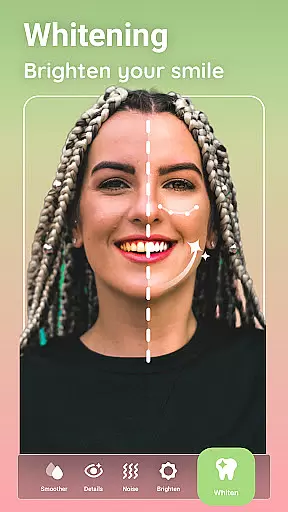
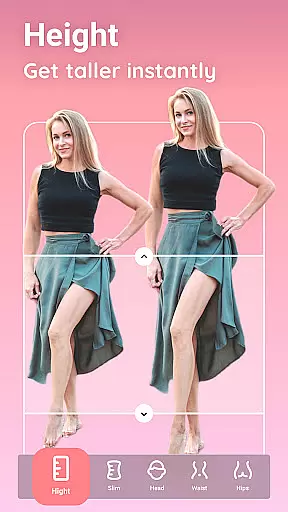
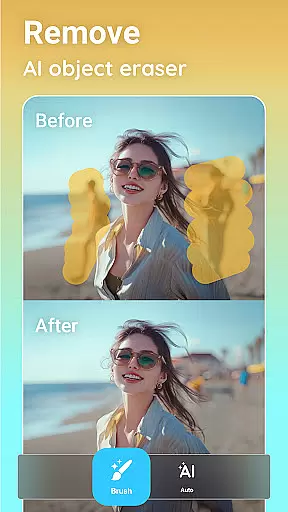
Peachy is a powerful photo editing application that specializes in body and face retouching. With professional-grade tools, users can effortlessly enhance their photos with just one tap. The app offers features such as stunning filters, body reshaping, skin smoothing, blemish removal, and adding a radiant glow to images.
Designed for photography enthusiasts and social media influencers, Peachy provides an all-in-one suite for elevating any image. Whether it's adjusting brightness, contrast, warmth, or using AI-powered tools like object remover, muscle enhancement, and makeup application, the app caters to various editing needs. Users can share their edited photos on platforms like Instagram, TikTok, and Facebook without any watermark.
Peachy stands out with its comprehensive set of photo editing tools. It includes essential adjustments like cropping, rotating, and fine-tuning settings such as brightness and sharpness. Advanced AI-driven features allow users to remove unwanted objects seamlessly and apply optimized presets for flawless selfies.
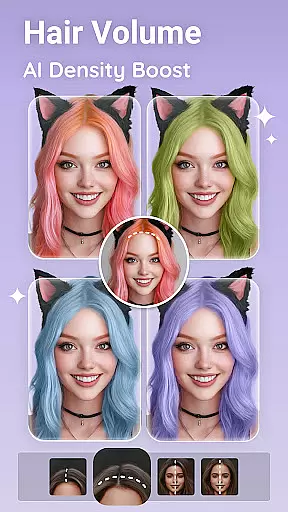
The AI Editor within Peachy offers specialized enhancements including muscle sculpting, body reshaping, facial retouching, virtual makeup, and hairstyling. These tools ensure natural and realistic results, from defining abs and V-lines to refining hairlines and changing hair color. Additionally, the app provides contouring options, skin retouching capabilities, and eye enhancement features, making every detail perfect.
Real-time capture and preview functionality is essential for any photography app, allowing users to see exactly what their photo will look like before taking the shot. Peachy offers a seamless real-time preview experience, ensuring that every detail is captured with precision.
The app's advanced camera interface provides users with intuitive controls for adjusting settings such as brightness, contrast, and focus directly within the live view. This allows for quick adjustments on-the-fly, making sure that each shot is perfectly framed and exposed.
With its AI-powered features, Peachy enhances the real-time capture process by offering intelligent suggestions for improving composition and lighting. Users can apply filters and presets in real time, seeing the potential final result before even snapping the picture.
This feature not only saves time but also elevates the photography experience, enabling creators to focus on their artistic vision without being bogged down by post-processing tasks. The ability to visualize edits instantly empowers users to take their best shots effortlessly.
AI beauty and enhancement features are at the core of Peachy's offerings, providing users with tools to naturally enhance their photos. These features leverage sophisticated algorithms to ensure that all edits look authentic and true to life.
Peachyu2019s AI-driven enhancements include skin smoothing, blemish removal, and facial retouching, all designed to maintain the natural texture and character of the subject. By intelligently analyzing each image, the app applies enhancements that preserve individual uniqueness while delivering polished results.
In addition to facial adjustments, Peachy offers body reshaping tools that use AI to sculpt and define with subtlety. Whether it's enhancing muscle definition or refining curves, these features work harmoniously to create balanced and realistic outcomes.
Ultimately, Peachy ensures that every edit enhances beauty without compromising authenticity. Users can trust that their enhanced images will retain a lifelike quality, making them perfect for sharing across social platforms with confidence.
User-friendly interface
Advanced AI editing tools
Comprehensive feature set
Professional quality edits
One-tap enhancements
May require premium purchase
Some features are complex
Occasional processing delays
Limited offline functionality
Subscription model

Photo editor: face & body editor, beauty cam, filters and quality enhancer.
 4.00
4.00
Safe & smart flight with Go Fly drone controller for 40+ drone camera, zone map
4.50
An interval timer to automate photo taking process for timelapse
2.90
Natural Beauty, Selfie Retouch
4.30
Edit like a pro with Hypic. Apply filters, AI effects, & magic touch.
4.40
Photo Exif Editor allows to view, add and modify EXIF data of multiple photos
4.50
A must-have app for landscape photographers
4.60
Luminar: Photo Editor - easy picture editing with AI
4.20
Professional quality photo edits with the new Snapseed.
4.00
Enhance, upscale, and transform your images — on your device, without limits
4.70
1M influencer's special filter
4.60
Easily create custom gifts, cards, photo books & more on the Shutterfly app!
4.60
AI photo editor with hair editor, retouch tools, hair color changer & filters!
4.50
HD Camera Pro with HD Video shooting, Panorama, Photo editor , Beauty Camera.
4.50
Use AI Video Generator to turn your words to ai generated videos.
4.50
What celebrity do you look like? Celebs will find your celebrity match!
4.10
Professional video recording application with manual controls for filmmakers!
2.80
Photo Album Watch Face shows your favorite pictures as a Watchface.
1.90
Over 800 film simulation recipes for Fujifilm. Black Friday Offer!
4.5


User Reviews