
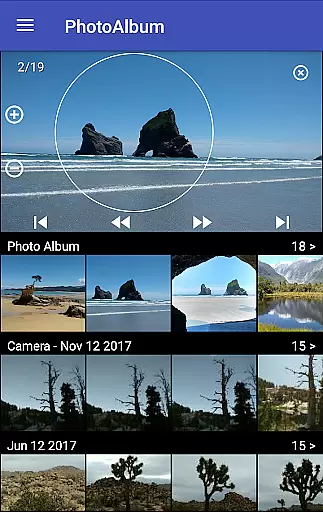
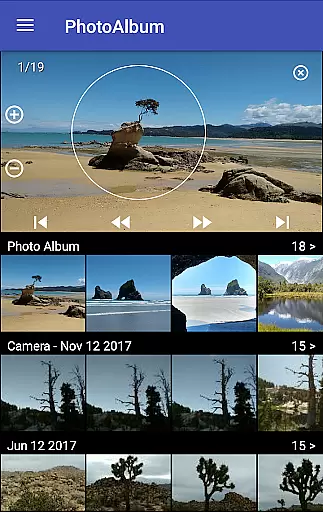
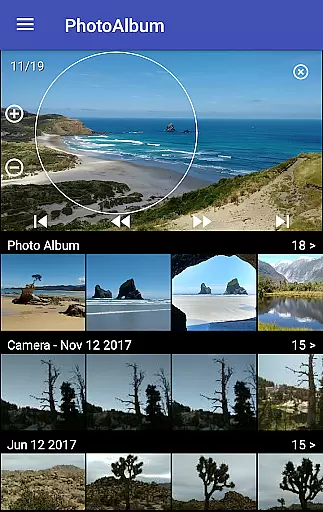
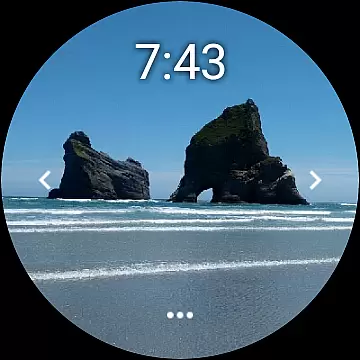
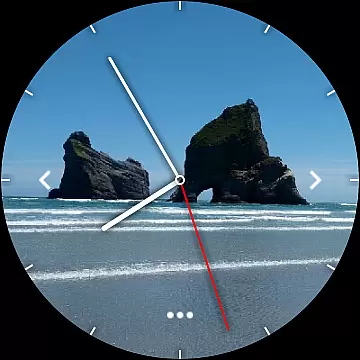
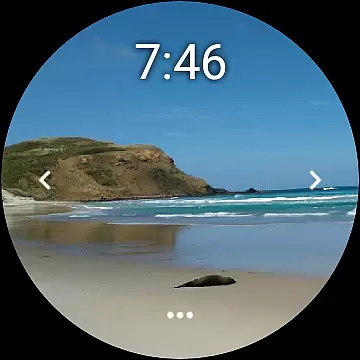
Photo Album Watch Face is a unique photography app that allows users to personalize their smartwatch faces with favorite pictures from their phone. This app bridges mobile and wearable technology, enabling automatic or manual picture cycling directly on your watch face.
The application supports both standalone use and connection with a phone app for downloading new images. Compatible with Wear OS devices, it offers flexibility in managing photo collections and ensures an engaging, customized smartwatch experience.
This app stands out with its innovative approach to watch personalization. Users can select specific photos from their phone gallery to create a rotating album on their smartwatch display. The intuitive tap navigation allows easy browsing through the photo collection.
A key feature is the independent functionality - while the watch can operate without phone connection, users can conveniently download new images through the companion mobile app. The integration with Wear OS platform expands its usability across various smartwatch models.
Real-time capture and preview functionality is essential for ensuring that users can see exactly what their smartwatch face will look like before finalizing their selection. This feature allows users to make instant adjustments, optimizing the visual appeal of their chosen images.
The Photo Album Watch Face app excels in this area by enabling users to select pictures directly from their phone and preview them instantly on their smartwatch. The app ensures that each photo is displayed accurately, maintaining aspect ratios and color fidelity, which enhances user satisfaction.
Users benefit significantly from this feature as it eliminates guesswork, allowing them to fine-tune their watch face with precision. The ability to cycle through photos or swipe left/right adds an interactive element, making the experience both engaging and personalized.
AI beauty and enhancement features focus on improving image quality while maintaining a natural look. For a photography app like Photo Album Watch Face, this means applying enhancements that boost visual appeal without distorting the original image.
This app incorporates advanced algorithms that automatically adjust brightness, contrast, and saturation levels. These subtle enhancements ensure that every picture looks vibrant and clear on the smartwatch display, regardless of the original photo's condition.
By prioritizing naturalness, the app provides users with aesthetically pleasing watch faces that still reflect their personal photo collections. This balance between enhancement and authenticity sets the Photo Album Watch Face apart, offering users a sophisticated yet genuine way to personalize their devices.
User-friendly interface
Customizable watch faces
Automatic photo cycling
Wear OS compatibility
Offline functionality
Requires companion app
Limited editing tools
Premium features locked
Occasional sync issues
Basic watch settings

A collection of tools and reference tables for DPs, ACs, DITs and Operators.
 4.70
4.70
How would you look like with a differently shaped nose, chin or lips?
3.90
Create collages easily! Nice pic collage maker & background eraser for Instagram
4.50
Gallery Slideshow is slideshow maker app for slideshow from your gallery photos.
3.90
Professional photography on your mobile phone
4.20
AI photo enhancer with Sora 2! Enhance, descratch, and colorize your old photos.
4.50
Easily view, share, delete photos with Gallery.
4.70
Fit multiple photos on one post. Create carousels & scroll layouts for Instagram
4.50
Transform Photos: Edit, Beautify and Craft Memories & Make Collages!
4.10
Take videos and pictures with the popular TikTok TIME WARP SCAN filter.
4.60
Light-weight Media Gallery app for Android made with Jetpack Compose
4.60
Photo editor & gallery. Crop pictures & edit photos offline, no wifi!
4.50
Luminar: Photo Editor - easy picture editing with AI
4.20
A light meter for true photographers.
4.20
USB Storage Access for Photos, Videos, Music and Documents
3.80
Perfect photos with body shaping, BG changer and object remover.
3.70
GCamera allows all GCam features on all phone models! Better photos with GCamera
3.30
Remote control the phone camera shutter from your smartwatch and take a picture
1.60
HD Photo gallery and photo manager to edit, hide private photos, videos & albums
4.1


User Reviews