
Luminar: Photo Editor is a comprehensive mobile photo editing solution designed for both Android and ChromeOS users. This application combines powerful AI-driven tools with an intuitive, gesture-based interface that makes photo editing accessible to all skill levels. The app's responsive design features smoothly gliding sliders and realistic touch-responsive controls that provide an engaging editing experience without complex processes.
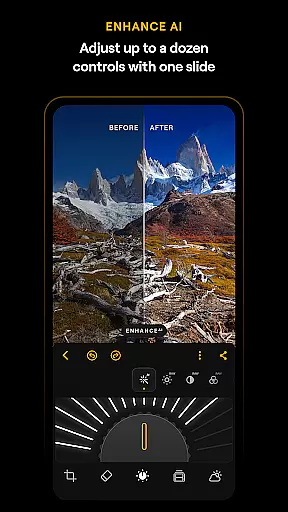
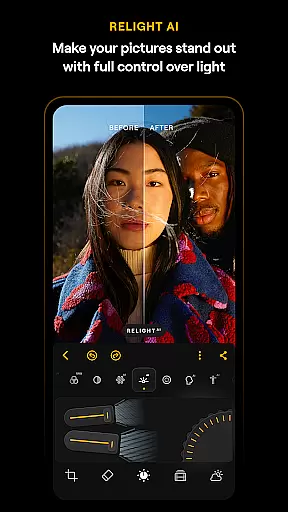
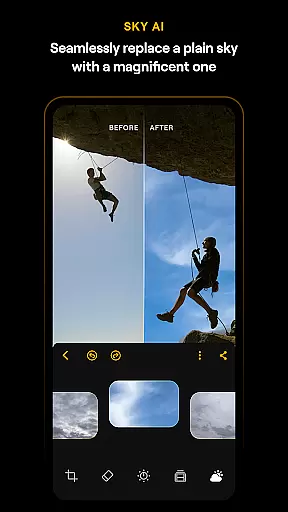
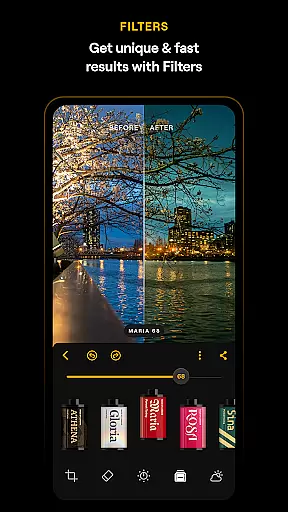
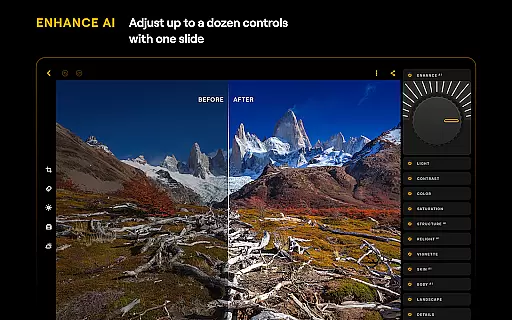
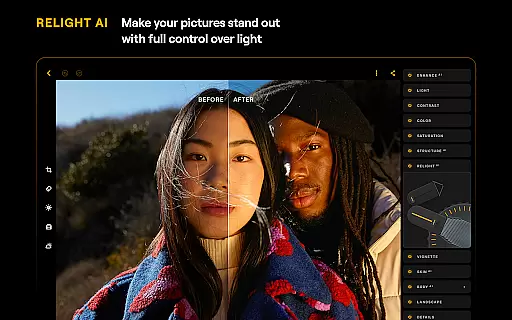
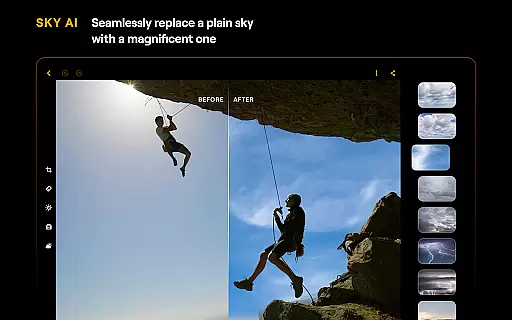
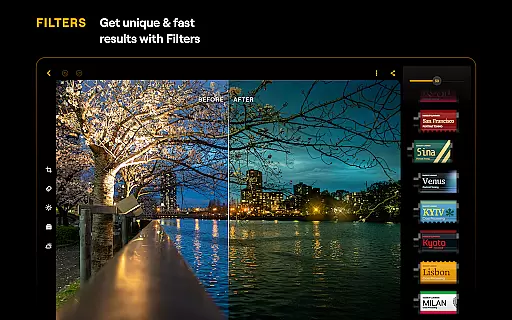
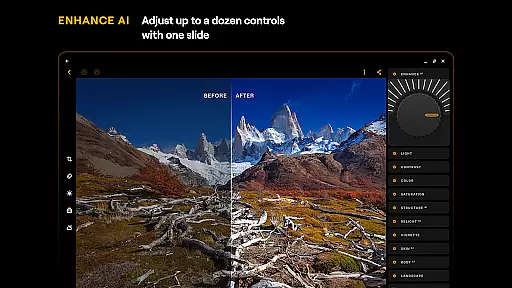
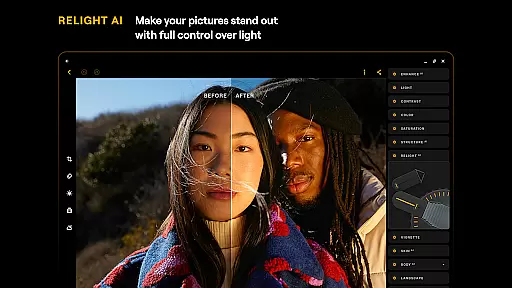
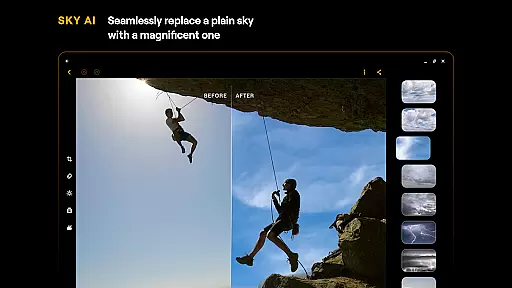
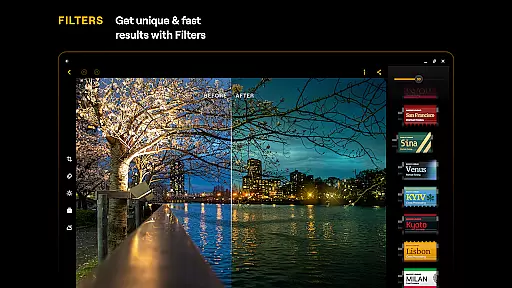
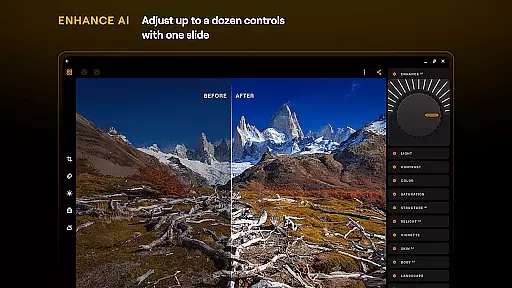
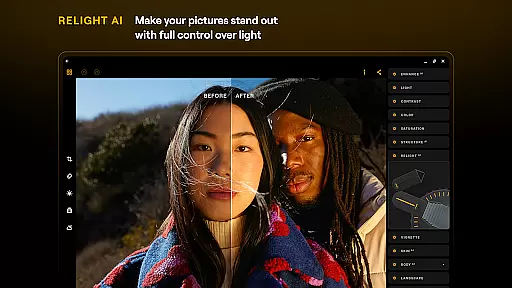
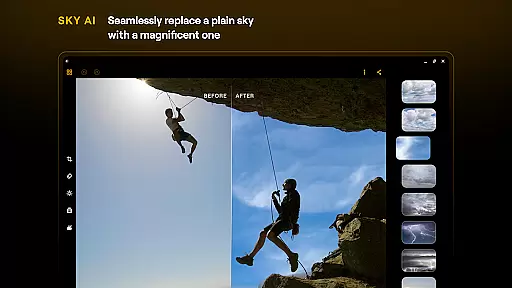
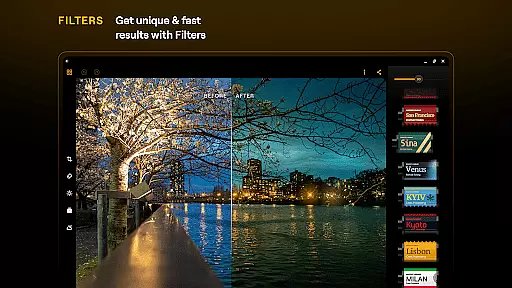
The application's standout feature is its collection of smart AI enhancements that automate complex editing tasks. These include SkyAI for sky replacement, EnhanceAI for quick quality adjustments, StructureAI for detail enhancement, RelightAI for lighting control, SkinAI for portrait retouching, and BodyAI for realistic body shaping. Additionally, the app offers professional-grade tools like Curves, Details, Crop, Landscape, Monochrome, Erase, and Photo Filters, making it a complete photo editing suite in your pocket.
Designed specifically for Android 11+ and ChromeOS devices, Luminar ensures seamless integration across supported platforms. Whether you're enhancing casual snapshots or working on professional photography projects, this app provides the necessary tools to elevate your images while maintaining an efficient workflow. Its support for RAW files and diverse editing capabilities make it particularly valuable for photographers who demand both quality and flexibility in their mobile editing toolkit.
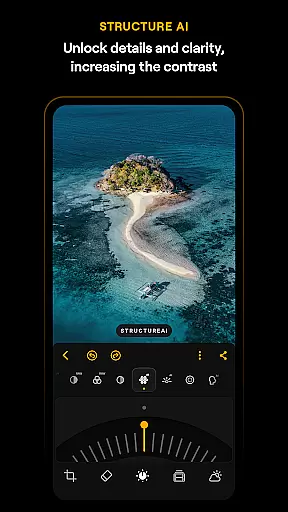
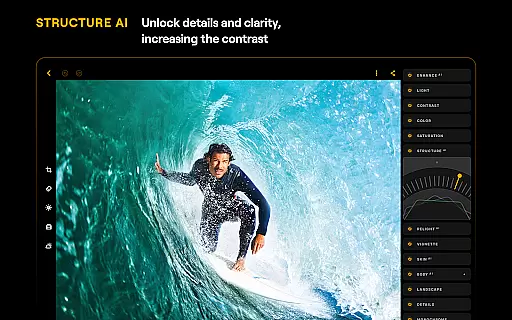
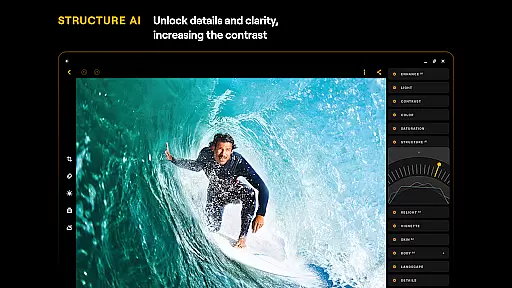
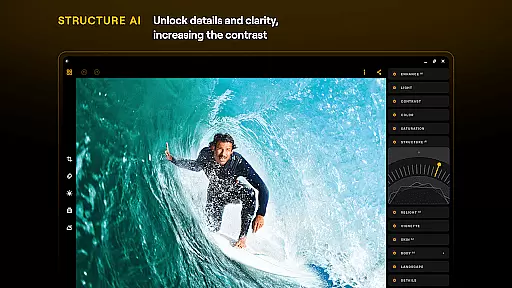
Luminar: Photo Editor distinguishes itself through its innovative combination of advanced AI technologies and traditional editing tools. The application's AI-powered features represent a significant advancement in mobile photo editing. SkyAI allows users to replace skies with more dramatic alternatives, while EnhanceAI delivers professional-grade color and tone adjustments with minimal effort. StructureAI brings out hidden details, and RelightAI gives users unprecedented control over lighting conditions.
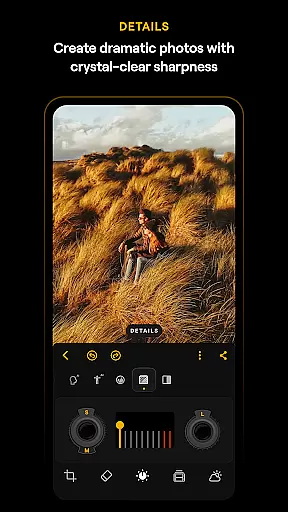
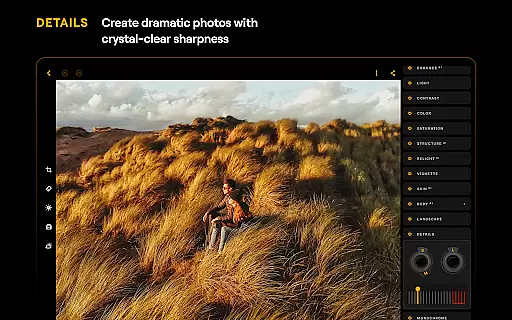
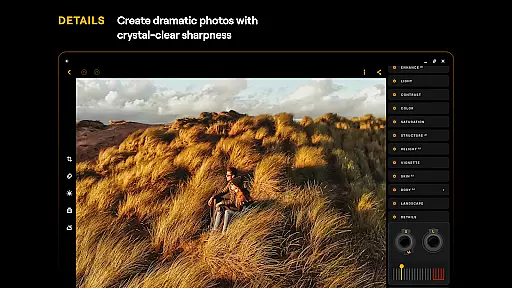
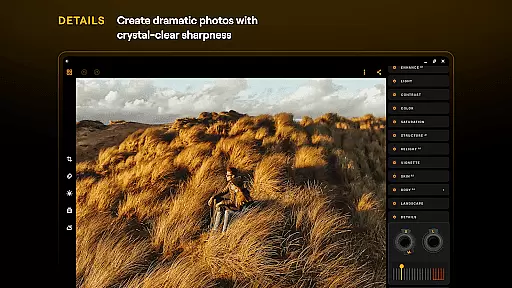
Beyond its AI capabilities, Luminar offers a complete set of manual editing tools that cater to more experienced users. The Curves tool provides precise color control, while the Details function enhances image sharpness with a single tap. The app's RAW file support ensures maximum image quality during editing, and its specialized filters for landscape and monochrome photography expand creative possibilities. The inclusion of practical tools like Crop and Erase further enhances the app's versatility.
What sets Luminar apart is how these sophisticated features are presented through an intuitive, touch-friendly interface. The app's gesture-based controls and responsive design elements create an immersive editing experience that feels natural on mobile devices. This combination of powerful editing capabilities with user-friendly implementation makes Luminar suitable for both amateur photographers looking to enhance their social media images and professionals seeking a capable mobile editing solution.
Real-time capture and preview functionality is essential for modern photography applications, allowing users to see exactly what the camera sees before taking a shot. Luminar: Photo Editor excels in this area by providing an intuitive interface that responds to touch with realistic motion and sound.
The application's streamlined design ensures unparalleled control over the photo-taking process. Users can adjust settings such as exposure, focus, and white balance directly on the live viewfinder, ensuring that each shot is perfectly composed before it's captured.
With smoothly gliding sliders and spinning dials, photographers have precise command over their images without any complicated functions or processes. This approach not only simplifies the workflow but also enhances creativity, enabling users to concentrate on capturing the moment rather than navigating through menus.
By delivering a responsive and interactive experience, Luminar empowers both beginners and professionals to achieve outstanding results with confidence. The real-time feedback system helps in making instant adjustments, which ultimately leads to higher quality photographs right from the start.
AI-driven beauty and enhancement features are revolutionizing how we edit photos, offering natural-looking improvements without manual intervention. Luminar: Photo Editor leverages cutting-edge AI technology to provide seamless enhancements that preserve authenticity while elevating image quality.
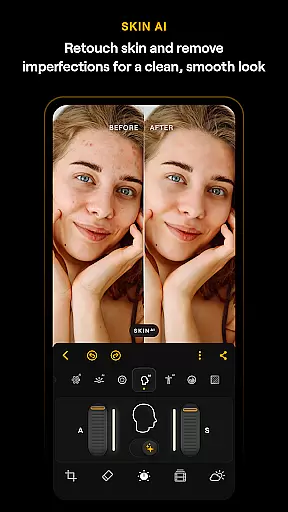
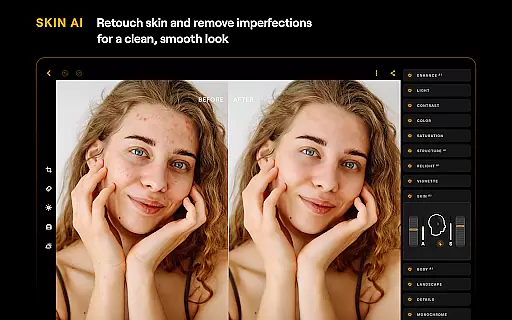
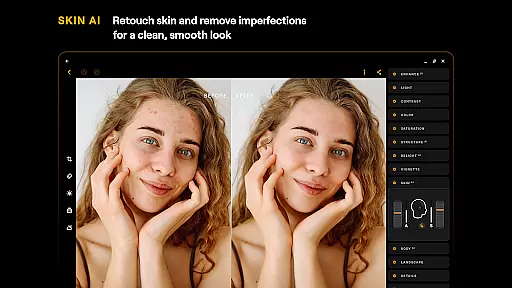
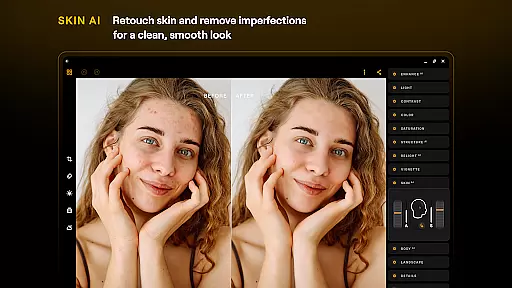
One of the standout tools is SkinAI, which automatically retouches skin, removing imperfections for a clean and smooth result. Unlike traditional filters that often look artificial, SkinAI intelligently detects and corrects only the necessary areas, maintaining the subject's original character.
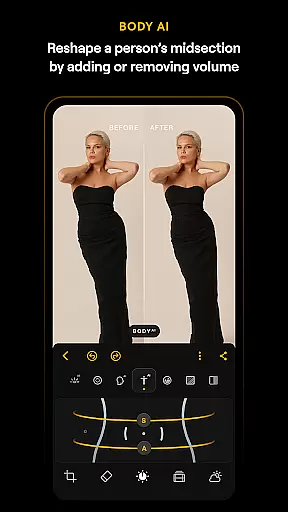
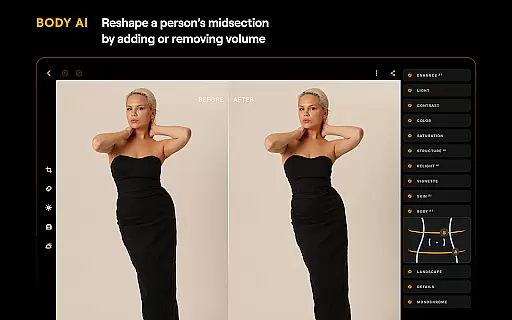
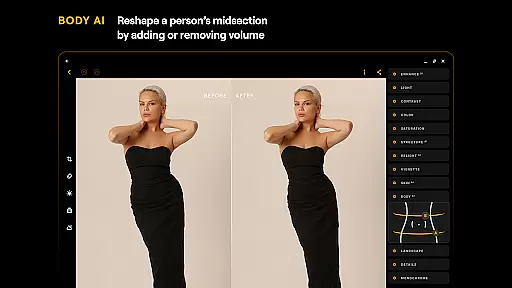
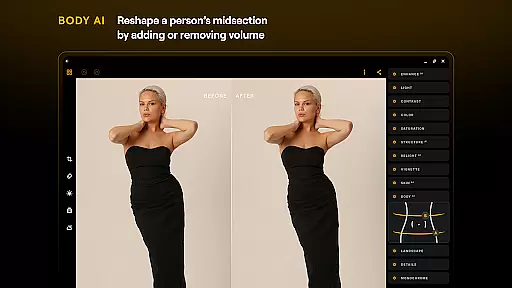
Additionally, BodyAI allows realistic shaping of a subjectu2019s midsection by adding or removing volume in a way that looks natural. These smart enhancements ensure that edits are subtle yet effective, enhancing portraits without compromising their genuineness.
Overall, Luminaru2019s AI capabilities deliver professional-grade results effortlessly. By focusing on naturalness and detail preservation, the app ensures that every edited photo retains its unique charm and character, appealing to both amateur enthusiasts and seasoned photographers alike.
Powerful AI tools
User-friendly interface
Comprehensive editing suite
RAW file support
Cross-platform compatibility
Paid subscription model
Resource-intensive operation
Steep learning curve
Limited free features
Device compatibility restrictions

Photo editor: face & body editor, beauty cam, filters and quality enhancer.
 4.00
4.00
[3DSteroid Pro] is a stereoscopic application for Android.
4.30
Create amazing frames with up to five photos. Rounded corners, effects and more!
3.60
Collage your moments in one tap: 1000+ layouts, filters, stickers, and texts.
4.90
AI-powered video creator by MiniMax - Where ideas meet cinema
4.20
Your personal guide to the sun and moon. Plan ahead, visualize and predict!
4.70
Professional camera app that brings DSLR manual photography controls to Android.
4.20
Remote control the phone camera shutter from your smartwatch and take a picture
1.60
Solocator stamps photos you take with GPS location, Compass Direction, Date/Time
3.80
Photo prints, cards, & gifts at Walgreens. Easy ordering & fast local pickup !
4.80
Amazing Photo Effects - The most fun you can have with your photos!
4.70
Enhance, upscale, and transform your images — on your device, without limits
4.70
A must-have app for landscape photographers
4.60
Transform photos into videos! Create realistic or anime-style images easily!
4.50
All-in-One Editor & AI Photo Enhancer, Beautify & Retouch, Collage, Cartoonify
4.20
Hair color changer, AI haircut app, fun hair editor and buzz cut filter for all!
3.80
Perfect photos with body shaping, BG changer and object remover.
3.70
Be your best in every shot! Fix, edit and retouch your face in selfies & photos.
3.70
HD Photo gallery and photo manager to edit, hide private photos, videos & albums
4.4


User Reviews