
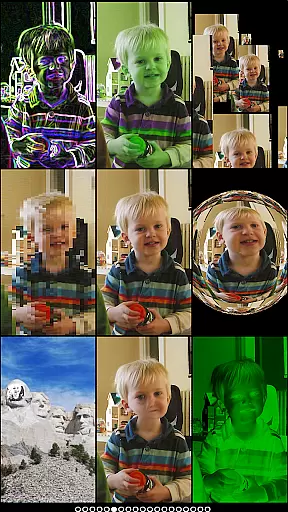
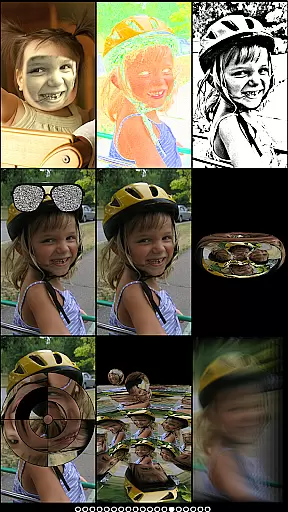
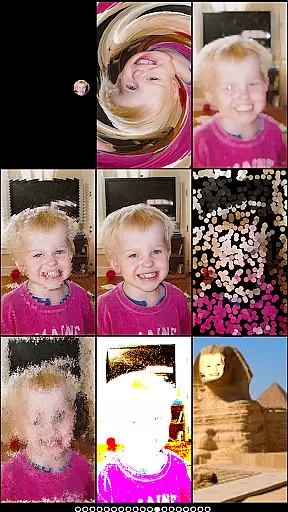
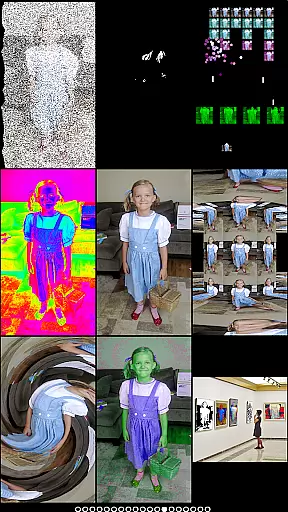
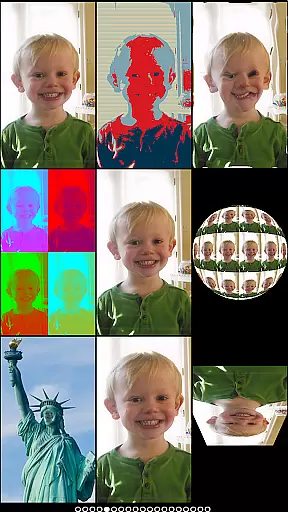
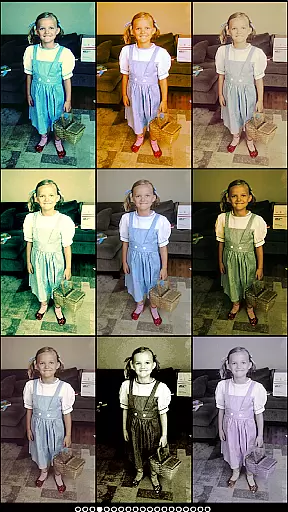
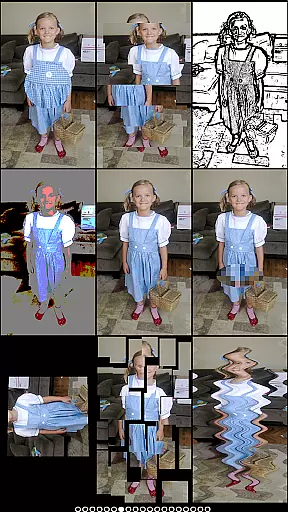
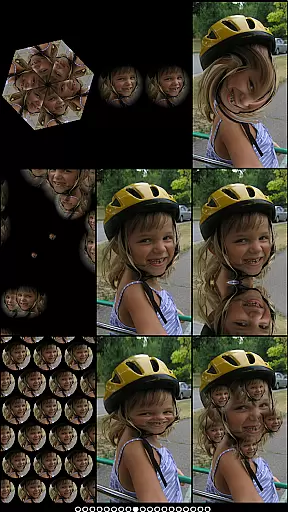
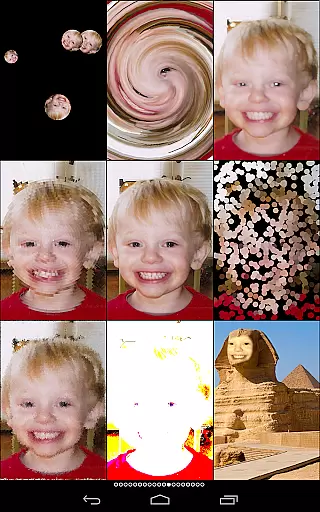
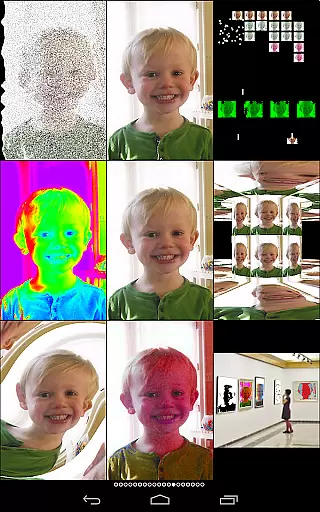
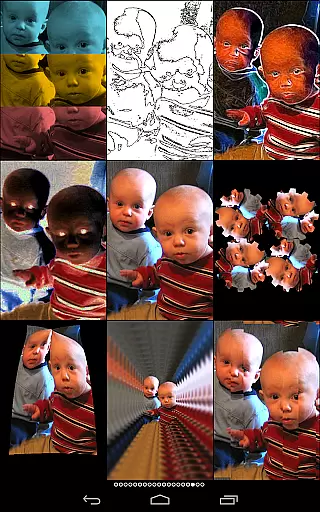
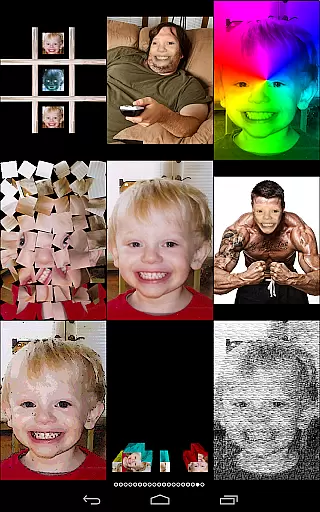
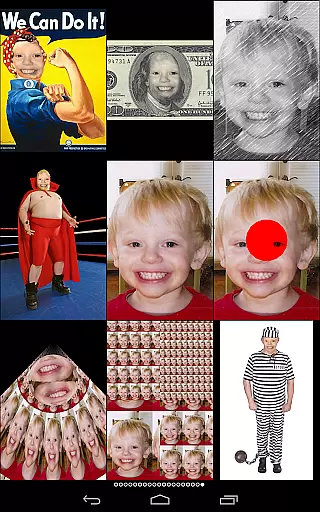
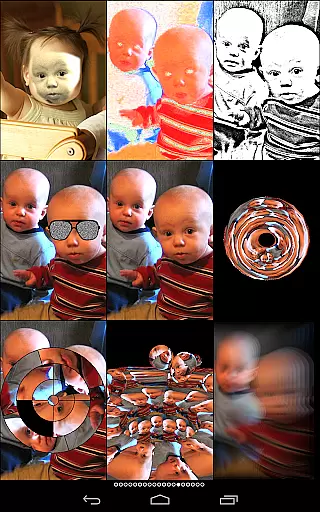
Mega Photo Pro is a feature-rich photography app that transforms your photos and videos into interactive masterpieces. With over 200 real-time effects, the app allows users to warp, morph, and twist their images into unique designs. The app also includes engaging games like brick breaker and tile puzzles, making photo editing an enjoyable experience.
One of the standout features is the ability to walk through a 3D maze of your photos or apply vintage camera effects for a retro feel. Whether you're using the live camera feed or selecting an image from your library, Mega Photo Pro offers endless creative possibilities. This app is perfect for those who want to add a playful and artistic touch to their photos.
Mega Photo Pro stands out with its extensive range of effects and interactive features. Users can choose from over 200 effects such as mosaic, emboss, and x-ray, all rendered in real-time. The app's interactive elements allow personalization by tapping, dragging, zooming, and rotating images before capturing.
In addition to its impressive photo effects, Mega Photo Pro includes several games that incorporate your images, such as brick breaker and alien invaders. The app supports both front and rear-facing cameras and allows seamless switching between them. These innovative features make it a versatile tool for creative expression and entertainment.
Real-time capture and preview functionality is essential for photography apps as it allows users to see effects applied instantly. Mega Photo Pro excels in this area by offering over 200 real-time effects that transform your photos in unique ways.
The app provides an interactive experience where users can twist, morph, pinch, and warp their photos with immediate visual feedback. This instant preview capability ensures that users can experiment with different effects such as mazes, engravings, or vintage camera filters without any lag.
With the ability to switch between front and rear cameras seamlessly, Mega Photo Pro enhances user convenience. Whether using the live camera feed or selecting an image from the library, the real-time preview ensures that every effect is displayed accurately before capturing the final image.
AI beauty and enhancement features are increasingly important in photography apps, focusing on improving image quality while maintaining a natural look. Mega Photo Pro offers a range of enhancements that elevate photo quality without compromising authenticity.
The app includes various effects like engraving, mosaic, and vintage camera filters which add artistic value to photos. These enhancements are designed to be subtle yet effective, ensuring that edited images retain their original charm and do not appear overly processed.
Additionally, interactive elements such as tapping, dragging, zooming, and rotating allow users to personalize enhancements precisely. By providing tools that enhance natural beauty rather than distort it, Mega Photo Pro ensures that each photo remains a true representation of its subject, enhanced tastefully through advanced AI technology.
User-friendly interface
Extensive effect library
Interactive photo options
Vintage camera filters
Engaging photo-based games
May drain battery quickly
Some features require purchase
Interface can be complex
Occasional performance lags
Limited sharing options

A collection of tools and reference tables for DPs, ACs, DITs and Operators.
 4.70
4.70
Effortlessly organize, view and share your photos & videos with Gallery app!
4.40
[3DSteroid Pro] is a stereoscopic application for Android.
4.30
Shooting photos and records video easily and efficient with professional Camera
4.30
All-in-One Editor & AI Photo Enhancer, Collage, Cartoonify, Funny Stickers & BGS
4.10
Create & Edit with AI: AI Remove, Enhance, Retouch, Filter
4.10
Light-weight Media Gallery app for Android made with Jetpack Compose
4.60
Automatically backup your photos and videos to computer, NAS and Cloud services
4.60
Create amazing frames with up to five photos. Rounded corners, effects and more!
3.60
Perfect body tune & face app - photo retouch, makeup, slim body & beautify face.
4.80
The original Rarevision VHS look seen everywhere!
4.70
PhotoSync Bundle Add-On License. Enables all features and services in PhotoSync.
4.60
Cut and paste photo editor & eraser to customize photos easy and swap faces fun
4.50
AI photo editor with hair editor, retouch tools, hair color changer & filters!
4.50
Search, tag and rate your way to an organized image gallery
4.40
Turn your phone into a professional camera - full DSLR manual photography
4.30
Professional camera app that brings DSLR manual photography controls to Android.
4.20
Gallery Slideshow is slideshow maker app for slideshow from your gallery photos.
3.90
Astrophotography with your smartphone, photo live stacking and much more!
3.90


User Reviews