

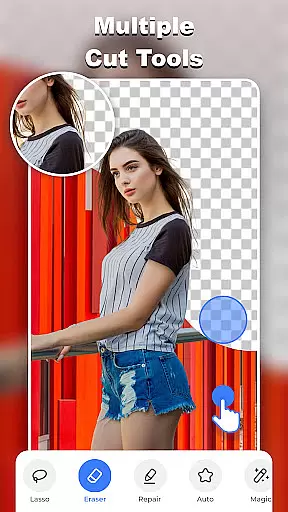
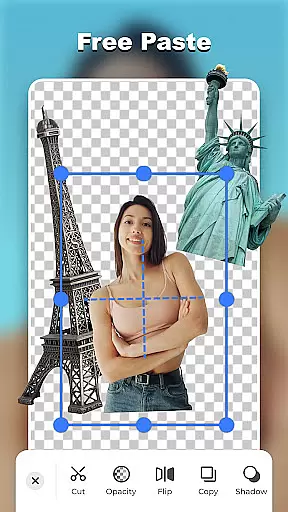
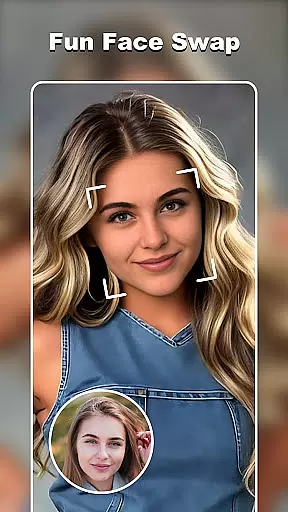

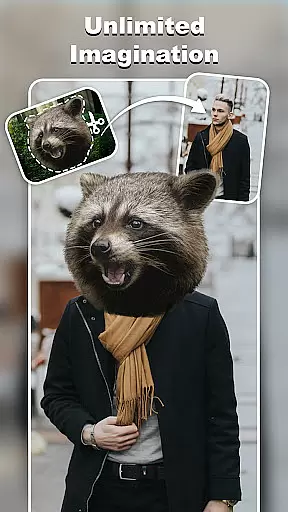
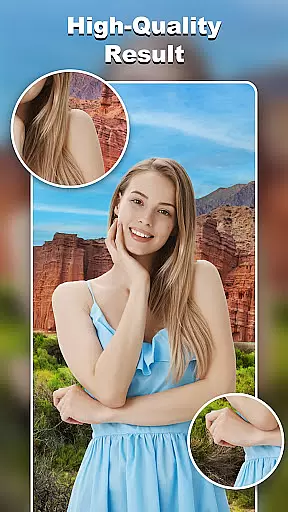
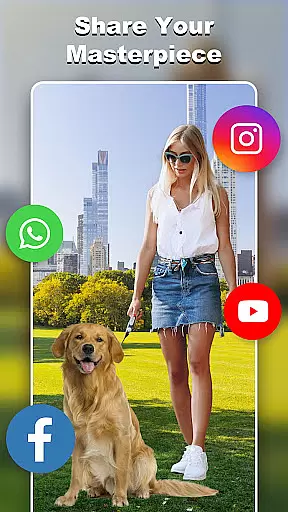
Cut and Paste Photo Editor is a powerful AI-driven photo editing application designed to simplify the process of cutting and pasting objects in images. The app offers an intuitive two-step process that allows users to cut desired objects and paste them into new scenes with pixel-level precision. It includes features like background removal, face swapping, and object erasing, making it ideal for creating stunning collages or professional product photos.
With its advanced editing tools such as magic cut, smooth pasting, and color adjustment, this app caters to both casual users and e-commerce professionals. Whether you're looking to create artistic compositions, design marketing materials, or simply have fun with imaginative edits, Cut and Paste Photo Editor provides limitless creative possibilities while maintaining high-quality results.
The app boasts a comprehensive suite of innovative features tailored for effortless photo editing. Its AI-powered tools include automatic background removal, precise lasso selection, and intelligent object detection, enabling users to cut out any element from photos seamlessly. The Magic Cutting feature ensures pixel-perfect selections, while the Smooth Pasting tool blends elements naturally into new backgrounds.
Additional standout features include an extensive online background library with ready-to-use templates, a face swap editor for creative transformations, and e-commerce optimization for product photography. Users can also enhance their creations with text captions, stylish stickers, and decorative elements. These capabilities make the app suitable for both personal creativity and professional use cases like Amazon or Etsy product listings.
Real-time capture and preview functionality is essential for any photography app, allowing users to see exactly what their final image will look like before taking the shot. Cut and Paste Photo Editor excels in this area by providing a seamless experience that ensures every detail is captured accurately.
The app's advanced AI technology enables instant object recognition and background removal during the capture process. This means users can immediately visualize how their subject will appear against different backgrounds or within creative compositions.
Users benefit from precise control over their edits even during the photo-taking process. The real-time preview feature allows for adjustments on-the-fly, ensuring optimal positioning and composition before committing to the final image.
This capability significantly enhances the creative workflow, enabling photographers to experiment with various visual elements without interrupting their creative momentum. The result is a more intuitive and satisfying editing experience that saves time and boosts productivity.
AI-powered beauty and enhancement features have become a cornerstone of modern photo editing applications. In Cut and Paste Photo Editor, these tools are designed to deliver natural-looking results while preserving the authenticity of the original image.
The app employs sophisticated algorithms that intelligently analyze facial features and skin tones. This enables subtle enhancements that maintain the subject's unique characteristics while smoothing imperfections and enhancing overall appearance.
Unlike traditional filters that often create artificial-looking results, this application's AI-driven approach ensures that modifications appear organic and realistic. Users can adjust parameters such as skin texture, eye brightness, and smile intensity with confidence that the outcome will remain true to life.
Professional-quality enhancements are now accessible to casual users, making it possible to achieve stunning yet natural results with minimal effort. This combination of powerful technology and user-friendly implementation sets a new standard for mobile photo editing applications in the photography category.
User-friendly interface
AI-powered precision tools
Versatile editing options
Professional e-commerce support
Fun creative templates
May require learning curve
Premium features locked
Occasional processing delays
Limited free backgrounds
Subscription fees apply

Photo editor: face & body editor, beauty cam, filters and quality enhancer.
 4.00
4.00
How would you look like with a differently shaped nose, chin or lips?
3.90
Shooting photos and records video easily and efficient with professional Camera
4.30
An interval timer to automate photo taking process for timelapse
2.90
Natural Beauty, Selfie Retouch
4.30
Android Native system HD camera app. Never been so simple and faster.
4.70
HD Camera Pro with HD Video shooting, Panorama, Photo editor , Beauty Camera.
4.50
Photo editor & gallery. Crop pictures & edit photos offline, no wifi!
4.50
Collage your moments in one tap: 1000+ layouts, filters, stickers, and texts.
4.90
Find time and duration of different sunlight phases at any location
4.90
See your baby AI baby face generator AI baby maker Face generator babymaker fun!
4.70
A must-have app for landscape photographers
4.60
AI photo enhancer with Sora 2! Enhance, descratch, and colorize your old photos.
4.50
Professional photography on your mobile phone
4.20
Transform Photos: Edit, Beautify and Craft Memories & Make Collages!
4.10
How old age camera Gender Swap App Face Shape Hairstyle App Hair Styler App fun!
4.00
Turn photos into cartoons & avatars! - Photo Editor, Cartoon Face!
3.90
Create amazing frames with up to five photos. Rounded corners, effects and more!
3.60
Photo Album Watch Face shows your favorite pictures as a Watchface.
1.90


User Reviews