
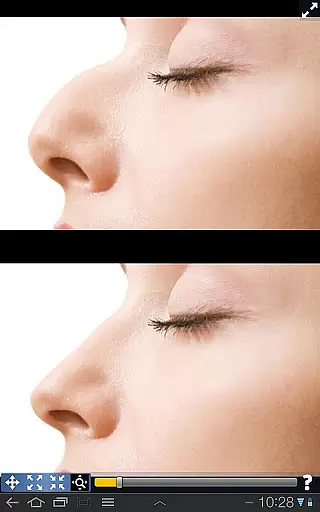
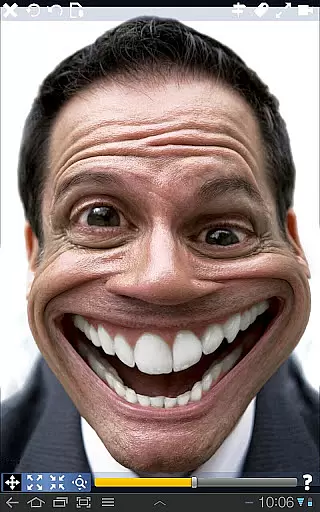
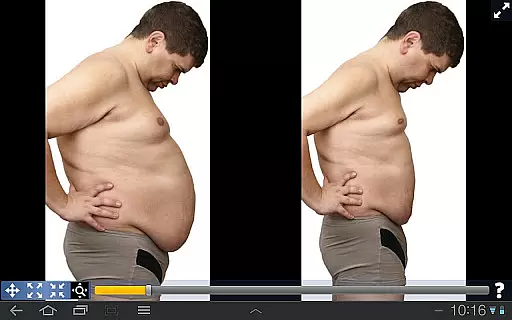
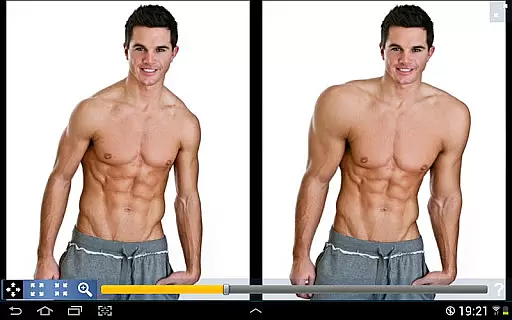
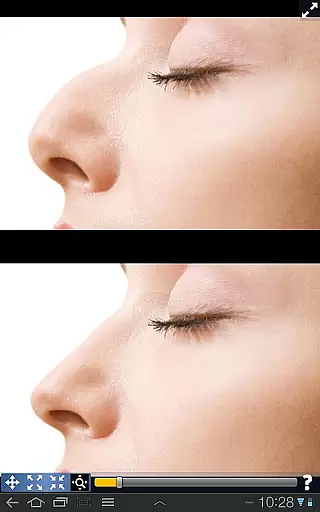
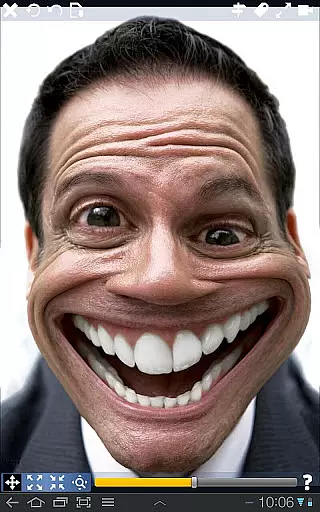
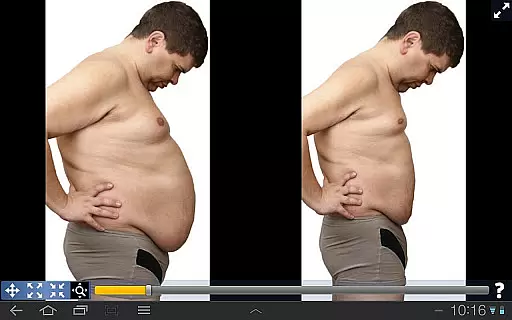
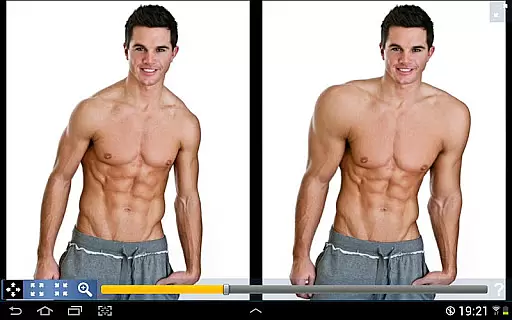
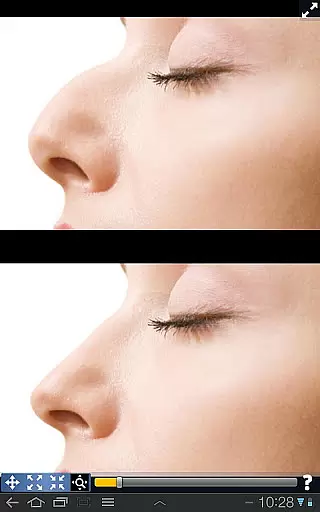
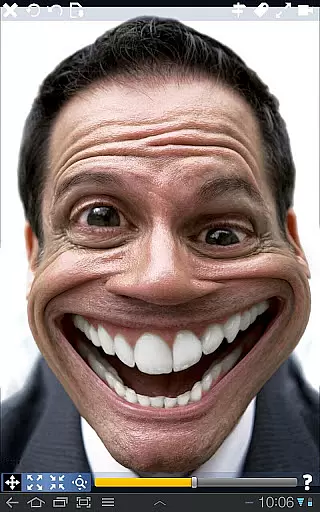
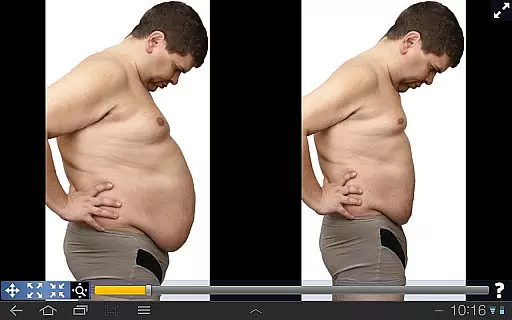
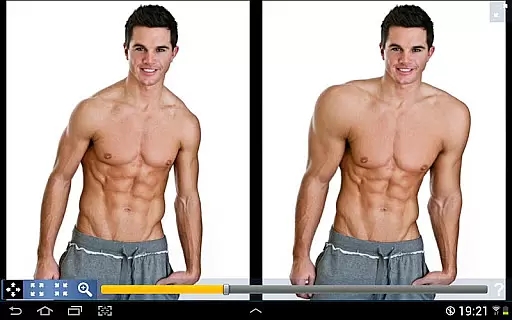
Plastic Surgery Simulator is a powerful photo editing application designed for creative image manipulation. The app allows users to simulate physical transformations by distorting specific body parts in photos, such as reshaping the nose, chin, or lips, or enhancing muscle definition. Its intuitive drag-and-drop interface makes it easy to shrink or enlarge areas of an image, offering endless possibilities for experimentation.
One standout feature is its dual display mode, which mirrors the image on both halves of the screen when the device is rotated. This functionality ensures that users can modify their images without their fingers obstructing the view, making it ideal for small touchscreens like smartphones. Whether you're looking to enhance your social media presence or simply have fun with photo editing, Plastic Surgery Simulator provides a seamless and enjoyable experience.
Plastic Surgery Simulator boasts several innovative features that set it apart from other photo editing apps. At its core is a sophisticated photo distortion algorithm that ensures smooth and natural-looking transformations. Unlike basic distortion tools, this algorithm minimizes pixelation and jagged edges, delivering professional-quality results even for beginners.
Another key feature is the dual display mode, which enhances usability by cloning the image onto both sides of the screen during rotation. This design eliminates the frustration of working on small screens where fingers often block the area being edited. Additionally, the app supports real-time adjustments, allowing users to instantly see the effects of their modifications. These thoughtful features make Plastic Surgery Simulator a versatile tool for both casual entertainment and more serious creative projects.
Real-time capture and preview functionality is essential for photography applications as it allows users to see the effects of their edits instantly. This feature ensures that users can make precise adjustments without delay.
Plastic Surgery Simulator excels in this area by providing a dual display mode. When you rotate your device, the image clones into the other half of the screen. This innovative approach enables users to modify their images without their fingers obstructing the view, offering an uninterrupted editing experience.
The app's powerful photo distortion algorithm further enhances the real-time capture and preview feature. It produces smooth transformations, allowing users to simulate body transformations accurately. Whether altering facial features or adjusting body parts, the changes appear seamlessly, providing a realistic preview of the final result.
AI beauty and enhancement features are crucial for modern photography apps, aiming to improve appearance naturally. These tools use advanced algorithms to ensure that modifications look realistic and preserve the original essence of the photo.
In Plastic Surgery Simulator, the AI-driven photo distortion algorithm stands out. It allows users to drag, grow, or shrink specific body parts effortlessly. The algorithm ensures that these alterations blend smoothly with the rest of the image, maintaining a natural look even after significant changes.
This attention to natural enhancement extends to various uses, such as simulating different facial features like noses, chins, and lips. Users can experiment with more muscle definition or reshape any part they desire while still achieving lifelike results. Such capabilities not only enhance fun but also support creative expression on social networks without compromising authenticity.
User-friendly interface
Smooth distortion effects
Dual display convenience
Real-time adjustments
Ideal for social sharing
Limited advanced tools
No batch editing
Few customization options
Occasional lag
Ads may disrupt workflow

Create & Edit with AI: AI Remove, Enhance, Retouch, Filter
 4.10
4.10
Edit like a pro with Hypic. Apply filters, AI effects, & magic touch.
4.40
Pet Camera
3.70
Cartoon and artistic effects for your photos and videos
4.70
Turn your phone into a professional camera - full DSLR manual photography
4.30
A must-have app for landscape photographers
4.60
Turn photos into cartoons & avatars! - Photo Editor, Cartoon Face!
3.90
Professional camera app that brings DSLR manual photography controls to Android.
4.20
Your Family Calendar + Photos. Manage your Skylight Calendar and Skylight Frame.
4.40
Add Watermark - Sign your pictures with a text or logo. Effective, quick, easy!
4.50
Create Business Headshots, Polaroid Filter, Retake Photos,Profile Pics,AI Photos
4.50
[3DSteroid Pro] is a stereoscopic application for Android.
4.30
Smart, light, and fast photo and video gallery
4.30
All-in-One Editor & AI Photo Enhancer, Beautify & Retouch, Collage, Cartoonify
4.20
Virtual makeup, hair filters & body tuner—edit from face to full body!
4.20
Create AI Photos, Improve and restore quality of blurry, old or damaged pics.
4.20
Photo editor: face & body editor, beauty cam, filters and quality enhancer.
4.00
Application for remote controlling DSLR
3.00
Remote control the phone camera shutter from your smartwatch and take a picture
1.60


User Reviews