
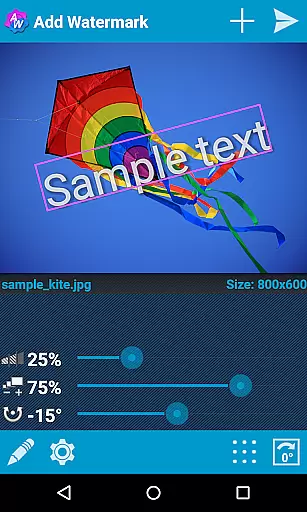
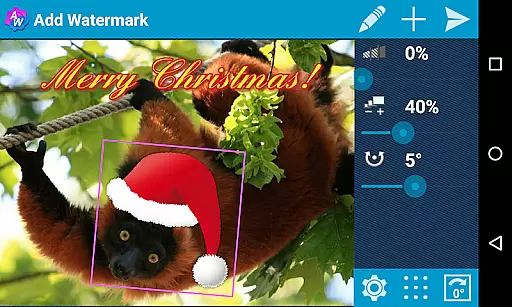
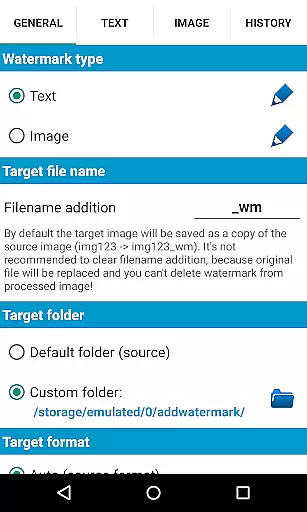
Add Watermark is a powerful photography app designed to help users protect their digital images by adding customizable watermarks. The app allows you to add both text and logo watermarks to your photos, giving you full control over size, transparency, rotation, and alignment.
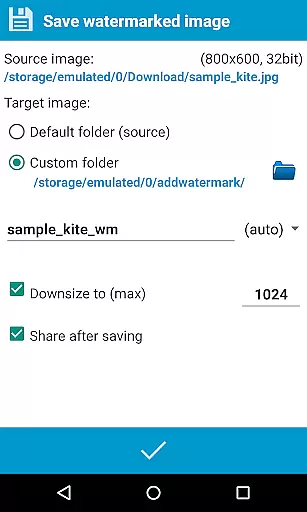
With features like batch processing, auto-processing through sharing, and support for transparent PNG images, this app has become an essential tool for professional photographers and bloggers. You can also save and share your watermarked images directly to social media platforms like Instagram and Facebook.
Whether you need to add simple copyright notices or complex branding elements, Add Watermark provides the tools you need to safeguard your digital assets effectively.
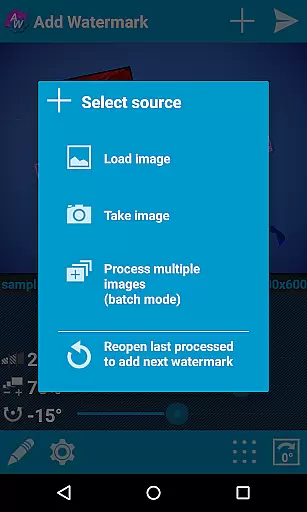
The app offers an impressive range of features that cater to both amateur and professional photographers. In the full version, you get access to advanced functionalities such as batch mode for processing multiple images at once and auto-processing through sharing images from other apps.
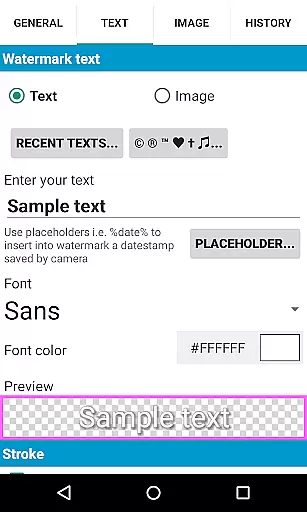
You can choose from 72 built-in fonts or import up to 20 custom fonts for text-based watermarks. The app also supports adding timestamps, GPS tags, and other properties as text watermarks. With full EXIF and XMP metadata support, your original image data remains intact.
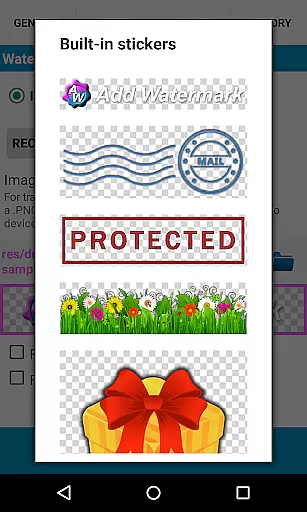
Additional features include built-in sticker collections, support for 360° panoramas, and the ability to backup settings on your device or in the cloud. These robust features make Add Watermark a versatile tool for anyone looking to protect their digital content professionally.
Real-time capture and preview functionality is essential for ensuring that users can see the effects of their edits immediately. In the case of Add Watermark, this feature allows users to visualize how the watermark will appear on their images before finalizing the process.
The application provides a dynamic interface where users can adjust the size, transparency, rotation, and alignment of the watermark in real time. This instant feedback loop empowers users to make precise modifications, ensuring that the watermark integrates seamlessly with the underlying image.
By offering real-time previews, Add Watermark enhances user experience by reducing guesswork and the need for trial-and-error. Users can experiment with different settings and instantly see the results, leading to a more intuitive and satisfying editing process.
AI beauty and enhancement features focus on improving the visual quality of images while maintaining a natural look. Although Add Watermark primarily emphasizes watermarking, it incorporates elements of AI enhancement through its sophisticated text and image processing capabilities.
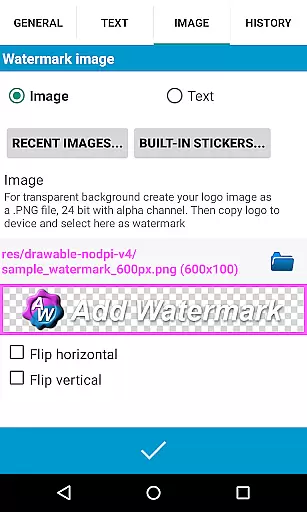
The app supports transparent PNG images as watermarks and offers various effects for text modes, such as fonts, colors, and other stylistic options. These features ensure that the watermark does not detract from the original image's quality but rather complements it in a visually pleasing manner.
With automatic processing and batch mode, Add Watermark streamlines the enhancement process, allowing users to apply consistent improvements across multiple images efficiently. This ensures that all processed images retain a high standard of quality and natural appearance, which is crucial for professional photographers and bloggers who rely on the app for their daily routines.
User-friendly interface
Batch processing mode
Extensive font options
Cloud backup support
Social media integration
Free version limitations
No video watermarking
Paid full version
Complex for beginners
Limited free fonts

Photo Album Watch Face shows your favorite pictures as a Watchface.
 1.90
1.90
Perfect photos with body shaping, BG changer and object remover.
3.70
Create & Edit with AI: AI Remove, Enhance, Retouch, Filter
4.10
HD Camera Pro with HD Video shooting, Panorama, Photo editor , Beauty Camera.
4.50
Photo editor & gallery. Crop pictures & edit photos offline, no wifi!
4.50
A reflected light meter with spot metering and incident light metering.
4.40
Raw Image Viewer. Gallery with support of raw images (.cr3, .cr2, .nef, .raf).
2.00
Easily view, share, delete photos with Gallery.
4.70
Welcome to ProShot, the most powerful camera app on Android.
4.20
Photo prints, cards, & gifts at Walgreens. Easy ordering & fast local pickup !
4.80
A collection of tools and reference tables for DPs, ACs, DITs and Operators.
4.70
Android Native system HD camera app. Never been so simple and faster.
4.70
Take videos and pictures with the popular TikTok TIME WARP SCAN filter.
4.60
Automatically backup your photos and videos to computer, NAS and Cloud services
4.60
Cut and paste photo editor & eraser to customize photos easy and swap faces fun
4.50
Trendy TikTok time warp scan funny filter app brings you unique photos & videos.
4.40
All-in-One Editor & AI Photo Enhancer, Collage, Cartoonify, Funny Stickers & BGS
4.10
Astrophotography with your smartphone, photo live stacking and much more!
3.90
Snap photos remotely using your Garmin watch as the camera trigger
4.1


User Reviews