





PicsLeap is an advanced AI-powered photo editing application that offers a comprehensive suite of tools for enhancing, transforming, and personalizing your images. With features like One-Tap Enhance, Magic Eraser, AI Face Swap, and AI Cartoon Filters, it caters to both amateur photographers and professionals seeking efficient editing solutions.
The app stands out with its ability to remove backgrounds, apply double exposure effects, and offer 100+ filters and effects that allow users to embrace their signature style. PicsLeap also includes precise color adjustment tools such as HSL, Highlight, Split Tone, and Curve, ensuring every photo is vibrant and visually appealing.
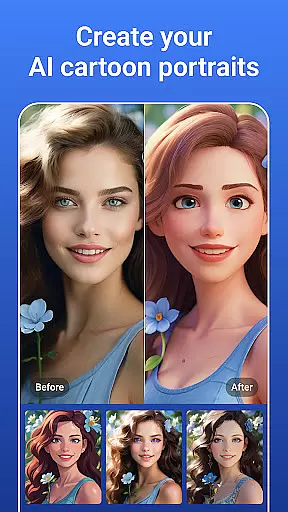
Whether you're looking to restore old photos, create stunning collages, or experiment with artistic cartoon versions of your images, PicsLeap provides the tools to unleash your creativity. The intuitive interface makes professional-level editing accessible to everyone, enabling users to produce high-quality, watermark-free art ready for sharing on platforms like Instagram and Facebook.
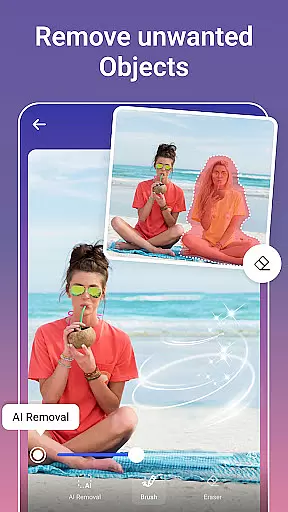
PicsLeap distinguishes itself through a rich array of innovative features designed to meet diverse photo editing needs. The AI-driven Magic Eraser allows users to remove unwanted objects from photos seamlessly, while intelligently filling the gaps for a natural look. This feature alone saves hours of manual editing and delivers impeccable results with just a single tap.
Another highlight is the vast selection of over 100 filters and effects, ranging from retro and film styles to creative light effects and double exposures. These options empower users to experiment with different aesthetics and find their unique photographic voice. Additionally, PicsLeap's Double Exposure tool enables surprising and artistic transformations by blending multiple images into one cohesive piece.
The app also excels in precision editing with advanced tools like HSL, Highlight, Split Tone, and Curve adjustments. These features provide granular control over colors and tones, allowing users to fine-tune every aspect of their photos. Whether you're enhancing resolution, restoring old images, or creating dynamic collages, PicsLeap ensures each creation is polished and professional-grade.
Real-time capture and preview functionality is essential for any photography app as it allows users to see exactly what the camera sees before taking a shot. This ensures that the framing, lighting, and composition are all correct before capturing the moment.
PicsLeap offers an intuitive real-time capture experience with its advanced AI photo editor tools. Users can leverage features like one-tap enhance and magic eraser even during the preview stage, ensuring that every photo taken meets their high standards without needing post-processing.
The benefit of using PicsLeap's real-time capabilities is the ability to create watermark-free, high-quality art instantly. Whether you're shooting for social media or personal albums, PicsLeap empowers photographers to share their work on platforms like Instagram and Facebook directly after capturing the perfect shot.
This seamless integration of real-time editing tools within the capture process not only saves time but also enhances creativity by allowing immediate adjustments and experimentation with different effects and filters.
AI beauty and enhancement features have become a staple in modern photo editing applications, offering users the ability to refine and beautify images while maintaining a natural look. The challenge lies in enhancing photos without making them appear overly processed or artificial.
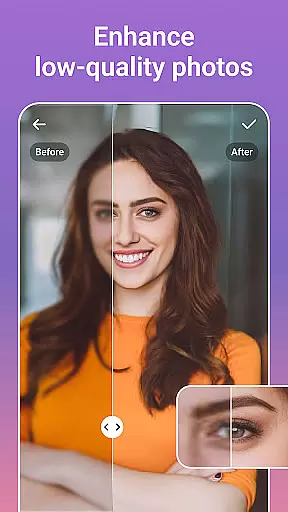
PicsLeap excels in this area by providing a suite of AI-powered tools designed to enhance resolution, restore old photos, and remove unwanted elements naturally. With options like texture, life, night, movie, B&W, retro, film, and portrait filters, users can embrace their signature style while preserving authenticity.
Users benefit from PicsLeap's intelligent algorithms that intelligently fill voids after removing unwanted objects, blur backgrounds with precision, and adjust colors through HSL, highlight, split tone, and curve adjustments. These features ensure that edits are subtle yet impactful, resulting in professional-looking enhancements.
Ultimately, PicsLeap's focus on natural enhancement empowers users to elevate their photography effortlessly, reliving moments with crystal-clear visuals and turning ordinary snapshots into extraordinary masterpieces.
User-friendly interface
Advanced AI tools
Variety of filters
Fast processing
Free to use
Limited advanced options
Occasional ads
In-app purchases
Learning curve
Storage heavy

An interval timer to automate photo taking process for timelapse
 2.90
2.90
How old age camera Gender Swap App Face Shape Hairstyle App Hair Styler App fun!
4.00
Natural Beauty, Selfie Retouch
4.30
A reflected light meter with spot metering and incident light metering.
4.40
GCamera allows all GCam features on all phone models! Better photos with GCamera
3.30
AI photo enhancer with Sora 2! Enhance, descratch, and colorize your old photos.
4.50
Collage your moments in one tap: 1000+ layouts, filters, stickers, and texts.
4.90
PhotoSync Bundle Add-On License. Enables all features and services in PhotoSync.
4.60
Effortlessly make high-quality GIFs from images & videos without any watermarks.
4.70
Find time and duration of different sunlight phases at any location
4.90
AI Photo Editor with 100+ Filters, Effects! Remove BG, Retouch & Photo Enhancer.
4.80
Easily create custom gifts, cards, photo books & more on the Shutterfly app!
4.60
Fit multiple photos on one post. Create carousels & scroll layouts for Instagram
4.50
Search, tag and rate your way to an organized image gallery
4.40
AI-powered video creator by MiniMax - Where ideas meet cinema
4.20
Catch sunlight, sunrise sunset times and sun phases with the AR sun tracker.
4.10
Gallery Slideshow is slideshow maker app for slideshow from your gallery photos.
3.90
Create amazing frames with up to five photos. Rounded corners, effects and more!
3.60
Superimpose one photo on top of another using the original Superimpose app!
3.20


User Reviews