
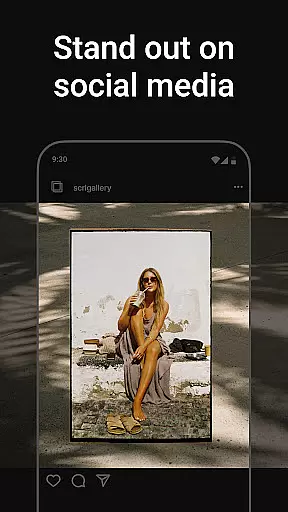
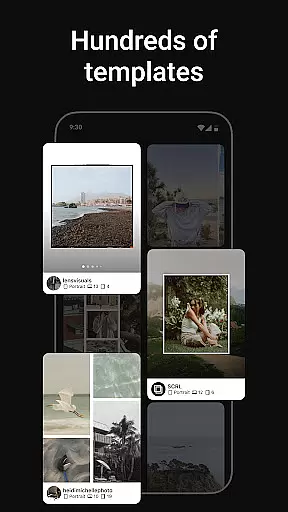
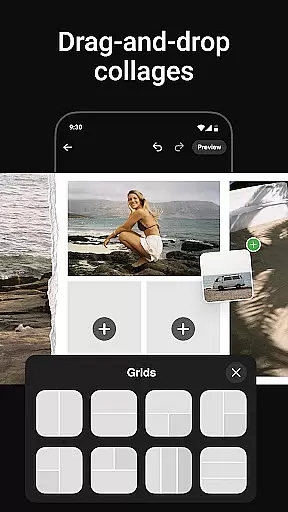
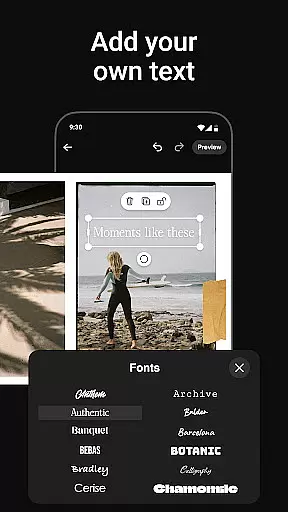
Photo Collage Maker by SCRL is the leading app for creating stunning photo collages and seamless Instagram carousel posts. Designed for influencers, artists, and photography enthusiasts, this app offers a complete suite of creative tools to make your social media posts stand out. With hundreds of hand-picked templates, a freeform canvas, and advanced design features, users can craft unique layouts that reflect their personal style.
The app's standout feature is its ability to merge multiple photos into captivating swipe-through carousels, breaking the traditional limit of 10 photos per post. Whether you're designing for personal memories or professional projects, Photo Collage Maker provides all the resources needed to produce polished, professional-quality visuals. Trusted by Grammy-winning artists and industry leaders, this app is perfect for anyone looking to elevate their Instagram game.
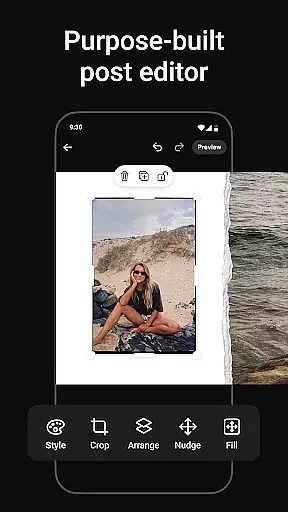
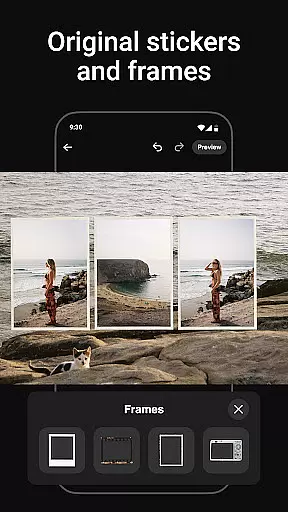
Photo Collage Maker boasts an impressive range of features designed to unleash creativity. The app includes hundreds of professionally designed collage templates catering to various styles and occasions, ensuring there's something for everyone. Its freeform canvas allows users to zoom in and out, adjust layouts, and combine images, stickers, overlays, and text with precision.
Another key highlight is the ability to create seamless Instagram carousel posts. Users can merge more than 10 photos into a single post, crafting scrollable stories that captivate audiences. The app also offers an extensive library of stickers and overlays to enhance designs further. For those seeking premium features, SCRL Premium unlocks exclusive templates, gradient backgrounds, and video integration, making it a comprehensive tool for both casual creators and professionals.
Real-time capture and preview functionality is essential for modern photography applications, allowing users to see exactly what their final output will look like while composing their shots. Photo Collage Maker excels in this area by providing a seamless live preview experience as users design their collages.
The app's intuitive interface ensures that every adjustment, from template selection to photo placement, is instantly reflected in the preview window. This real-time feedback empowers users to make precise creative decisions without any lag or delay.
With its freeform canvas feature, users can zoom in and out to perfect every detail, ensuring their collage meets their exact specifications before finalizing. The ability to see changes in real time significantly enhances the creative process.
This instant preview capability not only saves time but also improves the overall quality of user creations, making it an indispensable tool for both casual users and professional content creators who need to produce high-quality visuals quickly and efficiently.
AI-powered beauty and enhancement features have become crucial in photography apps, offering users the ability to refine and perfect their images while maintaining a natural look. Photo Collage Maker incorporates advanced AI algorithms that intelligently enhance photos without creating artificial appearances.
The app's extensive library of stickers and overlays works in tandem with AI enhancement tools to provide subtle improvements that complement the original image. These enhancements range from skin smoothing to color correction, all designed to preserve authenticity while elevating visual appeal.
What sets Photo Collage Maker apart is its commitment to natural-looking results. Unlike other apps that might over-process images, this application carefully balances enhancement levels to ensure that edited photos still retain their genuine character.
For influencers and artists who rely on maintaining a realistic aesthetic, these AI-powered features provide the perfect solution for creating polished yet authentic social media content, helping users stand out while staying true to their personal style.
User-friendly interface
Extensive template library
Freeform canvas flexibility
Instant Instagram posting
Premium upgrade options
Limited free features
Premium subscription cost
Occasional bugs reported
Learning curve for beginners
Heavy on storage

Photo editor: face & body editor, beauty cam, filters and quality enhancer.
 4.00
4.00
Long exposure camera with computational photography
2.60
Search, tag and rate your way to an organized image gallery
4.40
How old age camera Gender Swap App Face Shape Hairstyle App Hair Styler App fun!
4.00
Be your best in every shot! Fix, edit and retouch your face in selfies & photos.
3.70
AI photo enhancer with Sora 2! Enhance, descratch, and colorize your old photos.
4.50
Easily view, share, delete photos with Gallery.
4.70
Your personal guide to the sun and moon. Plan ahead, visualize and predict!
4.70
Remote control the phone camera shutter from your smartwatch and take a picture
1.60
Pro version: AR sun/moon tracker for any date. Tool for photographers & planners
4.90
Enhance, upscale, and transform your images — on your device, without limits
4.70
1M influencer's special filter
4.60
Viewfinder, Light meter, Reciprocity failure time, DOF & Bellows Extension
4.60
HD Camera Pro with HD Video shooting, Panorama, Photo editor , Beauty Camera.
4.50
Trendy TikTok time warp scan funny filter app brings you unique photos & videos.
4.40
Natural Beauty, Selfie Retouch
4.30
Create AI Photos, Improve and restore quality of blurry, old or damaged pics.
4.20
Pet Camera
3.70
Application for remote controlling DSLR
3.00


User Reviews