
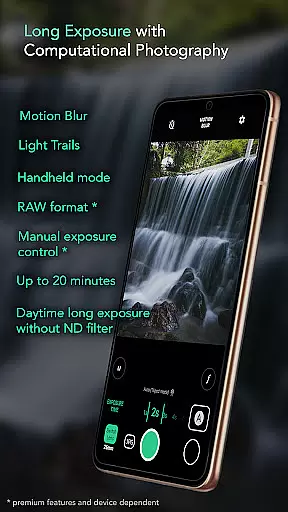
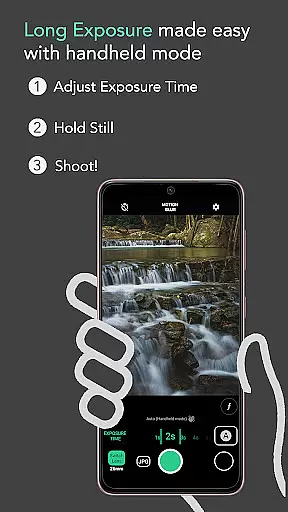
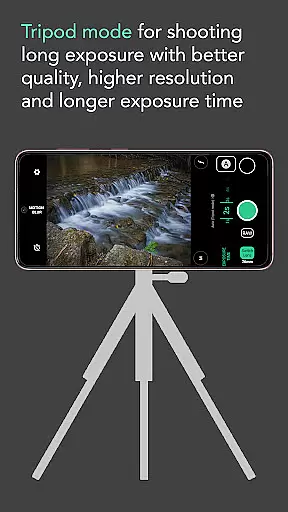
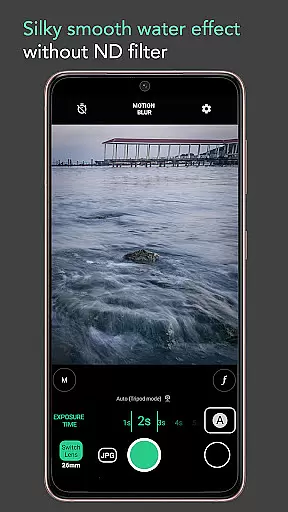
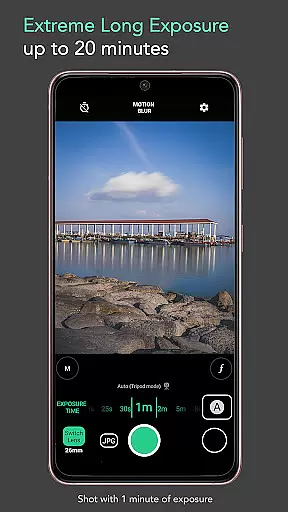
Motion ProCam is a specialized camera application designed to simplify the process of capturing long exposure photographs. This app enables users to effortlessly create stunning motion blur and light trail effects by combining multiple images into one final photo, without the need for an ND filter even in bright daylight conditions.
The app's computational photography technology automatically aligns and stabilizes images taken handheld, supporting exposure times of up to 20 minutes. With additional professional features like RAW format support and manual exposure control available as premium options, Motion ProCam caters to both amateur photographers looking for creative effects and enthusiasts seeking maximum image quality.
Motion ProCam stands out with its innovative approach to long exposure photography. The app employs advanced computational techniques to merge numerous images, creating smooth motion blur and vibrant light trail effects that are typically challenging to achieve without specialized equipment.
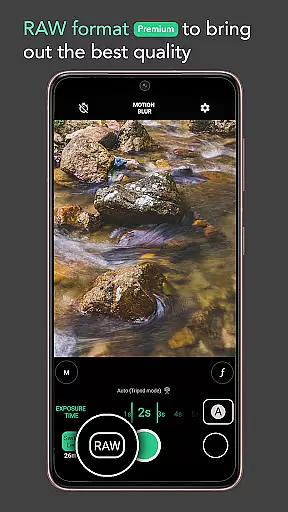
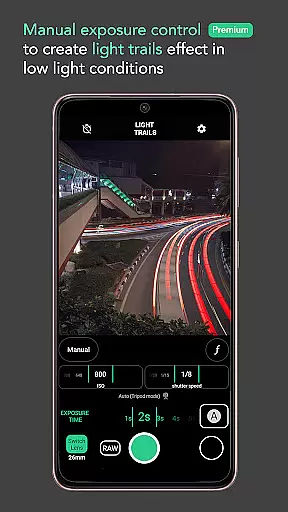
Key functionalities include automatic stabilization for handheld shots up to 5 seconds, customizable effect selections such as motion blur or light trails, and extended exposure times reaching 20 minutes. For advanced users, the app offers premium features like RAW file format support and precise manual exposure controls, allowing for unparalleled creative control and professional-grade results.
These capabilities make Motion ProCam suitable for capturing various artistic scenes including silky water effects, dynamic light trails, and serene seascapes, all while maintaining exceptional image quality and detail.
Real-time capture and preview functionality is essential for ensuring that users can accurately frame and adjust their shots before capturing the final image. Motion ProCam offers a seamless experience by providing instant feedback on the chosen settings, allowing photographers to fine-tune exposure times and effects.
The application's computational photography techniques enable users to preview motion blur and light trails in real-time. This feature ensures that even complex long exposure shots can be planned and executed with precision, without the need for trial and error.
By offering a live view of the potential outcome, Motion ProCam empowers users to experiment with different settings confidently. Whether capturing silky smooth water effects or removing crowds from a scene, the ability to see a preview ensures that the final image meets the photographer's expectations.
This real-time functionality not only enhances the overall user experience but also significantly reduces the chances of missed shots or incorrect settings, making long exposure photography accessible to enthusiasts and professionals alike.
While Motion ProCam focuses primarily on long exposure photography, it incorporates advanced AI beauty and enhancement features that ensure natural-looking results. These enhancements are subtle yet effective, preserving the authenticity of the original scene while elevating the image quality.
The app uses sophisticated algorithms to enhance details such as water flow, cloud movement, and light trails without introducing artificial elements. This approach maintains the integrity of the photograph, ensuring that enhancements complement the natural beauty of the subject matter.
For users opting for premium features like RAW format and manual exposure control, the AI enhancements provide an additional layer of refinement. These tools allow photographers to capture images with the highest possible quality, ensuring that every detail is crisp and clear.
Ultimately, the AI beauty and enhancement features in Motion ProCam strike a balance between technological advancement and artistic expression, delivering professional-grade results that resonate with both casual users and photography enthusiasts.
Easy-to-use interface
Auto stabilization feature
Daytime long exposure
Premium RAW support
Versatile shooting modes
Premium features locked
Limited free options
High battery consumption
Large file sizes
Complex for beginners

All-in-One Editor & AI Photo Enhancer, Beautify & Retouch, Collage, Cartoonify
 4.20
4.20
Find time and duration of different sunlight phases at any location
4.90
Viewfinder, Light meter, Reciprocity failure time, DOF & Bellows Extension
4.60
What celebrity do you look like? Celebs will find your celebrity match!
4.10
How old age camera Gender Swap App Face Shape Hairstyle App Hair Styler App fun!
4.00
Pet Camera
3.70
Smart, light, and fast photo and video gallery
4.30
A light meter for true photographers.
4.20
Try an anime version, cartoon yourself, and generate AI hug or aging videos!
3.70
Pro version: AR sun/moon tracker for any date. Tool for photographers & planners
4.90
1M influencer's special filter
4.60
A must-have app for landscape photographers
4.60
Discover & download millions of art for The Frame TV or Hisense CanvasTV
4.60
Create AI photos & videos with Enhancer; restore, fix, beautify, enhance photos
4.50
[3DSteroid Pro] is a stereoscopic application for Android.
4.30
Transform Photos: Edit, Beautify and Craft Memories & Make Collages!
4.10
How would you look like with a differently shaped nose, chin or lips?
3.90
USB Storage Access for Photos, Videos, Music and Documents
3.80
Be your best in every shot! Fix, edit and retouch your face in selfies & photos.
3.70


User Reviews