
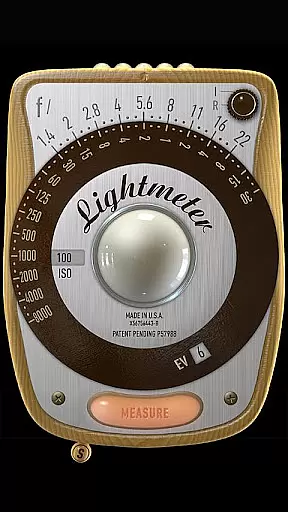
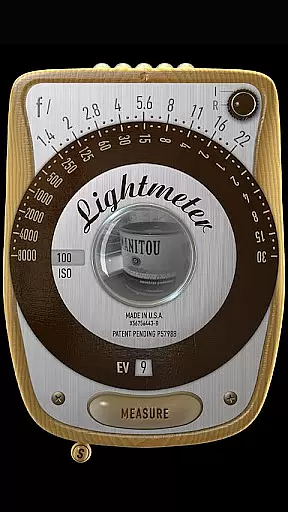
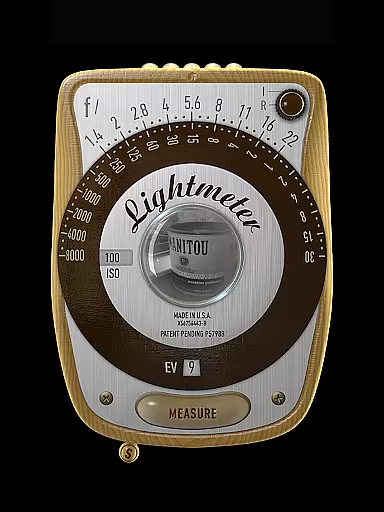
LightMeter is a specialized photography app designed for analog photographers who appreciate traditional techniques. This application provides both reflected and incident light metering capabilities, making it an essential tool for achieving accurate exposure settings in film photography.
The app supports ISO ranges from 3 to 6400 and includes features like low light alerts, camera muting (where available), and Exif data display. With calibration options and compatibility across all screen resolutions, LightMeter ensures precise control over your photographic process. Whether you're a professional or an advanced amateur, this app offers the tools needed to perfect your analog shots.
LightMeter stands out with its comprehensive set of features tailored for analog photographers. The app offers two primary modes of light measurement: reflected light metering, which requires a compatible camera, and incident light metering that utilizes the device's light sensor.
Additional functionalities include a low light alert system, optional Exif and sensor information display, and the ability to hold incident light readings. Users can also benefit from features such as vibration feedback on measure/hold, alternative ISO selection, and state recall upon resuming the app. These robust features ensure that photographers have all the necessary tools at their fingertips for capturing perfectly exposed images.
Real-time capture and preview functionality is essential for photographers who need accurate exposure readings. LightMeter offers this feature to ensure users can measure light conditions instantly as they shoot.
This app provides both incident and reflected light metering options, catering to different photography styles and equipment capabilities. The reflected light meter works with devices that can save exposure data to EXIF, offering reliable measurements when used correctly.
For incident light metering, the app utilizes the device's light sensor, providing immediate feedback on lighting conditions. This allows photographers to adjust their settings accordingly before capturing an image, ensuring optimal exposure.
Despite the limitations imposed by the hardware of mobile devices, LightMeter strives to deliver precise readings. Users are advised that while phone-based light meters may not match professional standalone devices, the reflected light option in LightMeter can still offer commendable accuracy.
While LightMeter does not focus on AI beauty enhancements, it emphasizes delivering natural and authentic light readings. This approach ensures that photographers receive genuine data to make informed decisions about their analog photography setups.
The application includes features such as low light alerts and vibration feedback upon measurement, which contribute to a more intuitive user experience without artificial enhancements. These practical tools assist photographers in various shooting environments without compromising the authenticity of the captured scene.
Additionally, LightMeter offers calibration options and ISO range selection from 3 to 6400, allowing users to fine-tune settings based on their specific needs. This level of customization supports a natural photography workflow, free from automated alterations or enhancements.
By prioritizing functional aspects like spot measurement with camera zoom and maintaining EXIF data integrity, LightMeter ensures that each photograph reflects true environmental conditions rather than relying on post-processing enhancements.
User-friendly interface
Wide ISO range support
Reflected light precision
Incident light flexibility
Comprehensive feature set
Limited device compatibility
Camera muting restrictions
Precision depends on hardware
Not all cameras supported
Advanced features may overwhelm

Effortlessly organize, view and share your photos & videos with Gallery app!
 4.40
4.40
Photobooth mini FULL app will allow you to add more fun to your parties
4.00
Perfect body tune & face app - photo retouch, makeup, slim body & beautify face.
4.80
Create collages easily! Nice pic collage maker & background eraser for Instagram
4.50
Create AI photos & videos with Enhancer; restore, fix, beautify, enhance photos
4.50
A unique animation app. Powerful, easy to use, and lots of fun.
4.30
Discover How to Plan any Sun, Moon and Milky Way Photo You Imagine in Seconds
4.70
Your Family Calendar + Photos. Manage your Skylight Calendar and Skylight Frame.
4.40
Edit photos with the picture generator: PS2 & AI Clay filters, cartoon effects.
4.50
Gallery show photo, video, slideshow, is perfect 3D effect private photo albums.
4.80
Easily create custom gifts, cards, photo books & more on the Shutterfly app!
4.60
Safe & smart flight with Go Fly drone controller for 40+ drone camera, zone map
4.50
Trendy TikTok time warp scan funny filter app brings you unique photos & videos.
4.40
Future baby face generator: AI kids generator, kid face! What my baby look like?
4.40
RAW video capture with advanced controls
4.40
Virtual makeup, hair filters & body tuner—edit from face to full body!
4.20
The #1 app for B&W film developing featuring an advanced darkroom timer.
4.10
Transform Photos: Edit, Beautify and Craft Memories & Make Collages!
4.10
Hair color changer, AI haircut app, fun hair editor and buzz cut filter for all!
3.80


User Reviews