


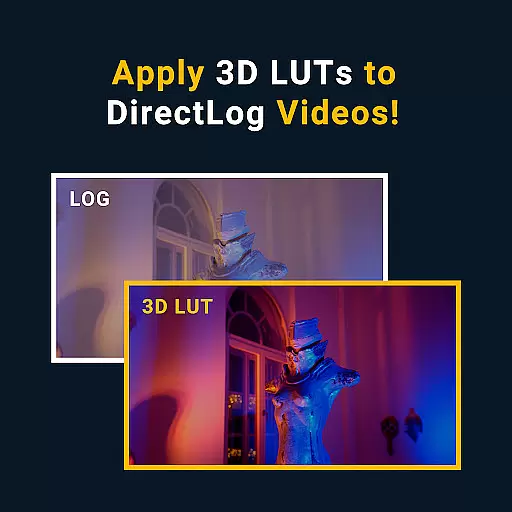
MotionCam Pro is a revolutionary photography and videography application designed to bring professional-grade tools to smartphone users. The app's standout feature is its ability to capture RAW video, a first for smartphone cameras. This allows photographers and videographers to retain maximum image quality and flexibility during post-processing.
In addition to its groundbreaking video capabilities, MotionCam Pro enhances still photography through advanced computational algorithms. These algorithms replace the default camera software, enabling users to capture stunning photos with improved dynamic range, color accuracy, and low-light performance. Whether you're a professional photographer or an enthusiast, this app provides the tools needed to elevate your mobile photography experience.
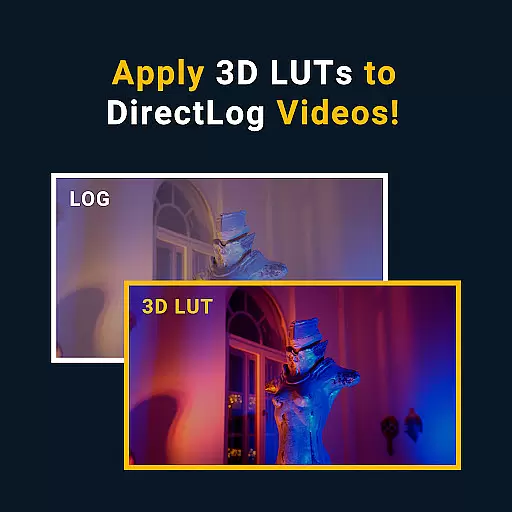
MotionCam Pro offers a comprehensive suite of features that cater to both photography and videography needs. The app's most notable feature is its support for RAW video capture, allowing users to record videos with minimal compression and maximum detail retention. This capability is particularly valuable for professionals who require the highest possible quality for editing and post-production work.
Beyond video, MotionCam Pro excels in computational photography. The app employs sophisticated algorithms to enhance photo quality, offering improvements in areas such as noise reduction, exposure control, and color reproduction. Users can expect beautifully rendered images with enhanced clarity and depth, making it an ideal choice for capturing high-quality stills on the go.
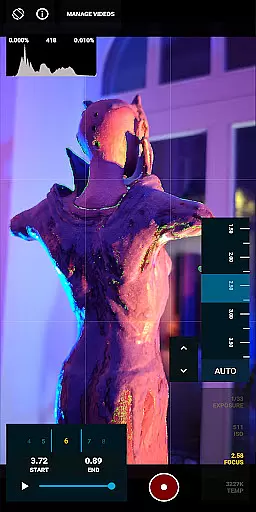
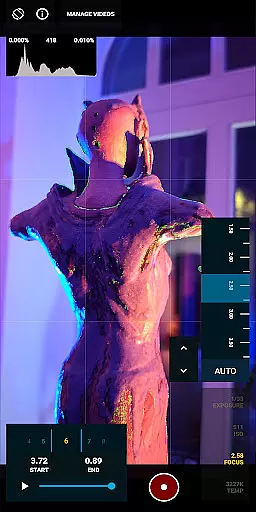
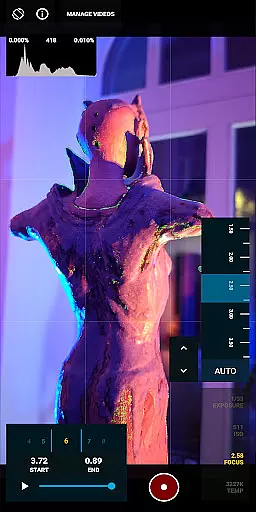
Real-time capture and preview functionality is essential for photographers who need to see the exact image they are capturing. MotionCam Pro excels in this area by providing users with an accurate representation of their shot before they take it.
The app utilizes advanced computational photography algorithms that process images instantly, allowing users to adjust settings such as exposure, white balance, and focus with precision. This ensures that every photo taken is exactly how the photographer envisioned it.
With MotionCam Pro, users can also capture RAW videos, a feature not commonly found in smartphone applications. This allows for greater flexibility during post-processing, giving professionals the tools they need to create stunning visuals directly from their mobile devices.
MotionCam Pro incorporates AI beauty and enhancement features that maintain the natural look of subjects while improving overall image quality. The app intelligently applies enhancements without over-processing, ensuring that skin tones and textures remain authentic.
Users have access to various filters and effects designed to subtly enhance facial features and landscapes alike. These adjustments are made possible through sophisticated machine learning models trained on high-quality datasets, resulting in professional-grade edits.
Additionally, MotionCam's community platform offers support and feedback, helping users refine their skills and make the most out of the appu2019s powerful editing capabilities. By joining the community via the provided link, users can share tips and tricks, further enhancing their photography experience.
First smartphone app for RAW video
Advanced computational photography
Professional-grade tools
Enhanced photo quality
Active community support
Premium pricing model
Steep learning curve
Limited device compatibility
High storage requirements
Intensive battery usage

What celebrity do you look like? Celebs will find your celebrity match!
 4.10
4.10
Android Native system HD camera app. Never been so simple and faster.
4.70
Create AI Photos, Improve and restore quality of blurry, old or damaged pics.
4.20
Amazing Photo Effects - The most fun you can have with your photos!
4.70
USB Storage Access for Photos, Videos, Music and Documents
3.80
Luminar: Photo Editor - easy picture editing with AI
4.20
Smart, light, and fast photo and video gallery
4.30
Effortlessly make high-quality GIFs from images & videos without any watermarks.
4.70
Your Family Calendar + Photos. Manage your Skylight Calendar and Skylight Frame.
4.40
Unblur, enhance & restore photos with powerful AI photo enhancer tools.
4.60
Viewfinder, Light meter, Reciprocity failure time, DOF & Bellows Extension
4.60
PhotoSync Bundle Add-On License. Enables all features and services in PhotoSync.
4.60
Create Business Headshots, Polaroid Filter, Retake Photos,Profile Pics,AI Photos
4.50
AI photo enhancer with Sora 2! Enhance, descratch, and colorize your old photos.
4.50
Fit multiple photos on one post. Create carousels & scroll layouts for Instagram
4.50
Transform Photos: Edit, Beautify and Craft Memories & Make Collages!
4.10
How would you look like with a differently shaped nose, chin or lips?
3.90
Be your best in every shot! Fix, edit and retouch your face in selfies & photos.
3.70
GCamera allows all GCam features on all phone models! Better photos with GCamera
3.30


User Reviews