

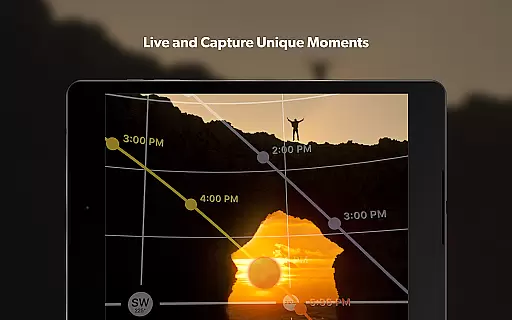
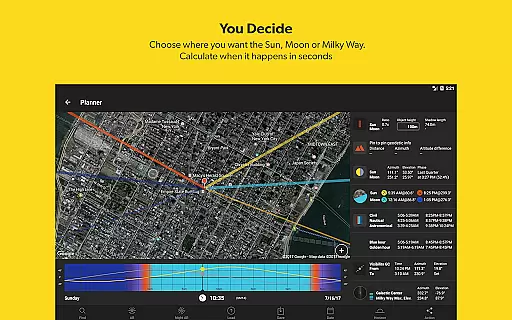


PhotoPills is an all-in-one photography planning app designed to unlock creative potential in capturing Sun, Moon, and Milky Way scenes. The app provides photographers with the tools needed to plan and execute their creative ideas with precision. With features like 2D map-centric planning, augmented reality views, and a suite of calculators, PhotoPills ensures that users can capture legendary photos every time they pick up the camera.
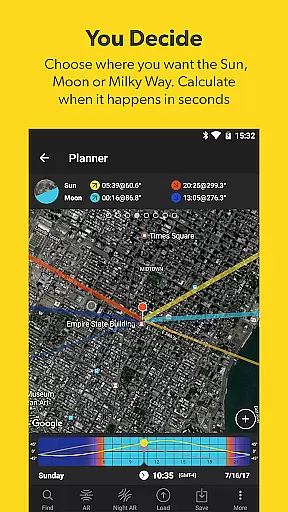
The app's powerful planning capabilities allow photographers to calculate the exact date and time for the perfect shot, whether it's the Sun, Moon, or Milky Way. It also includes location scouting tools, photo plans management, and key celestial information. This makes PhotoPills invaluable for landscape, night sky, and travel photographers who want to explore new artistic possibilities and tell visual stories in unique ways.
PhotoPills stands out with its comprehensive set of features tailored for photographers. One of the standout features is the 2D Map-Centric Planner, which allows users to visualize Sun, Moon, and Milky Way positions over any landscape. The app also offers a fast finder for Sun and Moon alignments, ensuring you never miss the perfect shot.
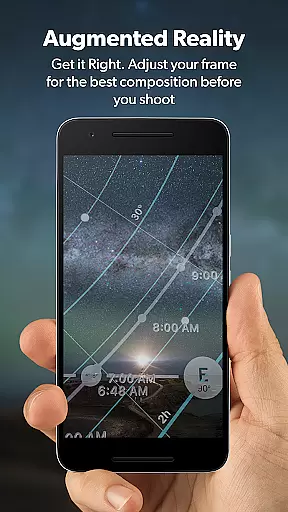
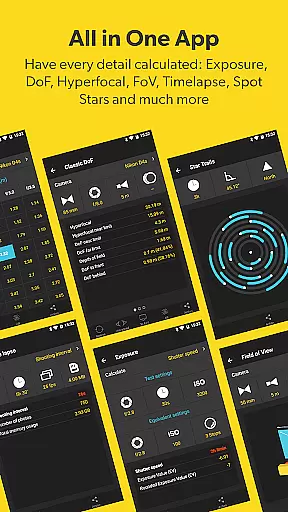
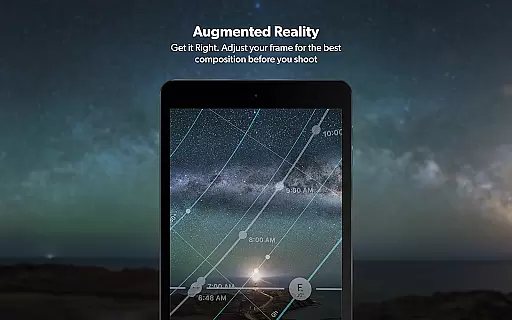
In addition to planning tools, PhotoPills includes 3D Augmented Reality views that help photographers see the position of celestial bodies before shooting. The app also provides detailed information on sunrise/set, twilights, golden hour, blue hour, moonrise/set, and supermoon dates. With built-in calculators for long exposure, timelapse, spot stars, star trails, hyperfocal table, depth of field (DoF), and field of view (FoV), PhotoPills equips photographers with everything they need to get the perfect shot.
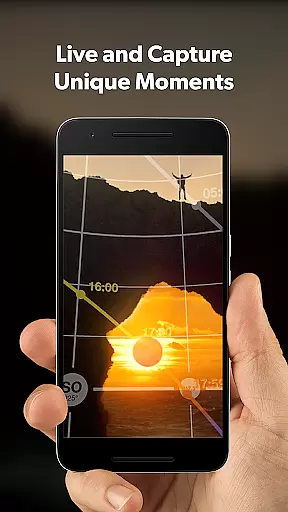
Real-time capture and preview functionality is essential for photographers who need to ensure their shots are perfectly composed before pressing the shutter. PhotoPills offers this feature through its advanced 3D Augmented Reality views, allowing users to visualize exactly where the Sun, Moon, and Milky Way will appear in their shots.
This innovative tool helps photographers adjust their frame for optimal composition by providing a real-time overlay of celestial bodies within the camera viewfinder. Whether capturing a breathtaking landscape or an iconic night sky scene, users can rely on PhotoPills to show them precisely how these elements will align at any given moment.
The benefits of using PhotoPills extend beyond just framing; it ensures that every detail from lighting conditions to celestial positioning is considered ahead of time. This level of precision empowers photographers to create images with unparalleled accuracy and creativity, transforming imagined scenes into reality effortlessly.
While primarily known for its planning capabilities, PhotoPills also excels in enhancing photo quality through AI-driven enhancements. Although not traditionally categorized under beauty enhancement, PhotoPills' sophisticated algorithms assist in optimizing various aspects such as depth of field (DoF), field of view (FoV), and exposure settings.
These intelligent features enable photographers to achieve natural-looking enhancements without compromising authenticity. By leveraging tools like long exposure calculators and hyperfocal tables, users can fine-tune their images to perfection while maintaining realistic textures and colors.
Ultimately, PhotoPills bridges the gap between technical expertise and artistic vision. Its comprehensive suite of calculators and widgets supports photographers in crafting visually stunning yet genuine photographs. With PhotoPills, capturing legendary moments becomes both intuitive and rewarding, ensuring each shot reflects true artistry enhanced by cutting-edge technology.
User-friendly interface
Comprehensive planning tools
Augmented reality views
Detailed celestial information
Endorsed by photography masters
High learning curve
Some features require compass
Premium price point
Occasional bugs reported
Heavy app size

Long exposure camera with computational photography
 2.60
2.60
Trendy TikTok time warp scan funny filter app brings you unique photos & videos.
4.40
HD Photo gallery and photo manager to edit, hide private photos, videos & albums
4.5
Cartoon and artistic effects for your photos and videos
4.70
Photo Exif Editor allows to view, add and modify EXIF data of multiple photos
4.50
HD Camera Pro with HD Video shooting, Panorama, Photo editor , Beauty Camera.
4.50
Amazing Photo Effects - The most fun you can have with your photos!
4.70
Photo editor & gallery. Crop pictures & edit photos offline, no wifi!
4.50
Unblur, enhance & restore photos with powerful AI photo enhancer tools.
4.60
AI Photo Editor with 100+ Filters, Effects! Remove BG, Retouch & Photo Enhancer.
4.80
Enhance, upscale, and transform your images — on your device, without limits
4.70
Viewfinder, Light meter, Reciprocity failure time, DOF & Bellows Extension
4.60
Light-weight Media Gallery app for Android made with Jetpack Compose
4.60
A must-have app for landscape photographers
4.60
Add Watermark - Sign your pictures with a text or logo. Effective, quick, easy!
4.50
AI photo enhancer with Sora 2! Enhance, descratch, and colorize your old photos.
4.50
Effortlessly organize, view and share your photos & videos with Gallery app!
4.40
[3DSteroid Pro] is a stereoscopic application for Android.
4.30
Photobooth mini FULL app will allow you to add more fun to your parties
4.00


User Reviews