
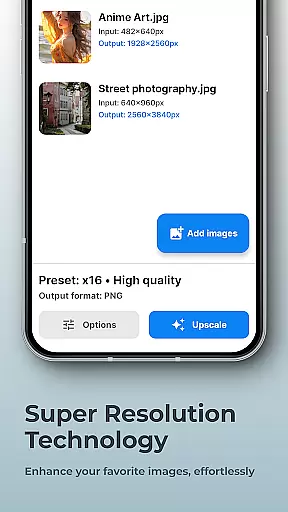
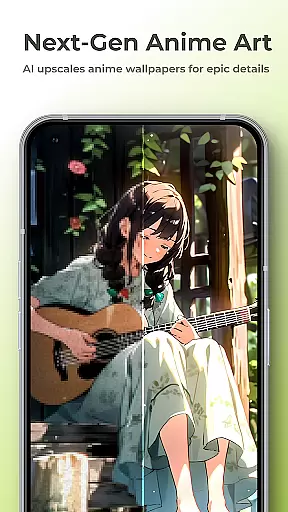
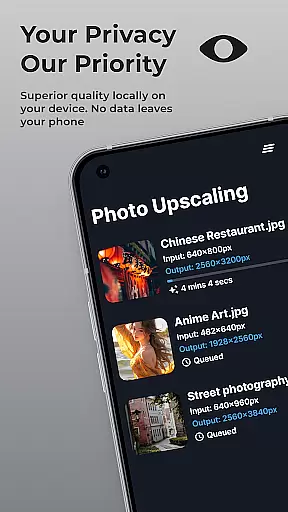
SuperImage Pro is a comprehensive AI-powered photo editing application designed for photography enthusiasts and professionals alike. This app allows users to enhance, upscale, and transform their images with advanced on-device AI processing, ensuring complete privacy and security.
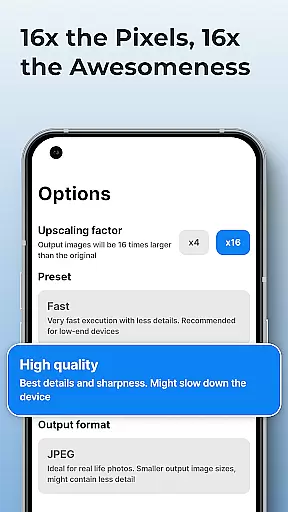
The application offers a range of powerful features including background removal, image upscaling up to 16x resolution, portrait enhancement, and the ability to load custom AI models. Whether you need to create transparent cutouts or refine facial features in low-resolution portraits, SuperImage Pro delivers professional-grade results directly on your mobile device.
Ideal for photographers who value both quality and privacy, SuperImage Pro enables creative freedom without worrying about cloud storage or subscriptions. The app's on-device processing ensures that all transformations happen securely on your device, making it perfect for users who prioritize data security while achieving exceptional image quality.
SuperImage Pro stands out with its innovative approach to photo editing through cutting-edge AI technology. The app utilizes advanced on-device AI models optimized for modern hardware, allowing users to process images without an internet connection. This ensures not only faster processing speeds but also complete data privacy.
Among its standout features is the ability to upscale images up to 16x their original resolution, creating sharp and detailed results from even low-quality sources. The app also includes specialized tools for portrait enhancement, enabling users to sharpen facial details and improve overall clarity. Additionally, the background removal tool creates clean cutouts instantly, perfect for various design projects.
For power users, SuperImage Pro offers support for custom AI models in multiple formats including PyTorch, ONNX, and MNN. This flexibility allows advanced users to tailor the app's capabilities to their specific needs. Combined with its unlimited usage model and commitment to user privacy, these features make SuperImage Pro a versatile solution for both casual and professional photo editing requirements.
Real-time capture and preview functionality is essential for photography applications as it allows users to see exactly what the camera is capturing before taking a shot. This ensures that the framing, lighting, and composition are all perfect before committing to a photo.
SuperImage Pro excels in this area by leveraging advanced AI models optimized for modern hardware. The app processes images directly on the device, providing instantaneous feedback without any lag. This real-time processing capability means you can adjust settings and see changes immediately, enhancing your photography experience.
Users benefit from this feature through improved photo quality and reduced need for post-processing. With SuperImage Pro, you can be confident that what you see on the screen is what you will get in your final image, making it easier to capture the perfect shot every time.
AI beauty and enhancement features have become increasingly popular in photography apps, allowing users to refine facial features and enhance overall image quality. However, maintaining naturalness while applying these enhancements is crucial to avoid artificial-looking results.
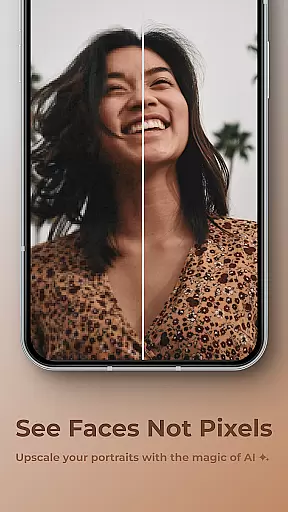
SuperImage Pro addresses this challenge by using sophisticated AI algorithms that focus on subtle improvements rather than drastic changes. The app sharpens details, refines facial features, and enhances background clarity of low-resolution portraits, ensuring that subjects look their best without appearing overly edited.
This approach not only preserves the authenticity of the original image but also enhances its visual appeal. Users can enjoy enhanced portraits that retain a natural look, making their photos stand out with minimal effort. The result is professional-quality images that capture the true essence of the subject.
Advanced AI processing
Complete privacy protection
High-quality upscaling
Custom model support
Unlimited free usage
Steep learning curve
High device requirements
Limited beginner guidance
No cloud backup option
Complex interface design

Long exposure camera with computational photography
 2.60
2.60
How would you look like with a differently shaped nose, chin or lips?
3.90
Search, tag and rate your way to an organized image gallery
4.40
Easily stitch panoramas from multiple photos or video.
4.40
1M influencer's special filter
4.60
Photobooth mini FULL app will allow you to add more fun to your parties
4.00
Amazing Photo Effects - The most fun you can have with your photos!
4.70
Movie camera, supports pro recording settings for filming. Try it and be amazed!
4.50
Welcome to ProShot, the most powerful camera app on Android.
4.20
AI Photo Editor with 100+ Filters, Effects! Remove BG, Retouch & Photo Enhancer.
4.80
AI photo editor with hair editor, retouch tools, hair color changer & filters!
4.50
Transform photos into videos! Create realistic or anime-style images easily!
4.50
Photo Exif Editor allows to view, add and modify EXIF data of multiple photos
4.50
Create AI photos & videos with Enhancer; restore, fix, beautify, enhance photos
4.50
Transform Photos: Edit, Beautify and Craft Memories & Make Collages!
4.10
Catch sunlight, sunrise sunset times and sun phases with the AR sun tracker.
4.10
Pet Camera
3.70
Be your best in every shot! Fix, edit and retouch your face in selfies & photos.
3.70
An interval timer to automate photo taking process for timelapse
2.90


User Reviews