
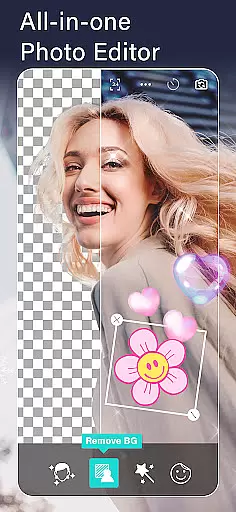
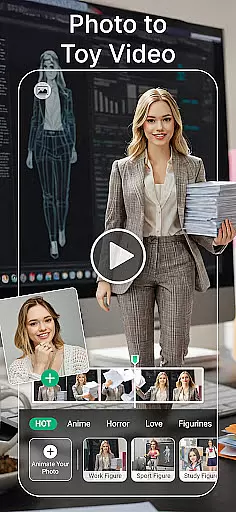
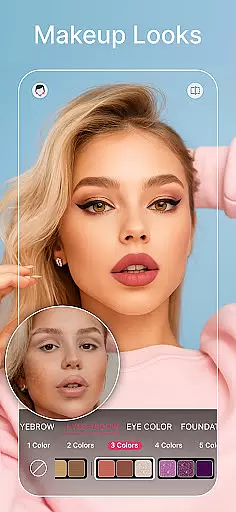
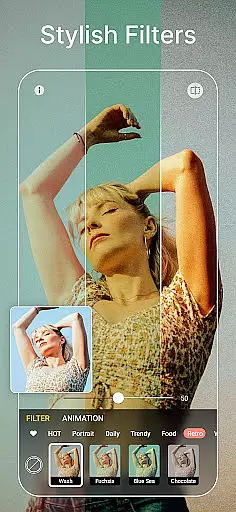
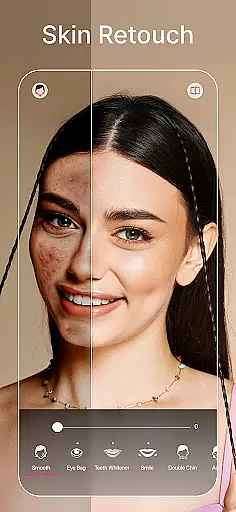
YouCam Perfect is a comprehensive photo editing app designed for photography enthusiasts and social media users. This powerful selfie editor offers an extensive suite of AI-powered tools and beauty features that enhance your photos with professional-quality results.
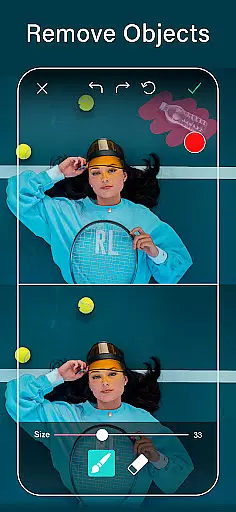
The application's core functionality revolves around its advanced AI capabilities, including object removal, background editing, and quality enhancement. Users can effortlessly remove unwanted elements from photos, create transparent PNG cutouts, and expand image dimensions while maintaining visual integrity. The built-in beauty camera provides one-tap enhancements for skin smoothing, teeth whitening, and blemish removal.
Perfect for content creators and social media influencers, YouCam Perfect enables users to transform ordinary photos into stunning visual stories through animated effects, trendy filters, and creative collages. The app's diverse font options, stickers, and frames allow for personalized photo compositions that stand out on any platform.
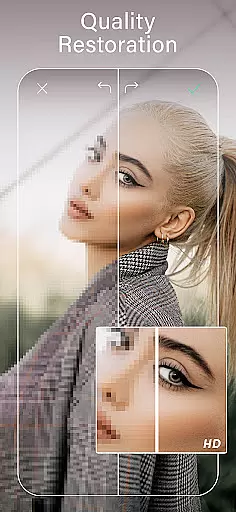
YouCam Perfect distinguishes itself through innovative AI tools that revolutionize photo editing. The AI-powered object remover instantly eliminates unwanted background elements, while the background eraser creates professional green screen effects. The quality enhancer simultaneously sharpens details and reduces noise, producing crystal-clear images.
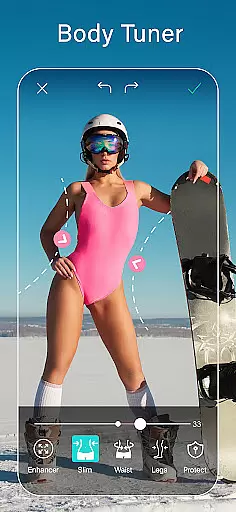
The app's body tuner and height adjustment features offer precise control over figure shaping and proportion enhancement. Users can naturally slim their waistline or adjust their height with subtle, realistic results. The makeup tools provide complete control over facial features, allowing users to lift eyes, contour cheekbones, and refine jawlines with natural-looking outcomes.
Unique to YouCam Perfect are its generative AI capabilities, including professional headshot creation, distinctive avatar generation, and pet avatar transformation. The image-to-video feature adds dynamic storytelling potential, while animated effects bring static photos to life with sparkles and motion overlays. These features collectively enable users to create engaging content that captures attention across digital platforms.
Real-time capture and preview functionality is essential for any photography app, allowing users to see exactly what their photo will look like before taking the shot. YouCam Perfect excels in this area by providing a beauty camera feature that instantly applies effects, filters, and makeup tools to the live camera feed. This enables users to adjust settings on-the-fly and capture the perfect selfie with skin smoothing, blemish removal, and other beautification features applied in real time.
The app's AI-driven quality enhancer works within the live preview, ensuring that every aspect of the image meets high standards of clarity and detail. Users can leverage the background removal tool directly from the preview screen, experimenting with different backgrounds or green screen effects without needing to process the image afterward. This immediate feedback empowers users to make creative decisions quickly and effectively.
Moreover, the real-time preview extends to body tuning and height adjustment features, where users can visualize changes such as waist slimming or height increase instantly through the camera interface. Such interactive elements not only enhance user engagement but also streamline the editing process, making it more intuitive and enjoyable. With these capabilities, YouCam Perfect ensures that users can achieve professional-quality results effortlessly.
AI beauty and enhancement features have become a cornerstone of modern photo editing applications, aiming to deliver natural-looking improvements without compromising the authenticity of the original image. YouCam Perfect incorporates advanced AI algorithms that focus on maintaining the natural essence of photos while enhancing them with tools like skin smoothing, teeth whitening, and blemish removal. These features are designed to subtly improve images, ensuring that edited photos retain their genuine appearance.
The app offers an array of AI-powered makeup tools that apply lipstick, blush, contour, and full-face looks with precision and subtlety. By using sophisticated facial recognition technology, YouCam Perfect can naturally reshape facial features such as lifting eyes, slimming jawlines, and refining noses, all while preserving the unique characteristics of each individual. This approach avoids the over-processed look often associated with digital enhancements.
Additionally, the magical object remover and background eraser work seamlessly to eliminate unwanted elements from photos without leaving visible traces or distortions. The AI-driven enhancer sharpens details and reduces noise, further contributing to the overall natural feel of the final image. With these thoughtful implementations, YouCam Perfect stands out by offering users the ability to enhance their photos beautifully yet authentically, empowering them to express their creativity with confidence.
Advanced AI tools
Comprehensive editing suite
Realistic beauty effects
Innovative avatar creation
Professional-grade results
Premium features locked
Subscription-based model
Occasional processing delays
Learning curve for beginners
Resource-intensive operation

1M influencer's special filter
 4.60
4.60
HD Photo gallery and photo manager to edit, hide private photos, videos & albums
4.3
Application for remote controlling DSLR
3.00
Cut and paste photo editor & eraser to customize photos easy and swap faces fun
4.50
Over 800 film simulation recipes for Fujifilm. Black Friday Offer!
4.5
A must-have app for landscape photographers
4.60
Future baby face generator: AI kids generator, kid face! What my baby look like?
4.40
A light meter for true photographers.
4.20
Remote control the phone camera shutter from your smartwatch and take a picture
1.60
Find time and duration of different sunlight phases at any location
4.90
Cartoon and artistic effects for your photos and videos
4.70
Take videos and pictures with the popular TikTok TIME WARP SCAN filter.
4.60
PhotoSync Bundle Add-On License. Enables all features and services in PhotoSync.
4.60
Search, tag and rate your way to an organized image gallery
4.40
Trendy TikTok time warp scan funny filter app brings you unique photos & videos.
4.40
A reflected light meter with spot metering and incident light metering.
4.40
[3DSteroid Pro] is a stereoscopic application for Android.
4.30
Catch sunlight, sunrise sunset times and sun phases with the AR sun tracker.
4.10
Create amazing frames with up to five photos. Rounded corners, effects and more!
3.60


User Reviews