
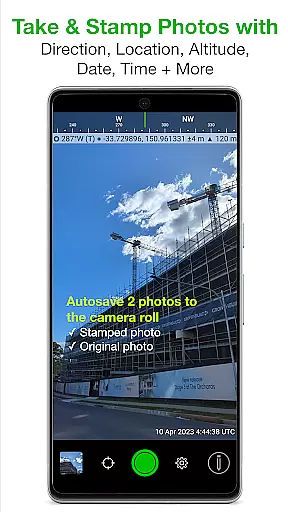
Solocator is a professional GPS camera app designed for fieldwork and photo documentation across various industries. It allows users to overlay and stamp photos with critical metadata including location, direction, altitude, date, and time. The app supports both front and back cameras, offering features like pinch zoom, self-timer, and flash.
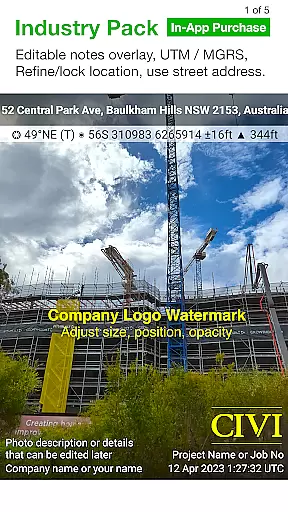
With the optional Industry Pack, users can capture additional field notes such as project names and descriptions. Solocator enables sorting, sharing, and exporting photos with detailed metadata, making it an essential tool for professionals who need accurate and organized photo documentation.
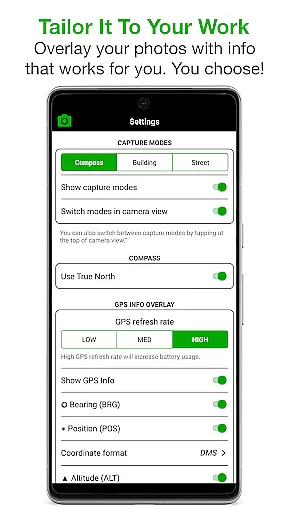
Solocator offers an extensive set of features tailored for professional use. Users can customize overlay information to include GPS position, compass direction, altitude, tilt and roll angles, and more. The Industry Pack adds advanced options like UTM/MGRS coordinates, street address, and editable notes overlay.
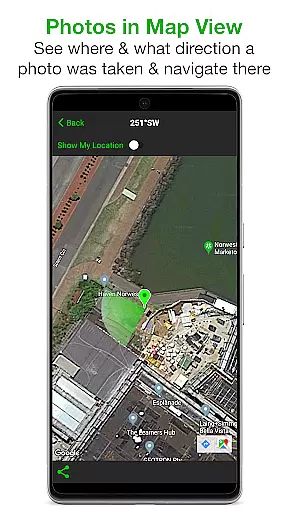
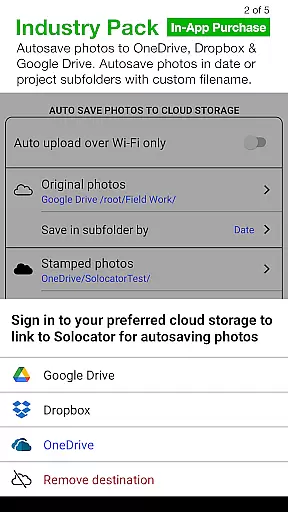
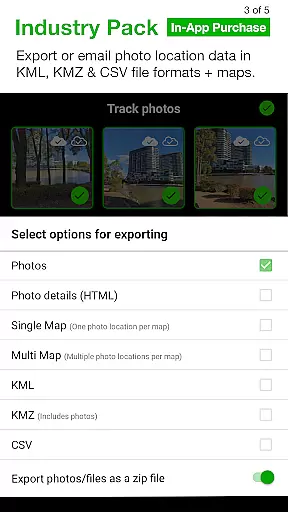
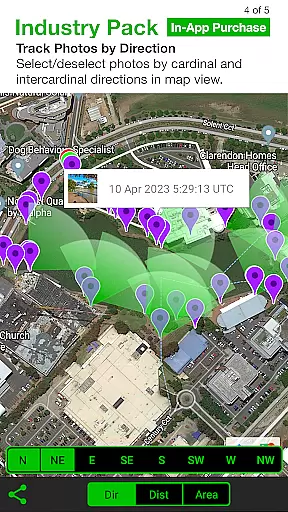
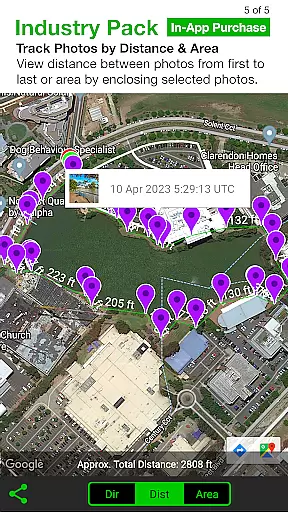
The app provides powerful export capabilities, allowing users to define custom filenames and export data in KML, KMZ, and CSV formats. Additional features include autosaving photos to cloud storage services, refining and locking GPS locations, and viewing photo data in map view. These robust functionalities make Solocator a comprehensive solution for field documentation.
Real-time capture and preview functionality is essential for photography applications like Solocator. This feature ensures that users can instantly see the results of their shots with all selected overlays applied before taking the final picture.
Solocator excels in this area by offering live previews of location data, compass direction, altitude, and other customizable details directly on the camera screen. Users can adjust these elements according to their needs, ensuring each photo contains the necessary documentation details.
The benefit of real-time capture and preview is significant for professionals who rely on accurate photo documentation. It allows them to verify that all required information is correctly displayed and legible, reducing the risk of missing critical data in their images.
This immediate feedback loop not only saves time but also enhances the overall efficiency of fieldwork, making Solocator a reliable tool for various industries requiring precise photographic records.
While Solocator focuses primarily on functional photography rather than aesthetic enhancements, its ability to naturally integrate important metadata into photos serves a similar purpose to AI beauty features in other photography apps. The application stamps images with vital information without compromising the original photo quality.
Instead of beautifying subjects, Solocator enhances photos by adding layers of useful information such as GPS coordinates, timestamps, and project-specific notes. These additions are seamlessly integrated into the image, maintaining the authenticity of the captured moment while providing valuable context.
Users benefit from having all necessary details embedded directly within their photos, eliminating the need for separate documentation. This approach ensures that every image stands alone as a complete record, enhancing its value for professional and legal purposes.
By focusing on natural enhancement through informative overlays rather than visual alterations, Solocator maintains the integrity of the original photograph while significantly boosting its informational content and utility.
Accurate GPS data
Customizable overlays
Industry Pack add-ons
Cloud storage integration
Comprehensive metadata
Paid Industry Pack
Complex for casual users
Limited free features
Requires learning curve
Device compatibility issues

Application for remote controlling DSLR
 3.00
3.00
Perfect body tune & face app - photo retouch, makeup, slim body & beautify face.
4.80
Movie camera, supports pro recording settings for filming. Try it and be amazed!
4.50
AI photo enhancer with Sora 2! Enhance, descratch, and colorize your old photos.
4.50
Professional quality photo edits with the new Snapseed.
4.00
Use AI Video Generator to turn your words to ai generated videos.
4.50
AI-powered video creator by MiniMax - Where ideas meet cinema
4.20
Remote control the phone camera shutter from your smartwatch and take a picture
1.60
Effortlessly make high-quality GIFs from images & videos without any watermarks.
4.70
Cartoon and artistic effects for your photos and videos
4.70
See your baby AI baby face generator AI baby maker Face generator babymaker fun!
4.70
1M influencer's special filter
4.60
Cut and paste photo editor & eraser to customize photos easy and swap faces fun
4.50
Photo Exif Editor allows to view, add and modify EXIF data of multiple photos
4.50
Smart, light, and fast photo and video gallery
4.30
Transform Photos: Edit, Beautify and Craft Memories & Make Collages!
4.10
How old age camera Gender Swap App Face Shape Hairstyle App Hair Styler App fun!
4.00
Remote control of the phone camera from your Wear OS smartwatch
3.70
Pet Camera
3.70


User Reviews