
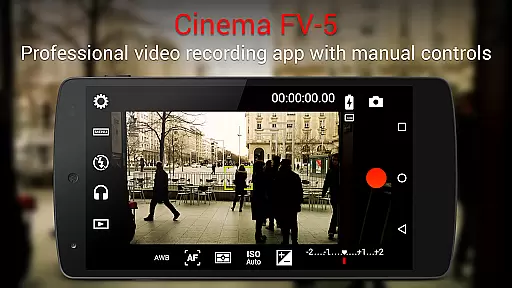
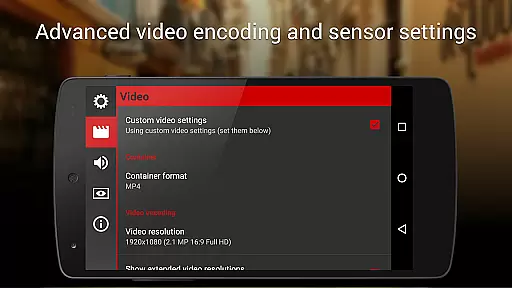
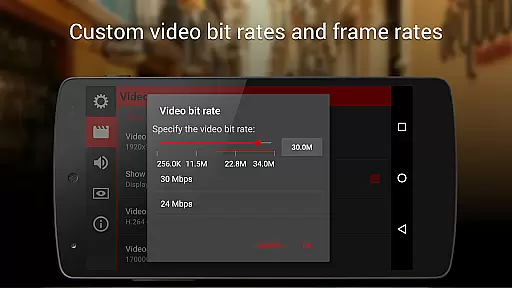
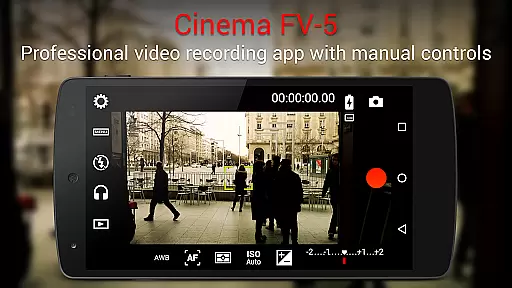
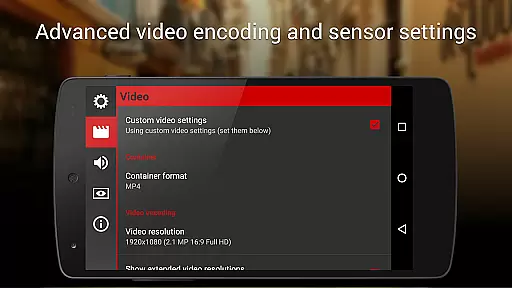
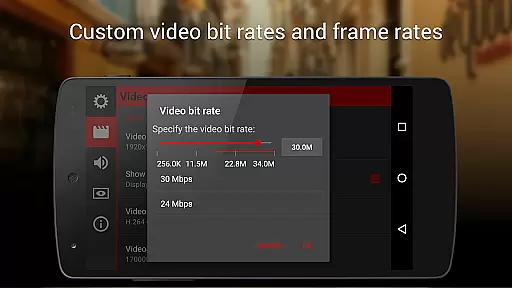
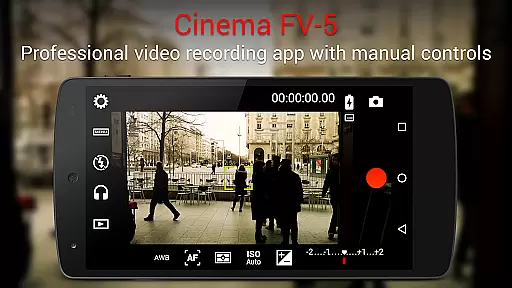
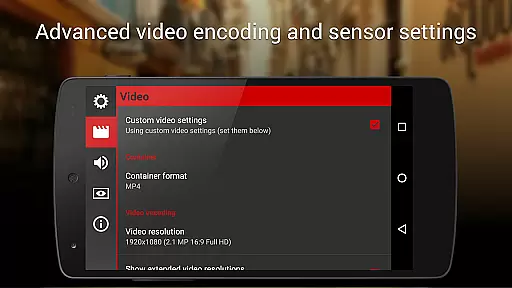
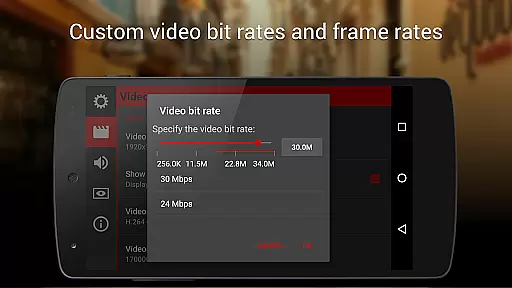
Cinema FV-5 stands as a professional-grade video camera application tailored for mobile devices, offering users unparalleled manual controls right at their fingertips. Designed with both enthusiast and professional videographers in mind, this app enables the capture of high-quality footage through top-tier controls, ideal for postproduction perfection. Whether you're shooting a short film or capturing everyday moments, Cinema FV-5 empowers creators to push the boundaries of their creativity.
With its comprehensive suite of features, including adjustable image sensor parameters like ISO, exposure compensation, and white balance, users can fine-tune every aspect of their recording. The app also supports advanced functionalities such as focus adjustments during recording and professional sound metering options, ensuring that audio is just as crisp as the visuals. Compatible with a range of Android devices, Cinema FV-5 is your go-to solution for achieving cinematic excellence on the go.
Cinema FV-5 boasts an impressive array of features designed to satisfy the needs of professional videographers. One standout feature is the ability to adjust all critical image sensor parameters, including exposure compensation, ISO, light metering modes, focus modes, and white balance, even during active recording sessions. This flexibility allows videographers to adapt swiftly to changing lighting conditions and creative demands.
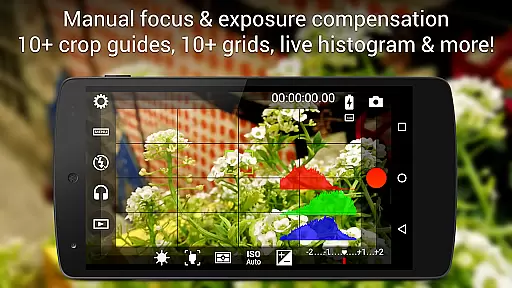
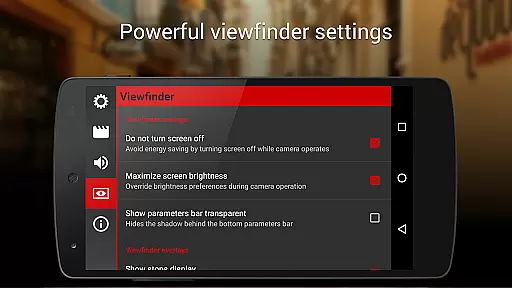
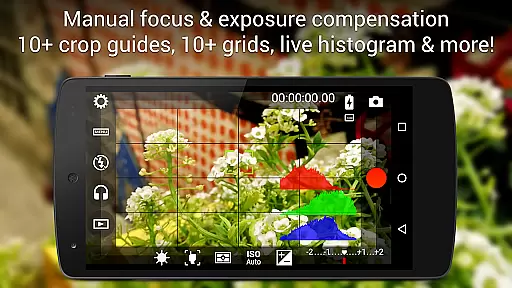
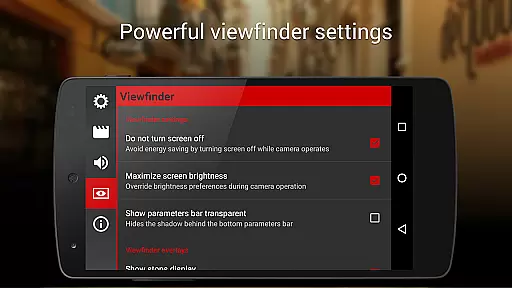
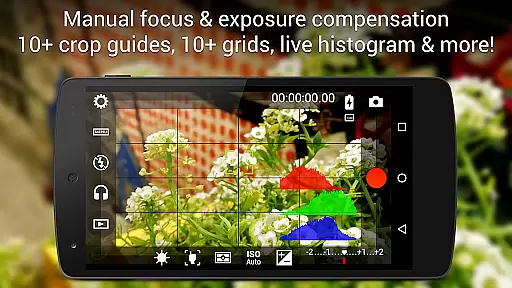
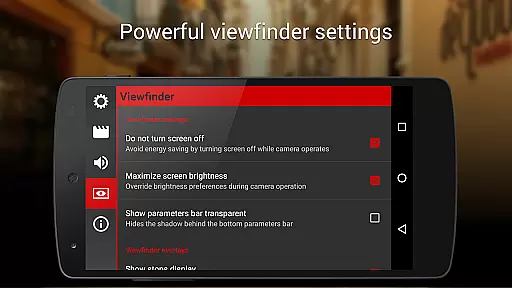
In addition to its robust video capabilities, Cinema FV-5 offers a professional viewfinder equipped with over 10 compositing grids and crop guides, alongside advanced electronic viewfinder functionalities like live RGB and luminance histograms. These tools ensure precise framing and exposure control. Furthermore, the app supports various audio input sources and provides professional sound metering options, displaying audio peaks and clipping warnings to guarantee optimal sound quality. With support for 4K UHD video recording and extensive customization options for file organization, Cinema FV-5 delivers a complete package for high-end mobile videography.
Real-time capture and preview functionality is essential for videographers who need precise control over their footage. Cinema FV-5 excels in this area by providing users with advanced manual controls that can be adjusted even during recording. This includes critical parameters such as ISO, exposure compensation, and white balance, allowing videographers to adapt to changing lighting conditions without interrupting the recording process.
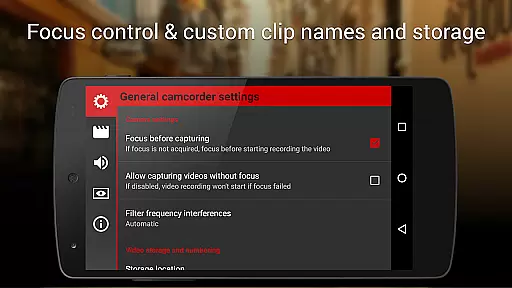
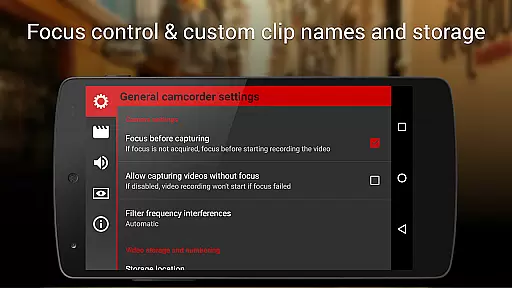
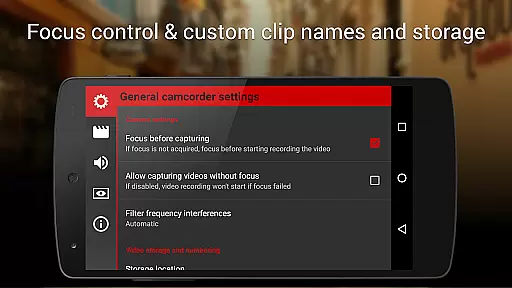
The application also offers professional focus adjustments during recording. Users can lock focus on a subject before starting and change focus planes while filming, ensuring that the subject remains sharp and clear throughout the clip. This level of control is crucial for capturing dynamic scenes and achieving cinematic effects that are typically only possible with high-end professional equipment.
Cinema FV-5 further enhances the real-time capture experience with its advanced electronic viewfinder. The live RGB and luminance histogram available during recording allows videographers to monitor exposure levels accurately. With these tools at their disposal, users can ensure that their footage meets the highest standards of quality, making postproduction more efficient and effective.
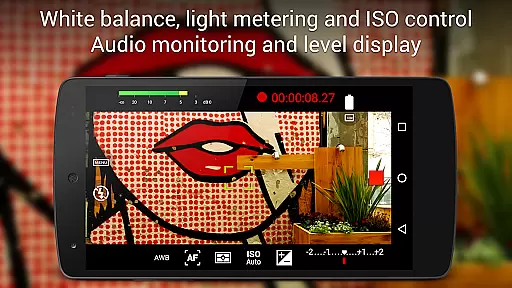
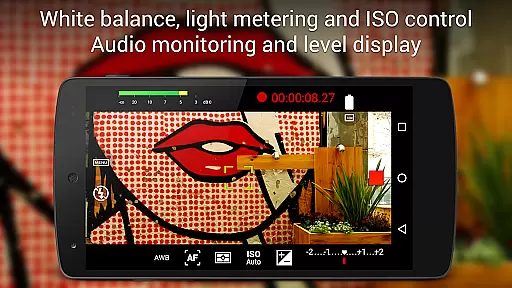
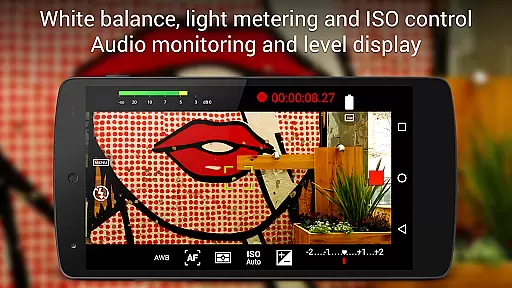
While Cinema FV-5 does not focus on AI beauty enhancements typical in consumer-grade applications, it provides powerful tools that enhance video quality naturally. The app's professional sound metering options display audio peaks and sound clipping warnings during recording, ensuring that audio quality matches the visual fidelity. This natural enhancement approach caters to filmmakers who prioritize authentic sound and image quality over artificial improvements.
The ability to choose video and audio codecs, adjust bitrates, audio sampling rates, and number of channels adds another layer of natural enhancement. These features allow users to optimize their recordings based on the specific requirements of their projects, whether they need high-quality 4K UHD video or optimized file sizes for easier editing and sharing. Such flexibility ensures that the final product retains its intended character without unwanted alterations.
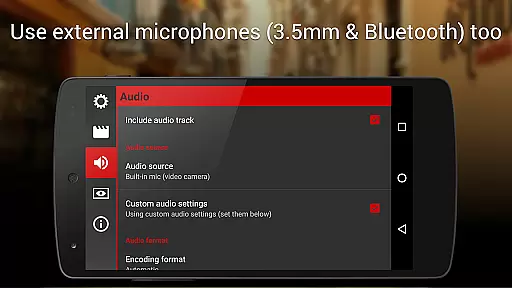
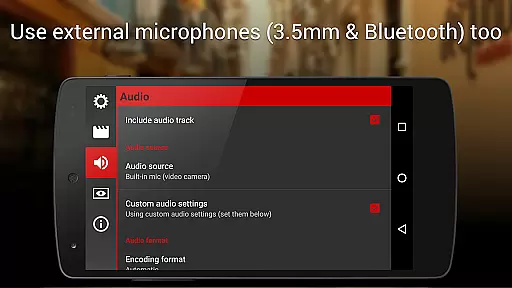
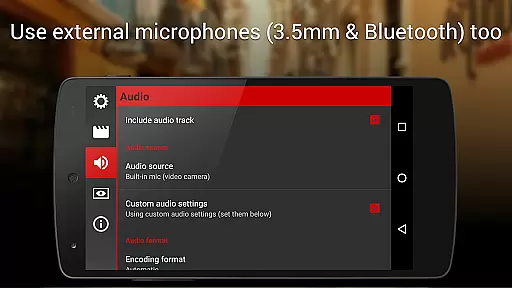
Additionally, Cinema FV-5 supports external microphones and various audio input sources, including built-in microphones, external (wired) microphones, and wireless (Bluetooth) headsets. This versatility enables videographers to capture clear and natural audio that complements their visuals, resulting in a cohesive and professional final output. By focusing on genuine enhancements rather than artificial beautification, Cinema FV-5 stands out as a tool for serious filmmakers.
Professional manual controls
Real-time parameter adjustments
Advanced viewfinder tools
Comprehensive audio options
4K UHD video support
Complex for beginners
High device requirements
No built-in editor
Premium price point
Limited free features

Find time and duration of different sunlight phases at any location
 4.90
4.90
All-in-One Editor & AI Photo Enhancer, Collage, Cartoonify, Funny Stickers & BGS
4.10
Photo Exif Editor allows to view, add and modify EXIF data of multiple photos
4.50
Amazing Photo Effects - The most fun you can have with your photos!
4.70
Add a dreamy vibe to your selfies and videos with soft style filters
4.5
Enhance, upscale, and transform your images — on your device, without limits
4.70
Unlock the full potential of your DJI drone with Litchi
4.50
Welcome to ProShot, the most powerful camera app on Android.
4.20
Discover How to Plan any Sun, Moon and Milky Way Photo You Imagine in Seconds
4.70
Android Native system HD camera app. Never been so simple and faster.
4.70
A must-have app for landscape photographers
4.60
PhotoSync Bundle Add-On License. Enables all features and services in PhotoSync.
4.60
Add Watermark - Sign your pictures with a text or logo. Effective, quick, easy!
4.50
HD Camera Pro with HD Video shooting, Panorama, Photo editor , Beauty Camera.
4.50
Movie camera, supports pro recording settings for filming. Try it and be amazed!
4.50
Easily stitch panoramas from multiple photos or video.
4.40
A reflected light meter with spot metering and incident light metering.
4.40
AI portrait generator and polaroid AI selfie, fun AI generated AI photo creator!
4.30
Photo Album Watch Face shows your favorite pictures as a Watchface.
1.90


User Reviews