
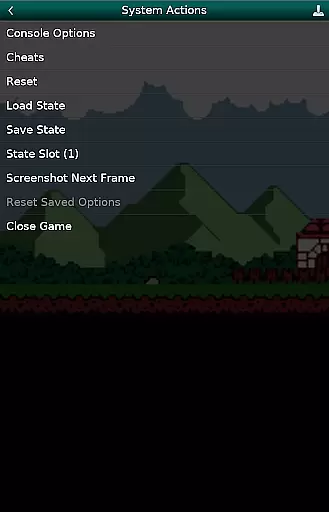
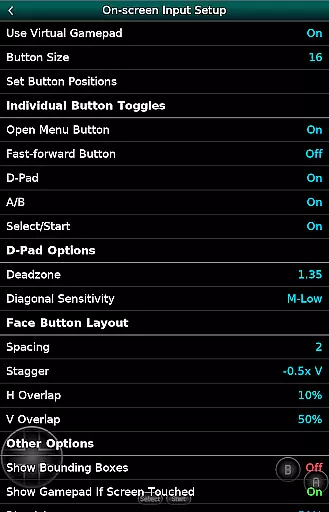
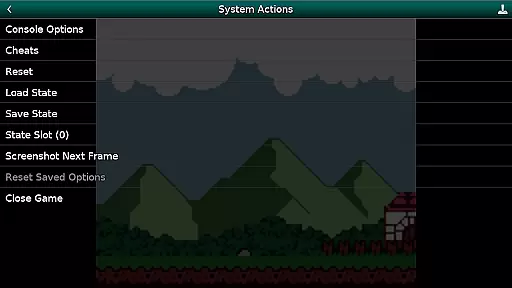
GBC.emu is an advanced open-source Gameboy emulator that offers a minimalist UI with a focus on low audio and video latency. It supports a wide range of devices, from the original Xperia Play to modern devices like the Nvidia Shield and Pixel phones. The app provides multiple color palettes for original GB games, cheat code support in Game Genie and Gameshark formats, and compatibility with .gb and .gbc file formats.
Users can enjoy configurable on-screen controls and support for Bluetooth/USB gamepads and keyboards, making it versatile for different gaming preferences. GBC.emu does not include ROMs, which must be supplied by the user, and supports Android's storage access framework for opening files on both internal and external storage. This makes it an ideal choice for retro gaming enthusiasts who value performance and customization.
GBC.emu stands out with its advanced features tailored for Gameboy enthusiasts. One notable feature is the support for multiple color palettes for original GB games, allowing users to customize their visual experience. Additionally, the app supports cheat codes in popular formats such as Game Genie and Gameshark, enhancing gameplay flexibility.
The emulator handles .gb and .gbc file formats, even when compressed with ZIP, RAR, or 7Z, offering convenience for users with large game libraries. Configurable on-screen controls and compatibility with Bluetooth/USB gamepads and keyboards ensure a comfortable and personalized gaming setup. With its focus on low latency and broad device support, GBC.emu delivers a seamless and responsive emulation experience for a variety of Android devices.
Arcade authenticity and nostalgia are crucial elements for any gaming emulator, especially one focused on classic systems like the Game Boy. GBC.emu delivers an authentic experience by accurately emulating the original Game Boy and Game Boy Color hardware. This attention to detail ensures that games run exactly as they did on the original devices.
The emulator goes beyond basic functionality by offering multiple color palettes for original GB games. These palettes allow users to customize the visual experience while maintaining the nostalgic feel of early portable gaming. The inclusion of cheat codes in Game Genie and Gameshark formats further enhances this nostalgic journey, providing options that were popular during the height of arcade gaming culture.
For users seeking a genuine retro experience, GBC.emu supports both .gb and .gbc file formats, including those compressed with ZIP, RAR, or 7Z. This comprehensive format support enables gamers to build and manage extensive libraries of classic titles without compatibility concerns. The app's minimalist UI design also contributes to its authentic feel, focusing on essential features rather than unnecessary embellishments.
Control responsiveness is vital for an optimal gaming experience, particularly when emulating classic arcade games. GBC.emu excels in this area by providing highly configurable on-screen controls that adapt to various screen sizes and user preferences. Players can adjust button layouts, sizes, and positions to create a personalized control scheme that feels natural and intuitive.
The emulator extends its responsive control capabilities through robust Bluetooth and USB gamepad support. It is compatible with any HID device recognized by the operating system, including popular controllers from Xbox and PlayStation. This broad compatibility ensures that players can use their preferred physical controllers for precise input and enhanced gameplay accuracy.
GBC.emu's focus on low audio and video latency further enhances control responsiveness. By minimizing processing delays, the emulator provides immediate feedback to player inputs, creating a seamless connection between physical actions and in-game responses. This technical achievement is particularly impressive given the wide variety of supported devices, ranging from older Xperia Play models to modern high-performance devices like the Nvidia Shield and Pixel phones.
Low audio/video latency
Wide device compatibility
Multiple color palettes
Cheat code support
Configurable controls
No ROMs included
Limited to GB/GBC
Requires technical knowledge
Minimalist UI only
File management needed

R-TYPE game
 4.60
4.60
Nostalgia.GBC is a high quality GBC emulator.
4.50
Motorcycle racing games! Prove your paperboy can win in the bike race 3D!
4.50
Play, Craft and Share your Endless Runner Levels on Kooply Run: Subway Craft
4.50
Fast reflexes, glowing obstacles, endless action.
4.5
Absorb, or be absorbed...
4.70
Play all your favorite Playstation games in your android device!!
4.50
A fast, full-featured GBA emulator with link cable emulation.
3.90
Original Space Adventure Experience
4.60
Amid the vastness of the universe, you are a Black Hole about to be swallowed!
5.00
Ready… Set… DASH! Play now!
4.70
Venture into the galaxy to fight against the invasion of space invaders.
4.60
Shoot the web, jump and teleport! Be a stickman hero and destroy your enemies!
4.50
Premium version. Save the galaxy from alien shooter in this classic game
4.50
Stack the blocks as high as you can!
4.30
Enter Double Dragon Trilogy, a compilation of the beloved arcade series
4.10
NEOGEO's masterpiece game is now available in the app!
4.10
A Ball Bouncer With Depth
4.00
Turn-based pixel game where jumping is the only weapon!
4.1


User Reviews