
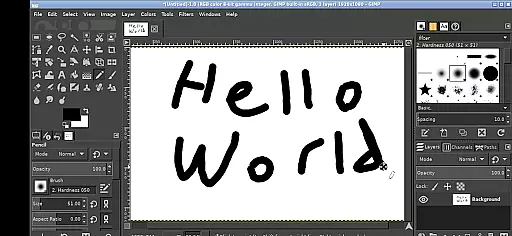
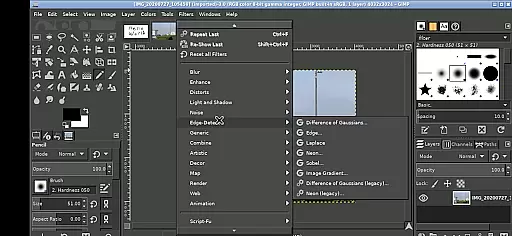
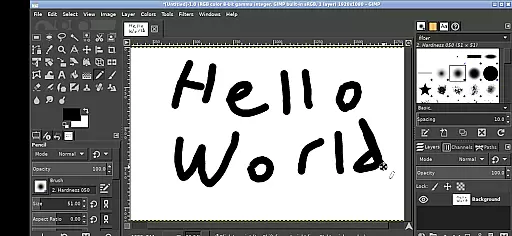
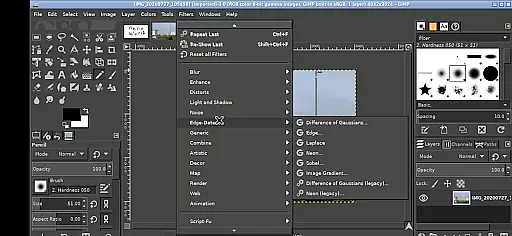
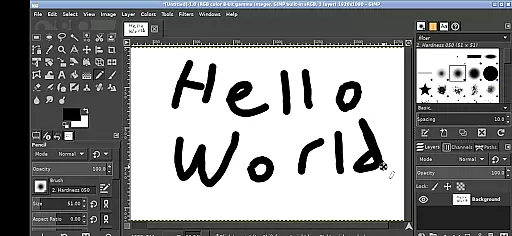
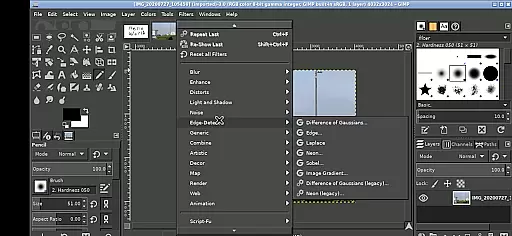
GIMP, the GNU Image Manipulation Program, is a powerful and versatile tool designed for photo editing, image creation, and graphic design. This app brings the full-featured desktop version to your Android device, allowing users to perform professional-level editing tasks on the go.
The application supports a wide range of functionalities including photo retouching, image composition, and image authoring. It is suitable for both amateur enthusiasts and professional designers who need a mobile solution for their creative projects. With its comprehensive set of tools, GIMP provides an exceptional value for users seeking a robust image editing platform on their mobile devices.
GIMP stands out with its extensive array of features tailored for image manipulation. The app includes advanced tools for selections, layers, brushes, color correction, and more, enabling detailed and precise editing capabilities.
Specifically adapted for Android, this version maintains the core functionalities while introducing touch-friendly controls. Users can zoom, pan, and scroll through images using intuitive gestures. Additionally, the app allows seamless file access from the Android system, eliminating the need for cumbersome imports or exports. These adaptations ensure that GIMP remains a top choice for mobile-based graphic design work.
In the realm of digital art and design, having a comprehensive set of tools is paramount. GIMP, the GNU Image Manipulation Program, offers an extensive array of features that cater to both amateur artists and professional designers. With capabilities ranging from basic drawing and painting to advanced photo retouching and image authoring, this application ensures users have access to everything needed for creative expression.
GIMP's functionality extends beyond simple edits; it provides sophisticated tools for layers, paths, filters, and more. Users can manipulate images with precision using customizable brushes, patterns, and gradients. The ability to create and work with complex compositions through layer masks and channels makes GIMP a powerful ally in any designer's toolkit.
For those who demand flexibility, GIMP does not disappoint. It supports a wide range of file formats, including PSD, allowing seamless integration into existing workflows. Moreover, its open-source nature means that developers continuously enhance the software, ensuring it remains at the cutting edge of technology. This adaptability empowers users to push their creative boundaries without being constrained by proprietary limitations.
A canvas in digital art serves as the foundation upon which creativity unfolds. GIMP stands out by offering unparalleled canvas and format flexibility, accommodating various artistic needs. Whether you're working on a small icon or a large banner, GIMP adjusts effortlessly to different dimensions and resolutions, providing optimal clarity and detail retention.
The programu2019s support for multiple file formats enhances its versatility. Artists can import and export files in numerous formats such as JPEG, PNG, TIFF, and even specialized ones like ORA for layered images. This compatibility ensures that no matter where your artwork ends upu2014be it web, print, or multimedia presentationsu2014it maintains its intended quality and impact.
Additionally, GIMP allows users to customize their workspace extensively. From adjusting zoom levels to configuring input methods tailored for touch devices, every aspect of interaction is designed to enhance productivity. Features like pinch-to-zoom and pan gestures make navigating large projects intuitive, while options for right-click emulation ensure all functions remain accessible regardless of device type.
User-friendly interface
Comprehensive editing tools
Professional-grade features
Seamless Android integration
Active community support
Steep learning curve
Resource-intensive operation
Limited native Android optimizations
Potential stability issues
Complex gesture controls

Pose and morph realistic male and female models! 3D poser app
 3.00
3.00
AI Face Swap, Video Effects Editor, Realtime Morph, Funny Video FX,AI Filters
3.70
Art of Combination Wear OS Watch Faces
4.1
Convert image to JPG PNG HEIC PDF, support almost all kinds of image formats
4.70
Get creative and make art with your Sesame Friends!
4.00
Your homescreen as an elegant glass with customized blur, lighting, and visuals.
3.70
OneUI 8.5 icons ✨ Smooth, modern & based on the latest Play Store design ??
4.10
Beauty Camera - Selfie Camera is the ultimate beauty camera and selfie app
4.30
Create cute cat emojis & PFPs! Fun, custom avatars for cat lovers.
3.70
Create stunning art with AI.
4.80
Learn how to draw with step-by-step tutorials, fun lessons & multiplayer drawing
4.70
Get an overview over all your embroidery threads, projects and more.
4.60
Create Logos, Tattoos, AI Art & more with our AI Photo Generator & Design Editor
4.20
AR Anime Drawing: How to draw anime with AR drawing & sketching apps!
4.00
Powerful home decoration & house design that allows you to design dream home.
3.80
Resize photos and print photos in exact size with our powerful photo printer!
3.80
Draw anime easily with AR guidance, sketch templates & trace tools!
3.10
Create stunning video, photo & magic from text with FlixAI GPT video generator.
3.10
Download now for a stylish and functional timepiece
4.2


User Reviews