
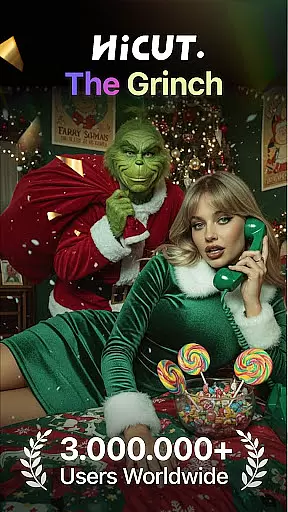

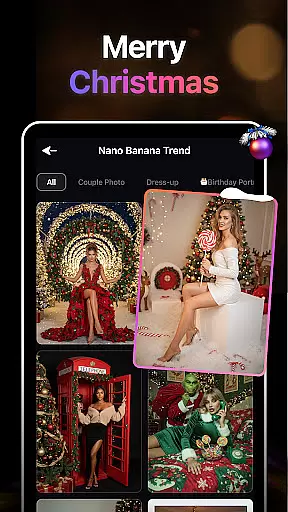
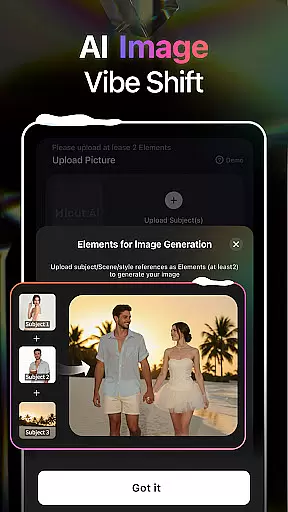
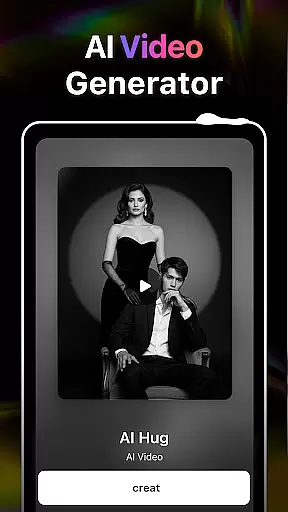
AI Video Generator-HiCut is an innovative application that combines AI photo editing with video creation capabilities. The app allows users to transform their photos into various artistic styles such as anime, comic, and game characters, while also offering exclusive features like the AI hugging video technology. This feature enables users to create realistic virtual hugs by uploading two single-person photos, transcending time and space limitations. With cutting-edge AI technology, HiCut provides a full suite of tools for users to explore their creativity and produce unique content.
The app caters to those who seek personalized avatars, innovative visual content, or wish to create memorable moments with loved ones. Whether you're looking to generate retro game characters or embrace anime-style visuals, HiCut's diverse range of filters and conversion tools ensures there's something for everyone. Its user-friendly interface and advanced AI functionalities make it suitable for both casual users and professional creators alike, delivering high-quality results every time.
HiCut stands out with its diverse set of AI-powered features designed to enhance photo editing and video creation. One of its most notable features is the AI Hugging Video technology, which uses advanced algorithms to create realistic virtual hugs from uploaded photos. This function not only bridges distances between loved ones but also offers emotional value by allowing users to recreate moments with people who may no longer be present in their lives.
In addition to this, HiCut includes an Anime Photo Editor that transforms regular photos into two-dimensional anime images, complete with hundreds of customizable styles. Users can also experiment with Cartoon Filters to create comic book-style avatars or use the Game Character Maker to design unique characters in retro, cyberpunk, or pixel art styles. These features collectively empower users to unleash their creative potential while providing endless possibilities for personalization and innovation.
In the realm of digital creativity, having a comprehensive suite of tools is paramount. AI Video Generator-HiCut rises to this occasion by offering an extensive array of features that cater to various artistic needs. The application includes AI filters, video style conversion, and the unique AI hugging video technology, allowing users to transform static images into dynamic anime, comic book characters, or detailed sketches.
HiCut doesn't just stop at basic transformations; it delves deeper with specialized functionalities such as the Anime Photo Editor and Cartoon Filters. These enable users to explore hundreds of stylistic options, from classic anime styles to modern cartoon avatars reminiscent of superhero comics. This vast selection ensures that no matter what creative direction you wish to pursue, HiCut has a tool that fits your vision perfectly.
The true power of HiCut lies in its ability to bring personal imagination to life through advanced AI technology. With features like the Game Character Maker, which lets users create distinctive personas across retro, film noir, cyberpunk genres, among others, the app empowers creators to craft unique identities within virtual worlds. Such depth and breadth in creative tools make HiCut an indispensable asset for anyone looking to expand their artistic horizons.
Flexibility in canvas and format options is crucial for unleashing full creative potential. AI Video Generator-HiCut understands this need and provides unparalleled adaptability when it comes to project dimensions and output formats. Whether you're designing for social media platforms or creating high-resolution prints, HiCut's versatile canvas settings allow precise customization according to specific requirements.
Moreover, HiCut supports a wide range of file types, ensuring seamless integration into different workflows without compromising quality. From standard image files to more complex video formats, users can export their creations while maintaining professional-grade resolution and clarity. This level of format compatibility enhances collaboration possibilities and simplifies sharing across multiple channels.
By combining robust editing capabilities with flexible canvas and format choices, AI Video Generator-HiCut stands out as a top choice for artists seeking both innovation and practicality in their projects. Its commitment to providing diverse yet intuitive solutions empowers creators worldwide to push boundaries and achieve outstanding results regardless of medium constraints.
User-friendly interface
Advanced AI technology
Diverse artistic styles
Emotional connection tools
Customizable options
Limited free features
Subscription costs
High system requirements
Occasional bugs
Learning curve

Premium version of Shimeji-ee app with no ads & no limit active shimeji
 4.2
4.2
Transform photos into amazing monochrome dither art with professional algorithms
4.1
Sketch, plan, take notes and illustrate on an infinite canvas.
4.20
AI Assistant, powered by ChatGPT GPT-4 & GPT-4o. Your intelligent companion.
3.50
Draw anime easily with AR guidance, sketch templates & trace tools!
3.10
Nano Banana AI Image Generator, Anime Filter, AI Portrait, AI Photo Generator
4.30
Art of Combination Wear OS Watch faces (for Wear OS 5+ devices)
3.90
An intuitive, high-performance painting app that lets you focus on creating
4.40
Unleash your inner artist! Sketchar: AR Drawing for Limitless Creativity
4.40
Mobile pixel art editor. Simple. Fast. Portable.
4.80
Draw on screen: FP sDraw is a simple and lightweight drawing app
4.70
Novices can also easily complete diamond painting masters
4.70
Get an overview over all your embroidery threads, projects and more.
4.60
Kling AI is an image and video generation and editing studio powered by AI.
4.50
Image/ Text to Video Generator
4.40
Custom Character Creator & PFP Maker!
4.20
Unleash Your Creativity with Draw Cartoon - AR Drawing App
4.10
Unleash the artist in you with our AR drawing and tracing tool for photo drawing
4.10
Powerful home decoration & house design that allows you to design dream home.
3.80


User Reviews