
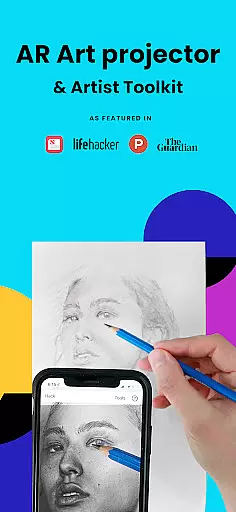
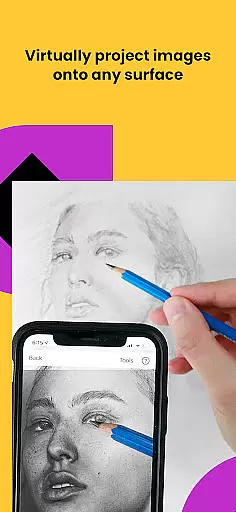
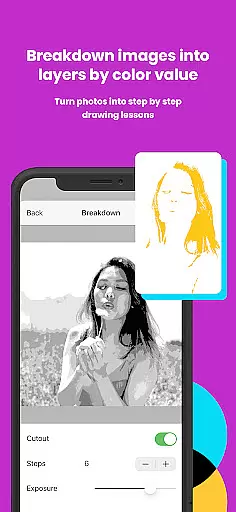
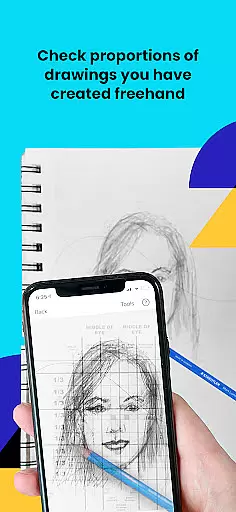
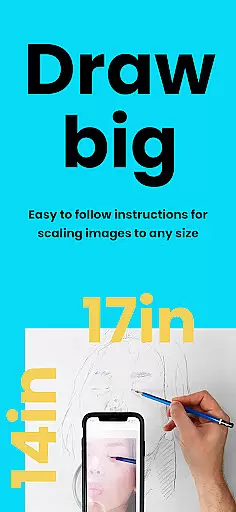
Da Vinci Eye's AR Art Projector is a revolutionary tool for artists of all skill levels, offering an augmented reality tracing and sketching experience. The app allows users to create hyper-realistic drawings by projecting images onto their canvas, making it easier to capture accurate proportions and details. With features like color layer separation and step-by-step drawing instructions, this app transforms the traditional art process into a digital masterpiece.
Beyond basic tracing, Da Vinci Eye provides video tutorials, time-lapse recording of artwork, and a supportive artist community. Whether you're a professional illustrator or hobbyist, this app enhances your drawing skills while providing practical tools for every artistic endeavor. Its unique learning method ensures that users can progress quickly, mastering light, shadow, and detail placement with ease.
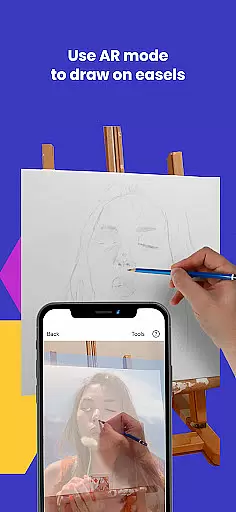
Da Vinci Eye stands out with its innovative AR tracing mode, which anchors images to real-world objects, allowing artists to move their canvas without losing alignment. This feature, combined with classic mode for stationary projects, offers flexibility for various art styles and setups. The app also includes a strobe feature for precision work and zoom functionality to capture micro-details in sketches.
Additionally, the app supports a wide range of creative professionals, from animators to makeup artists. It offers specialized tools such as filters to simplify the drawing process and step-by-step shading lessons generated from any photo. These comprehensive features ensure that users not only trace but also learn and grow as artists, making Da Vinci Eye an essential tool for modern artistry.
In the realm of digital artistry, having access to comprehensive creative tools is paramount. AR Art Projector stands out by offering an extensive suite of features tailored for artists across various disciplines. The application includes functionalities such as the AR art projector, which allows users to trace and sketch with precision, alongside advanced options like separating images into layers by color value.
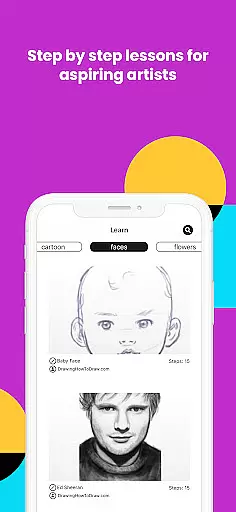
Furthermore, the app provides step-by-step image breakdowns and video tutorials that cater to learning how to draw effectively. These educational resources are bolstered by unique methods, ensuring that whether you're a beginner or a professional, there's always room to grow your skills. With additional filters and zoom capabilities, capturing intricate details in artwork becomes effortlessly achievable.
The versatility of AR Art Projector extends beyond mere tracing; it encompasses a supportive community where creatives can share their work and receive insanely fast customer support. This holistic approach not only enhances individual artistic journeys but also fosters a collaborative environment that encourages sharing knowledge and experiences.
Flexibility in canvas and format options is crucial for artists who demand adaptability in their creative process. AR Art Projector excels in this area by enabling users to sketch or draw on any surface without constraints. Whether working with traditional materials or exploring digital mediums, the app accommodates diverse artistic expressions through its innovative AR tracing mode.
This feature anchors images to real-world objects, allowing seamless movement between the device and canvas while maintaining alignmentu2014a significant advantage over classic drawing modes. Such functionality proves particularly beneficial when painting on easels, providing unparalleled freedom during artistic endeavors.
Moreover, compatibility with both new and high-end devices ensures that artists can leverage their existing technology investments. By supporting a wide range of surfaces and offering adjustable settings, AR Art Projector empowers creators to experiment confidently, knowing they have full control over their preferred formats and techniques.
User-friendly interface
Innovative AR technology
Comprehensive learning tools
Versatile for all art forms
Active artist community
Device compatibility issues
Requires stable setup
Premium features costly
Learning curve for AR mode
Limited offline functionality

Download now for a stylish and functional timepiece
 4.0
4.0
Customizable Outlined Fonts. Watch Face Format. Battery friendly Digital Clock.
4.20
Create stylish invitation cards using templates for weddings, birthdays & RSVP.
4.20
AI Face Swap, Video Effects Editor, Realtime Morph, Funny Video FX,AI Filters
3.70
Art of Combination Wear OS Watch Faces
4.1
The perfect place to start sketching! Use Sketchbook to draw and paint sketches.
4.50
800+ Drawing, Painting Lessons App to Practice, Sketch & Paint Art.
4.30
Inky runs Inkscape on Android devices and Chromebooks
2.90
Beauty Camera - Selfie Camera is the ultimate beauty camera and selfie app
4.30
See Color, Paint Color
4.90
Logo Generator powered by AI: Create stunning logos effortlessly!
4.70
Kling AI is an image and video generation and editing studio powered by AI.
4.50
AI Tattoo Generator: Create Tattoo Designs & Get Ideas! Ink & Stencil Maker
4.50
Photo blender app to create overlay photos & double exposure.
4.40
Unleash Your Creativity with Draw Cartoon - AR Drawing App
4.10
OneUI 8.5 icons ✨ Smooth, modern & based on the latest Play Store design ??
4.10
Easy 3D drawing design maker & creator. Model designing, Sculpting. Create&paint
4.00
Sketch and paint on your device with the feel and freedom of drawing on paper
4.00
Create cute cat emojis & PFPs! Fun, custom avatars for cat lovers.
3.70


User Reviews