
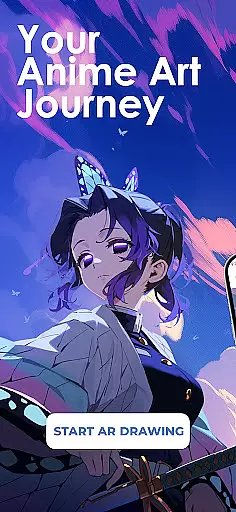
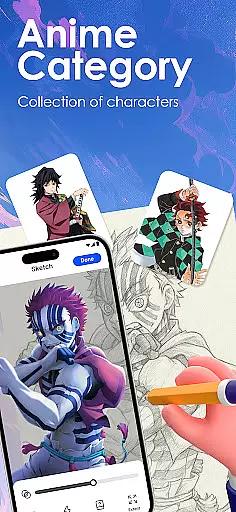
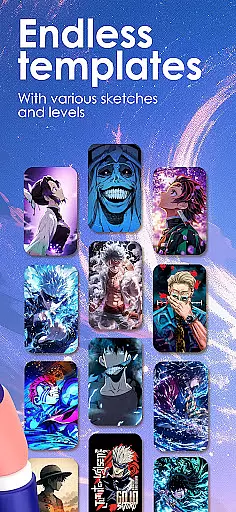
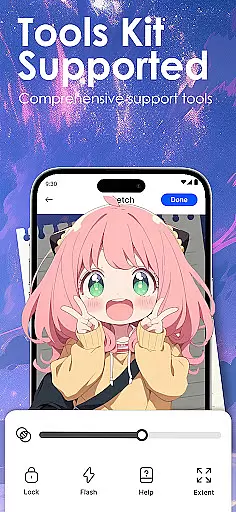
Draw Anime: AR Sketch & Trace is a revolutionary drawing application designed specifically for anime enthusiasts and artists. This app combines the traditional art of anime sketching with cutting-edge Augmented Reality (AR) technology, offering users an innovative way to improve their drawing skills. Whether you're a beginner or a professional artist, this app provides guided AR drawing, anime templates, and simple sketch tutorials that cater to all skill levels.
The core feature of Draw Anime is its ability to turn your phone into a smart tracing tool. Using AR guidance, users can trace anything through their camera - from anime characters to real objects. The app projects clear outlines onto paper, allowing for confident sketching. Additionally, it offers a growing library of anime, manga, chibi, fanart, and trending templates, making it easy to practice and perfect various styles.
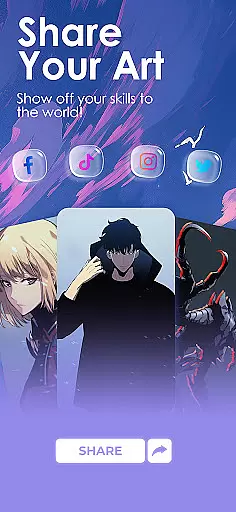
This app is particularly useful for those looking to improve their anatomy, proportions, and overall anime art techniques. With features like adjustable opacity, zoom, and recording of the drawing process, Draw Anime ensures an immersive and personalized learning experience. Users can also share their artwork with a creative community, save progress videos, and access tailored content based on their favorite genres.
Draw Anime: AR Sketch & Trace stands out due to its rich set of features tailored for anime artists. One of the key highlights is the AR Guidance functionality, which allows users to trace anything through their device's camera. This includes anime characters, real-world objects, or even personal designs, providing unparalleled flexibility in artistic expression.
The app offers a comprehensive learning system with beginner, intermediate, and expert levels. Users can convert complex pictures into simple sketch outlines for easy tracing, helping them gradually improve their skills. Detailed video tutorials are available, specifically created for anime lovers, ensuring that users can learn at their own pace and style.
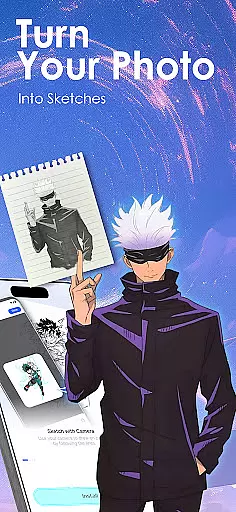
Another standout feature is the ability to import personal photos and instantly transform them into traceable outlines. This encourages unlimited creativity and experimentation. Moreover, users can adjust settings such as opacity and zoom, record their drawing process, and track their growth over time. These features collectively ensure a highly customizable and engaging drawing experience.
In the realm of digital artistry, having a comprehensive set of creative tools is paramount. Draw Anime: AR Sketch & Trace offers an extensive suite designed to cater to anime enthusiasts and artists at all levels.
From beginners taking their first steps into the world of anime drawing to seasoned professionals seeking refinement, this app provides guided AR drawing, diverse anime templates, and sketch tutorials that cover a wide spectrum of artistic needs.
The inclusion of advanced Augmented Reality (AR) technology allows users to trace anything through their camera, follow clear outlines for confident sketching, and access a growing library of content tailored specifically for anime, manga, chibi, fanart, and more.
This complete toolkit empowers creators by offering features such as converting complex pictures into simple sketch outlines, practicing with different skill levels, adjusting opacity and zoom, recording the drawing process, and providing detailed video tutorials made just for anime lovers.
A canvas in the digital age should be as flexible as the imagination of the artist using it. Draw Anime: AR Sketch & Trace understands this need and delivers a highly adaptable platform where creativity knows no bounds.
Artists can import their own photos and instantly transform them into traceable outlines, allowing for unlimited personalization and creative freedom. The ability to adjust elements like opacity and zoom ensures precision and control over every stroke.
Moreover, the app supports various formats which means whether you're working on intricate details or broad strokes, your work will always be captured accurately. This versatility extends to learning too, with personalized lessons matching favorite genres and styles.
With these dynamic capabilities at hand, artists are equipped not only to create but also share their masterpieces confidently within a community that appreciates fine art crafted with technological prowess.
User-friendly interface
Advanced AR technology
Variety of templates
Customizable learning paths
Active creative community
Requires compatible device
Some features may need premium access
Limited offline functionality
Occasional performance issues
Learning curve for beginners

Digital Drawing: Draw & Paint
 4.10
4.10
AI Art Generator transforms your words into AI generated art & paintings.
3.70
Design unique, funny and adorable cat stickers that reflect your own style!
3.80
Draw Trace image sketch by, AR art projector app, Easy to trace any image.
4.50
Draw glowing spinners, relax, and spin your creative art
4.60
Get an overview over all your embroidery threads, projects and more.
4.60
Share the joy of painting with ibis Paint! Drawing anime and manga art.
4.50
Retouch photos. Create or edit images. Endless capabilities.
2.70
Multiplayer Drawing game, Coloring, Painting・Sketch, Handwriting・Paint, draw
4.30
Image resizer to resize, crop, rotate, flip, change dpi photo or picture in bulk
4.60
Draw anime & manga drawing, art with templates to create stunning picture!
4.50
Unleash your drawing and painting potential
4.50
Video AI: Revolutionize Your Content Creation with Advanced Video Generation
4.50
Stylish letters, Stylish Keyboard, Symbols, Emojis, Cool nickname
4.40
Photo blender app to create overlay photos & double exposure.
4.40
Art of Combination Wear OS Watch faces (for Wear OS 5+ devices)
3.90
Paint with oils and sketch with natural tools on a realistic virtual canvas.
3.80
Resize photos and print photos in exact size with our powerful photo printer!
3.80
Experience next-gen icons with a modern liquid glass look.
3.60


User Reviews