
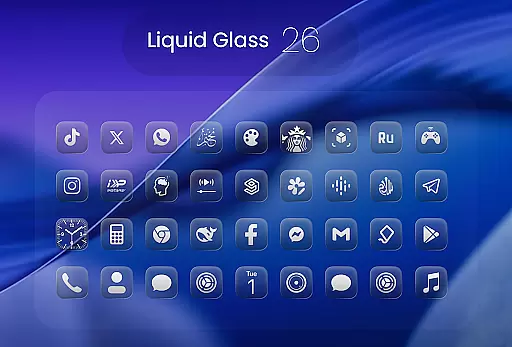
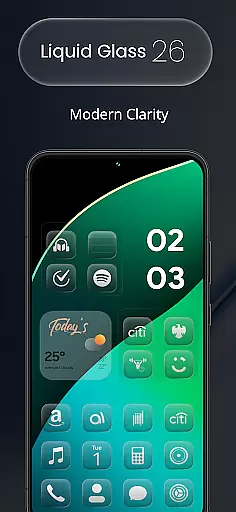
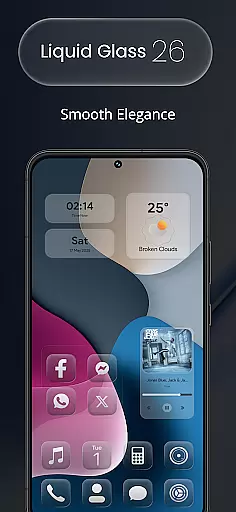
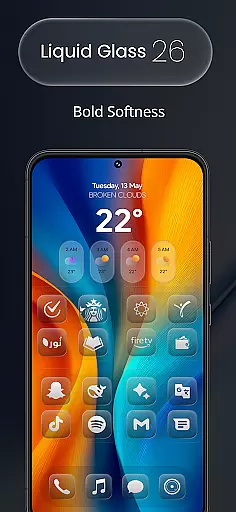
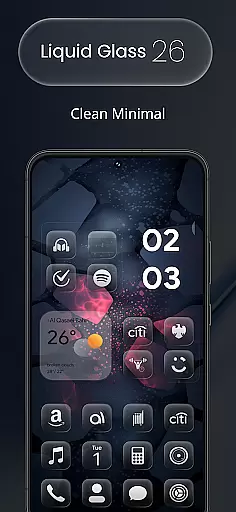
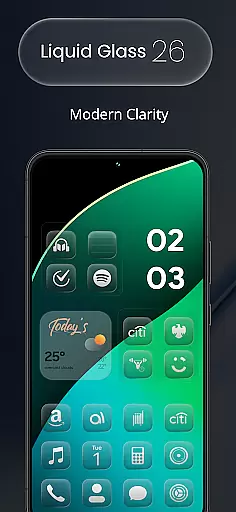
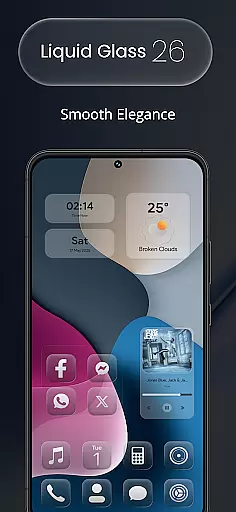
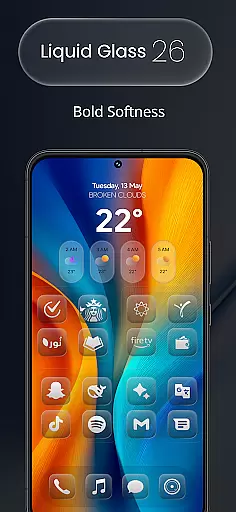
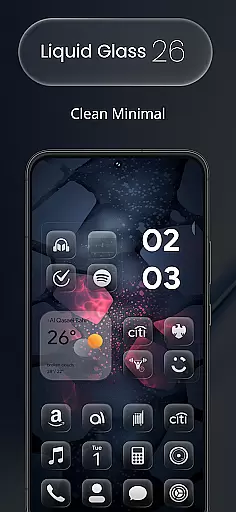
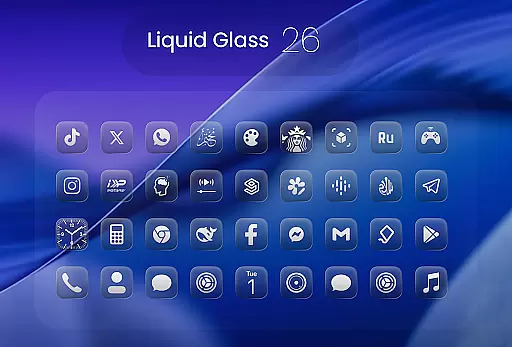
Liquid Glass 26 Icon Pack is a premium customization tool designed for users seeking a sleek, futuristic aesthetic on their mobile devices. This icon pack draws inspiration from the translucent elegance of iOS 26, blending glassmorphism with minimalistic design principles.
With over 2500 handcrafted icons available at launch, Liquid Glass 26 offers a diverse range of high-quality visuals that cater to various customization preferences. The pack supports all major launchers and includes dynamic calendar functionality, ensuring broad compatibility and practical utility.
Whether you're aiming for a clean, professional look or vibrant, eye-catching layouts, this icon pack adapts seamlessly to your needs. Its growing library and in-app request feature ensure that users can continually enhance their home screens while staying up-to-date with new designs.
Liquid Glass 26 Icon Pack stands out through its meticulous attention to detail and expansive feature set. The initial release boasts more than 2500 icons, each crafted to embody the sophisticated Liquid Glass aesthetic inspired by iOS 26.
The pack provides multiple alternate icons for popular applications, giving users flexibility in personalizing their home screens. It also supports all major launchers including Nova, Smart, and Lawnchair, making it accessible to a wide audience. Additionally, the inclusion of dynamic calendar support adds both functionality and visual appeal.
A key advantage of Liquid Glass 26 is its commitment to user feedback. Through an in-app request tool, users can suggest missing icons, which are then prioritized for inclusion in future updates. This ensures the icon library remains relevant and comprehensive, adapting to evolving user needs.
In the realm of digital customization, having a comprehensive set of creative tools is essential for users seeking to personalize their device's aesthetic. Liquid Glass 26 Icon Pack offers an extensive suite of over 2500 handcrafted icons, ensuring that no matter your design preference, there is an icon to match. This vast collection supports all major launchers such as Nova, Smart, and Lawnchair, providing seamless integration into your existing setup.
Moreover, the pack doesn't just stop at static icons; it includes dynamic calendar support, allowing your home screen to stay both beautiful and functional. The inclusion of multiple alternate icons for popular apps adds another layer of personalization, letting you tailor your device exactly how you envision it. With these features combined, Liquid Glass 26 stands out as a complete package for anyone looking to enhance their smartphone experience through artful design.
The value proposition here is clear: with this icon pack, users gain access not only to a wide array of current options but also future expansions thanks to ongoing updates based on community feedback. This commitment ensures that even if certain icons are missing today, they won't be tomorrow, making Liquid Glass 26 a living toolkit that evolves alongside its user base.
Flexibility in canvas and format options is crucial when customizing digital spaces, allowing creators to express themselves without constraints. The Liquid Glass 26 Icon Pack excels in this area by offering icons inspired by the translucent elegance of iOS 26u2019s Liquid Glass aesthetic. Each icon within the pack has been meticulously crafted to blend glassmorphism with minimalistic design principles, resulting in visuals that feel both modern and timeless.
This adaptability extends beyond mere appearance; it encompasses technical compatibility too. Whether you're using one of many supported launchers or need specific file formats for unique projects, Liquid Glass 26 delivers consistent quality across platforms. Its ability to integrate smoothly while maintaining visual fidelity makes it an invaluable asset for designers who demand excellence from their tools.
Ultimately, what sets Liquid Glass 26 apart is its dedication to user-centric innovation. By continuously updating its library based on direct input from usersu2014including adding requested iconsu2014the pack remains relevant and responsive to evolving needs. This approach guarantees that whether you seek sleek aesthetics or vibrant layouts, Liquid Glass 26 provides unparalleled freedom to craft personalized digital environments true to your vision.
High-quality design
Wide launcher support
Dynamic calendar integration
Frequent updates
User-driven improvements
Premium price point
iOS-inspired only
Initial learning curve
Limited animation options
No widget support

Create trending AI photos & videos with powerful effects and 3D styles.
 3.20
3.20
Custom Character Creator & PFP Maker!
4.20
Draw anime & manga drawing, art with templates to create stunning picture!
4.50
Meet the magic aı 3d photo generator and smart AI video generator app.
3.20
Remove Background, Magic Eraser, Photo Enhancer, Story Templates, Collage Maker
4.30
Photo blender app to create overlay photos & double exposure.
4.40
Powerful home decoration & house design that allows you to design dream home.
3.80
Your homescreen as an elegant glass with customized blur, lighting, and visuals.
3.70
Photo stitcher for automatically screenshot stitching into a long screenshot
4.70
Create stunning art with AI.
4.80
The ultimate tool for creating animations
4.60
Castle is social media for creating and playing games!
4.60
Get an overview over all your embroidery threads, projects and more.
4.60
Discover Cartoon Dream : Unleash Your Creativity with CuttingEdge AI
4.50
Painting, drawing, & sketching
4.50
Customizable Outlined Fonts. Watch Face Format. Battery friendly Digital Clock.
4.20
Get creative and make art with your Sesame Friends!
4.00
Sketch and paint on your device with the feel and freedom of drawing on paper
4.00
Create sweet, cool and unique couple avatars easily, in just a few steps!
3.40


User Reviews