
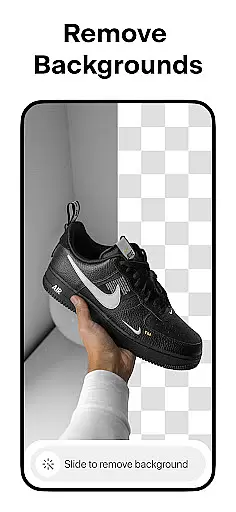
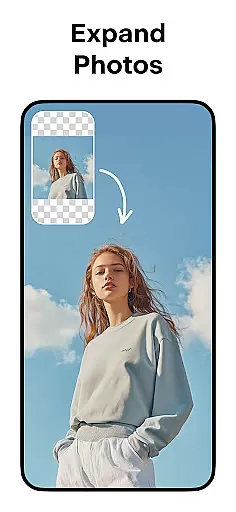
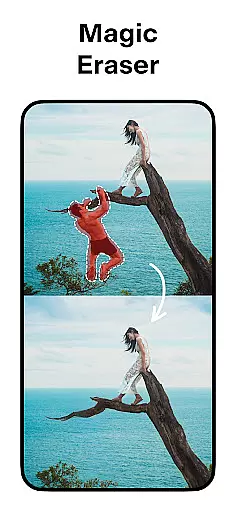
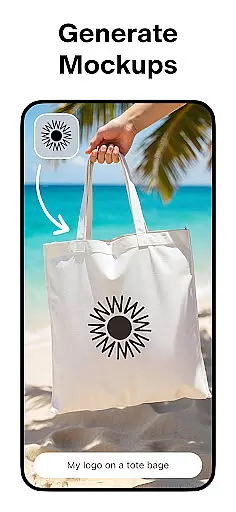
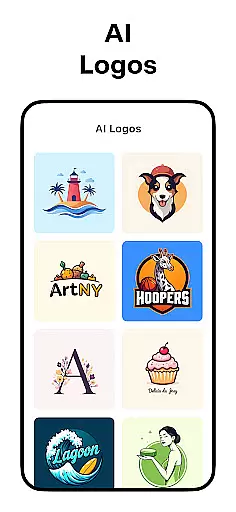
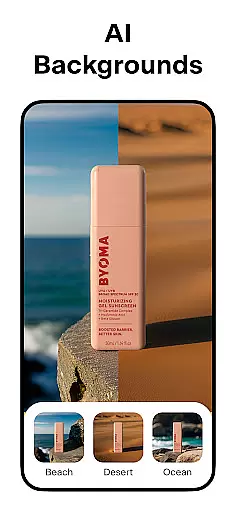
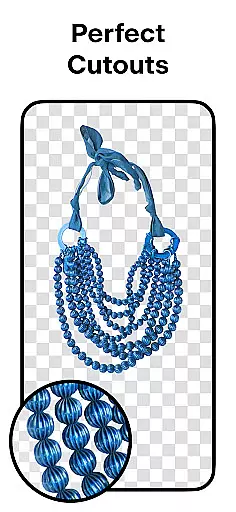
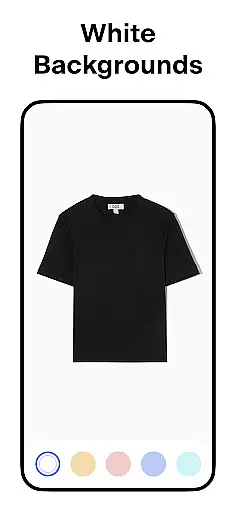
Pixelcut AI Photo Editor is a powerful all-in-one design tool that empowers users to create professional-quality images with minimal effort. The app's core functionality revolves around its advanced AI-powered features, enabling users to remove backgrounds, erase unwanted objects, and generate product photos effortlessly.
Beyond basic editing, Pixelcut offers specialized tools for e-commerce professionals and social media creators. Users can access thousands of customizable templates, add artistic text overlays, and experiment with various background options including solid colors and realistic shadows. These features make it particularly valuable for online sellers looking to enhance their product listings across platforms like Instagram, Shopify, and Poshmark.
The application's intuitive interface and comprehensive feature set make it an essential tool for anyone seeking to improve their digital content creation workflow while maintaining professional standards.
Pixelcut distinguishes itself through its diverse range of AI-driven design capabilities. The Background Remover tool provides precise cutouts with just one tap, while the Magic Eraser allows for seamless object removal without compromising image quality. These automated features save users significant time compared to manual editing methods.
The app's AI Photoshoot generator revolutionizes product photography by creating unlimited variations of product images. Combined with the Magic Writer tool - powered by GPT technology - users can generate optimized product descriptions and marketing copy alongside their visual content. This integration of text and image creation streamlines the entire content production process.
Additional features include professional-grade tools such as customizable text styles, video creation capabilities through Reels Maker, and an extensive library of community-created templates. The Pro membership expands these capabilities further with unlimited instant background removals, exclusive fonts, and monthly content updates.
In the realm of digital art and design, having a comprehensive suite of creative tools is essential for unleashing one's full potential. Pixelcut AI Photo Editor stands out by offering an extensive array of features tailored to both amateur enthusiasts and professional designers. With functionalities ranging from background removal and object erasure to AI-powered photoshoot generation, this app ensures that all your design needs are covered under one roof.
Pixelcut doesn't stop at basic editing; it incorporates advanced AI technologies like Magic Writer, which leverages OpenAI's GPT to assist in crafting compelling copy for various platforms. Whether you're looking to generate catchy Instagram captions or detailed product descriptions, this feature streamlines the process significantly. Additionally, the inclusion of video creation tools and collage options further amplifies its versatility, making it a go-to solution for multimedia projects.
The true value of Pixelcut lies in its ability to cater to diverse design requirements without compromising on quality or ease-of-use. Users can experiment with thousands of templates specifically crafted for e-commerce, ensuring their products look appealing across different marketplaces. Moreover, customizable text styles and shadow controls empower creators to fine-tune every detail, resulting in professional-grade outputs every time they use the application.
Flexibility in canvas size and format options is crucial for designers who need to adapt their work for various platforms and mediums. Pixelcut AI Photo Editor excels in providing users with unparalleled adaptability when it comes to project dimensions and output formats. This flexibility allows creators to seamlessly transition between designing for social media, online stores, or even print materials without being constrained by fixed parameters.
One of the standout aspects of Pixelcut is its support for creating images with simple white backgrounds or vibrant colored backdrops. This feature is particularly beneficial for e-commerce businesses that require consistent product photography adhering to specific guidelines. By enabling users to place their products against a choice of backdrops, Pixelcut ensures that each image aligns perfectly with brand aesthetics while maintaining visual appeal.
Furthermore, the app's compatibility with multiple file types enhances workflow efficiency, allowing designers to import and export projects in formats that best suit their needs. Whether working on intricate photo edits or assembling eye-catching collages, users can rely on Pixelcutu2019s adaptive canvas settings to deliver polished results. Such versatility not only saves time but also opens up new creative possibilities, empowering users to push the boundaries of their artistic expression.
User-friendly interface
Advanced AI tools
Comprehensive template library
Time-saving automation
Cross-platform compatibility
Premium features locked
Subscription required
Watermark on free version
Limited offline functionality
Occasional processing delays

Image/ Text to Video Generator
 4.40
4.40
Trace, draw, and create art with AR - from memes to masterpieces!
4.30
Text to Image, Image to Video & AI Chat
4.20
Unleash your drawing and painting potential
4.50
Draw on screen: FP sDraw is a simple and lightweight drawing app
4.70
Create stunning video, photo & magic from text with FlixAI GPT video generator.
3.10
Mobile pixel art editor. Simple. Fast. Portable.
4.80
Create amazing pictures and unleash your creative genius with AR Drawing Sketch
4.40
An intuitive, high-performance painting app that lets you focus on creating
4.40
Logo Generator powered by AI: Create stunning logos effortlessly!
4.70
Convert image to JPG PNG HEIC PDF, support almost all kinds of image formats
4.70
Photo blender app to create overlay photos & double exposure.
4.40
Draw, make movies & animate cartoons easily with our 2D animation maker app
4.40
Bring One UI 8.5 Icons to life -elegant dark icons with a modern, premium touch.
4.30
Sketch, plan, take notes and illustrate on an infinite canvas.
4.20
Digital Drawing: Draw & Paint
4.10
AR Anime Drawing: How to draw anime with AR drawing & sketching apps!
4.00
Pose and morph realistic male and female models! 3D poser app
3.00
Retouch photos. Create or edit images. Endless capabilities.
2.70


User Reviews