
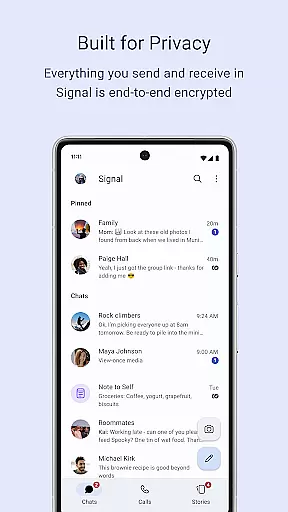
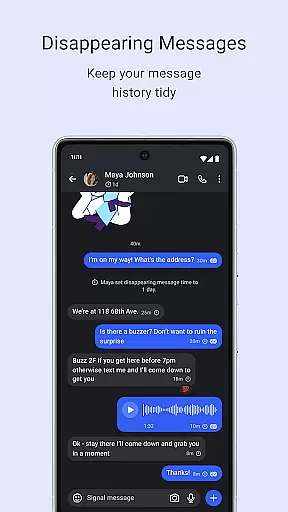
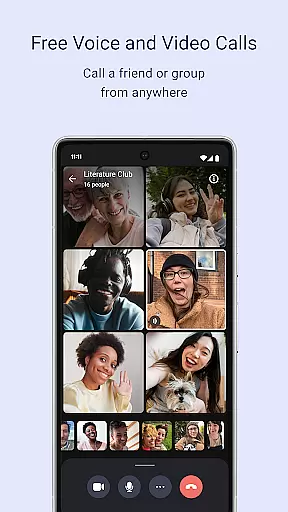
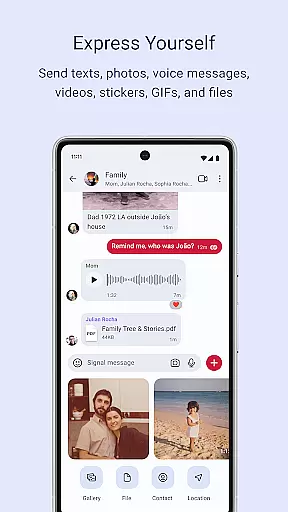
Signal Private Messenger is a secure communication app that prioritizes user privacy through end-to-end encryption. It allows users to send texts, voice messages, photos, videos, and files while avoiding traditional SMS and MMS fees. The app supports encrypted voice and video calls for individuals and groups of up to 50 participants.
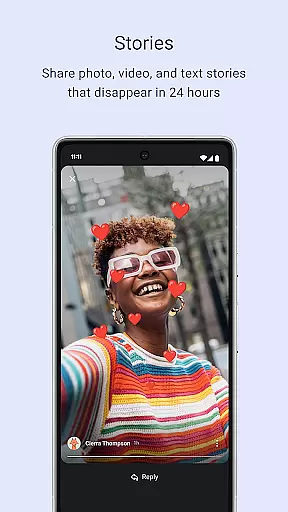
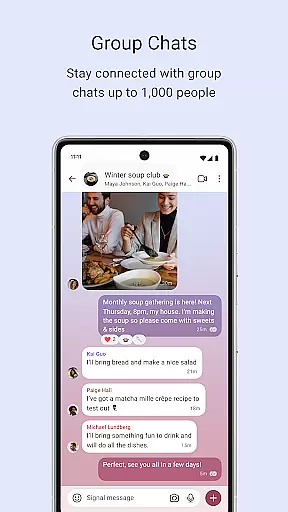
In addition to private messaging, Signal offers group chats for up to 1,000 people with customizable admin permissions. Users can also share Stories that disappear after 24 hours, ensuring temporary content stays private. Built on an open-source protocol, Signal cannot read messages or listen to calls, offering unparalleled privacy in digital communication.
This app is ideal for individuals who prioritize security and privacy in their daily communications. Whether for personal or professional use, Signal provides a reliable solution for encrypted messaging and calling without compromising user data.
Signal Private Messenger stands out with its robust privacy features. The app's end-to-end encryption ensures that only the sender and recipient can access message content, making it impossible for third parties to intercept communications. This feature extends to voice and video calls, which maintain high-quality audio and video while remaining completely private.
Another notable feature is the ability to create Stories that automatically disappear after 24 hours. These ephemeral posts allow users to share updates without leaving a permanent digital footprint. Additionally, Signal's group chat functionality supports up to 1,000 members with advanced admin controls, enabling efficient management of large communities.
The app's commitment to transparency is evident through its open-source Signal Protocol. This means that anyone can review the code to verify its security claims. As a nonprofit organization, Signal operates independently of advertisers and investors, focusing solely on user privacy and security.
Real-time messaging speed and reliability are crucial for any communication app, ensuring that messages are delivered instantly and without fail. Signal Private Messenger excels in this area by leveraging advanced encryption protocols that not only secure your communications but also optimize the delivery process.
The app uses your phone's data connection to send texts, voice messages, photos, videos, GIFs, and files for free, avoiding traditional SMS and MMS fees. This ensures that your messages are transmitted quickly and reliably, regardless of your location or network conditions.
Signal's commitment to privacy does not compromise its performance. The same end-to-end encryption that protects your data also enhances the speed and reliability of message delivery. This means you can communicate with confidence, knowing that your messages will reach their destination promptly and securely.
Media sharing support is an essential feature for modern messaging apps, allowing users to share various types of content seamlessly. Signal Private Messenger offers robust media sharing capabilities, enabling you to send photos, videos, GIFs, and files with ease.
The app supports high-quality media transmission, ensuring that your shared content retains its original quality. Whether you're sending a photo or a document, Signal's strong end-to-end encryption keeps your media private and secure during transmission.
In addition to individual chats, Signal allows media sharing within group chats of up to 1,000 people. With admin permission settings, you can control who can post and manage group members, making it ideal for both personal and professional use. This comprehensive media sharing support enhances your communication experience while maintaining top-notch privacy standards.
End-to-end encryption
Free to use
Open-source protocol
No data collection
Supports large groups
Limited marketing
Fewer users than competitors
No ads can limit revenue
Requires internet connection
Some features may be complex

Fast and simple walkie talkie app
 4.20
4.20
Manage BoostMobile Account
4.60
At select facilities, you now have an easy way to video visit your loved ones!
3.30
Messenger, an MMS & SMS messages app with Blockers, Driving mode & Private box
4.60
Create a secure hotspot on-the-go with Portable WiFi - Mobile hotspot.
4.40
Fun, free app that lets kids video call and message family and close friends.
3.80
Stay in touch with the people who matter most.
4.60
A browser that does more than load page, like keeping your privacy safe.
4.70
BE PRIVATE
Anonymous. No Trace. Fast.
4.20
Enhance browsing with AI-powered features and Copilot.
4.70
We’re taking the yada yada out of wireless—now we’ve taken it out of your app.
4.70
Useful. Social. Expressive.
4.70
Browse fast on Opera Mini, with Data Saving, News, Football Scores, and Download
4.60
Get through your inbox faster with the mail app designed to simplify your life.
4.40
Phone Dialer with Caller ID, Address Book & Contacts Manager.
4.30
Our Black Friday sale is here. Unlock special discounts on Proton Mail now.
4.30
RemoteHams.com Android RCForb Client Pre-Release
4.30
Messages: Fast, simple SMS app with scheduling and smart features.
4.00
This app enables the phone to receive and send FT8 traffic!
3.80


User Reviews