
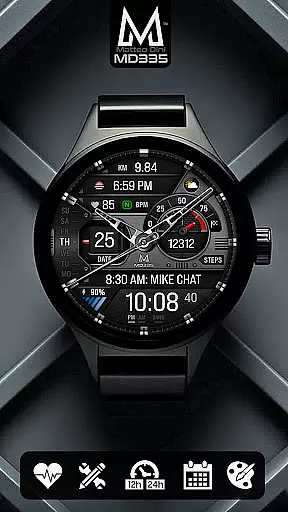
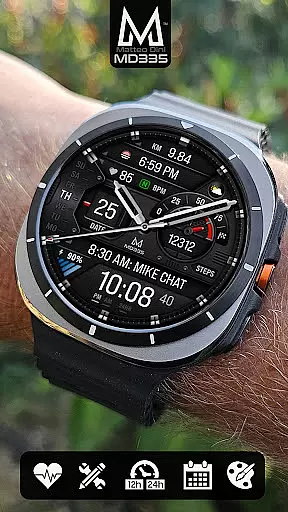
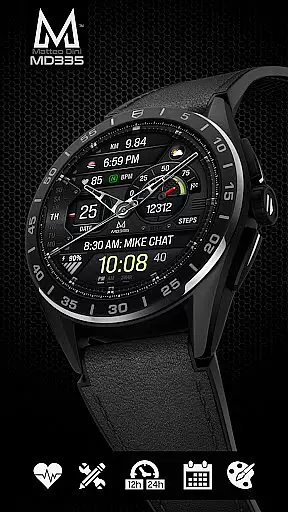
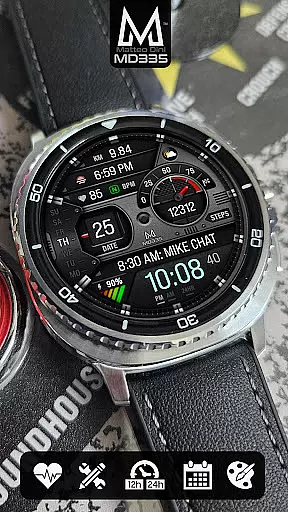
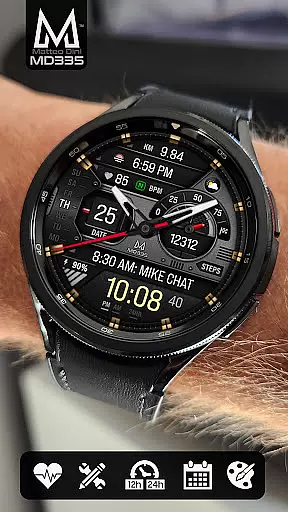
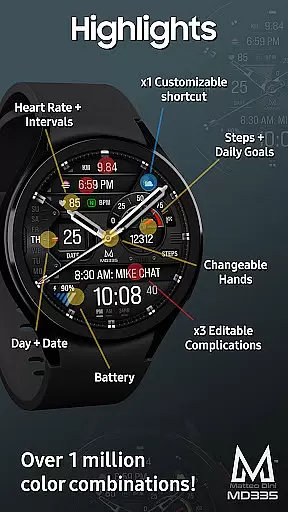
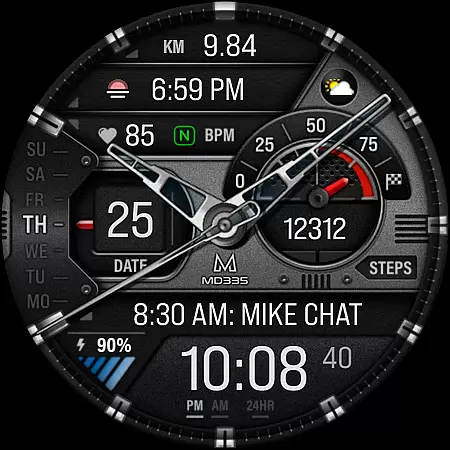
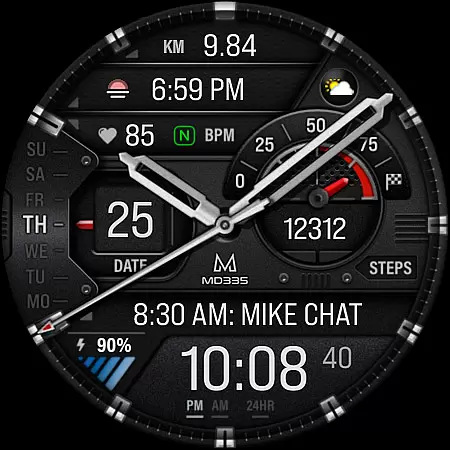
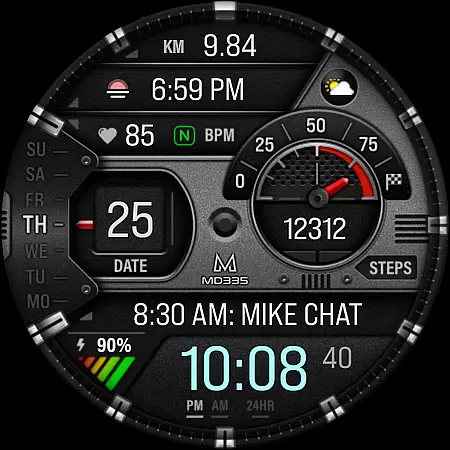
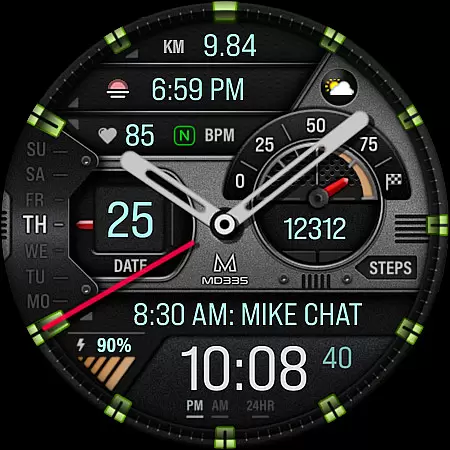
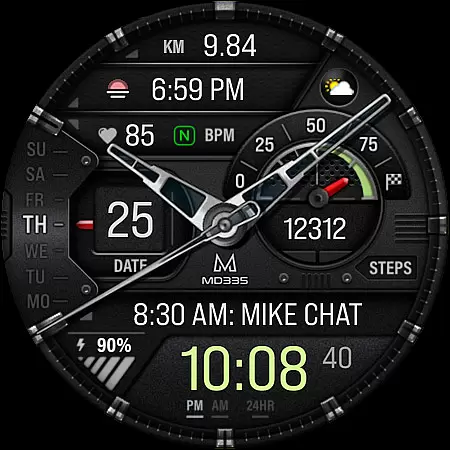
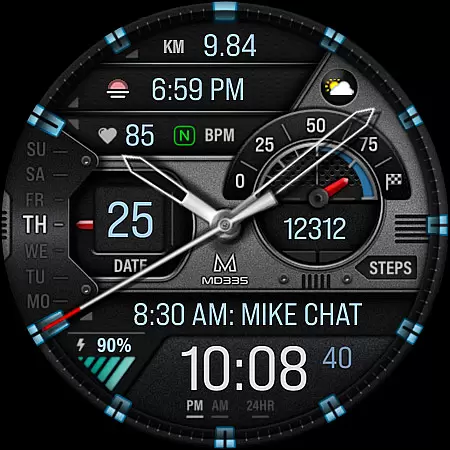
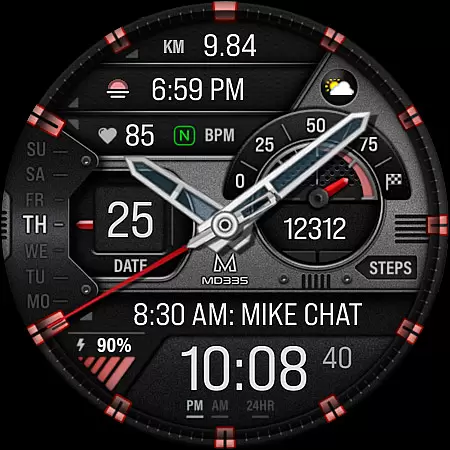
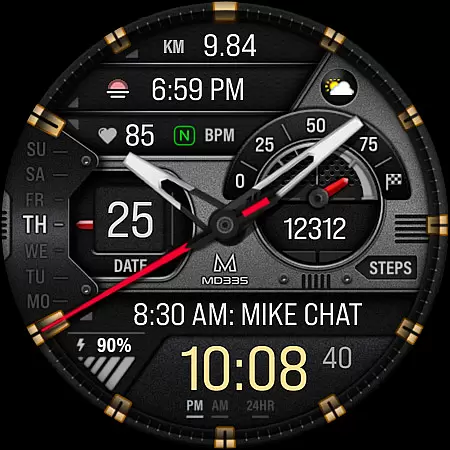
MD335 Hybrid watch face offers a versatile and customizable experience for Wear OS users. This sophisticated watch face features a hybrid design with hideable hands, supporting both 12/24hr formats based on phone settings. It includes essential data points such as date, day, battery status, heart rate monitoring, and step tracking with daily goals.
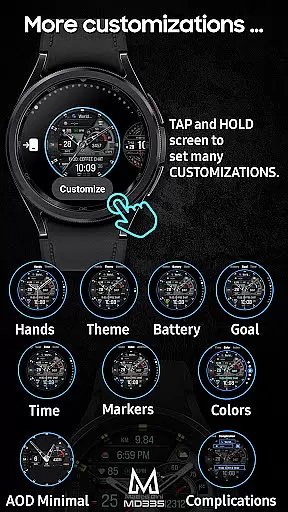
The watch face stands out with its 4 preset app shortcuts, 1 customizable shortcut, and 3 customizable complications. Users can personalize their watch face with various data like weather, barometer readings, distance walked, calories burned, UV index, and more. The customization extends to changeable hands, themes (dark/light), and colors of time, battery level, goal level, markers, and general elements. Additionally, it supports Minimal and Full Always-On Display (AOD).
One of the standout features of MD335 is its extensive customization options. Users can touch and hold the display, then tap on the customize option to modify the watch face. Preset app shortcuts include Calendar, Battery, Measure Heart Rate, and Set Alarms, providing quick access to frequently used functions.
The watch face also supports complications, allowing users to incorporate external data sources such as health metrics, world clocks, and environmental information. Although complications are external apps and not controlled by the watch face itself, they enhance the utility of MD335. Furthermore, the watch face is compatible with all Wear OS devices with API Level 33+ (Wear OS 4 and later versions), including Samsung Galaxy Watch 4-8, Ultra, and Pixel Watch.
Companion app integration is essential for hybrid watch faces like MD335, ensuring seamless functionality between the wearable and its paired smartphone. This connection allows users to customize their watch face directly from their phone, providing a convenient way to adjust settings without disrupting the user experience.
The MD335 Hybrid watch face leverages this integration by enabling customization of complications and shortcuts through the Samsung Wearable app. Despite occasional loading issues with complex designs, the recommended workaround of customizing directly on the watch maintains this crucial link, allowing access to features such as weather updates, health metrics, and app shortcuts.
Users benefit from this integration through enhanced personalization options and real-time data synchronization. The ability to modify elements like battery level indicators, heart rate intervals, and color schemes ensures that each user can tailor their watch face to suit their preferences while maintaining vital connections to their smartphone's capabilities.
Wear OS and device compatibility are crucial factors for any smartwatch application, including the MD335 Hybrid watch face. Designed to support all Wear OS devices with API Level 33+ (Wear OS 4 and later), this watch face offers broad compatibility across popular models such as Samsung Galaxy Watch series, Pixel Watch, and others.
This wide-ranging compatibility ensures that users can enjoy consistent performance regardless of their specific device model. By supporting both new and existing Wear OS devices, MD335 provides a versatile solution that adapts to various hardware specifications while maintaining core functionalities like customizable complications and app shortcuts.
The advantage of this extensive compatibility is evident in the diverse range of features available across different devices. Whether accessing health metrics, setting alarms, or viewing calendar events, users can expect reliable operation and uniform quality, making MD335 an ideal choice for those seeking a flexible and adaptable hybrid watch face solution.
Highly Customizable
Versatile Complications
User-Friendly Interface
Wide Device Compatibility
Comprehensive Data Options
Complex Setup Process
Limited Support for Older Devices
Preset App Limitations
Dependent on External Complications
Occasional Customization Glitches

Embrace the holiday spirit with this magical animated watch face!
 4.40
4.40
Sleek, highly customizable watch face inspired by Galaxy Watch Circle Dashboard.
4.4
Stylish digital watch face for Wear OS devices with customizable features
4.0
sleep, alarm, snoring, stress, healing, focus, sound therapy, circadian rhythm
4.10
Your second brain for organizing your life: to-do, calendar, reminder.
4.70
Reliable phone calls with spam protection, caller ID and more helpful features
4.40
The Chevron App allows you to pay for fuel from the comfort of your car!
4.80
Retro digital watch face with customizable colors and a unique lighting effect
4.60
Toyota app currently supports 2010 or newer vehicles (2018 or newer for Hawaii).
4.50
Christmas Theme Watch Face for Wear Os
5.00
Be an elegant and classy secret agent, with this carefully detailed watch face
4.70
Real-time results, stats, schedules and player profiles for all leagues
4.60
A white realistic classic analog watch face with many customization options.
4.40
Let's celebrate Thanksgiving - Wear Os watch face
4.20
Viewer for Wyze/Yi/Eufy/Arlo/ONVIF/RTSP/P2P IP cams w/ adv. features & DIY DVR
4.00
Want to take charge of your health? Let Google Fit help you reach your goals.
3.50
Precision analog watch face with 7 complications and style options
4.3
Funny animated watch face for Thanksgiving
4.4
Hybrid Vibrant Health Watch Face for Wear OS
4.1


User Reviews