
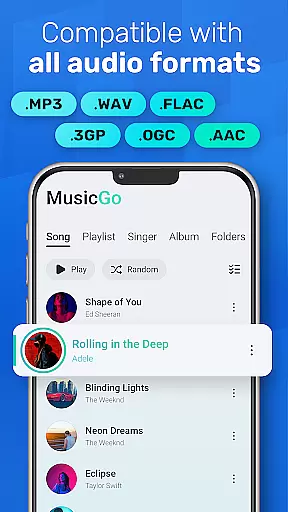
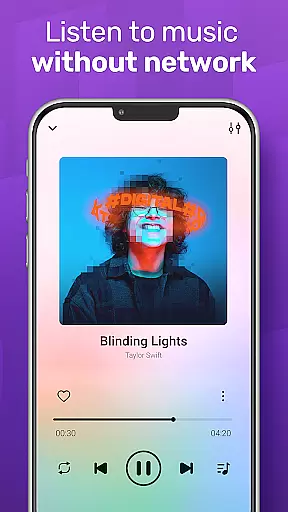
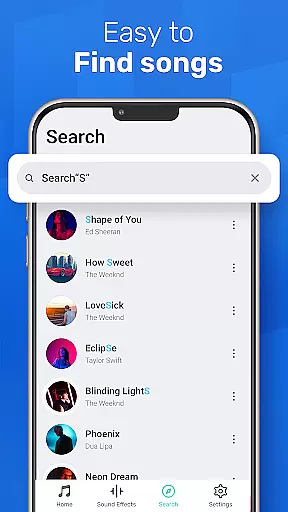
MusicGo is a versatile offline music player designed for audiophiles who demand both quality and functionality. This app supports all major audio formats including MP3, FLAC, WAV, and AAC, ensuring optimal sound delivery across genres. With over 20 built-in equalizer presets, users can customize their listening experience to match their personal preferences.
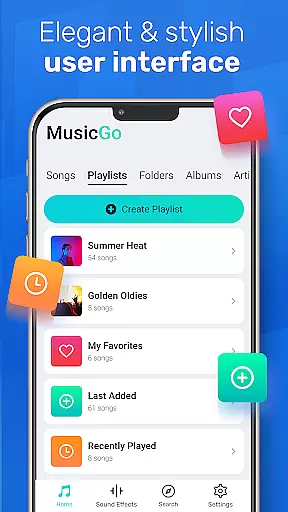
The app's intuitive interface allows seamless navigation through playlists, albums, and artists while offering advanced features like deep scanning, automatic library refreshing, and smart auto playlists. Whether you're commuting or relaxing at home, MusicGo provides uninterrupted playback with its robust offline support and elegant design.
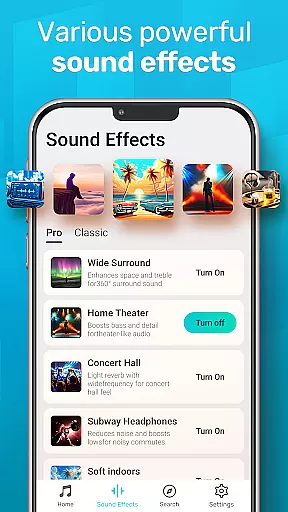
MusicGo stands out with its comprehensive feature set tailored for music enthusiasts. The app includes a powerful equalizer with bass boost and reverb effects, catering to various musical tastes. Its deep scanning capability ensures every track in your library is accounted for, while the automatic refresh function keeps your collection up-to-date without manual intervention.
Additional highlights include multiple playback options such as shuffle, loop, and repeat modes. Users can also enjoy background playback support and compatibility with both Bluetooth and wired headphones. The stylish user interface offers customizable themes, allowing you to personalize the look and feel of your music player to suit your mood and style.
When it comes to digital music players, the size and authenticity of the music library are crucial factors for users. MusicGo offers an extensive collection of tracks that span various genres, ensuring that there's something for every listener. The app supports all popular audio formats such as MP3, FLAC, WAV, MIDI, AAC, and APE, which means your entire music collection can be easily imported and managed within the app.
Copyright authenticity is another area where MusicGo excels. By supporting legitimate audio file formats and encouraging users to import their legally acquired music files, the app maintains a high standard of content legitimacy. This not only ensures that artists and producers are rightfully credited for their work but also provides users with peace of mind knowing they are accessing a legal and authentic music experience.
The benefit to users is clear: with MusicGo, you have a vast and verified music library at your fingertips. Whether you're a casual listener or a dedicated audiophile, the ability to access a diverse range of high-quality, copyright-compliant tracks enhances your listening sessions. Enjoy your favorite tunes with the assurance that you are experiencing them as the creators intended, without any compromise on quality or legality.
Audio quality is paramount when selecting a music player, and MusicGo delivers exceptional sound fidelity through its advanced features. With over 20 built-in equalizer presets tailored for different music genres like classical, dance, folk, and rock, users can customize their listening experience to match their preferences. These equalizer settings allow for precise adjustments, including bass boosts and reverb effects, ensuring each track sounds as vibrant and dynamic as possible.
Moreover, MusicGo doesn't just stop at preset equalizers; it offers deep customization options for those who want to fine-tune their audio experience further. Users can tweak settings to achieve the perfect balance between treble and bass or add unique effects that make their music stand out. This level of control over audio output transforms an ordinary listening session into an extraordinary auditory journey.
For users, this translates into an unparalleled listening experience where every note and beat is delivered with clarity and depth. Whether you're using high-end headphones or standard speakers, MusicGo optimizes audio playback to suit your equipment. As a result, you get the most out of your music library, enjoying each song in its full richness and detail, making every listening moment memorable.
Supports all audio formats
20+ equalizer presets
Intuitive user interface
Offline playback
Customizable themes
Limited social features
No cloud sync
Heavy on storage
Occasional bugs
Ads in free version

Formerly known as Spotistats! View your top tracks, artists, albums and more!
 4.40
4.40
Tune in to the greatest hits on UK Radio | The home of Capital, Smooth & Heart.
4.90
Listen to live FM radio stations, sports, music and news on global radios online
4.70
Listen radio AM / FM Stations. Live AM / FM Radio App Station. Radio Com.
4.70
Let your Android device with the sound effects you want
4.50
Slow music down without changing pitch.
3.70
Versatile MP3 recorder with auto-backup to Dropbox and Google Drive
4.10
Uninterrupted Tunes, Unmatched Vibes
3.90
Customize Your Favorite Songs and Videos with booster.
4.70
Responsive piano with great sounds, graphics, and songs
4.80
Walkout Song DJ is the most intuitive app to manage your sports music.
4.70
AI Music Maker: Generate And Compose AI Tunes & AI Songs & AI Music & AI Melody!
4.60
Offline Music Player&MP3 Player with themes, equalizer, lyrics, music play mode
4.60
Save hundreds of dollars for a physical strobe tuner and instead use this app.
4.50
DJ Music Mixer - DJ Remix: remix songs, make beat music & record mix of DJ.
4.40
Learn and play 2M+ music tabs & chords on guitar, ukulele, bass, and more
4.30
Time Trainer: accurate metronome w tools to help you develop your internal time!
4.20
A High-Precision Audio Spectrum Analysis App
4.20
A sleek, no-frills player designed for true music lovers.
4.20


User Reviews