
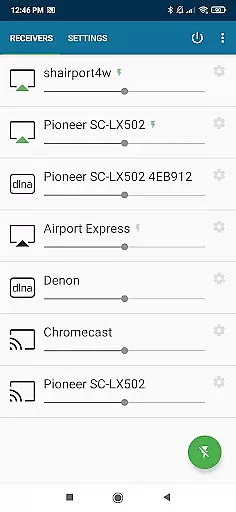
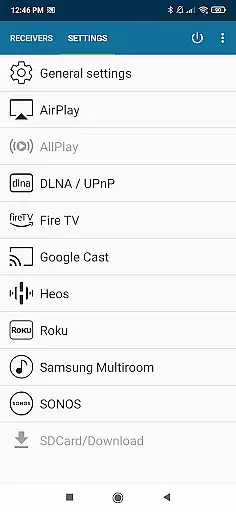
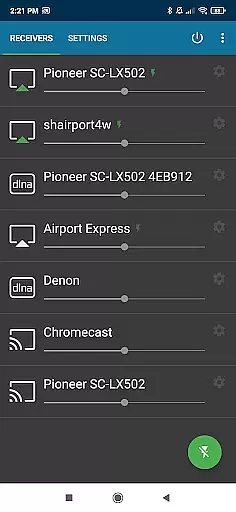
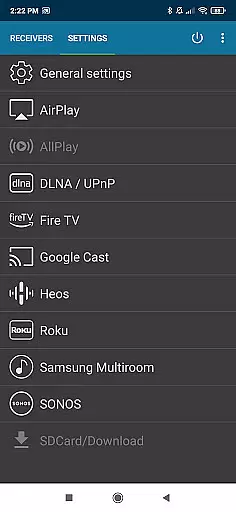
AirMusic is a versatile audio streaming application that allows users to stream audio from virtually any app to a wide range of receivers with just one click. Compatible with popular streaming technologies such as Apple AirPlay, SONOS, Google Cast, DLNA, and more, it ensures seamless connectivity across multiple devices including smart TVs, AV-receivers, and home audio systems.
The app supports an extensive list of receivers like Apple TV, Chromecast, Amazon Fire TV, and Samsung Multiroom, making it possible to enjoy music services such as YouTube Music, Deezer, and Spotify throughout your home. Whether you're using an Android device or other compatible hardware, AirMusic delivers powerful and flexible streaming capabilities tailored for audiophiles and casual listeners alike.
With its user-friendly interface and advanced features like artwork sharing and Tasker support, AirMusic enhances the overall entertainment experience while offering personal assistance for troubleshooting issues. Despite some limitations with certain apps on specific Android versions, AirMusic remains a top choice for those seeking comprehensive audio streaming solutions.
AirMusic stands out due to its robust feature set designed to enhance the audio streaming experience. One of its key strengths is the ability to run in the background, enabling users to stream audio with just one click. This ease of use is complemented by support for various streaming protocols, ensuring broad compatibility with devices like Apple TV, Chromecast, and SONOS systems.
In addition to basic streaming, AirMusic sends metadata and artwork to supported receivers, enriching the listening experience with visual information about the playing track. The app also integrates with automation tools like Tasker and MacroDroid, allowing users to create custom widgets or automate their music playback based on specific triggers or routines.
While most apps can be streamed without additional steps, AirMusic does have some limitations. Certain services like Amazon Music may require specific app versions, and others like Apple Music need newer Android OS versions. Despite these constraints, AirMusic's innovative approach to audio streaming makes it a valuable tool for enhancing home entertainment systems.
When it comes to streaming music, having access to a vast and diverse music library is essential. AirMusic excels in this area by allowing users to stream audio from almost any app to a wide range of receivers with just one click. Whether you're enjoying platforms like YouTube Music, Deezer, Amazon Music, Apple Music, or Spotify, AirMusic supports them all.
AirMusic ensures that the music streamed is not only extensive in variety but also respects copyright laws. By supporting all the latest streaming technologies, AirMusic offers seamless compatibility with major platforms such as Apple AirPlay, SONOS, Google Cast, DLNA, Amazon Fire TV, Samsung Multiroom, Denon HEOS, and Roku. This means users can enjoy their favorite tunes on devices like Apple TV, HomePod, Chromecast, Smart TVs, AV-receivers, and many more without worrying about legal issues.
The benefit for users is clear: they have the freedom to access an enormous selection of music while being assured of its legality. With AirMusic, listeners can indulge in a rich auditory experience knowing that their music is sourced from legitimate channels, providing peace of mind alongside convenience.
Audio quality is paramount when streaming music, and AirMusic takes pride in delivering top-notch sound across various devices. The application supports high-quality audio streaming to a multitude of receivers including Apple AirPlay, SONOS, Google Cast, DLNA, and others. This ensures that whether you're using an Apple TV, HomePod, Chromecast, or even a Raspberry Pi, the audio quality remains consistently excellent.
AirMusic's support extends to software receivers like Kodi, Volumio, Shairport, and GMediaRender, which means no matter what system you have in place, you'll receive the best possible audio output. Additionally, features such as sending track information and artwork to your receiver enhance the listening experience by providing visual context to the audio content.
For audiophiles and casual listeners alike, AirMusic's commitment to superior audio quality means enjoying music as it was intendedu2014with clarity and depth. Users can rest assured that their home audio setup will deliver an immersive experience, making every listening session a delightful escape into sound.
Wide device compatibility
One-click streaming
Advanced automation
Metadata sharing
Dedicated support
Limited app support
Android version issues
Occasional bugs
Premium cost
Complex setup

Your HD audio recorder on the go for music, meetings, ambience, animal sounds…
 4.30
4.30
More downloads than any other metronome. Includes drum machine & tempo trainer.
4.80
Music Streaming suite for Ampache, Nextcloud Music and compatible backends.
4.1
The best music and audio player, with beautiful UI, music search and equalizer.
4.60
A sleek, no-frills player designed for true music lovers.
4.20
Offline Music Player&MP3 Player with themes, equalizer, lyrics, music play mode
4.60
Let your Android device with the sound effects you want
4.50
Customize Your Favorite Songs and Videos with booster.
4.70
Play your music offline without limits
4.80
Full-featured, High-Quality Groovebox Workstation, perfect for Live Performance!
4.80
Most Advanced AI Song Generator and Music Creator. Rap, Pop, Rock, Gospel & more
4.70
SqueezePlayer turns your Android phone or tablet into a SqueezeBox on its own!
4.60
Bass Booster & Volume Equalizer Pro improves your music and video sound quality
4.60
Enhance the sound quality of your devices, listen to what you want
4.50
Bass Booster Pro takes auto-equalizing to the next level!
4.30
Learn and play 2M+ music tabs & chords on guitar, ukulele, bass, and more
4.30
Sheet music reader, piano & music note player. Play music score & learn to read.
3.90
Background pads for your band
3.80
Learn to play the piano using falling notes!
3.80


User Reviews