
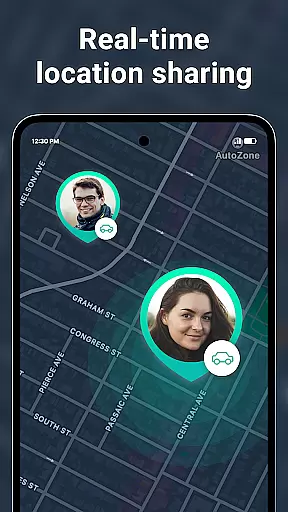
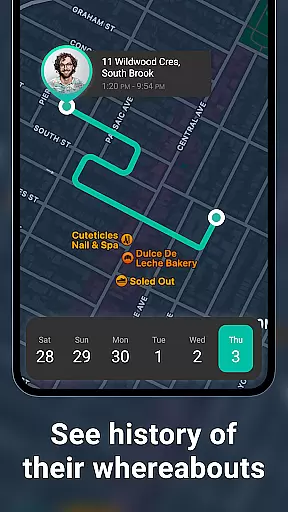
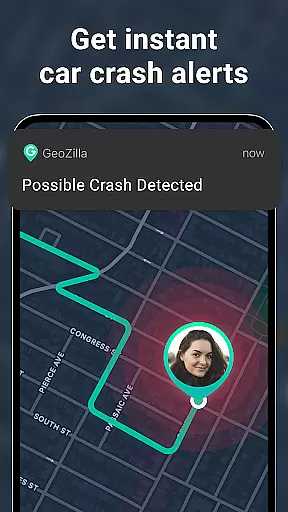
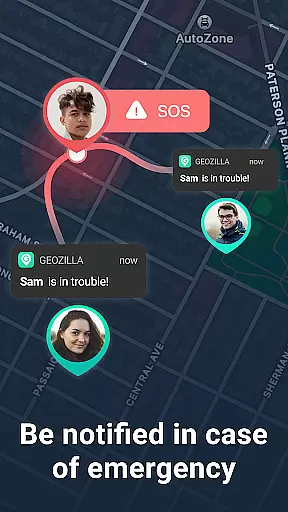
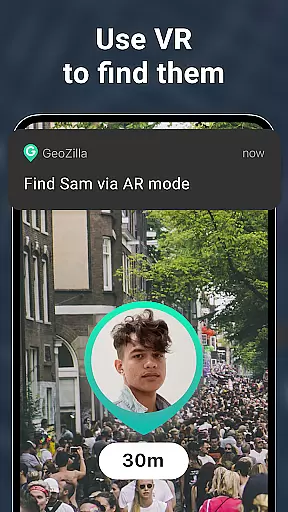

Geozilla is a comprehensive family safety and location-sharing app designed specifically for Android Wear devices. The app's core functionality revolves around real-time GPS tracking, allowing families to stay connected and informed about each other's whereabouts. With features like geofencing alerts, driving reports, and emergency notifications, Geozilla ensures peace of mind for users who prioritize both safety and transparency.
Beyond basic location sharing, the app offers advanced capabilities such as battery monitoring, arrival and departure notifications, and even crash detection with SOS alerts. These smart features are particularly valuable for parents monitoring their children or caregivers assisting dependents. The integration with Wear OS enables users to access location information directly from their smartwatches, making it a versatile tool for on-the-go safety management.
The true value of Geozilla lies in its commitment to privacy and mutual consent. Every feature requires explicit user approval, and the app operates on principles of transparency and trust. This makes it an ideal solution for families who want to maintain closeness while respecting each member's privacy rights.
Geozilla stands out with its robust set of safety-oriented features that cater specifically to family needs. The app's most notable capability is its real-time location tracking system, which works seamlessly across both mobile devices and Wear OS smartwatches. This dual-platform functionality allows for continuous monitoring and quick access to location data, regardless of whether you're using your phone or watch.
What sets Geozilla apart is its sophisticated approach to user safety. The app employs advanced geofencing technology to create virtual boundaries around important locations like home or school, triggering instant notifications when these areas are entered or exited. Additionally, its driving insights feature uses motion recognition to analyze and report on driving habits, promoting safer road behavior among family members.
The implementation of emergency features demonstrates Geozilla's commitment to user protection. The crash detection system automatically sends SOS alerts when unusual movement patterns are detected, while the low battery warnings ensure you're never caught off guard. These features, combined with the app's transparent permission structure and clear user consent protocols, make Geozilla a reliable choice for families seeking a balance between safety monitoring and privacy protection.
Companion app integration is essential for wearable technology to function seamlessly with primary devices. Geozilla excels in this area by ensuring that its Wear OS application works in harmony with its smartphone counterpart. This integration allows users to access critical features such as location sharing and alerts directly from their smartwatches.
The app's architecture supports real-time data synchronization between the phone and wearable, which means family members can stay informed about each other's whereabouts without needing to check their phones constantly. The ability to receive notifications on the watch ensures that important alerts are never missed, even when the phone isn't immediately accessible.
Geozilla's companion app integration also extends to its safety features. For instance, driving reports and crash detection are available on the wearable app, providing peace of mind for families who want to ensure the safety of their loved ones while they're on the move. This comprehensive approach to integration makes Geozilla a reliable choice for those prioritizing family safety.
By focusing on seamless companion app integration, Geozilla enhances user convenience and ensures that all family members, regardless of age or tech-savviness, can benefit from its safety features. This thoughtful design ultimately leads to a more connected and secure family network.
Device compatibility is crucial for apps designed for wearable technology like Wear OS. Geozilla has been optimized to work across a wide range of Wear OS devices, ensuring that users can enjoy its features regardless of their specific smartwatch model. This broad compatibility enhances the accessibility of Geozilla's safety features for diverse users.
The app's developers have paid special attention to optimizing performance on Wear OS, ensuring that battery consumption is minimized while maintaining accurate GPS tracking and timely notifications. This optimization is vital for maintaining the functionality of smartwatches, which often have limited battery life compared to smartphones.
Geozilla's compatibility extends beyond just supporting various devices; it also includes adapting to different screen sizes and resolutions common among Wear OS devices. This adaptability ensures that all users have a consistent and high-quality experience when using Geozilla on their smartwatches.
Ultimately, Geozilla's commitment to Wear OS and device compatibility demonstrates its dedication to providing a versatile and reliable safety solution for families. By ensuring that its app functions smoothly across multiple devices, Geozilla reinforces its position as a leader in family safety technology.
Real-time GPS tracking
Wear OS compatibility
Advanced geofencing
Driving behavior analysis
Emergency crash alerts
Requires constant permissions
Background battery usage
Limited to family circles
No anonymous tracking
Dependent on user consent

Christmas - Festive - Christmas Village - Winter - Christmas lights
 5.00
5.00
Authentic military-tactical design with ZULU time! Realistic and functional!
3.80
Structured watch face with seven complications and modular UI elements
3.90
Hyperlocal rain alerts by MyRadar using patent-pending technology, radar & more
4.80
Your second brain for organizing your life: to-do, calendar, reminder.
4.70
The most customizable hybrid watch face. For Wear OS 5.0, API 34+ and later
4.70
Hybrid Vibrant Health Watch Face for Wear OS
4.4
Hybrid watch face for Wear OS with customizable complications by Matteo Dini MD
4.70
Fast and smart typing with Emojis, GIFs, and more
4.50
WTW M17 is a premium and luxurious hybrid watch face
4.70
Rose gold watch face with festive lights & customizable features.
4.60
Monitor health with the stress test and pulse checker in the heart rate app.
4.60
Real-time results, stats, schedules and player profiles for all leagues
4.60
Current temperature, weather hourly, weather radar by the weather forecast app
4.40
Bold, Modern Hybrid Watch Face for Wear OS. 10 Colors, Rich Info Display.
4.30
Embrace the festive spirit with our Christmas Countdown watchface for Wear OS
4.10
The #1 source of faces for your smartwatch!
4.00
Get helpful reminders, take progress photos and find answers to your questions.
3.90
Fitness interactive virtual pet super fighter boy watch face
4.0


User Reviews