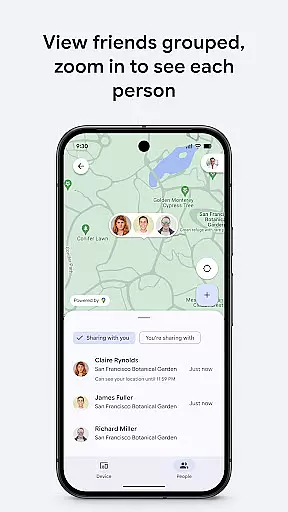
Google's Find Hub is a comprehensive device management tool that allows users to track and manage their phones, tablets, headphones, and other accessories. The app provides real-time location tracking even when devices are offline, ensuring users can always locate their belongings. With advanced security features, users can remotely secure or erase their lost devices while maintaining privacy through end-to-end encryption of location data.
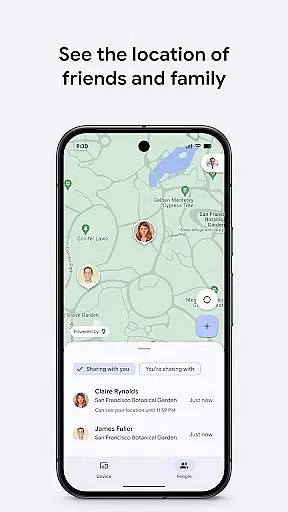
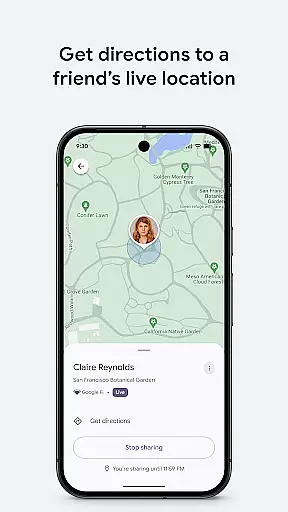
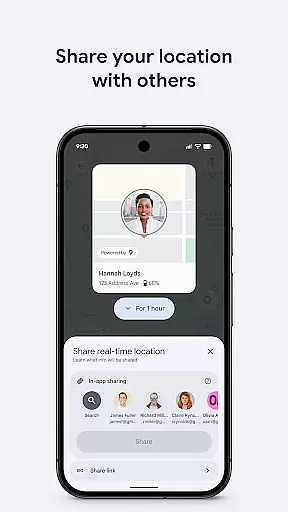
In addition to device tracking, the app offers robust location sharing capabilities. Users can share their live location with friends and family, making it easier to coordinate meetups or ensure loved ones reach their destinations safely. This combination of device management and location sharing makes Google's Find Hub an essential tool for anyone looking to keep their devices and loved ones safe and connected.
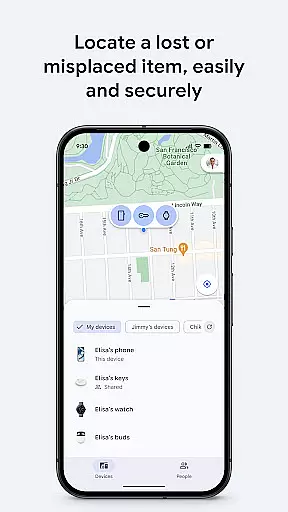
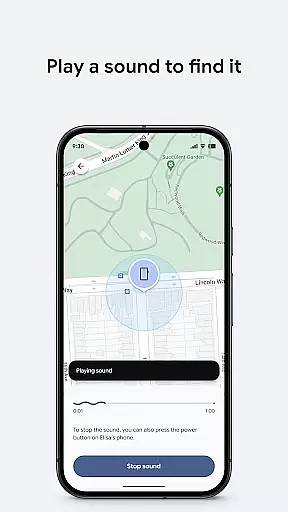
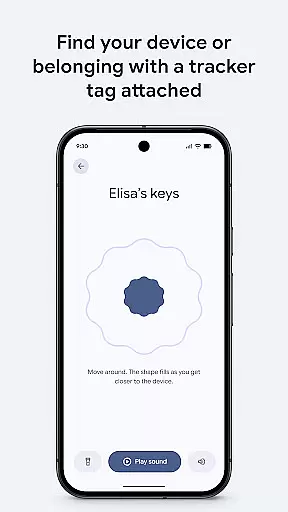
One of the standout features of Google's Find Hub is its ability to display the location of multiple devices on a map, regardless of whether they are online or offline. This ensures that users can always find their devices, even in areas with poor connectivity. For devices that are nearby but cannot be found, the app can play a sound to help locate them quickly.
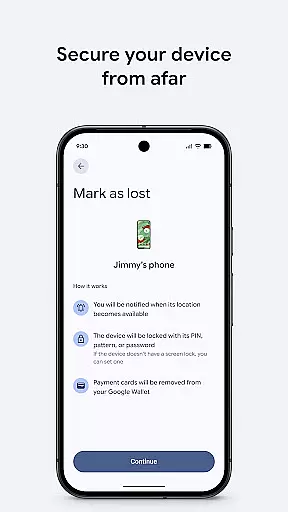
Security is a top priority for Google's Find Hub. If a device is lost, users have the option to remotely lock or erase it to protect their personal information. They can also add a custom message to the lock screen, providing a way for honest finders to return the device. All location data within the Find Hub network is encrypted, ensuring that even Google cannot access this sensitive information.
The app also excels in location sharing. Users can share their live location with friends and family, allowing them to coordinate meetups or monitor the safety of loved ones. This feature is particularly useful for parents who want to ensure their children arrive home safely or for groups trying to meet up in crowded areas.
Google's Find Hub offers a suite of tools designed to help users locate and manage their devices with precision. The core functions include viewing the location of phones, tablets, headphones, and other accessories on a map, even when offline. This is achieved through an encrypted network that ensures privacy while providing accurate location data.
The app allows users to play a sound remotely to find a lost device nearby, showcasing its effectiveness in real-world scenarios. Additionally, it provides options to remotely secure or erase a device, adding an extra layer of security. These features are crucial for users who need to protect sensitive information and ensure their devices do not fall into the wrong hands.
Another significant aspect is the ability to add a custom message to the lock screen, which can facilitate the return of a lost device. This functionality highlights the app's commitment to user-centric solutions, ensuring that users have multiple avenues to recover their belongings safely and efficiently.
The interface of Google's Find Hub is crafted to offer a seamless and intuitive user experience. Upon opening the app, users are greeted with a straightforward map view that displays the locations of their registered devices. This simplicity ensures that users can quickly understand the status and location of their devices without navigating through complex menus.
Key actions such as playing a sound, securing a device, or erasing data are easily accessible with just a few taps. The app minimizes the learning curve by employing familiar icons and clear labels, making it accessible even to those who may not be tech-savvy. This intuitive design helps users focus on what matters mostu2014recovering their lost items.
Moreover, the app includes features for sharing live location, which simplifies coordinating meetups or checking on loved ones. By integrating these functionalities within a clean and organized layout, Google's Find Hub ensures that users can perform essential tasks effortlessly, enhancing overall usability and satisfaction.
User-friendly interface
Real-time tracking
Advanced security
End-to-end encryption
Location sharing
Limited offline functionality
Requires Google account
Occasional sync issues
No desktop version
Dependent on device compatibility
A convenient photo, video, and file recovery tool.
 4.00
4.00
HD Video player and downloader for all formats, fast & smooth 4K video playback.
4.60
MS-DOS in your pocket. Play old DOS games anywhere you are ;)
4.10
Monitor car performance in real time and troubleshoot malfunctions.
4.80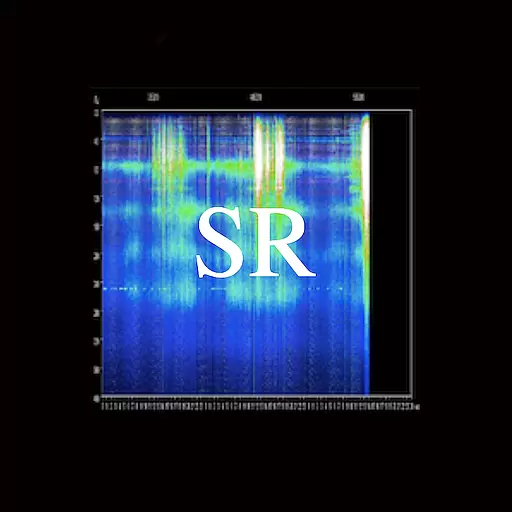
Quickly check the frequency of the Earth
4.30
Create your own custom widget with endless possibilities
3.90
Screen Mirroring with sound for Samsung TV, LG TV, Sony TV, Smart TV and Browser
4.20
Your personal health butler
3.60
Enhance your Beats
3.70
NFC Tools can read and write NFC tags.
4.70
The one-and-only remote control for PC, Mac, and Linux
4.70
Mirror your screen to Fire TV - Super fast and simple
4.40
An easy-to-use calculator designed to save time calculating and bending conduit
4.30
Carry a FTP server in your pocket and avoid USB cables for file transfer
4.20 4.10
4.10
An open-source APK explorer for Android!
4.10
Introducing Smart Printer, your ultimate destination for printing solutions!
4.00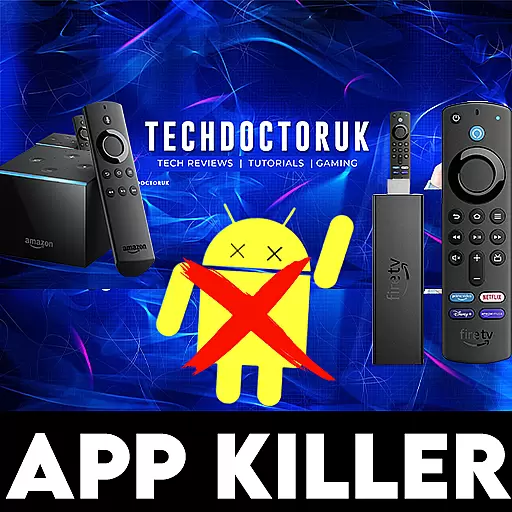
1-Click close all background apps on Android TV
3.90
Create your own live wallpaper or check out thousands already made presets
3.90
Honest Scratch app review—is it actually good for teaching kids to code? Real user insights on features, limitations, and learning outcomes.



User Reviews