
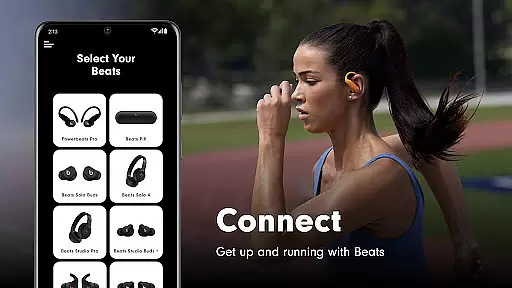
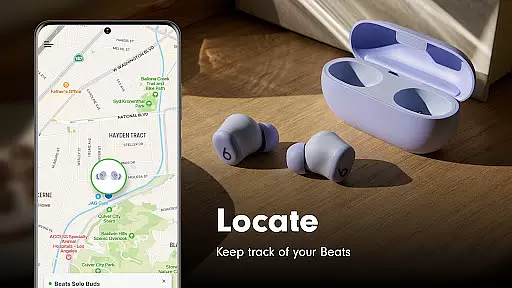
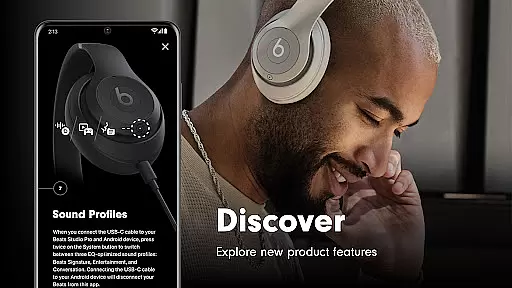
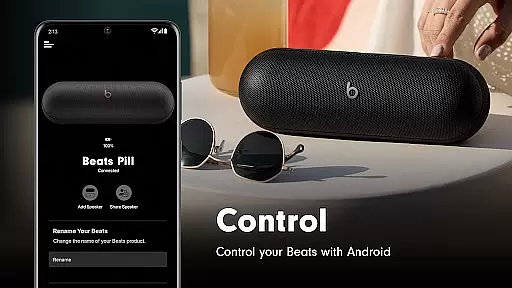
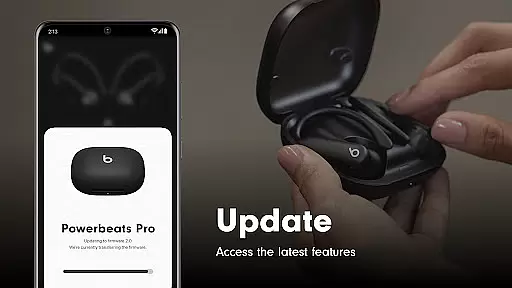
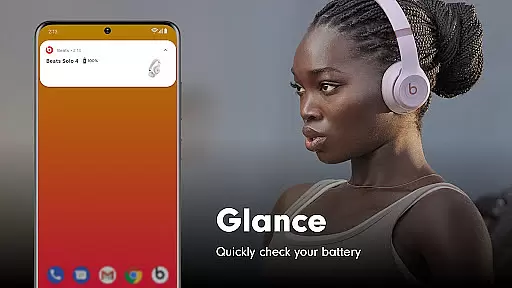
Beats is a comprehensive management tool designed specifically for Beats product users. The app provides essential features such as one-touch pairing, battery status monitoring, and customizable Android widgets. With its user-friendly interface, it allows you to easily locate misplaced devices on a map and ensures your headphones and speakers are always updated with the latest firmware. This guarantees an optimal audio experience while maintaining device functionality.
The app supports a wide range of Beats products including Powerbeats Fit, Beats Solo Buds, and many others. Whether you're using wireless earbuds or high-performance speakers, the Beats app ensures seamless connectivity and access to critical settings. Its compatibility with various models makes it an indispensable tool for both casual listeners and audiophiles alike.
For those concerned about privacy, Beats offers optional analytics sharing. Users can choose to send usage data back to Beats to help improve future versions of the app and its supported devices. With required Bluetooth permissions and optional location and notification permissions, the app balances functionality with user control, ensuring a personalized yet secure experience.
One of the standout features of the Beats app is its simple one-touch pairing capability. This function streamlines the connection process between your device and Beats products, making it effortless to get started. Additionally, the app provides easy access to battery status updates and customizable settings, allowing users to tailor their experience according to personal preferences.
Another notable feature is the ability to create unique Android widgets for your Beats devices. These widgets offer quick access to frequently used functions, enhancing usability. Furthermore, the built-in map functionality helps users locate their devices if they are misplaced. By integrating these practical tools, the app significantly improves the overall user experience.
The Beats app also excels in keeping your devices up to date with the latest firmware. Regular updates ensure that your headphones and speakers deliver top-notch performance and maintain compatibility with new technologies. Optional permissions for location and notifications further enhance the app's utility by providing timely alerts and location tracking, ensuring you never lose sight of your valuable audio equipment.
When it comes to the Beats app, core function accuracy and effectiveness are paramount. This application is designed to ensure that your Beats products perform at their best by providing essential features like one-touch pairing, battery status updates, and firmware upgrades. The app meticulously manages these functions to guarantee that users experience seamless connectivity and optimal performance from their devices.
The Beats app excels in delivering precise information about your device's status and settings. Whether it's monitoring battery life or customizing settings, the app provides accurate data and controls. This precision ensures that users can manage their audio devices effectively, maintaining an uninterrupted music experience. Furthermore, the firmware update feature keeps your headphones and speakers up-to-date with the latest enhancements, ensuring top-notch sound quality and functionality.
Users benefit significantly from the app's effective implementation of these core functions. With easy access to critical information and settings, managing your Beats products becomes hassle-free. The ability to locate misplaced devices on a map adds another layer of convenience, making daily use more efficient and enjoyable. Overall, the Beats app stands out for its commitment to delivering reliable and effective tools that enhance the user experience.
The interface simplicity and intuitiveness of the Beats app make it accessible to users of all technical backgrounds. Upon launching the app, users are greeted with a clean and straightforward layout that prioritizes ease of navigation. Essential features such as device pairing, battery status, and settings adjustments are prominently displayed, allowing users to quickly find and utilize them without any learning curve.
This intuitive design extends to advanced functionalities like creating custom Android widgets and locating misplaced devices. These features are integrated seamlessly into the user interface, ensuring that they enhance rather than complicate the user experience. By focusing on simplicity, the Beats app ensures that even less tech-savvy individuals can take full advantage of its capabilities without feeling overwhelmed.
Ultimately, the emphasis on an intuitive interface translates into tangible benefits for users. They can effortlessly connect to their Beats devices, monitor battery levels, and customize settings according to their preferences. This streamlined approach not only saves time but also enhances overall satisfaction with the product. The Beats app demonstrates how a well-designed interface can significantly improve the usability and enjoyment of audio devices.
User-friendly interface
Wide device compatibility
Regular firmware updates
Customizable widgets
Optional analytics sharing
Location permission required
Limited without optional permissions
Analytics opt-in needed
Firmware update dependency
Device-specific features

HD Video player and downloader for all formats, fast & smooth 4K video playback.
 4.60
4.60
Universal TV remote control all TVs, Roku, LG, Samsung, Fire, Vizio, Sony, TCL.
4.40
An easy-to-use calculator designed to save time calculating and bending conduit
4.30
A non-root local ADB shell client. READ BELOW!
3.40
Making emulation easy for everyone!
4.30
Pro Emulator is an easy to use game console emulator for a range of consoles.
4.40
Clean up large files and similar photos, fast and easy to use
4.40
Clean up your phone, find files, play media, and share files offline
4.50
Your personal health butler
3.60
Bedrock Together: Join any bedrock server on Xbox/PS
4.80
Connect instantly to a fast, encrypted VPN with one tap
4.60
Quickly check the frequency of the Earth
4.30
Just one-tap to easy translate in any language after calls within seconds.
4.20
VESC Tool can monitor and configure VESC-compatible devices over BLE and Wifi
4.20
Screen Mirroring with sound for Samsung TV, LG TV, Sony TV, Smart TV and Browser
4.20
A convenient photo, video, and file recovery tool.
4.00
1-Click close all background apps on Android TV
3.90
A powerful, easy-to-use flight computer on your phone or tablet!
3.80
Download any file easily and quickly with Downloader
4.3
Honest Scratch app review—is it actually good for teaching kids to code? Real user insights on features, limitations, and learning outcomes.


User Reviews