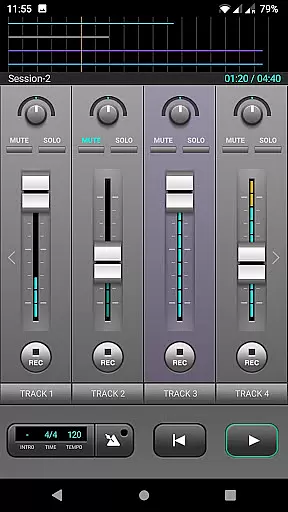
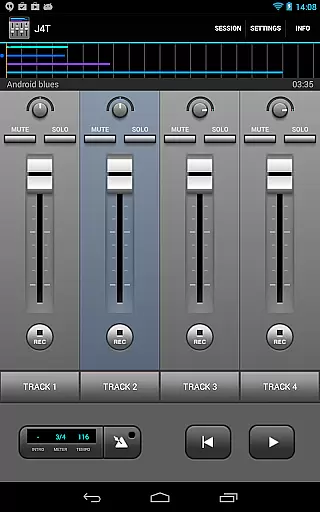
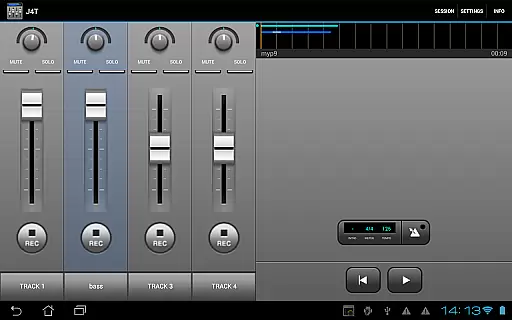
J4T Multitrack Recorder is a versatile 4-track recording application tailored for musicians and songwriters. Designed to capture song ideas, demos, and sound sketches with ease, this app allows users to record anywhere and anytime. With support for live monitoring on Android 10 or higher, it ensures real-time audio feedback, making it an essential tool for creative professionals.
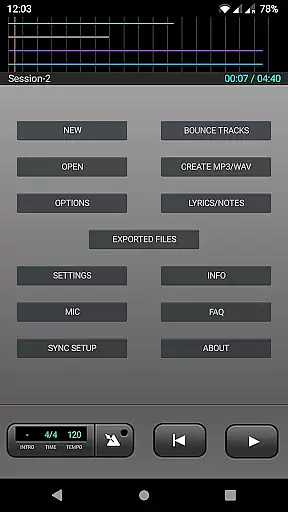
The app includes advanced features such as multiple audio effects, track editing, and loop functionality. Users can import and export their music in MP3 or WAV formats, providing flexibility in music production. Whether you're sketching out a new melody or finalizing a demo, J4T Multitrack Recorder offers the tools necessary to bring your musical ideas to life.
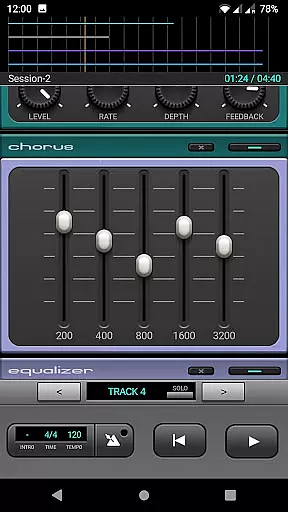
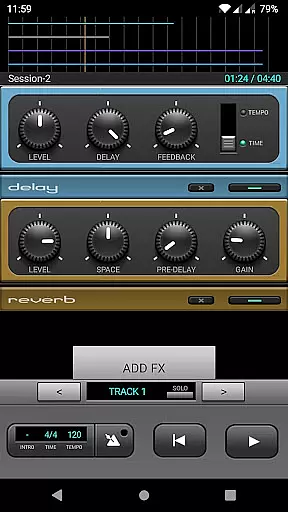
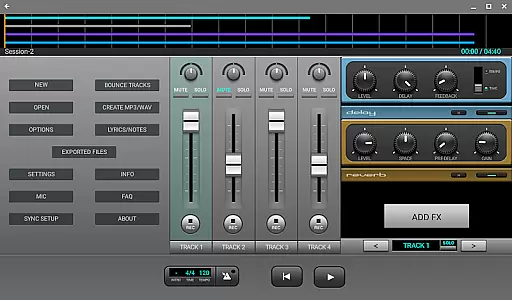
J4T Multitrack Recorder stands out with its comprehensive set of features designed for both amateur and professional musicians. The app provides four tracks for recording, allowing multi-layered compositions. Each track supports various audio effects including Fuzz, Chorus, Delay, Equalizer, Reverb, Phaser, and Compressor, enabling detailed sound customization.
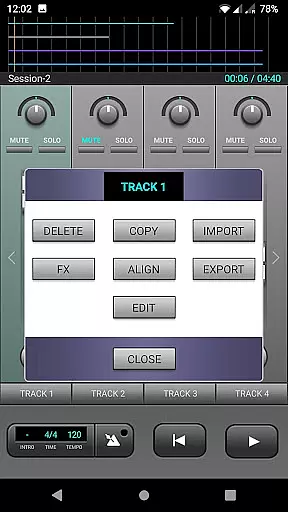
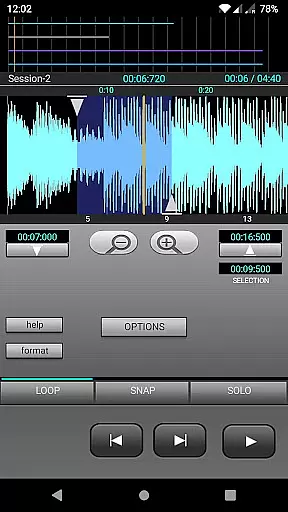
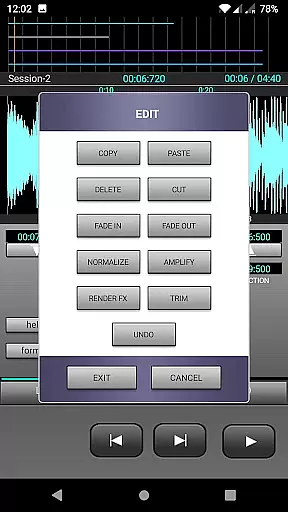
In addition to its robust recording capabilities, the app offers seamless import and export functions for MP3 and WAV files. This feature facilitates easy sharing and further editing of your projects. The loop function and track editing tools provide additional control over your recordings, ensuring that your creative vision is fully realized without limitations.
When it comes to music creation and recording applications like J4T Multitrack Recorder, the size and authenticity of the music library play a crucial role. A comprehensive library ensures that users have access to a wide variety of sounds and samples.
J4T Multitrack Recorder offers an impressive range of audio effects including Fuzz, Chorus, Delay, Equalizer, Reverb, Phaser, and Compressor. These effects provide users with the tools needed to create rich and diverse musical compositions.
The app allows musicians to import and export their own music in both MP3 and WAV formats. This feature not only enhances creative freedom but also guarantees that all content produced is authentic and owned by the user.
By focusing on copyright authenticity, J4T ensures that all included audio effects and features are fully licensed, giving users peace of mind while they create and record their music.
Audio quality is paramount for any musician or sound engineer using a digital recorder. The J4T Multitrack Recorder excels in providing various options to ensure top-notch audio output.
With support for high-quality audio formats such as WAV, users can record and export their projects without losing fidelity. This is essential for professionals who require pristine sound quality in their work.
In addition to format options, the app includes a suite of audio effects like Fuzz, Chorus, Delay, Equalizer, Reverb, Phaser, and Compressor. These tools allow users to enhance their recordings with professional-grade sound processing.
Live monitoring is supported for devices running Android 10 or higher, ensuring real-time feedback and adjustments. This feature helps maintain high audio standards throughout the recording process.
User-friendly interface
Wide range of audio effects
Supports live monitoring
Flexible file import/export
Ideal for songwriting
Limited to four tracks
No MIDI support
Occasional bugs reported
Android 10 required for monitoring
Interface may feel dated
DJ Music Mixer - DJ Remix: remix songs, make beat music & record mix of DJ.
 4.40
4.40
Listen to live FM radio stations, sports, music and news on global radios online
4.70
Save hundreds of dollars for a physical strobe tuner and instead use this app.
4.50
Super Sound Editor, Song Maker & Mixer, Vocal Remover, Voice Recorder & Changer!
4.60
Learn and play 2M+ music tabs & chords on guitar, ukulele, bass, and more
4.30
The iconic iOS metronome app is now on Android.
3.70
Ringtone Maker is free app create ringtone from music files or your recording.
4.40
Sing, record, and create music together — enhanced by smart voice tools.
4.00
Uninterrupted Tunes, Unmatched Vibes
3.90
Play your hearts out on TouchTunes jukeboxes & connect with fellow music lovers.
4.80
Walkout Song DJ is the most intuitive app to manage your sports music.
4.70
Simple & Intuitive Metronome
4.70
Bass Booster & Volume Equalizer Pro improves your music and video sound quality
4.60
AI Music Maker: Generate And Compose AI Tunes & AI Songs & AI Music & AI Melody!
4.60
Offline Music Player&MP3 Player with themes, equalizer, lyrics, music play mode
4.60
Visualize the guitar fretboard, master scales & play through changes like a pro!
4.50
The official Sonos app
4.10
Versatile MP3 recorder with auto-backup to Dropbox and Google Drive
4.10
The only true audiophile music player with Hi-Fi audio rendering and DSP engine
3.90


User Reviews