
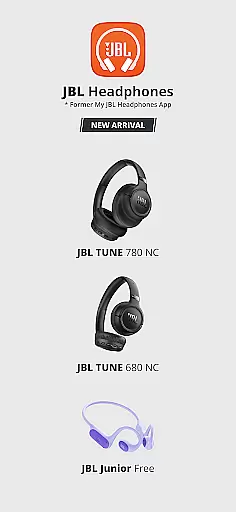
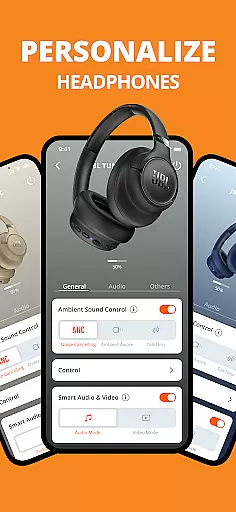
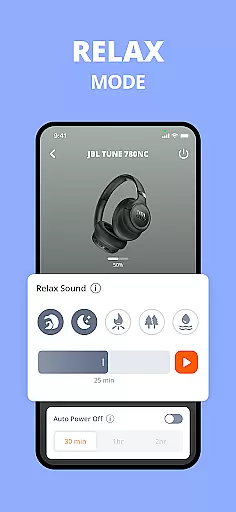
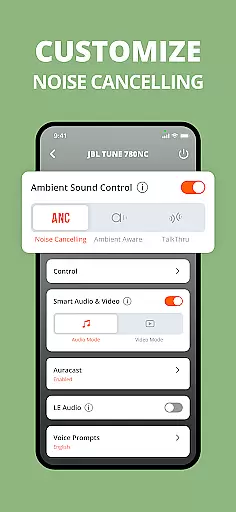
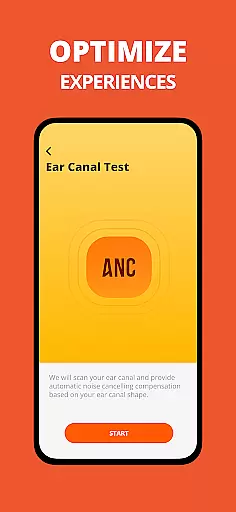
JBL Headphones app revolutionizes the way users interact with their audio devices. This dedicated application allows you to control various headphone settings directly from your mobile device, making it easier than ever to customize your listening experience. With features like smart ambient sound and noise cancellation, users can tailor their audio environment to suit different scenarios.
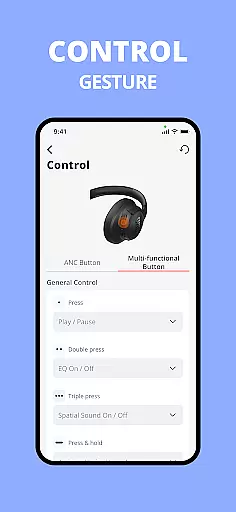
The app supports a wide range of JBL headphone models, providing predefined EQ presets and customizable settings. Users can adjust noise-canceling levels, configure touch gestures, and access product help and FAQs. The inclusion of a headphone battery indicator ensures you're always aware of your device's status. Whether you're commuting, working out, or relaxing at home, the JBL Headphones app enhances your audio experience while offering unprecedented control over your device settings.
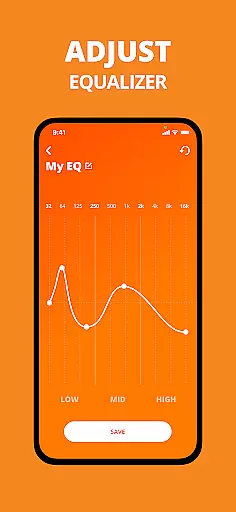
The JBL Headphones app offers an impressive array of features designed to enhance user experience. One of its standout capabilities is the advanced EQ settings, which include both predefined presets and customizable options. This allows users to fine-tune their audio preferences according to different music genres or personal tastes, ensuring optimal sound quality in every situation.
Another remarkable feature is the adjustable noise-canceling functionality available on select models. Users can choose different levels of noise cancellation to create the perfect listening environment for any occasion. The app also includes smart audio and video settings that automatically adjust based on user activity. Additional features such as gesture controls, voice assistant setup, and comprehensive product support through tips and FAQs make this application an indispensable tool for managing JBL headphones. These features collectively provide users with unprecedented control and customization options for their audio devices.
The JBL Headphones app offers an extensive range of support for numerous headphone models, each designed to cater to different user preferences and needs. With compatibility across various series such as JBL WAVE, VIBE, TUNE, LIVE, CLUB, TOUR, SOUNDGEAR, QUANTUM, ENDURANCE, REFLECT, UA PROJECT ROCK, EVEREST, X TOMORROWLAND, and JUNIOR, the app ensures that users have access to a comprehensive music library experience tailored to their specific devices.
Each supported model comes with its unique features and capabilities, ensuring that users can enjoy high-quality audio playback while also having the ability to customize settings according to personal taste. The app provides predefined EQ presets and allows for custom EQ settings, enhancing the listening experience by adapting sound profiles to individual preferences and environments.
Copyright authenticity is guaranteed through official partnerships and licensing agreements with JBL, ensuring that all software updates, features, and functionalities are genuine and legally compliant. This commitment to authenticity not only protects users from potential legal issues but also ensures they receive the latest and most secure software updates directly from JBL.
By offering a wide array of supported models and maintaining strict adherence to copyright laws, the JBL Headphones app delivers a reliable and authentic music experience, empowering users to fully enjoy their favorite tracks without compromise.
Audio quality is paramount when it comes to enjoying music, and the JBL Headphones app excels in providing users with multiple options to enhance their listening experience. One of the standout features is the customizable EQ settings, which allow users to adjust the sound profile to match their personal preferences or the genre of music they are listening to. Whether it's bass-heavy tracks or more balanced audio, the app caters to every auditory need.
In addition to EQ customization, the app supports advanced features like Adaptive Noise Cancelling (ANC) on select models, enabling users to immerse themselves in their music without external distractions. This feature dynamically adjusts the level of noise cancellation based on the environment, ensuring optimal sound quality regardless of the setting.
Smart Audio & Video mode is another innovative option available on specific models, intelligently optimizing audio output based on the content being consumed. Whether watching videos, playing games, or listening to music, this feature ensures that the audio is always perfectly tuned to the activity at hand.
Furthermore, the app includes a variety of other audio enhancement tools such as gesture controls, voice assistant integration, and battery management, all contributing to a superior audio experience. These features collectively ensure that users can enjoy top-notch sound quality with the convenience and flexibility offered by modern technology.
User-friendly interface
Wide device compatibility
Customizable EQ settings
Advanced noise cancellation
Comprehensive support features
Limited to JBL devices
Some features model-specific
Occasional connectivity issues
Drains device battery
Requires regular updates

Turn your phone into a musical instrument from the future!
 3.90
3.90
Make music anywhere. Turn your device into an instrument.
4.0
Listen to live FM radio stations, sports, music and news on global radios online
4.70
More downloads than any other metronome. Includes drum machine & tempo trainer.
4.80
The only true audiophile music player with Hi-Fi audio rendering and DSP engine
3.90
24,000 free audio books and no ads!
4.90
Enjoy singing any song, no matter how high or low it is
4.30
Powerful 10-Band equalizer pro with sound booster improves Android audio quality
4.30
Play KORG’s revolutionary touch-based instrument on a variety of devices.
4.40
Offline Music Player & MP3 Player.Powerful equalizer, Lyrics, Themes, Tag Editor
4.80
Pay Once, no monthly payment
4.60
AI Music Maker: Generate And Compose AI Tunes & AI Songs & AI Music & AI Melody!
4.60
Fun & Easy Voice Changer – Record, Edit & Add Hilarious Effects!
4.50
Guzheng Master supports many playing techniques as an acoustic Guzheng
4.50
Formerly known as Spotistats! View your top tracks, artists, albums and more!
4.40
Ringtone Maker is free app create ringtone from music files or your recording.
4.40
Offline and always ad-free - stream in the highest quality available.
4.10
Control your MIDI USB or Bluetooth devices in app and avoid some trampling
3.30
The Skullcandy App Experience
3.20


User Reviews