
X Launcher Pro is a premium launcher app designed for Android users who appreciate minimalist flat design and customization freedom. This application transforms your smartphone's interface into a visually appealing, ad-free environment while offering advanced operational controls.
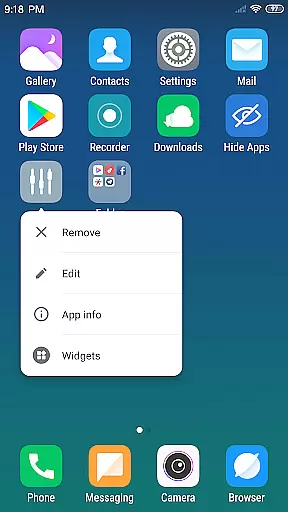
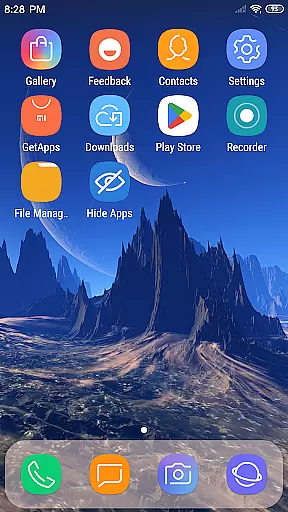
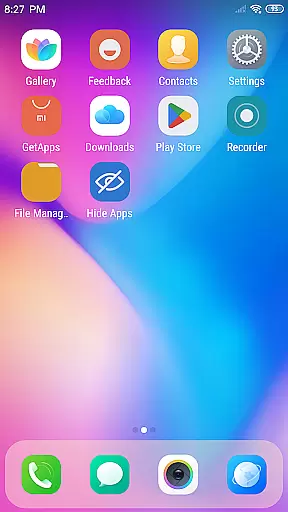
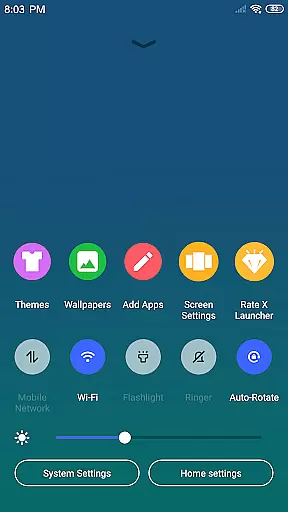
The launcher provides essential features like an App Manager for organizing local apps, a Control Center for quick settings access, and a Theme Store with various design options. Users can enjoy the flexibility of customizing app icons, folder styles, and desktop layouts while benefiting from practical functions such as app hiding and wallpaper management.
Perfect for those seeking both aesthetics and functionality, X Launcher Pro delivers a smooth, immersive experience that enhances daily phone usage without unnecessary distractions.
X Launcher Pro stands out with its comprehensive feature set tailored for customization enthusiasts. The app removes all advertisements, ensuring an uninterrupted and immersive user experience while you manage your device.
A key highlight is the App Manager, which allows users to quickly organize and place apps on their desktop through simple swipe gestures. The Control Center provides instant access to essential phone functions like WiFi, brightness, and volume settings. Additionally, the launcher offers a diverse Theme Store where users can choose from multiple design schemes that adapt seamlessly to their preferences.
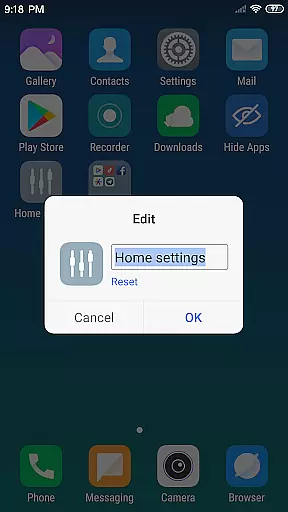
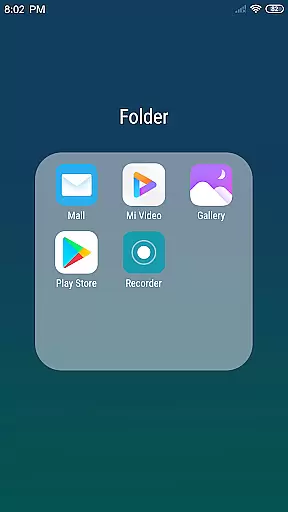
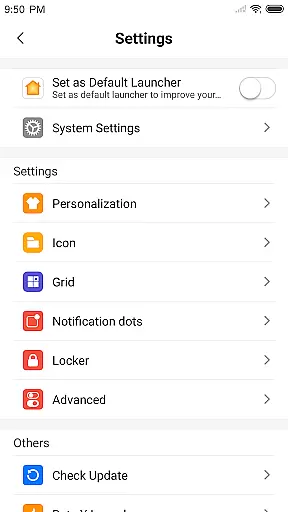
Advanced customization options include icon modification, grid layout adjustments, and creating flat-style folders by merging apps. The ability to hide specific apps adds a layer of privacy, while the latest wallpapers and rich icon library complete the personalized experience.
In the realm of digital creativity, having a comprehensive suite of tools is essential for bringing artistic visions to life. X Launcher Pro rises to the occasion by offering an extensive array of features that cater to design enthusiasts and professionals alike. The App Manager allows users to swiftly organize and access their local apps, streamlining workflow and boosting productivity.
One standout feature is the Theme Store, which houses a diverse collection of themes adaptable to user preferences. This flexibility ensures that creators can customize their interface to match their current project or mood, fostering an environment conducive to creative exploration. Additionally, the Latest Wallpaper option provides a rich library of icons and wallpapers, further enhancing personalization options.
X Launcher Pro also empowers users with high levels of customization. From altering app icons and names to adjusting the layout grid of the launcher itself, every aspect of the user experience can be tailored. This level of control not only enhances aesthetic appeal but also enables users to optimize their workspace for maximum efficiency.
The ability to manipulate canvas size and format is crucial for designers who need to adapt their work across various platforms and mediums. X Launcher Pro addresses this need through its versatile design options, ensuring that users can modify their digital space to fit specific requirements. With functionalities such as creating Flat Style Folders by simply dragging one app onto another, it simplifies file organization while maintaining a sleek, modern look.
Moreover, the Hide Apps feature offers a strategic advantage by allowing users to conceal applications they prefer not to display on their launcher. This function contributes to a decluttered workspace, enabling creators to focus on their projects without unnecessary distractions. Such thoughtful design elements underscore X Launcher Pro's commitment to providing a seamless user experience.
Storage permission is requested not merely for operational purposes but also to enrich the creative process. By saving downloaded themes and wallpapers, users gain the freedom to experiment with different visual styles and formats. This flexibility ensures that artists can continually evolve their digital canvas, adapting it to suit new ideas and inspirations as they arise.
Ad-free experience
Highly customizable
Intuitive app management
Variety of themes
Enhanced privacy controls
Storage permission required
Limited to Android devices
Premium version cost
Complex for beginners
Occasional UI glitches

Vidu is an AI video generator made for creators and aspiring makers.
 3.30
3.30
Learn how to draw with step-by-step tutorials, fun lessons & multiplayer drawing
4.70
Art of Combination Wear OS Watch faces (for Wear OS 5+ devices)
3.00
Custom Character Creator & PFP Maker!
4.20
Create stylish invitation cards using templates for weddings, birthdays & RSVP.
4.20
Art of Combination Wear OS Watch Faces
4.1
Draw glowing spinners, relax, and spin your creative art
4.60
Painting, drawing, & sketching
4.50
Powerful home decoration & house design that allows you to design dream home.
3.80
Create stunning art with AI.
4.80
Logo Generator powered by AI: Create stunning logos effortlessly!
4.70
Image resizer to resize, crop, rotate, flip, change dpi photo or picture in bulk
4.60
Unleash your drawing and painting potential
4.50
Photo blender app to create overlay photos & double exposure.
4.40
Everything you need to create hand drawn animation, anywhere you go!
4.40
AI generated images & photos, turn your words into drawing, painting & pictures.
4.30
Trace, draw, and create art with AR - from memes to masterpieces!
4.30
Beauty Camera - Selfie Camera is the ultimate beauty camera and selfie app
4.30
Design unique, funny and adorable cat stickers that reflect your own style!
3.80


User Reviews