
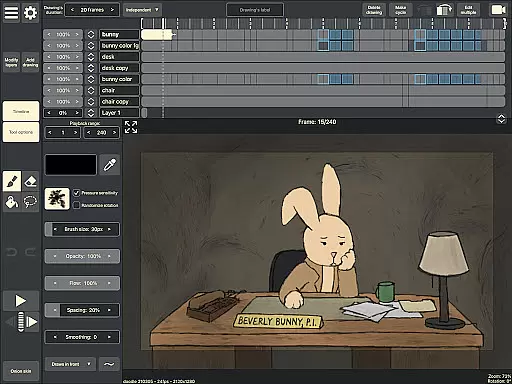
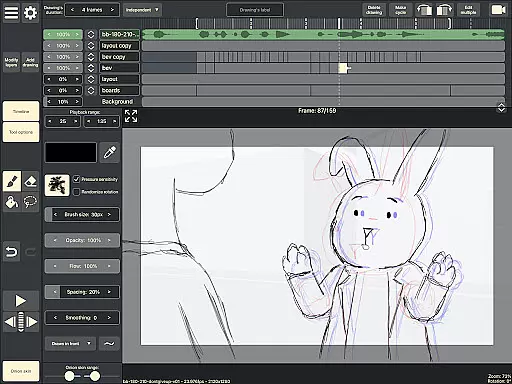
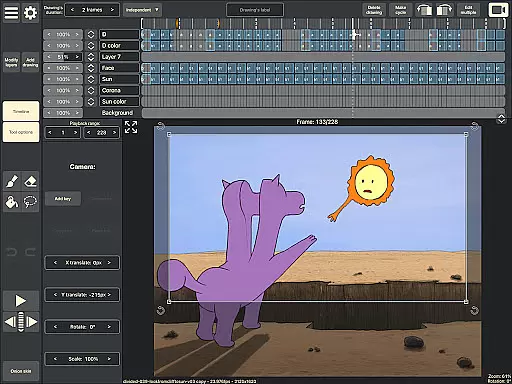
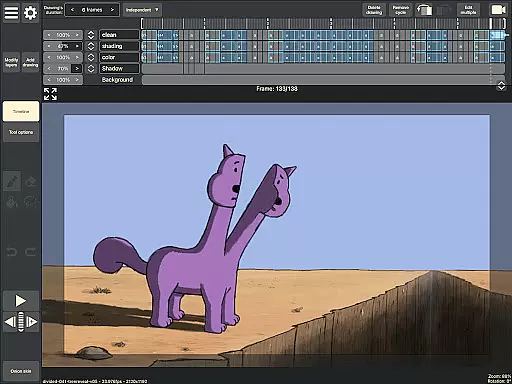
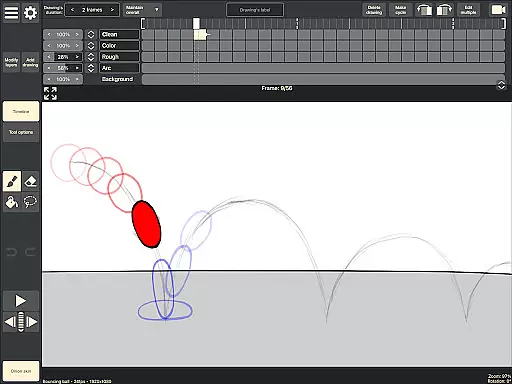
RoughAnimator is a professional-grade hand-drawn animation app designed for both Android tablets and smartphones. This powerful tool provides animators with everything needed to create traditional frame-by-frame animations on the go. With its robust feature set, it caters to professional animators while remaining accessible to beginners.
The application offers an intuitive timeline interface with unlimited layers, customizable exposure settings, and essential animation tools like onion skinning and preview playback. Users can import audio for lip-syncing, video for rotoscoping, and export their work in various formats including Quicktime video, GIFs, or image sequences. The app's compatibility with industry-standard software makes it an indispensable tool for digital artists.
RoughAnimator stands out with its comprehensive set of animation features tailored for creative professionals. The app's timeline system supports unlimited layers and allows precise control over each frame's exposure length, making it suitable for both pose-to-pose and straight-ahead animation techniques.
Artists can utilize advanced tools such as onion skinning for better frame referencing, custom brushes for unique drawing styles, and pressure-sensitive support for devices like Samsung S-Pen. The ability to import audio and video expands creative possibilities, while the option to export projects in multiple formats ensures compatibility with professional animation software including Adobe Animate and Toon Boom Harmony.
Creative tools form the backbone of any design application, and RoughAnimator excels in providing a comprehensive suite tailored for animators. This app offers unlimited layers on a timeline, custom brushes, and support for pressure-sensitive devices like the Samsung S-Pen, ensuring that both professional animators and beginners have everything they need.
The inclusion of onion skinning, pose-to-pose animation features, and adjustable exposure lengths allows users to create frame-by-frame animations with precision. These tools are crucial for maintaining creative control and achieving the desired artistic effect in every project.
Additionally, RoughAnimator supports importing audio for lip-syncing and video for rotoscoping, which broadens the scope of projects that can be undertaken. Animators can also preview playback and scrub along the timeline, making it easier to fine-tune their work before exporting it to various formats such as Quicktime video, GIF, or image sequences.
Flexibility in canvas and format options is essential for accommodating diverse creative visions, and RoughAnimator provides this through its versatile export capabilities. Users can export their animations to Quicktime video, GIF, or image sequences, allowing them to integrate their work into different platforms and workflows seamlessly.
The app's ability to control frame rate and resolution ensures that animators can tailor their output to specific requirements, whether for high-definition video or optimized web content. This adaptability is crucial for delivering professional-quality results across various mediums.
Furthermore, RoughAnimator projects can be imported into industry-standard software like Adobe Flash/Animate, After Effects, and Toon Boom Harmony. This compatibility enhances workflow efficiency and enables animators to leverage advanced post-production tools, thus expanding the creative possibilities beyond the mobile environment.
Professional-grade tools
User-friendly interface
Cross-platform compatibility
Extensive format support
Industry-standard integration
Steep learning curve
High system requirements
Limited free features
No automatic backups
Occasional performance issues

Vidu is an AI video generator made for creators and aspiring makers.
 3.30
3.30
Create color palette from Image, RGB & RYB Color wheel harmonies, Color Scheme
4.50
Convert image to JPG PNG HEIC PDF, support almost all kinds of image formats
4.70
AI Art Generator transforms your words into AI generated art & paintings.
3.70
AR Anime Drawing: How to draw anime with AR drawing & sketching apps!
4.00
Draw glowing spinners, relax, and spin your creative art
4.60
Resize photos and print photos in exact size with our powerful photo printer!
3.80
Turning simple sketches into captivating tales filled with life and motion
3.90
AI Tattoo Generator: Create Tattoo Designs & Get Ideas! Ink & Stencil Maker
4.50
Your AI soulmate — meaningful chats, and unique emotional moments
4.70
Castle is social media for creating and playing games!
4.60
Share the joy of painting with ibis Paint! Drawing anime and manga art.
4.50
Nano Banana AI Image Generator, Anime Filter, AI Portrait, AI Photo Generator
4.30
Design unique, funny and adorable cat stickers that reflect your own style!
3.80
Powerful home decoration & house design that allows you to design dream home.
3.80
Experience next-gen icons with a modern liquid glass look.
3.60
Create trending AI photos & videos with powerful effects and 3D styles.
3.20
Meet the magic aı 3d photo generator and smart AI video generator app.
3.20
Retouch photos. Create or edit images. Endless capabilities.
2.70


User Reviews