
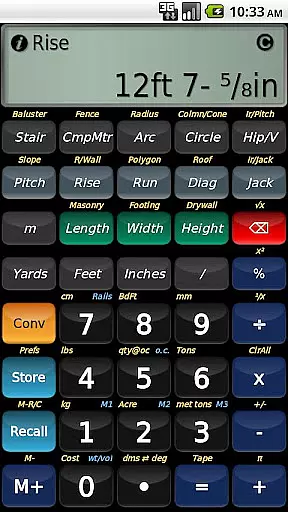
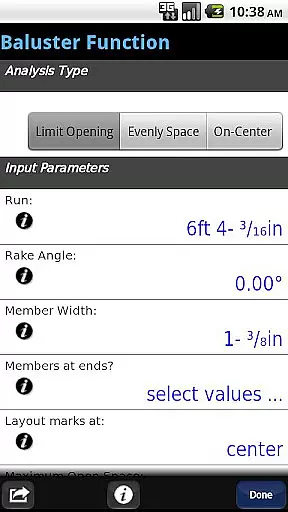
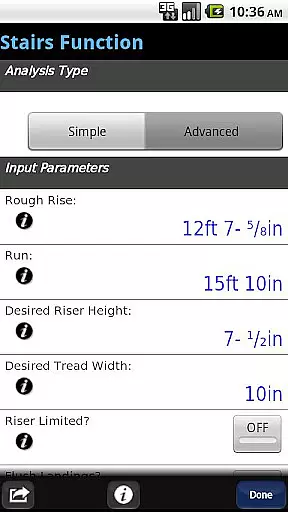
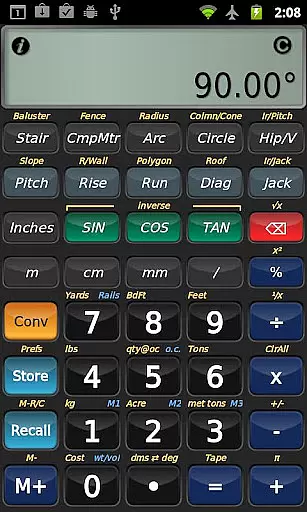
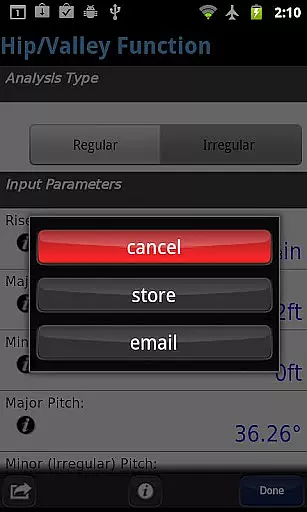
BuildCalc is a comprehensive construction calculator app designed to provide more functionality and accurate answers while reducing complexity and hassle. The app offers advanced features such as the Baluster Function for precise railing layouts, Stair Function with dimensioned drawings, and interactive tools that automatically update results when input values change. Its user-friendly design ensures ease of use, making it an essential tool for construction professionals.
In addition to its robust feature set, BuildCalc allows users to customize their experience by adding custom sizes for masonry work, drywall sheets, and more. With capabilities like Full Daylight Visibility Mode and emulation of Construction Master® Pro functions, BuildCalc stands out as a versatile and powerful solution in the construction industry. Whether you're laying out a staircase or calculating materials for a fence, this app streamlines the process and delivers professional-grade results every time.
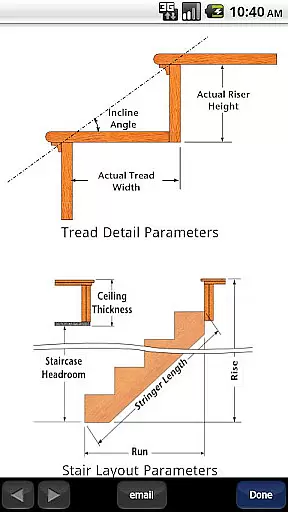
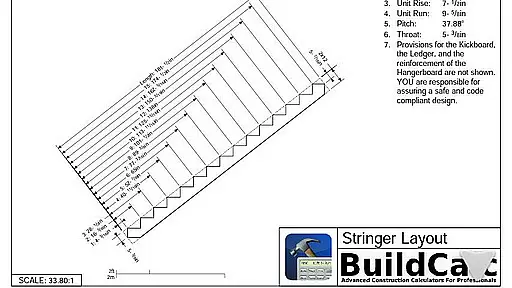
BuildCalc distinguishes itself through a range of sophisticated features tailored for construction professionals. One standout feature is the Advanced Stair function, which not only provides detailed stair layouts but also generates dimensioned drawings of the Stringer and Finished Staircase that can be shared via email as PDFs. This allows users to easily communicate plans with clients or team members. Additionally, the app's interactive functions enable seamless adjustments to input values without needing to remember specific key sequences, ensuring dynamic and flexible calculations.
Another remarkable aspect of BuildCalc is its ability to store custom sizes for various materials, eliminating the need for mental calculations. Users benefit from innovative tools like the automatic switch between Miter Saw and Protractor results, Sheathing Angles, Purlin Angles, and much more. These features collectively contribute to increased productivity on-site by simplifying complex tasks and providing clear, actionable data at your fingertips.
In the realm of construction, collaboration is key to successful project completion. BuildCalc enhances this aspect by offering advanced interactive functions that allow seamless adjustments without confusion.
Professionals can now modify input values across various calculations such as Stair, Baluster, and Compound Miter functions with automatic updates to results. This eliminates the need to remember specific key sequences, fostering a more intuitive and collective working environment.
Moreover, the app provides comprehensive help and checklists for complex tasks like Hip Rafter or Stair calculations, ensuring all team members, regardless of expertise level, can achieve accurate outcomes efficiently.
By streamlining these collaborative work features, BuildCalc not only boosts productivity but also ensures that every member involved in a construction project can contribute effectively without being hindered by complicated interfaces.
Effective task management is crucial in construction projects where precision and timing are paramount. BuildCalc addresses this need by simplifying traditionally complex processes into manageable tasks through its innovative features.
The application allows users to save results from advanced functions, enabling them to recall complete sets of data conveniently. This feature transforms intricate calculations into straightforward tasks that can be revisited and revised as needed.
Additionally, with capabilities like Drywall and Masonry 'Room Mode', users can swiftly calculate requirements for entire rooms with minimal input, reducing time spent on repetitive calculations and allowing more focus on execution.
By integrating these efficient task management tools, BuildCalc empowers users to handle multiple aspects of their projects with increased control and reduced complexity, leading to improved overall project efficiency.
User-friendly interface
Advanced calculation tools
Customizable material sizes
Interactive input adjustments
Professional layout drawings
May have a learning curve
Not affiliated with Construction Master
Requires device space
Some features may overwhelm new users
Premium cost for full access

AI-powered document scanner with auto enhance for perfect PDFs.
 4.60
4.60
Ask Accio anything about business. Alibaba-backed, built by experts, not just AI
4.60
TurboScan turns your phone into a full-featured PDF document scanner.
4.80
Finance, Investing, Stocks, Trading and Stock news
4.60
enjoy effortless PDF reading anytime, anywhere
3.90
Master crypto trading with real-time simulations and exciting challenges!
4.50
USPS Mobile®Access USPS.com’s most popular tools on-the-go.
4.70
Find part-time earning opportunities near you that pay within days.
3.20
Smarter career moves start here. AI job alerts, insights & the right tools.
4.20
Job search app that finds jobs for you! Takes the work out of looking for a job!
4.90
Permission Guard is a security app that helps you manage app permissions.
4.80
Make invoices, bills, receipts & estimates on the go with Invoice Generator.
4.70
Mobile POS for any business: sales, invoices, retail, restaurants & appointments
4.60
Paychex Flex - Save Time and Stay Connected
4.60
Earn crypto with secure cloud mining. Monitor, track & withdraw easily
4.40
Simple, Fast & Lightweight
3.90
All document reader, pdf viewer app, read docs & excel files
3.80
Windows App allows you to connect to remote PCs and virtual apps.
3.70
Convert Your Lovable.dev Website into a Mobile App Instantly!
4.0


User Reviews