
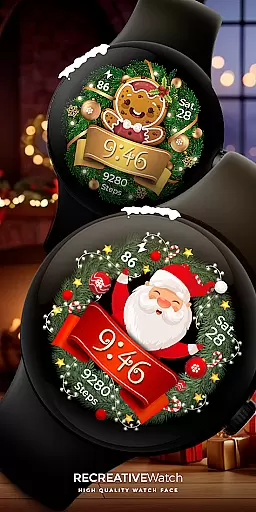
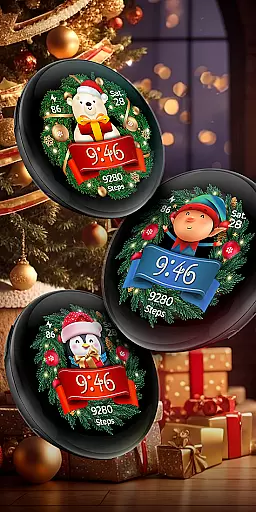

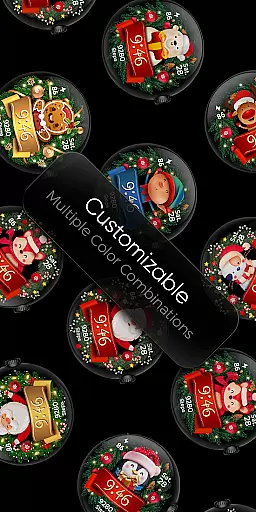
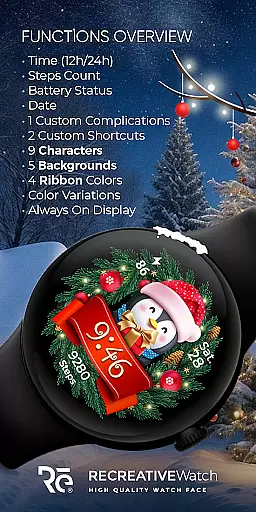
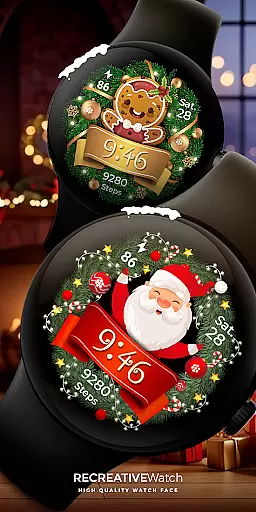
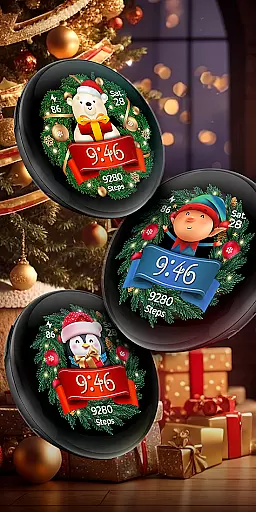
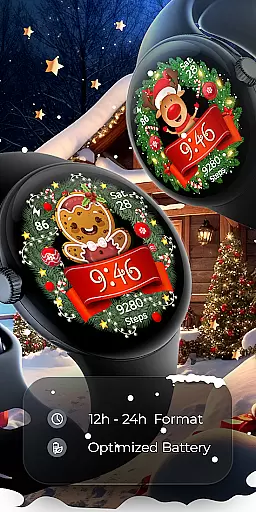

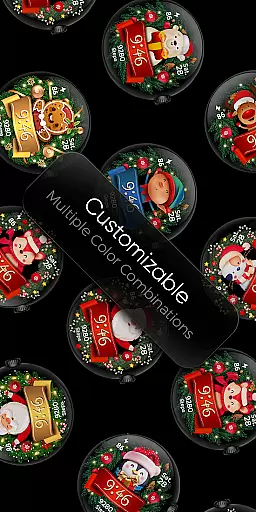
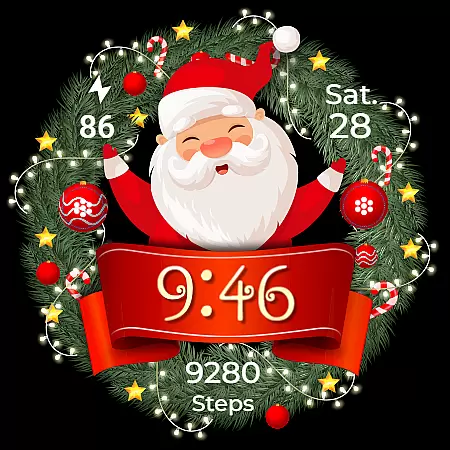
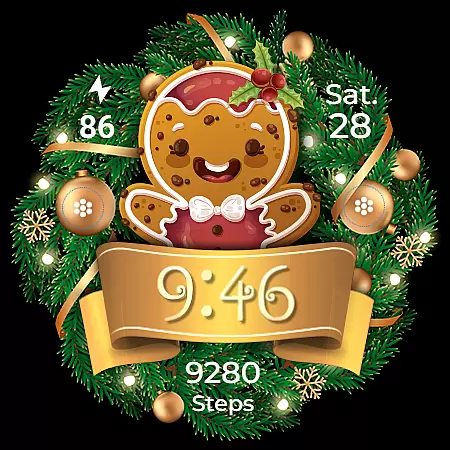
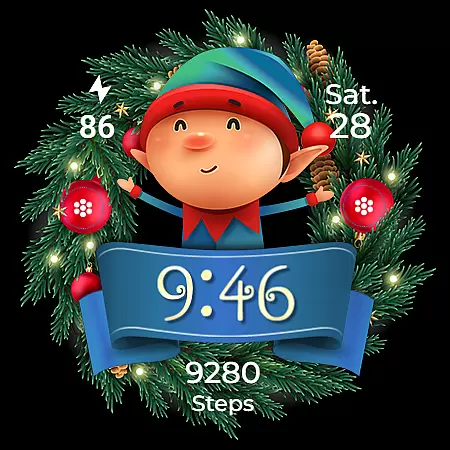
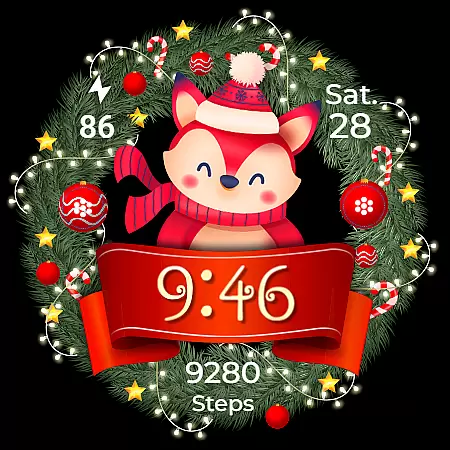
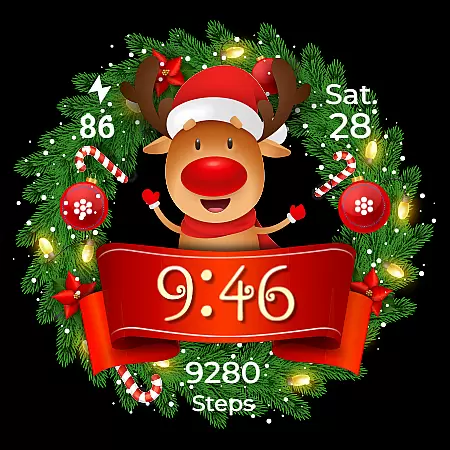
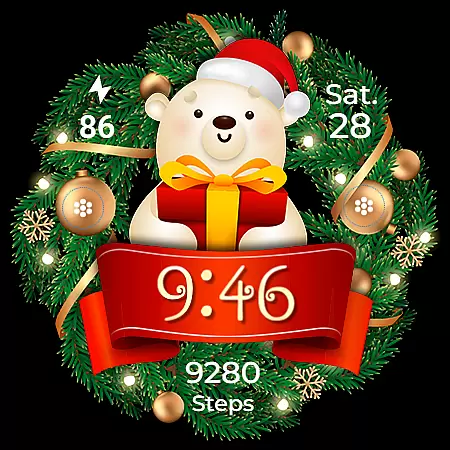
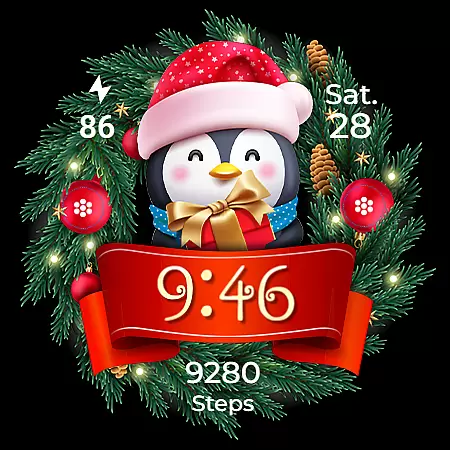
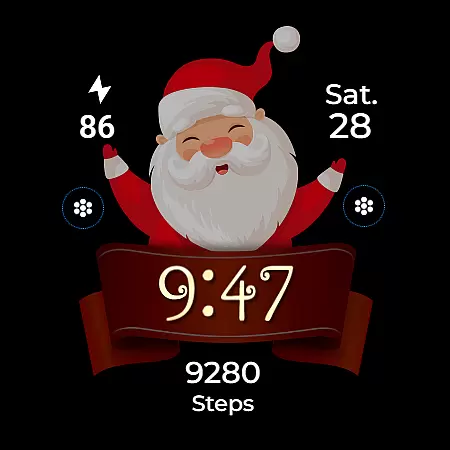
Christmas Frame is a festive-themed watch face app designed specifically for Wear OS devices. This application allows users to decorate their smartwatch screens with holiday-inspired designs, featuring a wreath-style frame that can be customized with various holiday characters such as Santa, a reindeer, snowman, or an elf. Beyond its decorative appeal, the app also provides practical functionalities including digital time display, date, battery status, and step count.
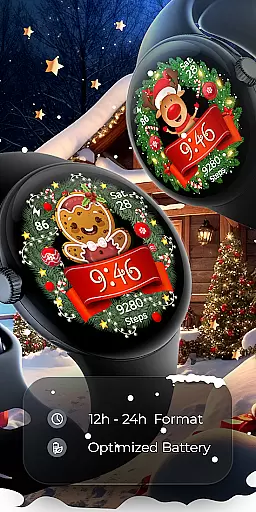
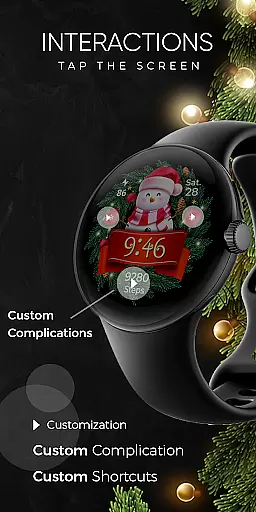
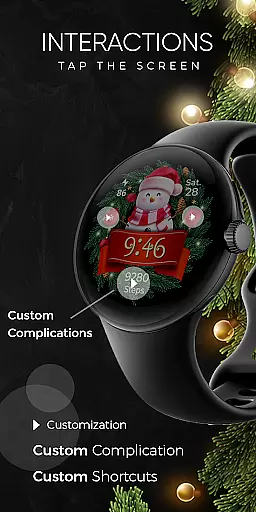
The watch face supports both 12-hour and 24-hour time formats and includes customizable complications and shortcuts, offering users the flexibility to tailor their watch face to their personal preferences. With support for Always ON Display and multiple background options, Christmas Frame ensures that users can enjoy both style and functionality on their wrists during the holiday season.
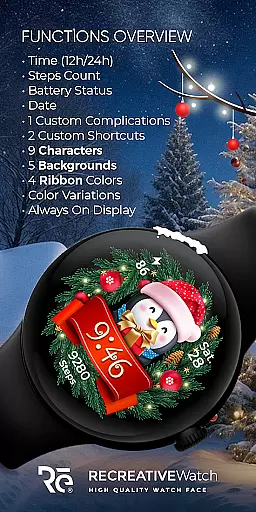
Christmas Frame stands out with its rich set of features tailored for the holiday season. The app offers five unique backgrounds and nine selectable characters, allowing users to personalize their watch faces extensively. Users can choose from four different ribbon colors to complement their selected character, creating a truly customized look for their Wear OS device.
In addition to its customization capabilities, the app provides essential features like digital time display in both 12h and 24h formats, date tracking, battery level indication, and step counting. The inclusion of one customizable complication and one shortcut further enhances user interaction, while the Always ON Display feature ensures important information remains accessible at all times. These comprehensive features make Christmas Frame not only a festive accessory but also a practical tool for daily use.
Companion app integration is essential for a seamless wearable experience. Christmas Frame offers a dedicated mobile application that simplifies the installation process and helps users locate the watch face on their Wear OS devices.
The phone app acts as a facilitator, ensuring that users can effortlessly manage and access the festive watch face. This streamlined approach allows for quick setup and easy customization, enhancing user engagement with the holiday-themed design.
While the mobile app contains ads, it remains a crucial tool for maximizing the utility of the Christmas Frame watch face. Users benefit from a hassle-free installation process and can fully leverage the unique features offered by this seasonal accessory.
Ensuring compatibility across various devices is vital for any Wear OS application. Christmas Frame supports API level 33+ devices, including popular models like Google Pixel, Galaxy Watch 4, 5, 6, and other Wear OS watches.
This broad compatibility ensures that a wide range of users can enjoy the festive wreath design on their smartwatches. By supporting multiple devices, Christmas Frame maximizes its reach and provides a joyful holiday experience to diverse users.
Moreover, the watch face comes with features such as Always ON Display support, customizable complications, and various background options. These elements collectively enhance the user experience, making it not only visually appealing but also highly functional across different Wear OS devices.
Holiday-themed design
Customizable characters
Always ON Display
Multiple complications
Step tracking included
Limited to festive seasons
Few background options
Ads in phone app
Character choices restricted
Battery usage concerns

A customizable Christmas watch face for Wear OS with a countdown.
 4.20
4.20
Watch the sharpness of the sky on your wrist..
3.70
Embrace the holiday spirit with this magical animated watch face!
4.40
Rose gold watch face with festive lights & customizable features.
4.60
A Wintery Snow Globe on Your Wrist; now celebrating Christmas!
4.1
Contemporary digital watch face with five complications
4.5
Stylish, Energizing and Modern Watch Face crafted by Dominus Mathias.
4.50
A digital watch face that celebrates Christmas.
4.00
Hybrid watch face for Wear OS with customizable complications by Matteo Dini MD
4.70
Monitor health with the stress test and pulse checker in the heart rate app.
4.60
Walking app for weight loss: walk & step tracker, pedometer, indoor treadmill
4.60
To-Do List: daily schedule planner, task organizer, to do reminder app, calendar
4.60
Premium hybrid watch face with many customizations for Wear OS devices.
4.40
Bold, Modern Hybrid Watch Face for Wear OS. 10 Colors, Rich Info Display.
4.30
Calming & relaxing sounds for sleeping and stress relief. Stay focused all day!
4.20
Embrace the festive spirit with our Christmas Countdown watchface for Wear OS
4.10
sleep, alarm, snoring, stress, healing, focus, sound therapy, circadian rhythm
4.10
Connect, create, and collaborate with Gmail, part of Google Workspace.
4.10
Animated Watch Face and Customizable with 24 Backgrounds. Perfect for Christmas!
3.90


User Reviews