
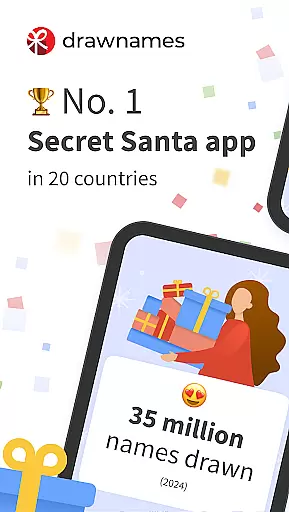
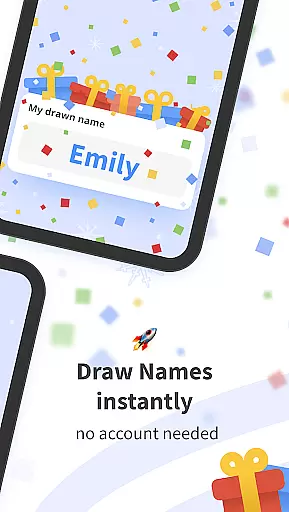
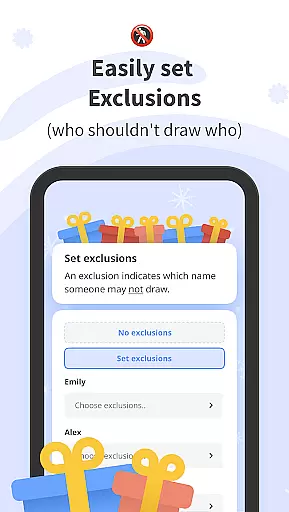
Drawnames is a versatile Secret Santa app designed to simplify gift exchanges and manage wish lists for various occasions. The app allows users to create groups, set exclusions, and draw names effortlessly, making it ideal for Christmas, birthdays, weddings, and more. With cross-device compatibility, participants can join from any mobile phone, tablet, or computer with a web browser.
The app offers features like personalized wish lists, gift inspiration with thousands of suggestions, and the ability to share invitations through popular messaging apps. Users can organize multiple gift exchanges and keep track of all events in one place. Drawnames eliminates the need for manual name drawing and paper tracking, offering a seamless digital solution for gift exchanges.
This app is particularly valuable for families, friends, and coworkers who want to streamline their gift-giving process while adding an element of fun and surprise. By providing tools for setting budgets, choosing dates, and managing participant details, Drawnames ensures a stress-free and enjoyable experience for all users.
Drawnames stands out with its array of practical features tailored for efficient gift exchange management. One key feature is the simple Secret Santa generator, which lets users set up exchanges in just three easy steps: creating a group, setting exclusions, and drawing names. This streamlined process saves time and reduces complexity, especially for large groups.
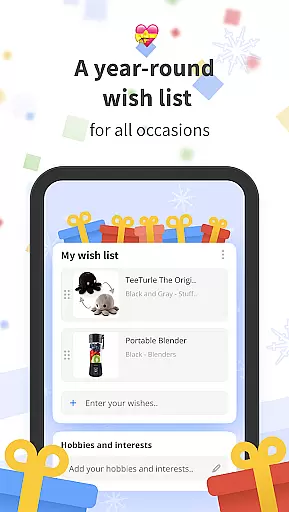
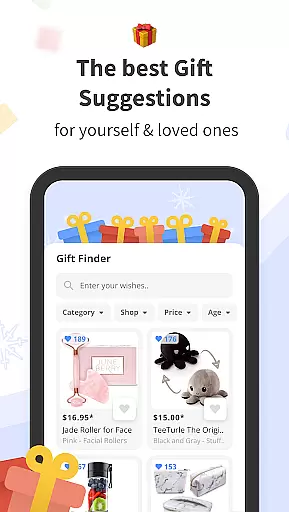
Another notable feature is the ability to create personalized wish lists. Participants can build and share their own lists, ensuring they receive gifts they truly desire. Additionally, the app provides gift inspiration by suggesting trending and popular items based on user preferences. This helps users discover unique presents that suit different occasions, from holidays to personal milestones.
Furthermore, Drawnames supports cross-device compatibility, enabling seamless participation regardless of the device used. Users can invite others via email, Messenger, or WhatsApp, making it convenient to include everyone. The app's flexibility extends to managing multiple exchanges, accommodating various events throughout the year without requiring an account, thus enhancing user accessibility and convenience.
At the heart of drawnames lies its core functionality, designed to simplify and enhance the experience of organizing gift exchanges. The app's Secret Santa generator is a prime example of this commitment to precision and ease of use. By allowing users to create groups, set exclusions, and draw names in just three straightforward steps, drawnames ensures that even the largest gatherings can enjoy a seamless process.
The effectiveness of drawnames extends beyond mere name drawing. It offers features such as personal wish lists and cross-device compatibility, which collectively contribute to a comprehensive gift exchange solution. Participants can effortlessly create and share their wish lists, ensuring that gift-givers have clear guidance on what to purchase. This not only streamlines the selection process but also enhances satisfaction by aligning gifts with recipients' desires.
Moreover, the app's ability to manage multiple gift exchanges simultaneously showcases its robust architecture. Users can organize events for different groupsu2014be it friends, family, or colleaguesu2014all from a single platform. This versatility is further complemented by the option to sign in and access groups across various devices, reinforcing the app's dedication to accessibility and convenience.
drawnames excels in providing an interface that is both simple and intuitive, making it accessible to users of all technical backgrounds. Upon downloading the app, users are greeted with a clean layout that requires no account creation, allowing immediate access to its full range of features. This approach eliminates unnecessary barriers, enabling users to focus on what truly mattersu2014the joy of giving and receiving gifts.
The app's design philosophy centers around minimizing complexity while maximizing utility. Key functionalities like setting exclusions, inviting participants via popular messaging apps, and browsing gift inspirations are presented in a manner that feels natural and unobtrusive. Such thoughtful design choices ensure that users can navigate through the app with ease, enhancing overall satisfaction and engagement.
Furthermore, drawnames supports flexible usage across different occasions, not limited to traditional holidays. Whether planning for festive seasons or personal milestones like birthdays and anniversaries, the app adapts seamlessly to diverse scenarios. Its intuitive controls and straightforward instructions empower users to customize their experiences, fostering a sense of ownership and delight in managing their gift exchanges.
User-friendly interface
No account required
Personalized wish lists
Cross-device compatibility
Gift inspiration suggestions
Limited advanced features
No offline functionality
Occasional ads
Dependent on internet connection
Basic design aesthetics

 4.50
4.50
Connect instantly to a fast, encrypted VPN with one tap
4.60
HD Camera captures every special moment.
4.60
Unit and currency converter with easy and simple UI.
4.80
Save any video in HD - paste the link, download fast and watch offline.
4.5
Family Locator, Share location, StayConnect with your family in real time
3.90
Safely recover deleted photos, videos, and files with a single easy tap.
3.70
Making emulation easy for everyone!
4.30
Pro Emulator is an easy to use game console emulator for a range of consoles.
4.40
Support Fossify apps with a warm thank you!
5.00
FV File Manager Pro, Fast and powerful file manager for Android
4.60
HD Video player and downloader for all formats, fast & smooth 4K video playback.
4.60
Planner and Tracker for Stardew Valley
4.60
Quickly switch to an encrypted DNS server on Android TV
4.50
Button mapper, mouse toggle, sleep timer and a lot of another features
4.50
Just one-tap to easy translate in any language after calls within seconds.
4.20
VESC Tool can monitor and configure VESC-compatible devices over BLE and Wifi
4.20
Create your own custom widget with endless possibilities
3.90
A recovery soft,it features photo recovery, video recovery, file recovery.
3.40
Honest Scratch app review—is it actually good for teaching kids to code? Real user insights on features, limitations, and learning outcomes.



User Reviews