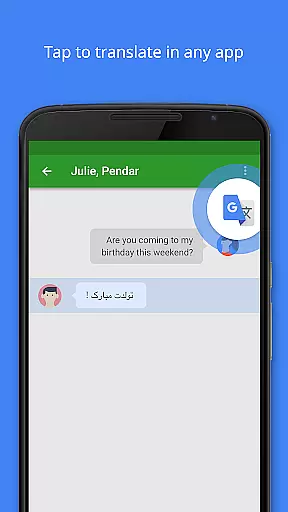
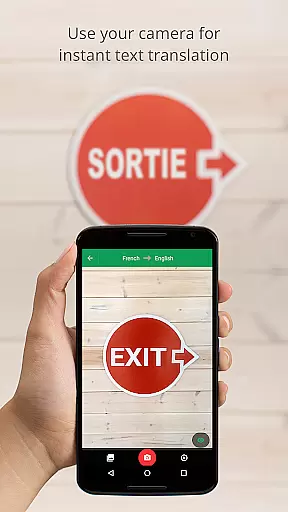
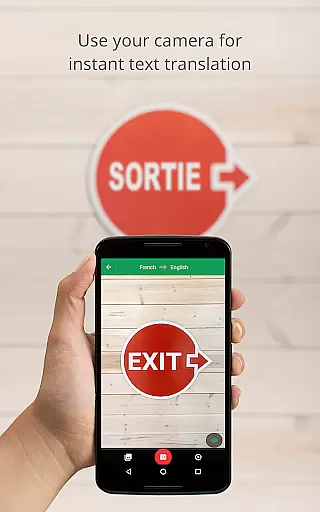
Google Translate is a versatile translation tool that supports text translation between 108 languages. It offers features like Tap to Translate, offline translation for 59 languages, and instant camera translation for 94 languages. The app also provides high-quality photo translations, real-time conversation translation, handwriting recognition, and a phrasebook for saving favorite translations.
The application's cross-device syncing allows users to access their saved phrases across multiple devices. Additionally, the Transcribe feature enables near real-time translation of spoken language. These capabilities make Google Translate an essential tool for travelers, students, and professionals who need quick and accurate translations in various contexts.
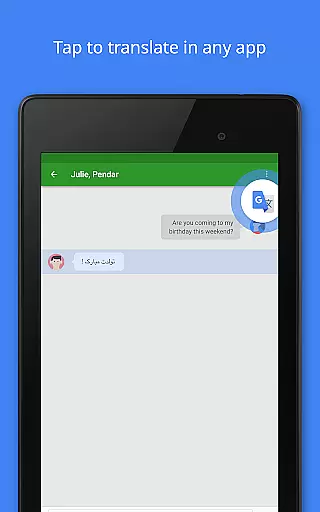
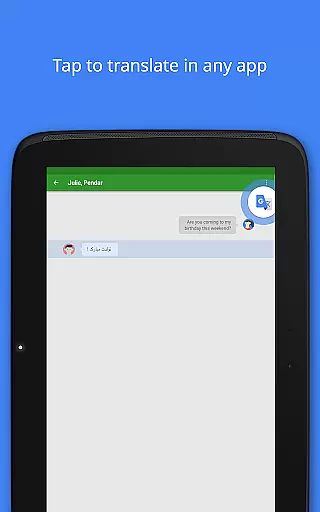
One of the standout features of Google Translate is its comprehensive language support, covering major global languages and even lesser-known ones. The Tap to Translate function allows seamless translation within other apps without switching screens. Offline mode ensures usability in areas with limited connectivity, while instant camera translation makes understanding foreign text as simple as pointing your device.
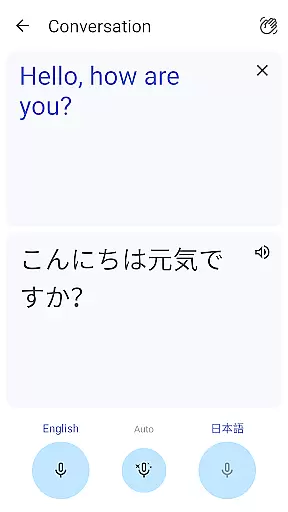
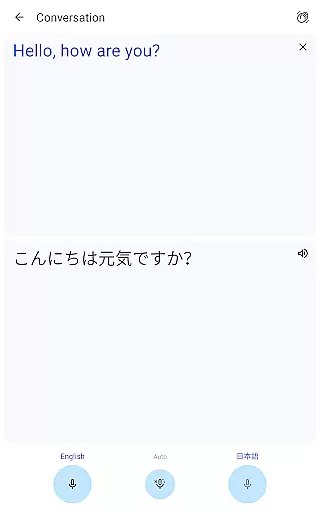
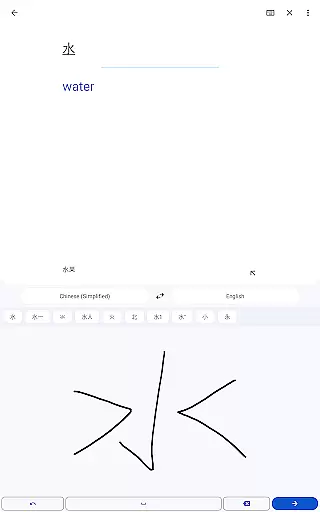
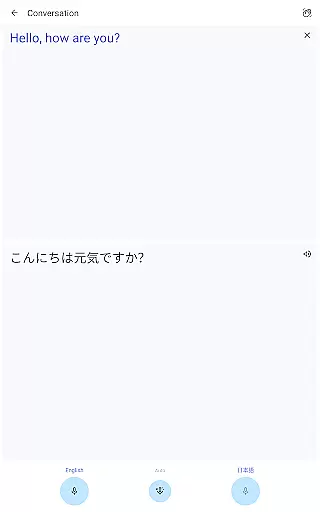
The app's conversation mode facilitates bilingual communication by translating spoken words in real time. Its handwriting recognition supports complex characters, and the phrasebook helps build personalized vocabulary lists. With cross-device syncing and transcription capabilities, Google Translate offers a complete solution for various translation needs, from casual travelers to business professionals requiring accurate multilingual communication.
Google Translate's core functionality lies in its ability to deliver accurate translations across multiple languages and formats. The app supports text translation between 108 languages, ensuring users can communicate effectively regardless of linguistic barriers. By incorporating advanced machine learning algorithms, the app provides precise translations for typed text, images, conversations, and even handwritten characters.
The application goes beyond basic text translation by offering specialized features such as Tap to Translate, which allows users to translate copied text from any app instantly. Additionally, the offline mode supports 59 languages, making it a reliable tool even without an internet connection. These capabilities highlight Google Translate's commitment to delivering effective solutions for various translation needs.
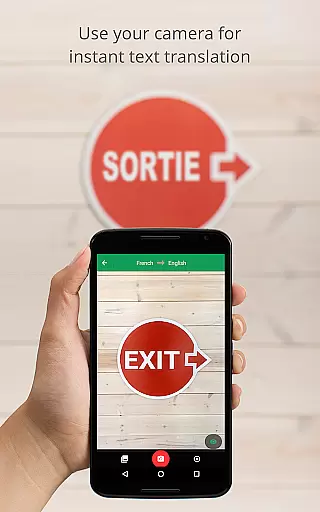
For users requiring visual assistance, the instant camera translation feature supports 94 languages, enabling real-time translation of text within images. This functionality is particularly valuable for travelers or professionals working in multilingual environments. With continuous updates and improvements, Google Translate ensures that its core functions remain both accurate and effective, providing users with a dependable translation tool.
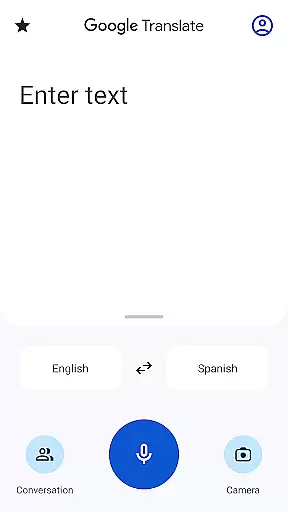
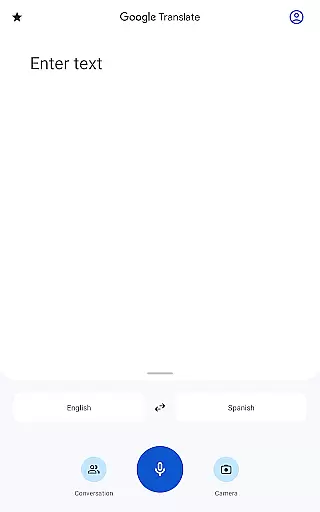
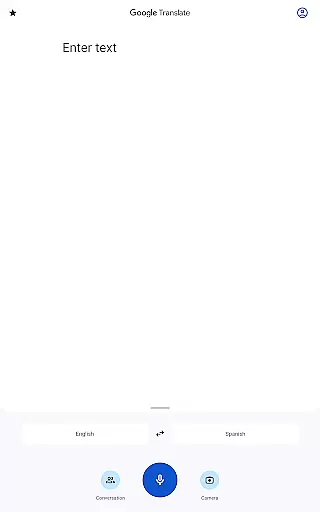
A key strength of Google Translate is its intuitive and user-friendly interface, designed to simplify the translation process for users of all technical backgrounds. The app's layout is clean and straightforward, allowing users to quickly access essential features such as text input, voice recognition, and camera-based translation without unnecessary complexity.
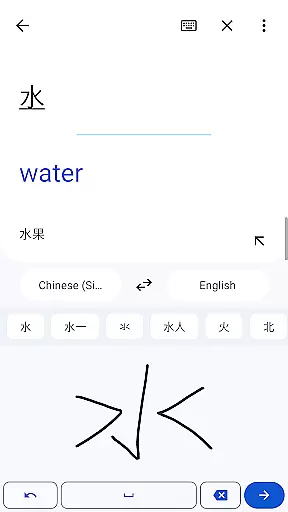
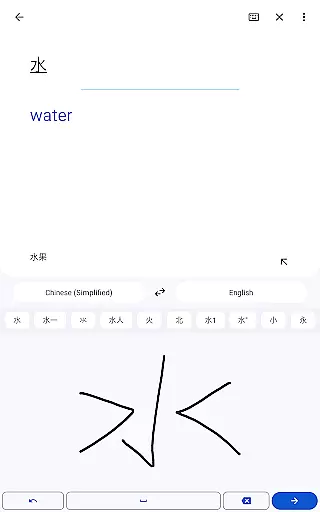
The interface supports multiple input methods, including typing, speaking, drawing characters, and capturing images, all integrated seamlessly into the main screen. This versatility ensures that users can choose their preferred method of interaction while maintaining a smooth experience. For instance, the handwriting feature accommodates 96 languages, enabling users to draw unfamiliar characters directly on the screen for immediate translation.
Additionally, Google Translate incorporates helpful tools like the phrasebook, which allows users to save frequently used translations for future reference. The cross-device syncing feature further enhances usability by enabling users to access their saved phrases across multiple devices. These thoughtful design elements demonstrate how Google Translate balances simplicity with powerful functionality, creating an intuitive experience that meets diverse user needs.
Wide language support
Offline functionality
Instant camera translation
Real-time conversation mode
Cross-device syncing
Limited offline languages
Occasional inaccurate translations
Requires internet for best results
Some features need permissions
Ads in free version

 4.50
4.50 4.50
4.50
A powerful, easy-to-use flight computer on your phone or tablet!
3.80
HD Camera captures every special moment.
4.60
Learn the vast amount of system information about device and monitor it's state
4.70
Remote for Roku, Fire TV, Samsung TV, LG TV, Android TV, Chromecast and VIZIO TV
4.20
Small and simple app to Verify Root Access and BusyBox Install!
4.70
Create your own live wallpaper or check out thousands already made presets
3.90
Creation, Learning, Entertainment & More — The All-in-One AI Search Engine
4.70
The ultimate tool for network analysis, wifi scanning and problem detection.
4.90
Excellent scientific calculator with symbolic algebra, integrals, derivatives
4.80
FV File Manager Pro, Fast and powerful file manager for Android
4.60
App to pay for FUTO Keyboard
4.60
eXtended Permission Manager - a small app to manage permissions and AppOps
4.50
Screen Mirroring for Roku Sticks, Roku TCL TV and Roku Hisense TV
4.50
Button mapper, mouse toggle, sleep timer and a lot of another features
4.50
MS-DOS in your pocket. Play old DOS games anywhere you are ;)
4.10
Safely recover deleted photos, videos, and files with a single easy tap.
3.70
Save any video in HD - paste the link, download fast and watch offline.
4.2
Honest Scratch app review—is it actually good for teaching kids to code? Real user insights on features, limitations, and learning outcomes.



User Reviews