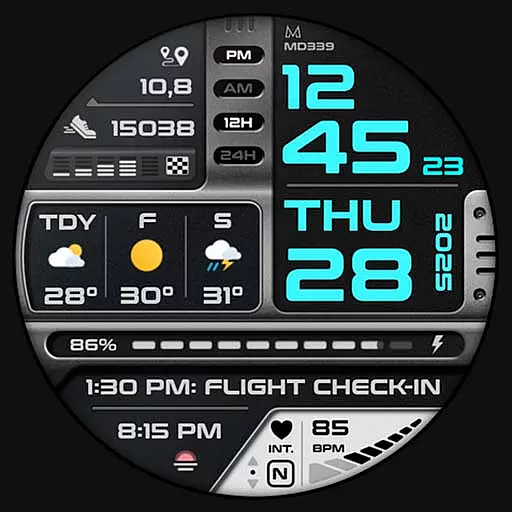
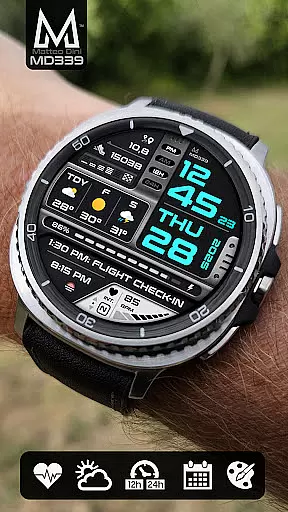
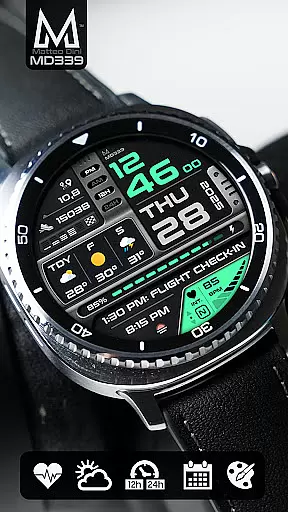
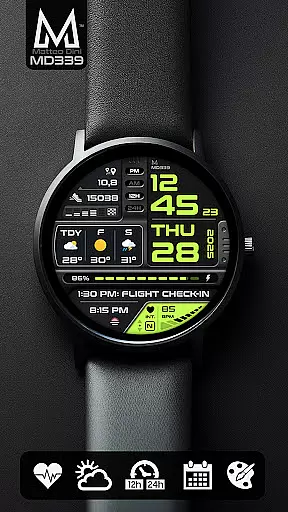
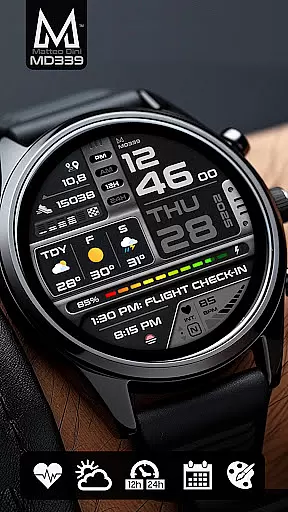
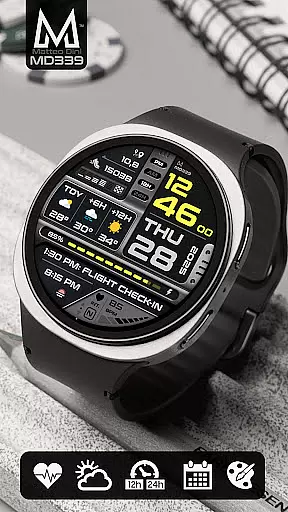
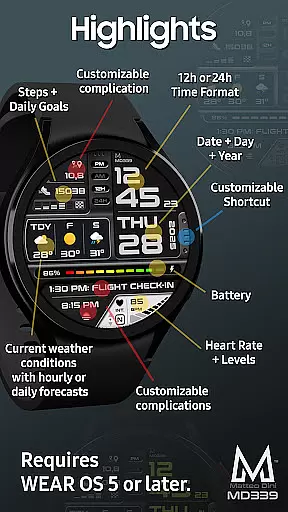
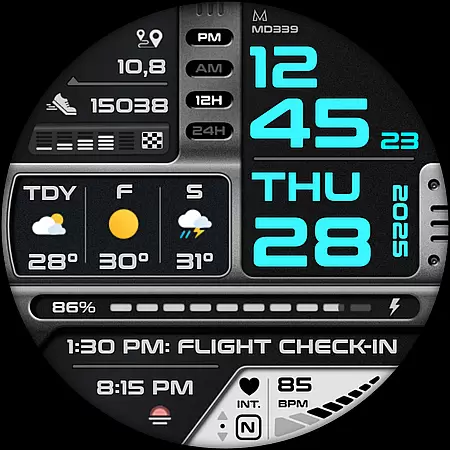
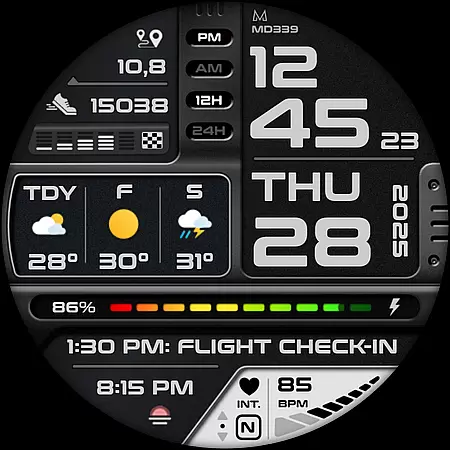
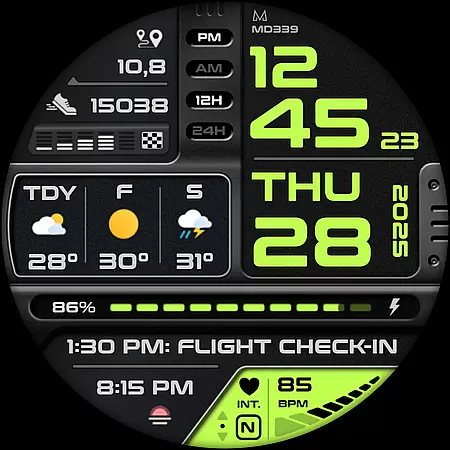
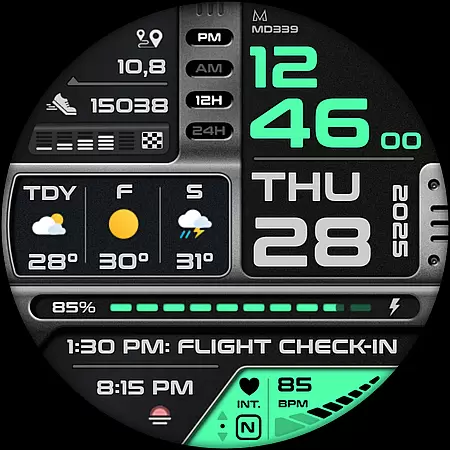
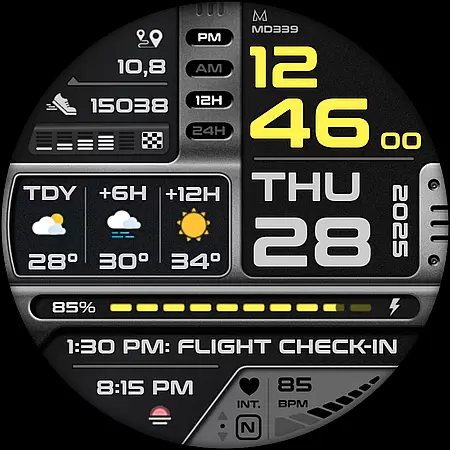
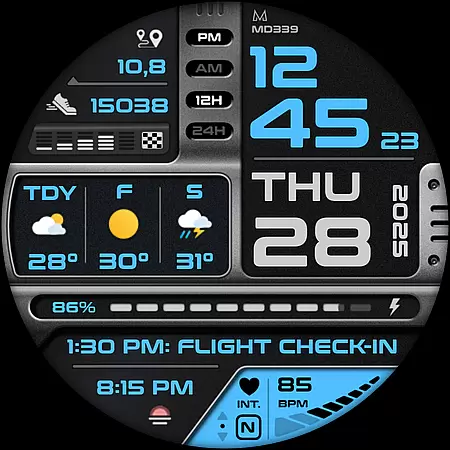
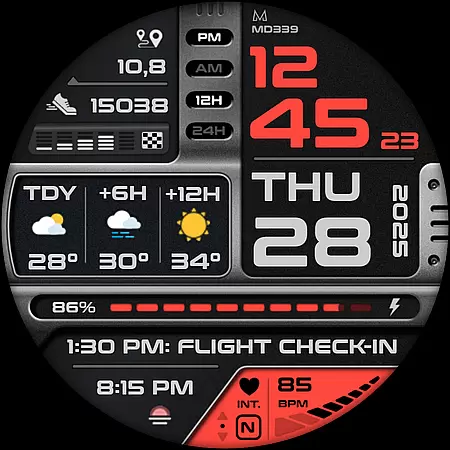
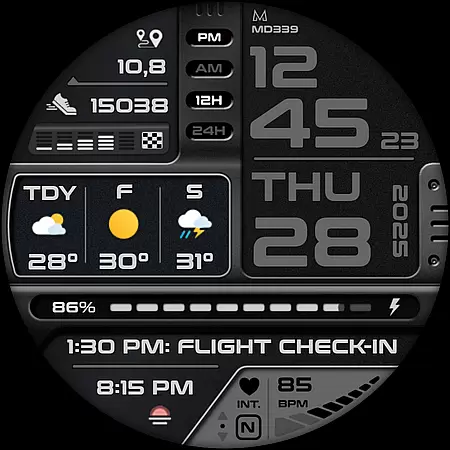
MD339 Digital watch face offers a modern and customizable experience for Wear OS users. This advanced watch face supports devices with API Level 34+ and newer models like Samsung Galaxy Watch 4-8, Ultra, and Pixel Watch. It features six preset app shortcuts including Calendar, Battery, and Weather, along with one customizable shortcut.
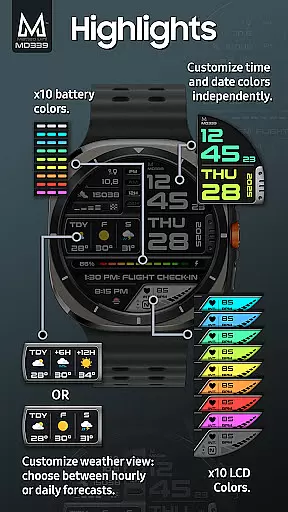
The watch face provides three customizable complications allowing users to display preferred data such as barometer readings, distance walked, calories, UV index, and weather forecasts. With full customization options, users can independently change time/date colors, fonts, battery indicator color, heart rate LCD color, and choose between light/dark themes. The Always On Display Mode offers both minimal and full modes, ensuring utility while preserving battery life.
MD339 Digital watch face stands out with its rich feature set tailored for personalization and functionality. Users can enjoy either 12/24hr time format syncing with phone settings, date, day, year display, heart rate monitoring, step tracking with daily goals, and a battery meter. The weather feature uses the watch's built-in provider to show current conditions and allows choosing between daily or hourly forecasts.
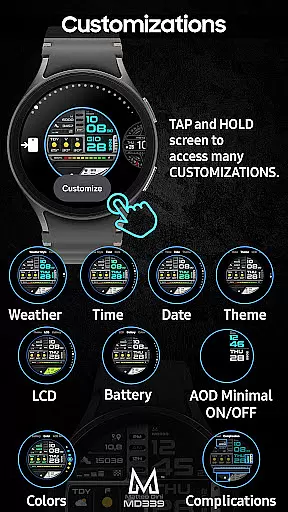
Customization is at the core of MD339, enabling users to touch and hold the screen, then tap 'customize' to personalize their watch face. Options include setting up complications that pull data from health metrics, world clock, barometer, and more. Note that some complications require additional apps which are managed externally. Daily weather forecast visibility may be limited during certain hours due to provider issues, but hourly forecasts remain accessible.
Companion app integration is essential for a seamless smartwatch experience. The MD339 Digital watch face excels in this area by offering full compatibility with your smartphone settings, ensuring that features like time format, weather data, and unit preferences are automatically synced.
This watch face supports advanced functionalities such as displaying current weather conditions and forecasts directly on your wrist. Users can choose between daily or hourly forecasts based on their preference, all powered by the phone's built-in weather provider. This ensures you stay informed about temperature changes, UV index, chance of rain, and more without needing a separate weather app.
The customization options further enhance the companion app experience. With 6 preset app shortcuts including Calendar, Battery, Heart Rate measurement, Alarm setting, Steps tracking, and Weather, users can quickly access their most-used features. Additionally, one customizable shortcut allows personalization based on individual needs.
All these features work harmoniously across Wear OS devices with API Level 34+ (Wear OS 5 and later versions), making it compatible with Samsung Galaxy Watch 4-8, Ultra, Pixel Watch, and others. This comprehensive integration ensures that your smartwatch becomes a true extension of your smartphone, enhancing both convenience and functionality.
Device compatibility is crucial when selecting a digital watch face, and the MD339 offers extensive support for modern Wear OS devices. Designed to work seamlessly with API Level 34+ (Wear OS 5 and later versions), this watch face is optimized for Samsung Galaxy Watch 4-8, Ultra, Pixel Watch, and other similar devices.
One of the standout features is its ability to adapt to different device capabilities. For instance, while older Galaxy Watch models may encounter customization issues due to hardware limitations, newer devices fully leverage the advanced features. These include displaying health metrics like heart rate monitoring, step counting with daily goals, and even barometer readings through customizable complications.
The MD339 also supports various display formats, allowing users to view data in either 12-hour or 24-hour formats depending on their phone settings. Furthermore, it provides an always-on display mode with minimal and full modes available, ensuring important information remains accessible at a glance without excessive battery drain.
While some features might not be available on all watches due to hardware constraints, the overall compatibility ensures that most users can enjoy a rich set of functionalities. Whether you're tracking your fitness progress or staying updated with weather forecasts, the MD339 Digital watch face delivers a versatile and reliable experience across supported devices.
Highly customizable
Modern design
Feature-rich
Supports latest Wear OS
Active user support
Older model issues
Weather dependency
External complications
Limited free features
Complex setup

Gym Log & Workout Tracker | Fitness Journal, Training & Weight Lifting Planner
 4.90
4.90
The most customizable minimal watch face. For Wear OS 5.0, API 34+ and later
4.70
Kia Access makes getting your vehicle information easier than ever
4.60
The ultimate destination for kids ages 3-8 to explore the Marvel Universe!
4.30
Get helpful reminders, take progress photos and find answers to your questions.
3.90
Stylish, Energizing and Modern Watch Face crafted by Dominus Mathias.
4.50
Retro digital watch face with customizable colors and a unique lighting effect
4.60
Your local weather forecast, storm tracker, radar maps & live weather news
3.40
Simple, helpful messaging by Google
4.60
Walking app for weight loss: walk & step tracker, pedometer, indoor treadmill
4.60
Nutrition, Macro tracker: Food, fitness & healthy diet tracking for weight loss
4.60
Real-time results, stats, schedules and player profiles for all leagues
4.60
Deck out your Wear OS Watch face with a beautifully decorated pine wreath!
4.50
Locate your family members by GPS phone location tracker everywhere and anytime
4.30
Precision analog watch face with 7 complications and style options
4.0
Christmas is near, let's count together the days left until Santa comes
4.0
Sleek, highly customizable watch face inspired by Galaxy Watch Circle Dashboard.
4.2
Funny animated watch face for Thanksgiving
4.5
Minimalistic design modern digital watch face.
4.3


User Reviews