
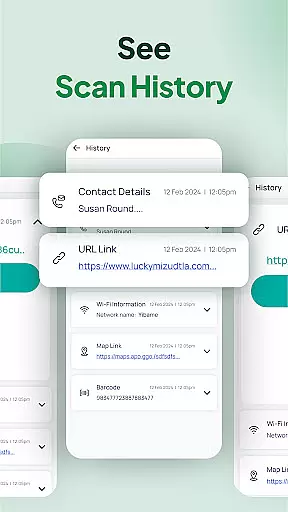
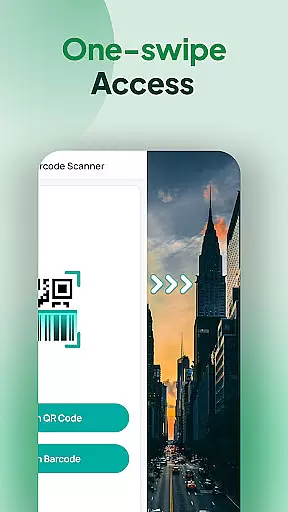
QR & Barcode Scanner Launcher is a powerful tool that allows users to scan QR codes and barcodes with remarkable speed and accuracy. The app's one-swipe access feature enables instant scanning directly from the home screen, making it incredibly convenient for users who frequently engage in scanning activities. Whether you're accessing URLs, product details, or other encoded information, this app provides a seamless experience.
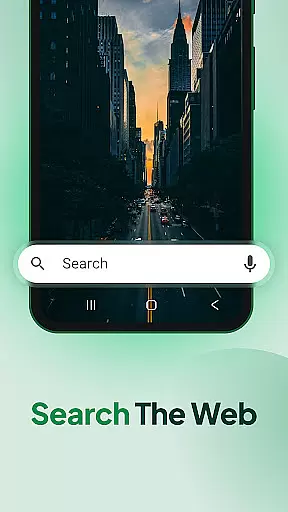
In addition to its primary scanning capabilities, the app offers several launcher functionalities that enhance the user's home screen experience. These include customizable widgets displaying time and weather, themed wallpapers, and shortcuts for quick access to scanning features. With added benefits like scan history, auto-copy to clipboard, and multiple search touchpoints powered by Yahoo, QR & Barcode Scanner Launcher ensures both efficiency and ease of use.
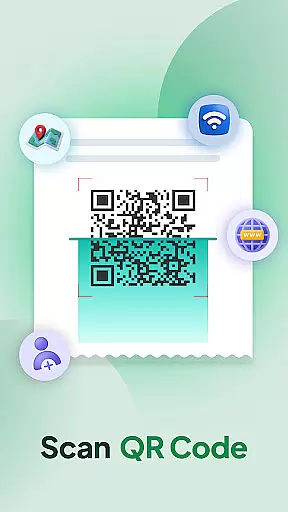
The QR & Barcode Scanner Launcher stands out due to its comprehensive set of features tailored for convenience and productivity. One of its key features is the ability to instantly decode QR codes using the smartphone's built-in camera. This functionality supports various types of QR codes, including Wi-Fi credentials, event invitations, contact details, and coupons, thus catering to a wide array of user needs.
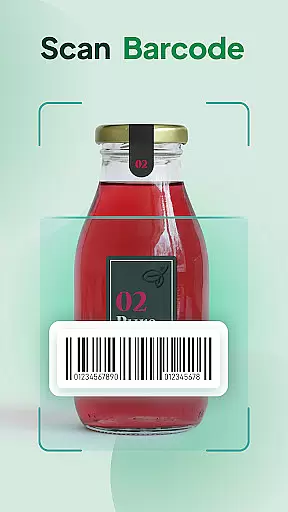
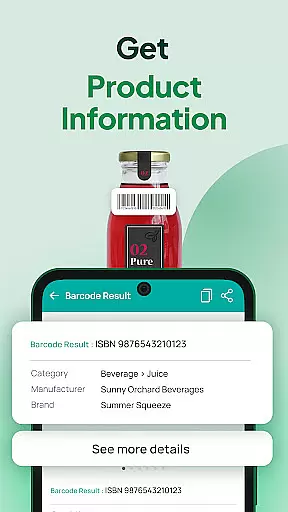
Another significant feature is the barcode scanner, which provides real-time product information, aiding users in making informed purchasing decisions. The app also includes a scan history function that organizes all previously scanned codes, allowing easy retrieval of important links and information. Furthermore, the auto-copy to clipboard feature eliminates manual copying tasks, while vibration or beep notifications confirm successful scans, enhancing the overall user experience.
When it comes to QR and barcode scanning, the core function accuracy and effectiveness of the QR & Barcode Scanner & Launcher app are unparalleled. This app leverages your smartphone's built-in camera to effortlessly scan any QR code or barcode with precision. The technology behind the app ensures that each scan is not only fast but also accurate, providing users with reliable data every time they use the service.
The app deciphers everything from URLs and Wi-Fi credentials to event invitations and contact details without a hitch. Its powerful scanning capability guarantees that whether you're accessing product information or utilizing a coupon, the result will be prompt and correct. This reliability establishes the app as an essential tool for both personal and professional use, where accuracy is paramount.
Moreover, the app includes features like Auto-copy to clipboard and Vibration or beep notifications, which enhance the user experience by streamlining the post-scan process. Users can expect the scanned content to be automatically copied, allowing for easy pasting elsewhere, while notifications provide instant confirmation of a successful scan. These thoughtful additions ensure that the app not only meets but exceeds user expectations in terms of functionality and performance.
The QR & Barcode Scanner & Launcher app excels in interface simplicity and intuitiveness, making it accessible to users of all tech backgrounds. With its one-swipe access feature, users can instantly initiate the scanning process simply by swiping right from their home screen. This seamless interaction eliminates unnecessary steps, offering a fluid user experience that saves time and effort.
In addition to the straightforward scanning process, the app provides a home screen widget that displays useful information such as the time and weather. This widget enhances the interface by keeping essential details within easy reach, thus simplifying the user's daily routine. Furthermore, the inclusion of a home screen shortcut to the scanner ensures that quick access to the app's primary function is always available.
Another aspect contributing to the app's intuitive design is the Scan History feature. By storing all previously scanned codes in one location, users can easily revisit important links or product details. This organizational tool reflects the app's commitment to creating an interface that is not only simple but also considerate of the user's need for efficiency and ease of use. Overall, these features combine to create an app experience that is both welcoming and empowering for its users.
User-friendly interface
Fast scanning capability
Comprehensive scan history
Auto-copy functionality
Vibration and beep notifications
Home screen layout changes
Requires permissions
Internet connection needed
Limited customization options
Potential privacy concerns

Head tracking for PC sim games such as MSFS 2024 or Elite:Dangerous. No headset!
 4.50
4.50
Forza Tuning Calculator App for Forza Horizon 5, Motorsport and Earlier Titles
4.40
Detect hidden spy camera with advanced scanning {{ Premium version }}
4.00
View detailed information about your Nissan Leaf the dealer never shows you.
4.10
Screen Mirroring with sound for Samsung TV, LG TV, Sony TV, Smart TV and Browser
4.20
A simple app to back up and restore SMS & MMS messages and call logs.
4.10
NFC Tools can read and write NFC tags.
4.70
Protect your device with antivirus, storage cleanup, and system monitoring
4.70
Screen recorder with audio to record high-quality videos and take screenshots.
4.40
Fast Video Downloader, Movie Downloader, Torrent Downloader & Adblock Browser
4.70
The one-and-only remote control for PC, Mac, and Linux
4.70
FV File Manager Pro, Fast and powerful file manager for Android
4.60
Keep track of your Palia friendships, tasks, and inventory with Palia Notebook
4.60 4.50
4.50
Just swipe the edge to do something!
4.40
Signal Strength, Mobile, Wifi, Speed Test, Bad Signals, Cellular, 5G, LTE, 4G
4.20
Smart and comfortable browsing experience.
3.80
Transfer Files, APK from Phone to Watch & Install.
4.3
Download any file easily and quickly with Downloader
4.5
Honest Scratch app review—is it actually good for teaching kids to code? Real user insights on features, limitations, and learning outcomes.



User Reviews