
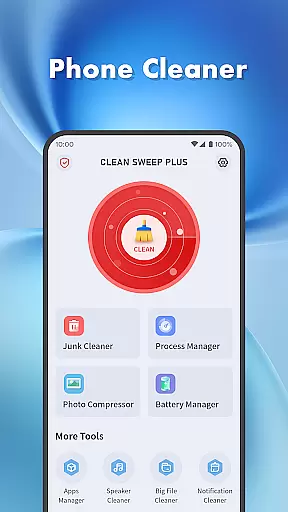
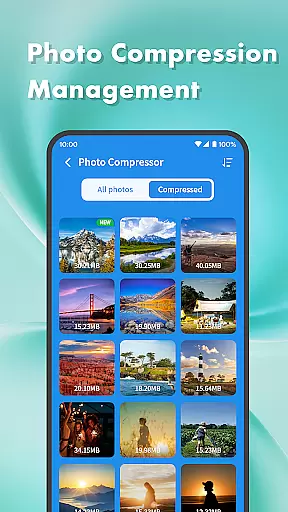
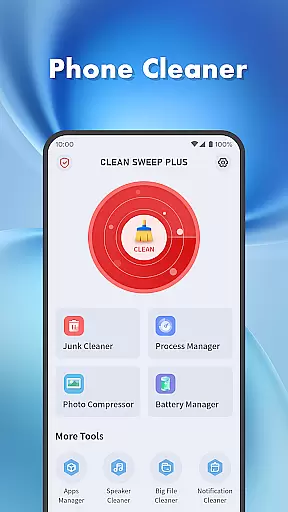
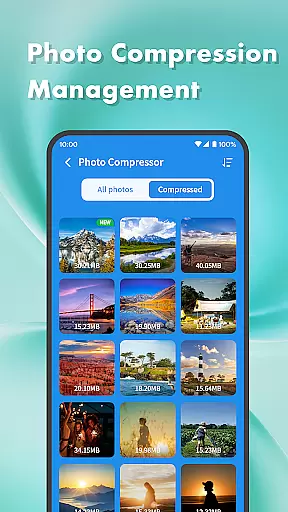
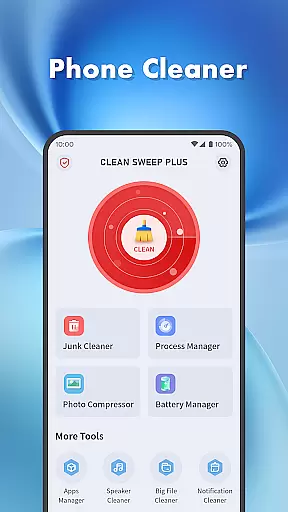
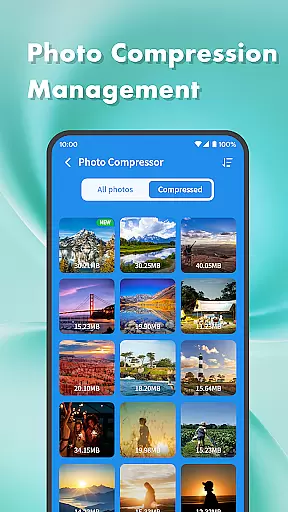
Clean Sweep Plus is a comprehensive mobile device management tool designed to optimize your phone's performance. The app offers essential features such as junk file cleaning, large file management, and photo compression to help you reclaim valuable storage space.
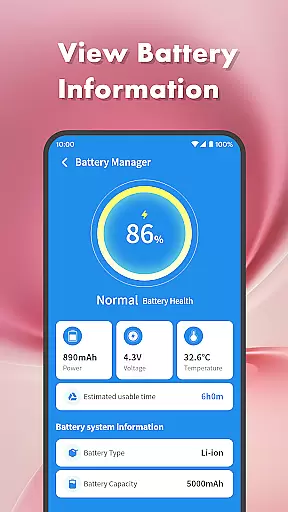
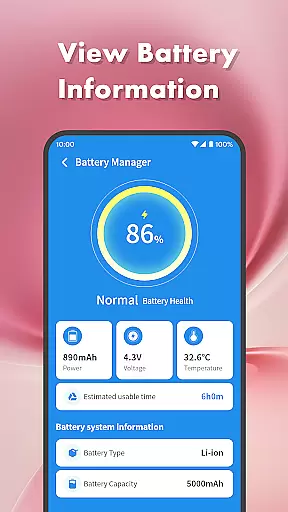
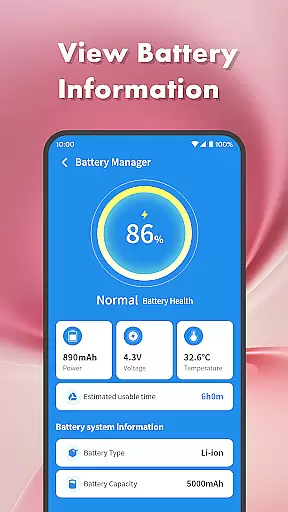
Additionally, it provides robust app management capabilities, allowing users to uninstall unused applications and monitor background processes. With its intuitive battery management center, Clean Sweep Plus gives you detailed insights into your device's power consumption, helping you extend battery life.
Whether you're looking to declutter your phone, manage apps more efficiently, or simply understand your battery status better, Clean Sweep Plus delivers practical solutions for everyday mobile management needs.
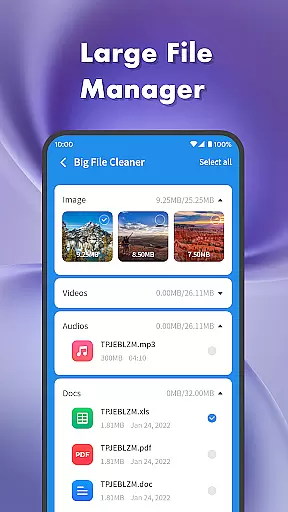
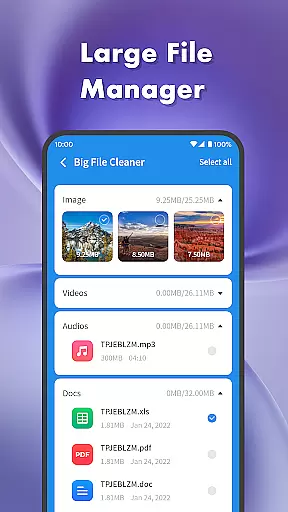
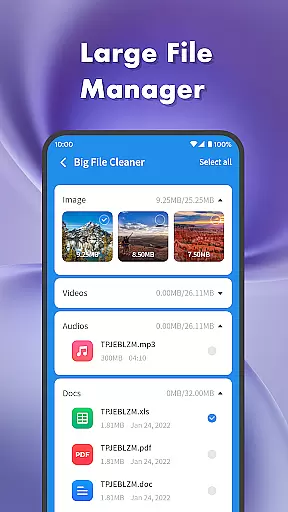
Clean Sweep Plus stands out with its diverse range of practical tools tailored for daily phone maintenance. The junk cleaner efficiently scans and removes unnecessary files, while the large file manager helps you identify and manage bulky media files that consume significant storage space.
The app's battery management center provides detailed analytics about your device's power usage, including estimated remaining time and battery health information. Its process manager allows users to view and terminate background app activities, ensuring optimal device performance.
What makes Clean Sweep Plus particularly user-friendly is its well-organized interface. Each feature is easily accessible through a clear and intuitive layout, making phone management straightforward even for non-technical users. These comprehensive tools collectively create a seamless mobile optimization experience.
When it comes to mobile device management tools, the accuracy and effectiveness of core functions are paramount. Clean Sweep Plus excels in this area by offering a comprehensive suite of features that address common phone management challenges. The app's junk cleaner precisely identifies unnecessary files, while the large file manager helps users locate space-consuming media files with accuracy.
The app manager provides clear information about installed applications, making it easy for users to decide which apps to keep or remove. Meanwhile, the process manager gives users control over background processes, ensuring optimal device performance. Each tool is designed not only to be accurate but also to deliver tangible results, such as freeing up storage space and improving device speed.
What sets Clean Sweep Plus apart is how these features work together seamlessly. For instance, after using the photo compression tool to reduce file sizes, users can then employ the junk cleaner to remove leftover temporary files. This cohesive approach to device management ensures users experience noticeable improvements in their phone's performance.
Ultimately, the true value of Clean Sweep Plus lies in its ability to simplify complex technical tasks while delivering measurable benefits. Whether it's through precise battery monitoring or effective notification management, each feature contributes to creating a more efficient and enjoyable mobile experience.
In the realm of mobile tools, having an intuitive interface can significantly impact user adoption and satisfaction. Clean Sweep Plus demonstrates exceptional attention to usability through its thoughtfully designed interface. The layout follows a logical structure where each tool is easily accessible from the main dashboard, eliminating unnecessary navigation steps.
Visual clarity is another strength of the application. Each function is represented by distinct icons accompanied by clear labels, making it simple for users to identify the tool they need. The color scheme and typography choices enhance readability without overwhelming the user with excessive visual elements. This careful balance creates a welcoming environment for both tech-savvy users and those less familiar with device management tools.
The app's designers have also prioritized operational simplicity. Complex tasks like app management and process monitoring are broken down into straightforward steps. Users can complete most operations with just a few taps, thanks to well-placed action buttons and confirmation dialogs that prevent accidental changes.
This commitment to intuitive design extends beyond mere aesthetics. By reducing cognitive load and minimizing learning curves, Clean Sweep Plus enables users to focus on managing their devices rather than figuring out how to use the management tools themselves. This approach ultimately leads to higher user engagement and satisfaction.
User-friendly interface
Comprehensive cleaning tools
Effective battery monitoring
Intuitive app management
Practical additional features
Limited advanced options
No cloud backup integration
Basic photo editing only
Occasional slow performance
Ads in free version

eXtended Permission Manager - a small app to manage permissions and AppOps
 4.50
4.50
Keep track of your Palia friendships, tasks, and inventory with Palia Notebook
4.60
Create your own live wallpaper or check out thousands already made presets
3.90
Monitor car performance in real time and troubleshoot malfunctions.
4.80
Support Fossify apps with a warm thank you!
5.00
The ultimate tool for network analysis, wifi scanning and problem detection.
4.90
NFC Tools can read and write NFC tags.
4.70
Remote Play with FSR upscaling, low latency & full controller support
4.80
Enhance your Beats
3.70
Easily install aab(Android App Bundle) files on your Android device with our app
4.80
Unit and currency converter with easy and simple UI.
4.80
Excellent scientific calculator with symbolic algebra, integrals, derivatives
4.80
Quickly switch to an encrypted DNS server on Android TV
4.50
The Ultimate Bluetooth Keyboard & Mouse. Securely control your PC, Mac, and more
4.50
Remote for Roku, Fire TV, Samsung TV, LG TV, Android TV, Chromecast and VIZIO TV
4.20
Screen Mirroring with sound for Samsung TV, LG TV, Sony TV, Smart TV and Browser
4.20
A powerful, easy-to-use flight computer on your phone or tablet!
3.80
A non-root local ADB shell client. READ BELOW!
3.40
Transfer Files, APK from Phone to Watch & Install.
4.2
Honest Scratch app review—is it actually good for teaching kids to code? Real user insights on features, limitations, and learning outcomes.



User Reviews