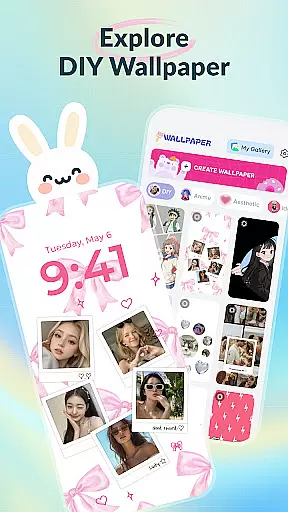
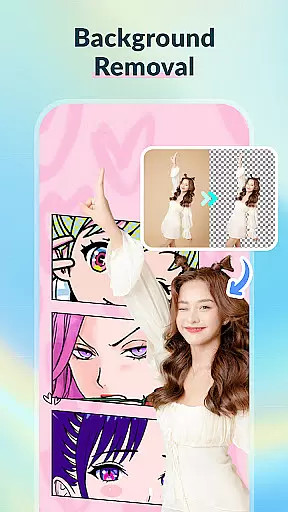
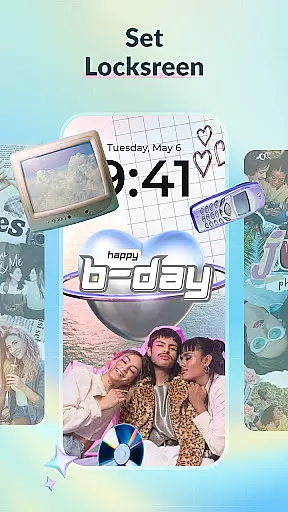
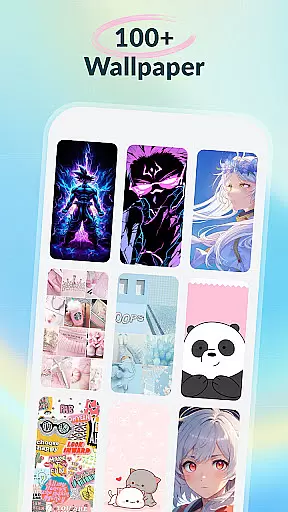
DIY Wallpaper & Collage Craft is a creative app designed for personalizing phone wallpapers. It offers three main features: DIY Frame Wallpaper, Collage Wallpaper Craft, and a Curated Wallpaper Gallery.
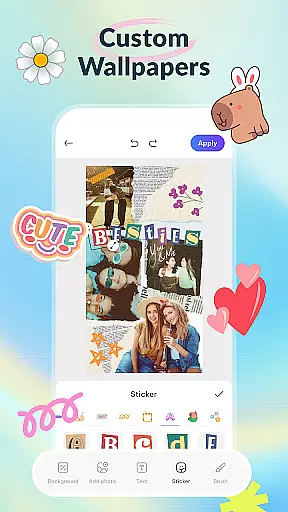
The DIY Frame Wallpaper allows users to transform their photos into captivating wallpapers using stylish frames and templates. The Collage Wallpaper Craft provides complete creative freedom to design unique photo collages with tools like stickers, text, and artistic filters. Lastly, the Curated Wallpaper Gallery offers a diverse selection of trendy, ready-to-use wallpapers.
This app is perfect for those looking to express their individuality through personalized phone aesthetics.
DIY Wallpaper & Collage Craft stands out with its powerful customization tools. Users can import personal photos and enhance them with dynamic or static frames, custom backgrounds, and fun stickers in the DIY Frame section.
In Collage Wallpaper Craft, users experience unrestricted creativity. They can freely arrange, resize, and layer unlimited photos, add custom text with various fonts, utilize a creative brush tool for doodles, and apply artistic filters for a professional touch.
The Curated Wallpaper Gallery is regularly updated with fresh, trendy designs spanning aesthetic vibes, anime themes, adorable animals, dark mode options, and fun memes, ensuring there's something for every user.
In the realm of personalization, DIY Wallpaper & Collage Craft shines with its vast array of customization options. This app is not just about changing wallpapers; it's about crafting a personal statement on your device.
The DIY Frame Wallpaper feature offers dynamic and static frames that cater to different tastes, allowing users to transform their cherished memories into captivating pieces of art. With easy photo import and custom backgrounds, each creation can reflect a unique mood or style.
Moreover, the Collage Wallpaper Craft section takes creativity to another level by providing complete freedom to design collages from scratch. Users can import unlimited photos, add trendy stickers, express with text, and even draw directly on their creations, ensuring no two wallpapers are ever the same.
Theme compatibility is crucial for any personalization app, and DIY Wallpaper & Collage Craft excels in this area. The app ensures that all designs, whether created through the DIY Frame Wallpaper or the Collage Wallpaper Craft, seamlessly integrate with various device themes.
With an extensive gallery of curated wallpapers, users have access to aesthetic vibes, anime magic, adorable animals, dark mode delights, and more. These themes are designed to be compatible across different devices and operating systems, enhancing user experience without compromising on quality or performance.
Furthermore, the app's commitment to staying updated with the latest trends means that users will always find fresh content that aligns with current mobile culture, ensuring their devices remain stylish and contemporary.
User-friendly interface
Vast customization options
Frequent content updates
Free to use
Creative freedom
May overwhelm new users
Design tools could be limited
High storage usage
Ads present in the app
Occasional bugs

A light in the dark, a unique style and an andless cutomization!
 4.30
4.30
Ultra realistic gold analog watch face with lots of customization options.
4.50
Personalize your phone with stunning HD and 4K wallpapers!
4.70
Try creating your own keyboard with "Keyboard theme for android" app now!
4.50
Zip lock screen with magic wallpaper to decorate your phone with fun zipper lock
4.60 4.10
4.10
Your go to Weather App & Home Screen. Get your weather at a swipe of a finger!
3.80
300+ Stunning and well-designed widgets inspired by NOTHING.
4.70
Magic fluids wallpaper 4D: Relax with stunning fluid simulation wallpaper app
4.20
Customizable Glass widgets. Over 360+ stunning widgets and more!
4.70
Shimeji adds cute animated characters to your screen, lively and fun.
4.70
400+ Beautifully crafted widgets inspired by NOTHING.
4.70
Unique Android Launcher
4.60
Over 28,000 high quality icons to bring color & homogeneity to your phone.
4.60
Color phone with cool effects for call screen, flash alert & ringtones music
4.50
Romantic Kiss Stickers App. Start romantic messaging now!
4.30 3.50
3.50
HappyLighting is a Bluetooth lamp control software.
3.40
⭐ OneUI inspired Fluffy Icon Pack – Soft. Stylish. Standout. ⭐
4.1
Wallpaper Engine Android review—PC sync setup, crash issues, sound reactive limitations, and whether this free companion app is actually good.



User Reviews