
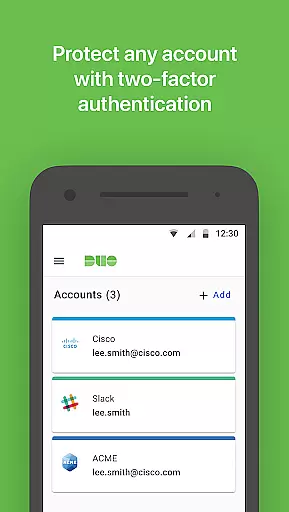
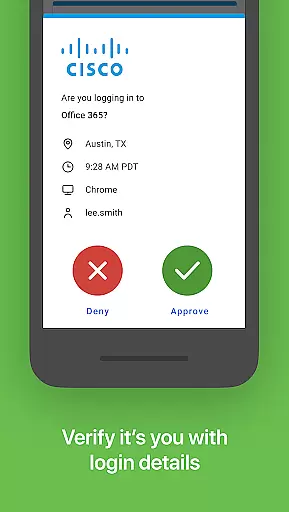
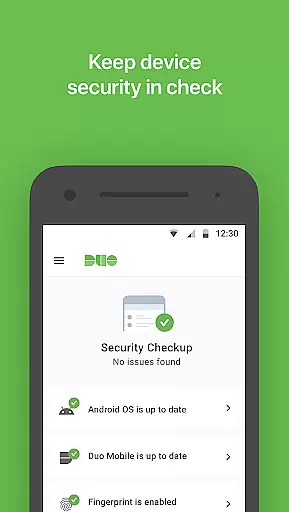
Duo Mobile is a robust two-factor authentication app designed to enhance login security for both individual and enterprise users. The application generates time-based passcodes and supports push notifications, enabling easy, one-tap authentication. It works seamlessly with Duo Security's services while also supporting third-party applications that require passcode-based authentication.
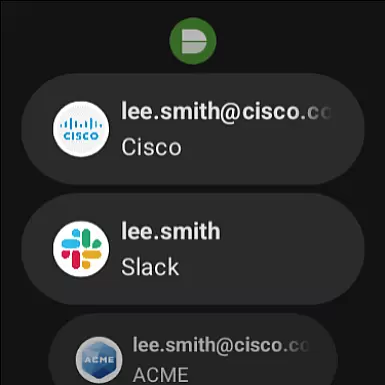
One of the standout features of Duo Mobile is its companion app, Duo Wear, which extends secure authentication capabilities to Wear OS smartwatches. This makes it even more convenient for users who prefer accessing their authentication tools directly from their wrist. Whether you're securing your personal accounts or managing enterprise-level access, Duo Mobile provides an essential layer of protection against unauthorized access.
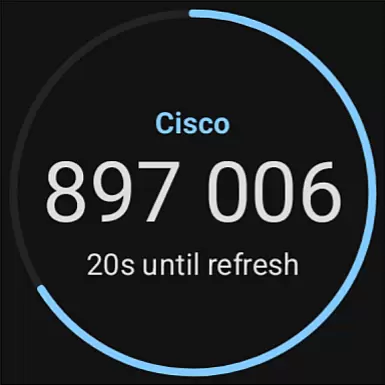
Duo Mobile offers several key features that make it a versatile and reliable choice for two-factor authentication. First, the app generates time-based one-time passcodes (TOTP) for various services, ensuring that each login attempt is secured by a unique code. Additionally, the push notification feature allows users to authenticate with just one tap, significantly simplifying the login process without compromising security.
The app also integrates with third-party services, allowing users to manage multiple authentication methods in one place. With support for QR code scanning during account activation, Duo Mobile streamlines the setup process. Furthermore, the inclusion of Duo Wear for smartwatches demonstrates the app's commitment to providing flexible and accessible security solutions across different devices.
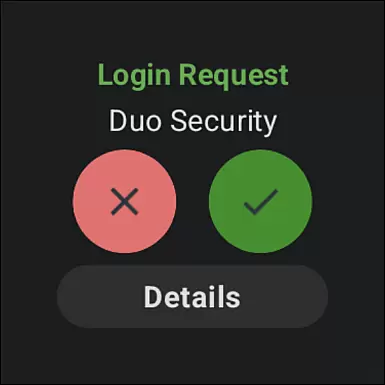
Companion app integration is a crucial feature for applications that extend their functionality to wearable devices. Duo Mobile excels in this area by offering seamless connectivity between its smartphone application and Duo Wear, the companion app designed for Wear OS. This integration allows users to receive authentication requests directly on their smartwatches.
The implementation of this feature ensures that users can authenticate with a single tap on their wearable device, providing an additional layer of convenience. The synchronization between the mobile app and the wearable app is automatic and real-time, ensuring that all account information and authentication requests are up-to-date across devices.
For users, this means they can enjoy a more streamlined and efficient authentication process without needing to take out their phone. Whether at the gym, in a meeting, or simply on the go, the ability to authenticate via a smartwatch makes secure logins quicker and more accessible than ever before.
Device compatibility is essential for any application targeting wearable technology, and Duo Mobile ensures broad support across various Wear OS devices. By optimizing its performance for different hardware configurations, Duo Mobile provides consistent functionality regardless of the specific smartwatch model being used.
The application undergoes rigorous testing to ensure it meets the technical requirements of Wear OS, including memory management, processing efficiency, and battery consumption. These efforts result in an app that not only functions reliably but also maintains optimal performance over time.
Users benefit from this commitment to compatibility as they can choose from a wide range of devices without worrying about losing access to critical security features. With Duo Mobile's robust support for Wear OS, individuals can confidently select a smartwatch that fits their lifestyle while maintaining top-notch security practices through two-factor authentication.
Enhanced security
User-friendly interface
Supports multiple platforms
One-tap authentication
Wear OS integration
Requires activation
Limited offline use
Dependent on internet
No biometric login
QR code dependency

Christmas - Festive - Christmas Village - Winter - Christmas lights
 5.00
5.00
Digital watch face with big numbers and many customization for Wear OS devices
4.40
Fitness interactive virtual pet super fighter boy watch face
4.0
The #1 source of faces for your smartwatch!
4.00
Funny animated watch face for Thanksgiving
4.2
Minimalistic design modern digital watch face.
4.1
Your local weather forecast, storm tracker, radar maps & live weather news
3.40
Want to take charge of your health? Let Google Fit help you reach your goals.
3.50
Back up your contacts & access them anywhere
4.30
Christmas Theme Watch Face for Wear Os
5.00
Period, ovulation & pregnancy tracker. Fertility insights & menstrual calendar.
4.90
The Chevron App allows you to pay for fuel from the comfort of your car!
4.80
WTW M17 is a premium and luxurious hybrid watch face
4.70
Easy Voice Recorder is your everyday companion to record important moments.
4.70
A realistic hybrid watch face with many customization options.
4.60
Wear Os Watch Face - Animated Snow Effect & Magic Spark - 6 Scenes
4.10
Viewer for Wyze/Yi/Eufy/Arlo/ONVIF/RTSP/P2P IP cams w/ adv. features & DIY DVR
4.00
Christmas and New Year - Themed Watchface
4.0
an Analog Watch Face for winter season with freeze winter background for Wear OS
4.4


User Reviews