
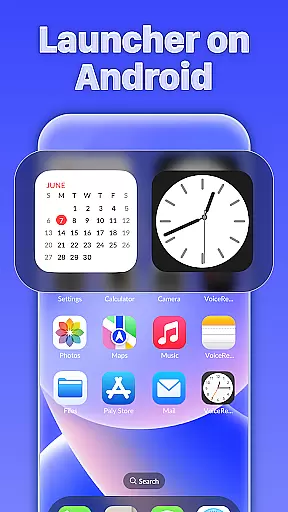
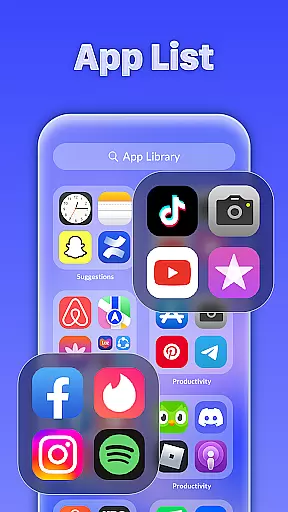
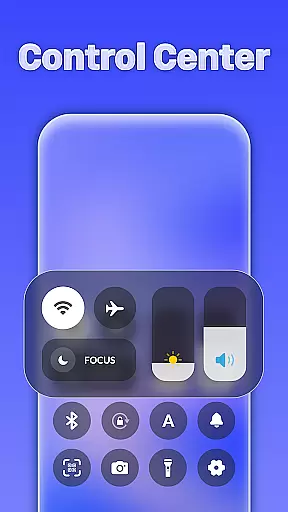
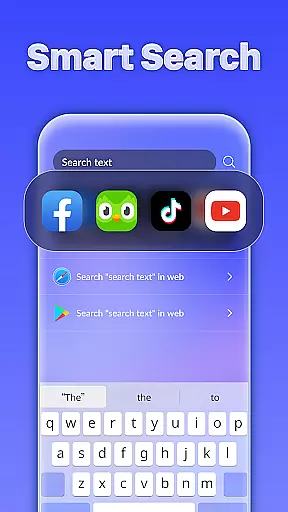
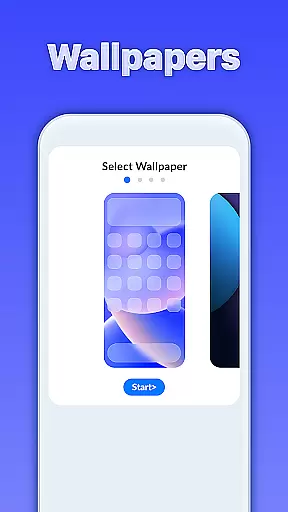
iLauncher OS redefines the Android experience by offering a sophisticated and visually appealing interface that enhances your device's aesthetics. This launcher provides a premium look and feel, transforming your smartphone into a more luxurious gadget.
At its core, iLauncher OS features an innovative App Library that organizes applications similar to real operating systems. The Smart Search functionality allows users to quickly find what they need by swiping down on the home screen. Additionally, the Style Folder option enables easy organization of apps, while the integrated Weather feature delivers timely forecasts.
Whether you're a professional seeking a polished interface or someone who appreciates beautiful design, iLauncher OS caters to those wanting a refined mobile experience.
iLauncher OS stands out with its comprehensive feature set designed to elevate user interaction. The App Library introduces a novel method for app organization, mimicking the structure of genuine OS devices.
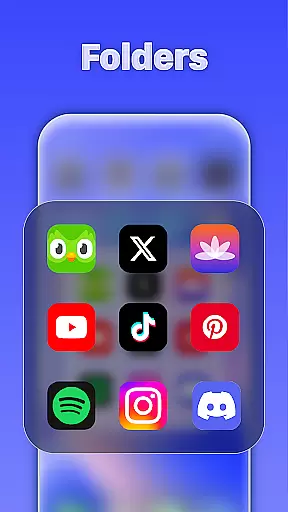
The launcher also incorporates Smart Search, allowing instant access to apps and content through a simple swipe-down gesture on the home screen. The Style Folder function simplifies app management by enabling users to drag and drop apps into folders effortlessly.
Furthermore, iLauncher OS includes a practical Weather feature that supplies users with current and upcoming weather information. These capabilities collectively ensure a personalized and efficient user experience.
Customization is at the heart of iLauncher OS, offering users a wide array of options to tailor their Android experience. The App Library feature revolutionizes app organization, mimicking the intuitive layouts found on real OS devices. This allows users to categorize and access their applications in a manner that feels both familiar and efficient.
Smart Search enhances customization by providing intelligent search capabilities right from the home screen. With a simple swipe-down gesture, users can quickly locate apps, contacts, or information, streamlining their interaction with the device. This level of personalization ensures that each user's home screen is not only visually appealing but also highly functional.
The Style Folder option adds another layer of customization, enabling users to create folders by simply dragging and dropping apps together. This mirrors the folder creation process on popular operating systems, giving users the ability to declutter their screens while maintaining easy access to their apps.
Overall, iLauncher OS empowers users to design a mobile interface that reflects their personal preferences and usage patterns. By integrating these diverse customization options, the launcher provides a personalized and luxury experience, making daily interactions with the Android system more enjoyable and efficient.
Theme compatibility is a crucial aspect of iLauncher OS, ensuring that users can seamlessly integrate various visual themes into their mobile experience. The launcher supports a wide range of themes, allowing users to transform the look and feel of their devices to match their personal style or mood. This flexibility extends to all facets of the user interface, including icons, wallpapers, and menu designs.
In addition to supporting third-party themes, iLauncher OS offers its own set of beautifully crafted themes. These themes are designed to maintain visual consistency across the device, providing a cohesive aesthetic that enhances the overall user experience. Whether you prefer a minimalist design or vibrant colors, the launcher has options to suit every taste.
Furthermore, the Weather feature integrates smoothly with any chosen theme, displaying forecasts in a manner that complements the visual style of the device. This attention to detail ensures that functional elements like weather updates do not disrupt the thematic harmony of the user interface.
By prioritizing theme compatibility, iLauncher OS delivers a personalized and visually stunning experience. Users can enjoy the freedom to customize their devices while benefiting from a consistent and polished appearance, elevating the standard Android operating system to new heights of luxury and personal expression.
User-friendly interface
Efficient app organization
Smart search functionality
Stylish folder management
Integrated weather updates
May consume extra resources
Limited customization options
Potential compatibility issues
Occasional performance lags
Requires frequent updates

Ninja Turtles Cowabunga SE watch face for Wear OS
 4.50
4.50
Themes - Widget & Wallpaper: Customize home screen, icon changer w unique themes
4.30
Shimeji adds cute animated characters to your screen, lively and fun.
4.70
Adorable pets roam and play right on your phone screen!
3.30
One 8 icons glass color version
4.80
400+ Beautifully crafted widgets inspired by NOTHING.
4.70
A minimalist productivity launcher. One-hand-friendly. Zero ads.
4.70
Amazing letter fonts in your messages and social statuses
4.70
Your home screen, just the way you like it.
3.80
Icons made of colorful linear lines
4.60
Zip lock screen with magic wallpaper to decorate your phone with fun zipper lock
4.60 4.50
4.50
Organize and manage your photos and videos effortlessly with Photo Gallery
4.20
Run multiple accounts of the same app on a single device
4.10
Customizable flower power digital watch face for Wear OS watches.
4.00 3.50
3.50
Capture moments that pass like a storm, second by second.
4.5
Prank your friends with realistic broken screen and cracked HD effects!
4.5
Modern Glass Icon Pack with glossy icons, clean minimal theme & aesthetic style
4.3
Wallpaper Engine Android review—PC sync setup, crash issues, sound reactive limitations, and whether this free companion app is actually good.



User Reviews