
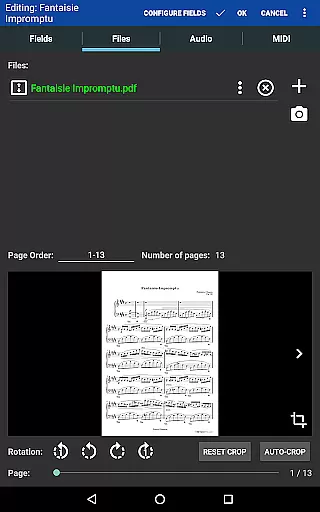
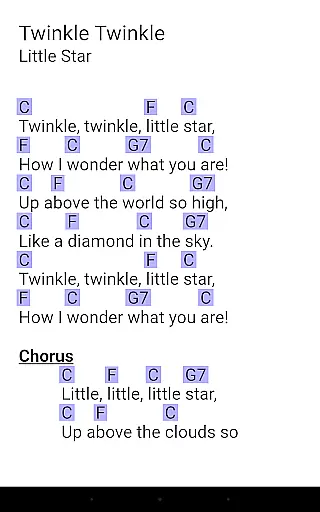
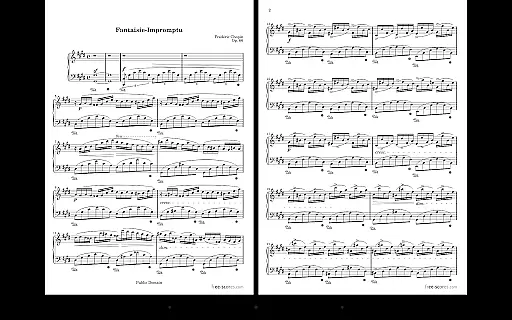
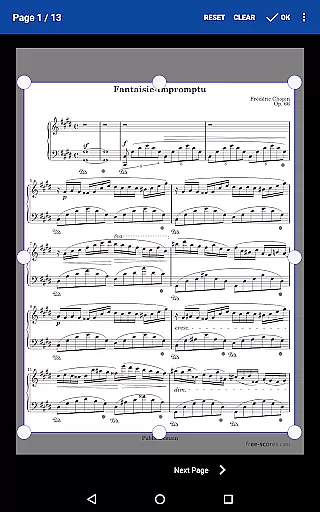
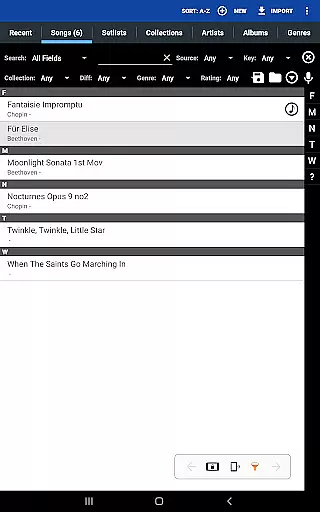
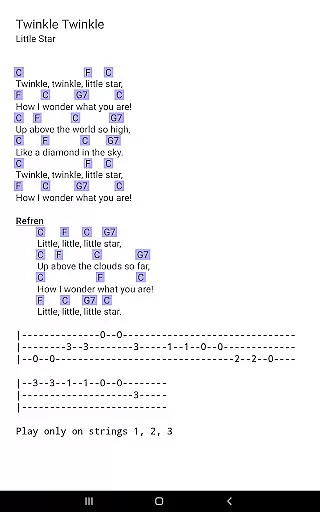
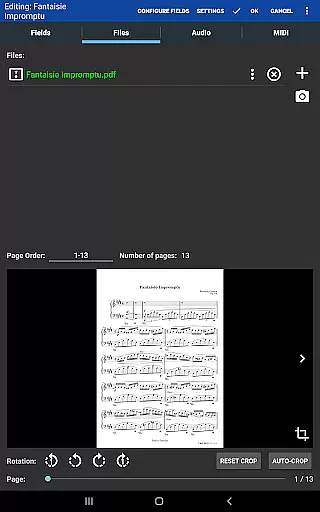
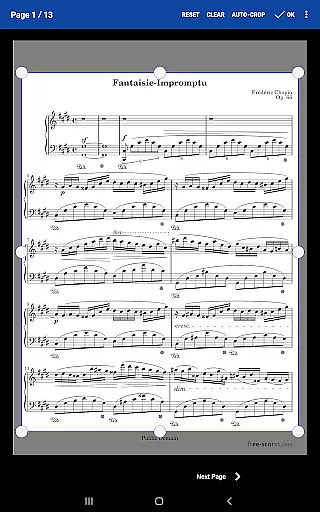
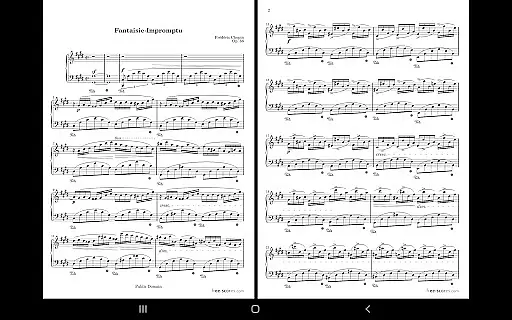
MobileSheets is a premier sheet music viewer designed specifically for Android tablets, offering musicians an efficient and versatile solution to manage and access their entire music library digitally. The application eliminates the need for physical sheet music by providing instant access to any score within its library. With support for multiple file types including PDFs, images, text files, and chord pro files, MobileSheets ensures compatibility with various formats while delivering essential features tailored to musicians' needs.
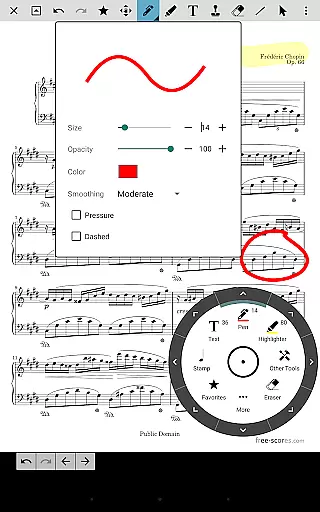
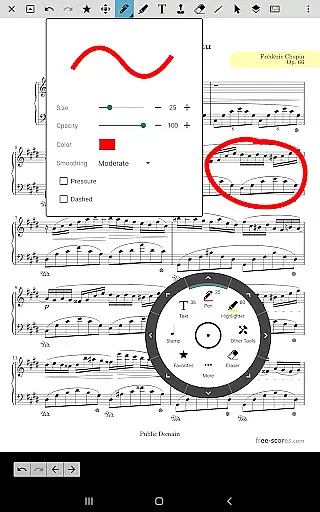
The app boasts advanced functionalities such as hands-free page turns via Bluetooth or USB devices, automatic scrolling, and even face gestures like smiling to turn pages. It also includes annotation tools for marking up scores, a custom audio player with A-B looping, and a metronome with customizable sound effects. These features collectively enhance practice sessions and performances, making MobileSheets an indispensable tool for modern musicians who seek convenience without compromising functionality.
MobileSheets stands out with its comprehensive feature set tailored for musicians. One of its key strengths is the ability to customize the viewing experience through multiple modes of operation, including side-by-side pages, half-page turns, and vertically scrolling pages. This flexibility allows users to adapt the interface to their preferred reading style, ensuring maximum comfort during long practice sessions or performances.
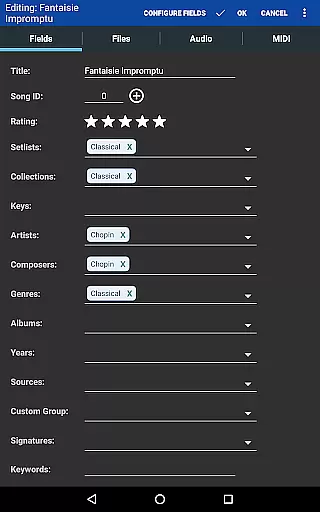
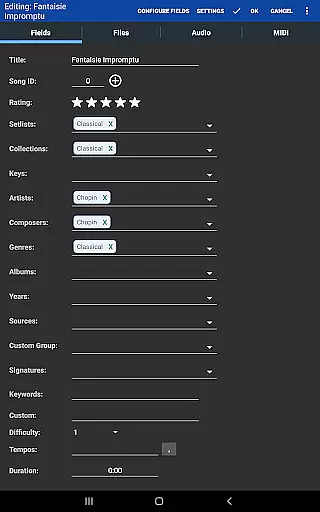
In addition to its viewing options, MobileSheets offers powerful organizational tools. Users can create custom page orders, bookmarks, and link points to handle repeats and navigate between sections effortlessly. The app's smart buttons enable configurable actions directly from the score, enhancing interactivity. Furthermore, its robust library management system supports extensive metadata fields, empowering users to maintain complete control over their music collections. These features not only streamline workflow but also significantly improve the overall user experience for musicians at all levels.
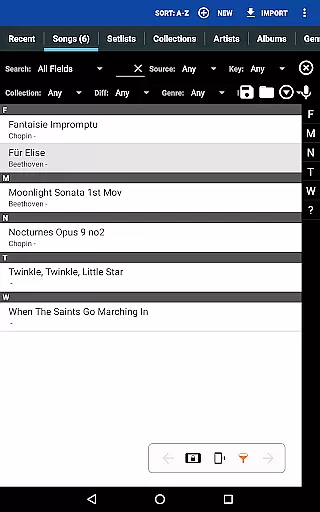
MobileSheets offers an extensive music library management system that allows musicians to store and organize a wide variety of file types including PDFs, images, text files, and chord pro files. This ensures that users have access to a vast collection of sheet music and resources tailored to their needs.
The application supports importing CSV index files, which is particularly useful for breaking up large PDF songbooks into individual tracks. This feature not only enhances the user's ability to manage extensive collections but also ensures that all content is properly indexed and easily retrievable.
While MobileSheets does not provide sheet music itself, its design emphasizes the importance of copyright authenticity by encouraging users to supply their legally obtained files. This approach respects intellectual property rights while offering a platform for musicians to utilize their personal collections effectively.
Furthermore, the app's capability to transpose chords in text and chord pro files adds another layer of versatility, allowing users to adapt their music library to different instruments or vocal ranges without compromising the original compositions' integrity.
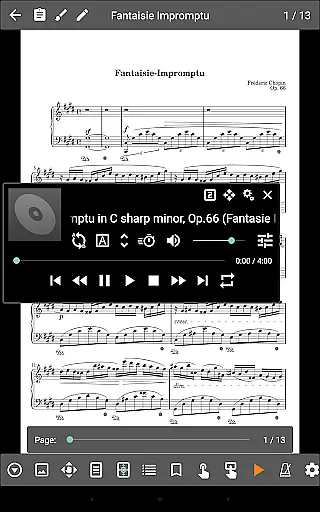
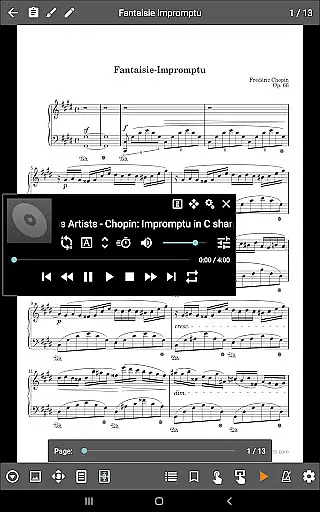
One of MobileSheets' standout features is its custom audio player, designed specifically for playing back audio tracks alongside scores. This integration provides musicians with a seamless experience where they can follow along with their sheet music while listening to corresponding audio, enhancing practice sessions and performances.
The audio player supports A-B looping, a critical tool for musicians who need to focus on specific sections of a track repeatedly. This feature ensures that users can refine their skills efficiently by isolating challenging parts without constant manual rewinding or searching.
In addition to playback functionalities, MobileSheets offers multiple display sizes for the audio player interface, catering to different user preferences and device orientations. Whether in portrait or landscape mode, musicians can adjust the layout to suit their viewing comfort and workflow requirements.
Although MobileSheets cannot play back PDFs, images, or text/chord pro files directly, its robust support for audio files ensures high-quality sound output. This makes it an invaluable tool for musicians seeking to synchronize visual and auditory elements during their practice routines.
User-friendly interface
Extensive file compatibility
Hands-free functionality
Powerful annotation tools
Customizable library management
No built-in playback for PDFs
Optimized for larger tablets only
Separate companion app required
Limited free features
Occasional device compatibility issues

Turn your phone into a musical instrument from the future!
 3.90
3.90
The Skullcandy App Experience
3.20
DJ Music Mixer - DJ Remix: remix songs, make beat music & record mix of DJ.
4.40
Powerful beat maker & DJ mixer to remix tracks, make music, & perform DJ mix
3.70
Learn and play 2M+ music tabs & chords on guitar, ukulele, bass, and more
4.30
Powerful 10-Band equalizer pro with sound booster improves Android audio quality
4.30
Learn the notes on the guitar fretboard fast with this easy and fun app
4.60
Responsive piano with great sounds, graphics, and songs
4.80
Sing, record, and create music together — enhanced by smart voice tools.
4.00
Your song collections with lyrics and chords on Android smartphones and tablets.
4.80
Brian Eno and Peter Chilvers’ acclaimed music app Bloom, radically reinvented.
4.80
Music, News & Sports Radio Tuner App. Tune in Live FM & AM Radio Stations.
4.80
Most Advanced AI Song Generator and Music Creator. Rap, Pop, Rock, Gospel & more
4.70
The best music and audio player, with beautiful UI, music search and equalizer.
4.60
The alternative folder based music player.
4.20
No wifi music app. Mp3 offline. Tuner radio, young radio music. Music downloader
4.20
Sheet music reader, piano & music note player. Play music score & learn to read.
3.90
Offline Tunes, Unlimited Vibes
3.90
The Minimalistic Premium Music Player. Handmade with passion for music
2.20


User Reviews