


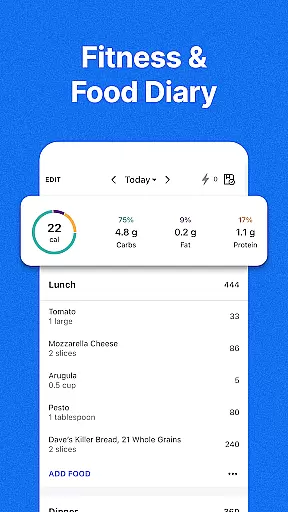
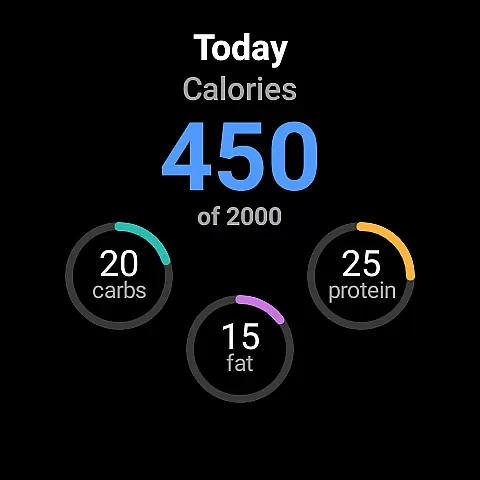
MyFitnessPal is a comprehensive health and fitness tracking application designed specifically for Android Wear users. This app serves as both a calorie tracker and a food journal, allowing you to monitor your daily intake of nutrients including proteins, carbs, and fats. With over 20 million foods in its database, it simplifies the process of logging meals and tracking nutritional values.
Beyond just food tracking, MyFitnessPal also offers features tailored to fitness enthusiasts. You can log workouts, track your weight, and even connect with other devices to get a holistic view of your health progress. The app's integration with Wear OS ensures that you can easily access key features like water tracking and macro monitoring directly from your smartwatch.
Whether you're looking to lose weight, maintain your current weight, or simply stay on top of your nutritional intake, MyFitnessPal provides personalized tools and insights to help you achieve your goals. Its user-friendly interface and customizable dashboards make it an essential tool for anyone serious about their health journey.
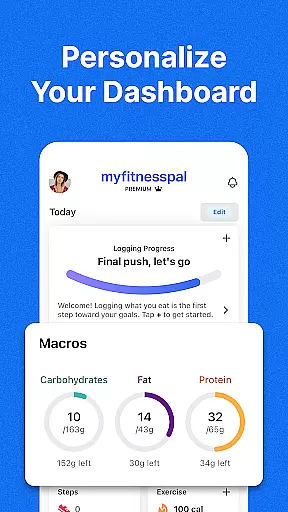
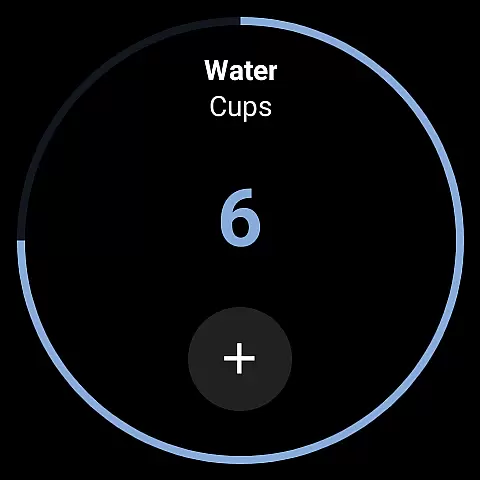
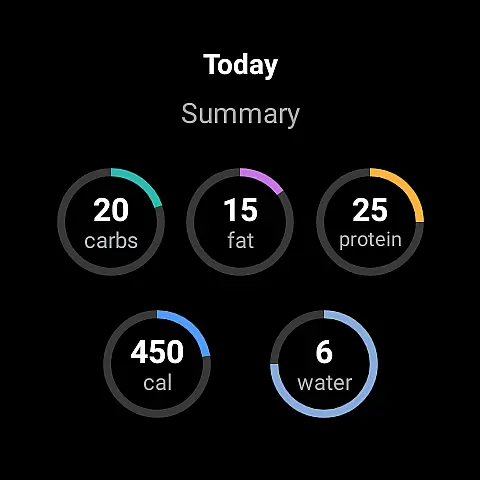
One of the standout features of MyFitnessPal is its extensive food database, which includes over 20 million items, making it easy to log your meals accurately. The app's macro tracker allows you to set specific goals for carbs, proteins, and fats, ensuring you stay on track with your dietary needs. Additionally, the hydration tracker helps you maintain optimal water intake throughout the day.
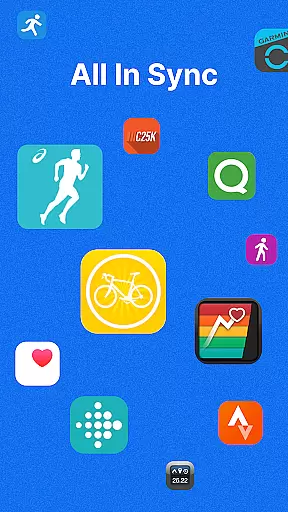
For fitness tracking, MyFitnessPal integrates seamlessly with various devices and apps, providing a unified platform to monitor your physical activities. The activity tracker lets you add workouts and steps, while the detailed progress charts offer insights into how your diet and exercise impact your overall health. Moreover, the app's Wear OS compatibility means you can access these features conveniently from your wrist.
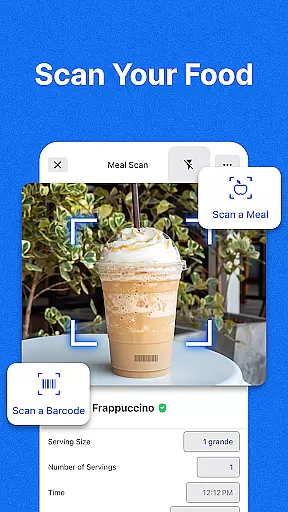
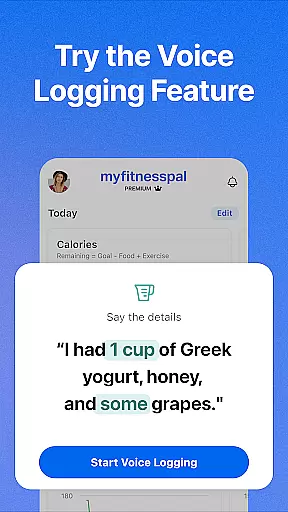
MyFitnessPal also offers personalized meal plans and expert guidance through its Premium and Premium Plus subscriptions. These tiers provide advanced features such as barcode scanning, voice logging, and customized meal planning. With thousands of healthy recipes and integrated grocery delivery options, reaching your health goals has never been easier or more convenient.
Companion app integration is essential for users who want a seamless experience between their mobile devices and wearables. MyFitnessPal offers robust companion app features that ensure data synchronization and functionality across different platforms. This means you can start tracking your meals or workouts on your phone and continue on your Wear OS device without missing a beat.
The app's integration capabilities extend to over 40 different apps and devices, including popular fitness trackers and smartwatches. This allows for comprehensive health monitoring, as all your data is centralized in one location. Whether you're counting steps, monitoring heart rate, or logging meals, the information is accessible wherever you choose to engage with it.
For users, this translates into convenience and consistency. You won't have to manually enter data on multiple devices, reducing the chances of errors and ensuring that your progress is accurately recorded. The ability to sync data across devices also encourages more frequent tracking, which can lead to better adherence to health and fitness goals.
Ultimately, MyFitnessPal's companion app integration empowers users to maintain a holistic view of their health metrics. By leveraging the connectivity between devices, users can enjoy a more streamlined and efficient tracking experience, making it easier to stay committed to their wellness journey.
Wear OS and device compatibility are crucial factors when selecting a fitness app, and MyFitnessPal excels in this area. The app supports Wear OS, allowing users to utilize their smartwatches as an extension of the main application. This compatibility ensures that whether you're at the gym or on the go, you can log your meals, track your water intake, or monitor your workout progress directly from your wrist.
MyFitnessPal's Wear OS features include complications on the home screen for quick access to logging tools and tiles for tracking various nutrients at a glance. These functionalities make it easy to stay on top of your health metrics without needing to pull out your phone. The intuitive design of these wearables' interfaces ensures that even those new to smartwatch technology can navigate and utilize the app's features effectively.
This level of compatibility enhances user engagement by providing timely reminders and updates. For instance, receiving a notification on your watch to log your lunch can prevent missed entries and keep you accountable throughout the day. Additionally, having constant access to your fitness data motivates continued progress towards your goals.
In summary, MyFitnessPal's commitment to Wear OS and device compatibility ensures that users have a versatile and accessible fitness tracking solution. By integrating seamlessly with wearable technology, the app not only simplifies daily tracking but also enriches the overall user experience, making health management more convenient and effective.
Comprehensive food database
Easy meal logging
Integrated fitness tracking
Personalized meal plans
Wear OS compatibility
Premium subscription required
Occasional syncing issues
Limited free features
Ads in free version
Complex settings

Precision analog watch face with 7 complications and style options
 4.4
4.4
A full-featured Amazon Alexa voice assistant that can show you things.
3.70
Beautiful artistic animated digital watch face, with a customizable layout!
4.40
Authentic military-tactical design with ZULU time! Realistic and functional!
3.80
Hyperlocal rain alerts by MyRadar using patent-pending technology, radar & more
4.80
Premium hybrid watch face with many customizations for Wear OS devices.
4.40
Fast and smart typing with Emojis, GIFs, and more
4.50
Control your Samsung Smart TVs, appliances, and SmartThings-compatible devices
4.60
Toyota app currently supports 2010 or newer vehicles (2018 or newer for Hawaii).
4.50
Walking app for weight loss: walk & step tracker, pedometer, indoor treadmill
4.60
MyNISSAN® lets you remotely control your car from your phone.*
4.50
Digital watch face. For Wear OS devices.
4.40
Elegant animated Christmas tree with multiple customization options
4.20
sleep, alarm, snoring, stress, healing, focus, sound therapy, circadian rhythm
4.10
Christmas is near, let's count together the days left until Santa comes
4.5
Contemporary digital watch face with five complications
4.1
3 Complications. All shadow on/off. 30 Themes color palette...
4.3
Stylish digital watch face for Wear OS devices with customizable features
4.0
Funny animated watch face for Thanksgiving
4.5


User Reviews